Dell Pro Desktop Speakerphone SP3022 Missing from Audio Devices After Resuming from Standby or Hibernate
Zhrnutie: Customer may find the Dell Pro Desktop Speakerphone SP3022 appears to be turned off, not responding, or may be missing from the audio devices in the Windows setup screen.
Tento článok sa vzťahuje na
Tento článok sa nevzťahuje na
Tento článok nie je viazaný na žiadny konkrétny produkt.
V tomto článku nie sú uvedené všetky verzie produktov.
Symptómy
Affected Products:
- Dell Pro Desktop Speakerphone SP3022
Affected Versions:
- FW 1.1.5
Príčina
During modern standby, the Dell Pro Desktop Speakerphone SP3022 is turned off and periodically scans for USB wake when the computer wakes up from standby. The device can sometimes miss the USB wake command and does not wake up.
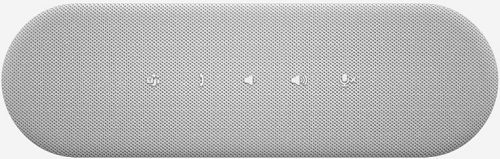
Figure 1: The speakerphone appears turned off and not responding
In the device manager, there maybe an instance of USB Device descriptor failed;

Figure 2: (English Only) Device Manager
Riešenie
- Download and upgrade Speakerphone firmware 1.17.4, or later to fix the issue:

Figure 3: (English Only) Dell Pro Desktop Speakerphone SP3022 Firmware Update Utility
- Perform a hot plug (unplug the USB, wait 3sec, and plug again).
- Alternative, perform a power cycle.
Dotknuté produkty
Dell Pro Desktop Speakerphone SP3022Vlastnosti článku
Číslo článku: 000197511
Typ článku: Solution
Dátum poslednej úpravy: 01 júl 2025
Verzia: 7
Nájdite odpovede na svoje otázky od ostatných používateľov spoločnosti Dell
Služby podpory
Skontrolujte, či sa na vaše zariadenie vzťahujú služby podpory.