PowerEdge: Upgrade and Conversion Options for Windows Server after Making Hardware Changes
Zhrnutie: The article is a solution to fixing the issue of the system asking for eh product key after making a hardware change.
Symptómy
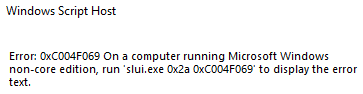
When making a hardware change to the server, and reinstalling the Windows server and comes across an activation error: run 'slui.exe 0x2a 0xC004F069'.
Screenshot of the full error:
Príčina
When a hardware change is made on the server.
Riešenie
-
To check what is the edition of the operating system run the following
DISM /online /Get-CurrentEdition -
Run the following, this applies to the generic volume license key
DISM /online /Set-Edition:<edition ID> /ProductKey:XXXXX-XXXXX-XXXXX-XXXXX-XXXXX /AcceptEulaNote: Make sure to use the generic key from: https://learn.microsoft.com/en-us/windows-server/get-started/kms-client-activation-keysEx:
DISM /online /Set-Edition:ServerDatacenter /ProductKey:XXXXX-XXXXX-XXXXX-XXXXX-XXXXX /AcceptEula -
Run the following command
slmgr.vbs /ipk XXXXX-XXXXX-XXXXX-XXXXX-XXXXX, at this stage you use your own product key and this replaces the generic key with your own product key, but does not activate the operating system. - To activate your operating system, you must run command
slmgr /atoto activate the license

TIP
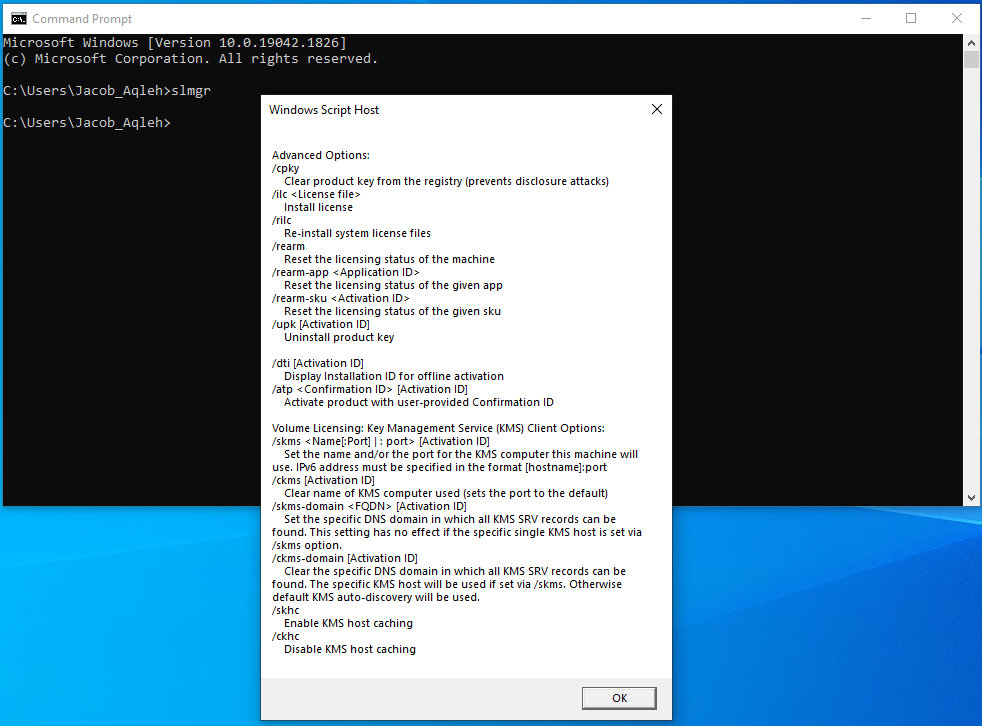
If you run in command prompt slmgr, a "windows script host" window appears.
If you press OK at the bottom, it shows you all the slmgr commands/ switches that can be used.