VxRail: Node Expansion Failed with Error "Expansion ESXI hosts pnic teaming policy initialize"
Zhrnutie: Node expansion fails due to missing Private Management Network, Private VM Network, or a vlan not configured.
Tento článok sa vzťahuje na
Tento článok sa nevzťahuje na
Tento článok nie je viazaný na žiadny konkrétny produkt.
V tomto článku nie sú uvedené všetky verzie produktov.
Symptómy
Error message: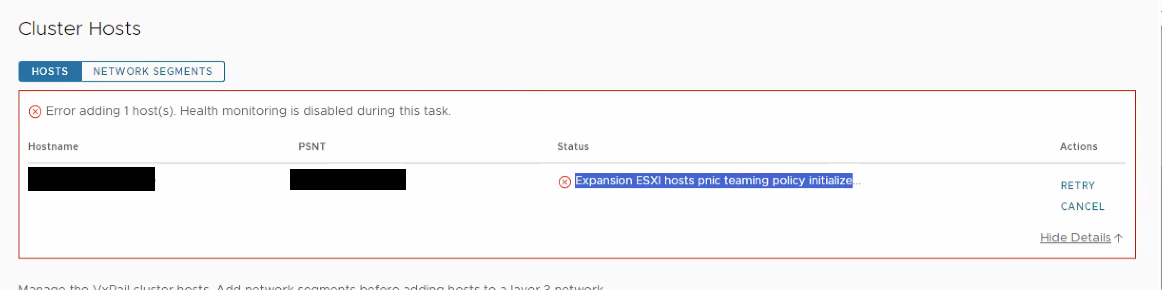
Príčina
Failure in mapping the Team due to missing Private Management Network, Private VM Network, or a vlan not configuredDayone.log:
Riešenie
On the new node, ensure that the Management Network is assigned to vmk2.
If the Private Management Network and Private VM Network are missing, create them with the commands below:
- Add portgroups (Private Management Network) & (Private VM Network) first to the standard switch:
esxcli network vswitch standard portgroup add --portgroup-name=portgroup --vswitch-name=vSwitch - Then attach the vlan which is configured from the customer side through the below commands:
esxcli network vswitch standard portgroup set -p "Private Management Network" -v [vlan]esxcli network vswitch standard portgroup set -p "Private VM Network" -v [vlan] - Add the Private Management Network port group to vmk0:
esxcli network ip interface add --interface-name=vmk0 --portgroup-name="Private Management Network" - Then restart the management services:
/etc/init.d/hostd restart/etc/init.d/vpxa restart
Dotknuté produkty
VxRail, VxRail Appliance Series, VxRail SoftwareVlastnosti článku
Číslo článku: 000221275
Typ článku: Solution
Dátum poslednej úpravy: 29 dec 2025
Verzia: 2
Nájdite odpovede na svoje otázky od ostatných používateľov spoločnosti Dell
Služby podpory
Skontrolujte, či sa na vaše zariadenie vzťahujú služby podpory.