Télécharger le programme de désinstallation de Dell Data Security
Sammanfattning: Découvrez comment télécharger le programme de désinstallation de Dell Data Security en suivant ces instructions.
Den här artikeln gäller för
Den här artikeln gäller inte för
Den här artikeln är inte kopplad till någon specifik produkt.
Alla produktversioner identifieras inte i den här artikeln.
Instruktioner
Remarque :
- les produits répertoriés dans Produits concernés peuvent ne pas être à l’état Actif. Pour des informations à jour sur la prise en charge d’un produit, consultez l’article Politique relative à la fin de vie et à la fin de prise en charge de Dell Data Security. Si vous avez des questions concernant des articles, contactez votre équipe des ventes ou endpointsecurity@dell.com.
- Consultez l’article sur la sécurité des points de terminaison pour plus d’informations sur les produits actuels.
Le programme de désinstallation de Dell Data Security fournit une méthode de suppression rationalisée pour les produits concernés Windows Dell Data Security (anciennement Dell Data Protection). Cet article décrit les étapes à suivre pour obtenir le programme de désinstallation de Dell Data Security pour ces produits.
Produits concernés :
- Dell Encryption Enterprise
- Dell Data Protection | Enterprise Edition
- Dell Encryption Personal
- Dell Data Protection | Personal Edition
- Dell Encryption External Media
- Dell Data Protection | External Media Edition
- Dell Data Guardian
- Dell Encryption Enterprise Self-Encrypting Drive Manager
- Dell BitLocker Manager
- Dell Full Disk Encryption
- Dell Data Protection | Secure Lifecycle
- Dell Data Protection | Cloud Edition
- Dell Endpoint Security Suite Enterprise
- Dell Endpoint Security Suite Pro
- Dell Threat Defense
- Dell Data Protection | Server Encryption
- Dell Data Protection | Security Tools
Versions concernées :
- v8.0.X et versions supérieures
Systèmes d’exploitation concernés :
- Windows
- Dans un navigateur Web, accédez à https://www.dell.com/support/home/.
- Cliquez sur Parcourir tous les produits.
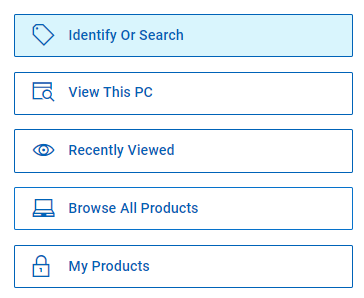
- Cliquez sur Software & Solutions.
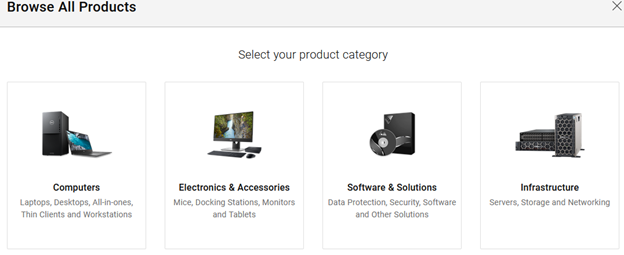
- Cliquez sur Sécurité.

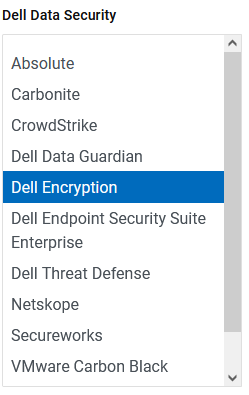
- Cliquez sur Dell Data Security.

- Cliquez sur Dell Encryption.
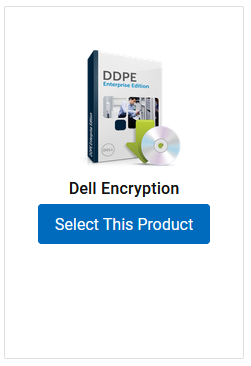
- Cliquez sur Select This Product.
- Cliquez sur Pilotes et téléchargements.

- Dans la liste déroulante Système d’exploitation, sélectionnez Windows 7 [X bits],, Windows 8 [X bits], Windows 8.1 [X bits], Windows 10 [X bits] ou Windows 11.

- À droite de Dell Data Security Uninstaller, cliquez sur Download.
 la date de publication peut différer de la capture d’écran ci-dessus.
Berörda produkter
Dell Data Guardian, Dell Encryption, Dell Threat Defense, Dell Endpoint Security Suite Pro, Dell Endpoint Security Suite EnterpriseArtikelegenskaper
Artikelnummer: 000130754
Artikeltyp: How To
Senast ändrad: 05 aug. 2026
Version: 15
Få svar på dina frågor från andra Dell-användare
Supporttjänster
Kontrollera om din enhet omfattas av supporttjänster.