如何下載 Dell Data Security 解除安裝程式
Sammanfattning: 瞭解如何依照以下指示下載 Dell Data Security 解除安裝程式。
Den här artikeln gäller för
Den här artikeln gäller inte för
Den här artikeln är inte kopplad till någon specifik produkt.
Alla produktversioner identifieras inte i den här artikeln.
Instruktioner
註:
- 受影響的產品中列出的產品可能未處於使用中狀態。如需支援產品的最新資訊,請參閱 Dell Data Security 的產品生命週期 (支援結束/壽命結束) 原則。如果您對其他文章有任何問題,請聯絡您的銷售團隊或聯絡 endpointsecurity@dell.com。
- 請參考端點安全性,以取得有關目前產品的其他資訊。
Dell Data Security 解除安裝程式可為列出的 Windows Dell Data Security (先前稱為 Dell Data Protection) 提供簡化的移除方法受影響的產品。本文提供取得這些產品的 Dell Data Security 解除安裝程式的步驟。
受影響的產品:
- Dell Encryption Enterprise
- Dell Data Protection | Enterprise Edition
- Dell Encryption Personal
- Dell Data Protection | Personal Edition
- Dell Encryption External Media
- Dell Data Protection | External Media Edition
- Dell Data Guardian
- Dell Encryption Enterprise Self-Encrypting Drive Manager
- Dell BitLocker Manager
- Dell Full Disk Encryption
- Dell Data Protection | Secure Lifecycle
- Dell Data Protection | Cloud Edition
- Dell Endpoint Security Suite Enterprise
- Dell Endpoint Security Suite Pro
- Dell Threat Defense
- Dell Data Protection | Server Edition
- Dell Data Protection | 安全性工具
受影響的版本:
- v8.0.X 及更新版本
受影響的作業系統:
- Windows
- 在網頁瀏覽器中,前往 https://www.dell.com/support/home/。
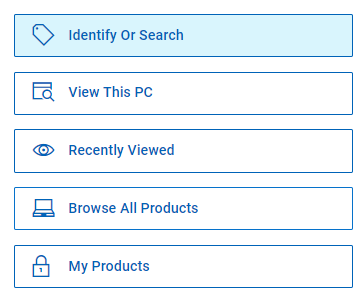
- 按一下瀏覽所有產品。
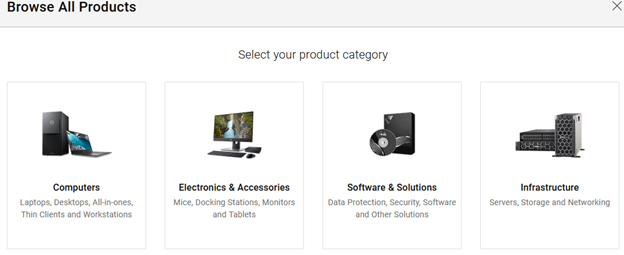
- 按一下軟體與解決方案。
- 按一下安全性。

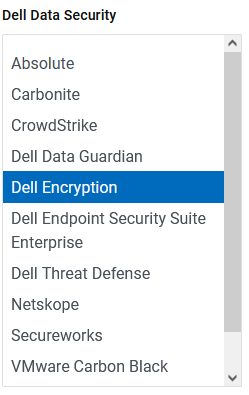
- 按一下 Dell Data Security。

- 按一下 Dell Encryption。
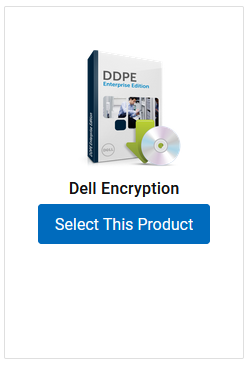
- 按一下選取此產品。
- 按一下 Drivers & Downloads (驅動程式與下載)。

- 從作業系統下拉式清單中,選取 Windows 7 [X 位元]、Windows 8 [X 位元]、Windows 8.1 [X 位元]、Windows 10 [X 位元] 或 Windows 11。

- 在 Dell Data Security 解除安裝程式的右側,按一下下載。
 發行日期可能與上述螢幕擷取畫面有所不同。
Berörda produkter
Dell Data Guardian, Dell Encryption, Dell Threat Defense, Dell Endpoint Security Suite Pro, Dell Endpoint Security Suite EnterpriseArtikelegenskaper
Artikelnummer: 000130754
Artikeltyp: How To
Senast ändrad: 05 aug. 2026
Version: 15
Få svar på dina frågor från andra Dell-användare
Supporttjänster
Kontrollera om din enhet omfattas av supporttjänster.