如何下载 Dell Data Security 卸载程序
Sammanfattning: 了解如何按照以下说明下载 Dell Data Security 卸载程序。
Den här artikeln gäller för
Den här artikeln gäller inte för
Den här artikeln är inte kopplad till någon specifik produkt.
Alla produktversioner identifieras inte i den här artikeln.
Instruktioner
注:
- 受影响的产品中列出的产品可能未处于活动状态。有关产品支持的最新信息,请参阅 Dell Data Security 产品生命周期(结束支持/停售)政策。如果您对其他文章有任何疑问,请联系您的销售团队或联系 endpointsecurity@dell.com。
- 请参阅端点安全性,了解有关当前产品的其他信息。
Dell Data Security 卸载程序为列出的 Windows Dell Data Security(以前称为 Dell Data Protection)影响的产品提供简化的删除方法。本文提供为这些产品获取 Dell Data Security 卸载程序的步骤。
受影响的产品:
- Dell Encryption Enterprise
- Dell Data Protection | Enterprise Edition
- Dell Encryption Personal
- Dell Data Protection | Personal Edition
- Dell Encryption External Media
- Dell Data Protection | External Media Edition
- Dell Data Guardian
- Dell Encryption Enterprise Self-Encrypting Drive Manager
- Dell BitLocker Manager
- Dell Full Disk Encryption
- Dell Data Protection | Secure Lifecycle
- Dell Data Protection | Cloud Edition
- Dell Endpoint Security Suite Enterprise
- Dell Endpoint Security Suite Pro
- Dell Threat Defense
- Dell Data Protection | Server Encryption
- Dell Data Protection | Security Tools
受影响的版本:
- v8.0.X 及更高版本
受影响的操作系统:
- Windows
- 在网页浏览器中,访问 https://www.dell.com/support/home/。
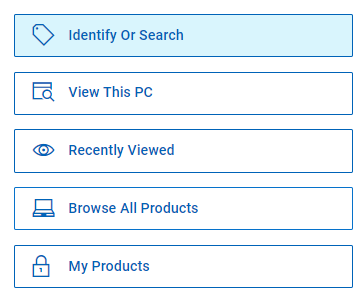
- 单击 Browse All Products。
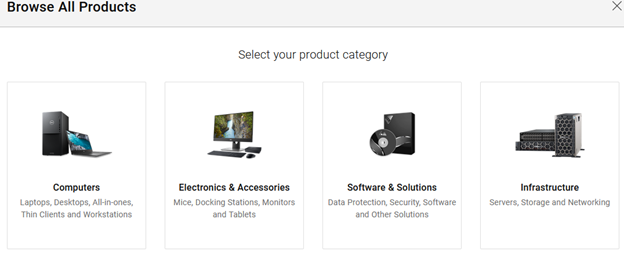
- 单击 Software & Solutions。
- 单击安全。

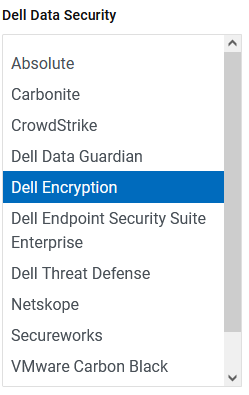
- 单击 Dell Data Security。

- 单击 Dell Encryption。
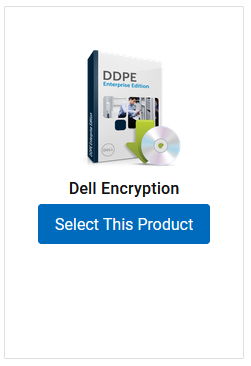
- 单击 Select This Product。
- 单击驱动程序和下载。

- 从“Operating system”下拉列表中,选择 Windows 7 [X-bit]、Windows 8 [X-bit]、Windows 8.1 [X-bit]、Windows 10 [X-bit] 或 Windows 11。

- 在 Dell Data Security 卸载程序右侧,单击 Download。
 发布日期可能与以上屏幕截图中不同。
Berörda produkter
Dell Data Guardian, Dell Encryption, Dell Threat Defense, Dell Endpoint Security Suite Pro, Dell Endpoint Security Suite EnterpriseArtikelegenskaper
Artikelnummer: 000130754
Artikeltyp: How To
Senast ändrad: 05 aug. 2026
Version: 15
Få svar på dina frågor från andra Dell-användare
Supporttjänster
Kontrollera om din enhet omfattas av supporttjänster.