How to Download the Dell Data Security Uninstaller
Sammanfattning: Learn how to download the Dell Data Security Uninstaller by following these instructions.
Den här artikeln gäller för
Den här artikeln gäller inte för
Den här artikeln är inte kopplad till någon specifik produkt.
Alla produktversioner identifieras inte i den här artikeln.
Instruktioner
Note:
- Products that are listed in the Affected Products may not be in an Active state. For up-to-date information about support for a product, reference Product Life Cycle (End of Support and End of Life) Policy for Dell Data Security. If you have any questions on alternative articles, either reach out to your sales team or contact endpointsecurity@dell.com.
- Reference Endpoint Security for additional information about current products.
The Dell Data Security Uninstaller provides a streamlined removal method for the listed Windows Dell Data Security (formerly Dell Data Protection) Affected Products. This article provides steps to obtain the Dell Data Security Uninstaller for these products.
Affected Products:
- Dell Encryption Enterprise
- Dell Data Protection | Enterprise Edition
- Dell Encryption Personal
- Dell Data Protection | Personal Edition
- Dell Encryption External Media
- Dell Data Protection | External Media Edition
- Dell Data Guardian
- Dell Encryption Enterprise Self-Encrypting Drive Manager
- Dell BitLocker Manager
- Dell Full Disk Encryption
- Dell Data Protection | Secure Lifecycle
- Dell Data Protection | Cloud Edition
- Dell Endpoint Security Suite Enterprise
- Dell Endpoint Security Suite Pro
- Dell Threat Defense
- Dell Data Protection | Server Encryption
- Dell Data Protection | Security Tools
Affected Versions:
- v8.0.X and later
Affected Operating Systems:
- Windows
- In a web browser, go to https://www.dell.com/support/home/.
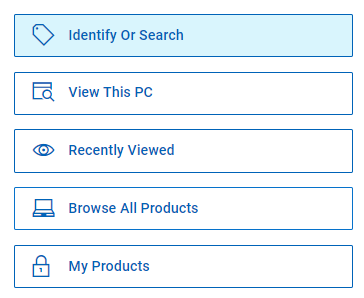
- Click Browse All Products.
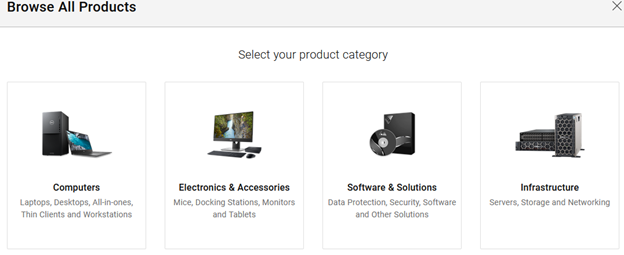
- Click Software & Solutions.
- Click Security.

- Click Dell Data Security.

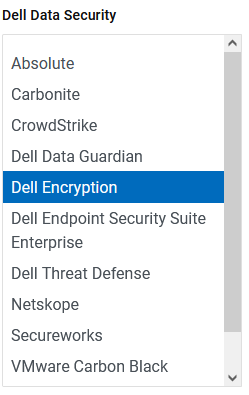
- Click Dell Encryption.
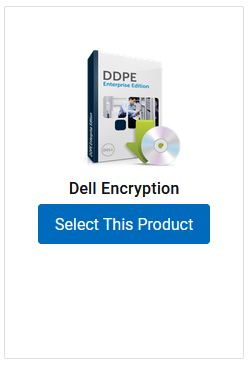
- Click Select This Product.
- Click Drivers & Downloads.

- From the Operating System drop-down, select Windows 7 [X-bit], Windows 8 [X-bit], Windows 8.1 [X-bit], Windows 10 [X-bit], or Windows 11.

- To the right of Dell Data Security Uninstaller, click Download.
 Note: The release date may vary from the above screenshot.
Berörda produkter
Dell Data Guardian, Dell Encryption, Dell Threat Defense, Dell Endpoint Security Suite Pro, Dell Endpoint Security Suite EnterpriseArtikelegenskaper
Artikelnummer: 000130754
Artikeltyp: How To
Senast ändrad: 05 aug. 2026
Version: 15
Få svar på dina frågor från andra Dell-användare
Supporttjänster
Kontrollera om din enhet omfattas av supporttjänster.