A pasta ECS GeoDrive está ausente
Sammanfattning: A pasta ECS GeoDrive está ausente na unidade local.
Den här artikeln gäller för
Den här artikeln gäller inte för
Den här artikeln är inte kopplad till någon specifik produkt.
Alla produktversioner identifieras inte i den här artikeln.
Symptom
O usuário verá a pasta Do GeoDrive ou uma subpasta ausente em sua unidade local no host.
A pasta terá os dados, mas eles serão invisíveis/ocultos.
- Por exemplo, uma pasta "folder1" está ausente no GeoDrive.

- Tente criar uma nova pasta com o mesmo nome e, em seguida, você receberá o prompt de que a pasta realmente existe.
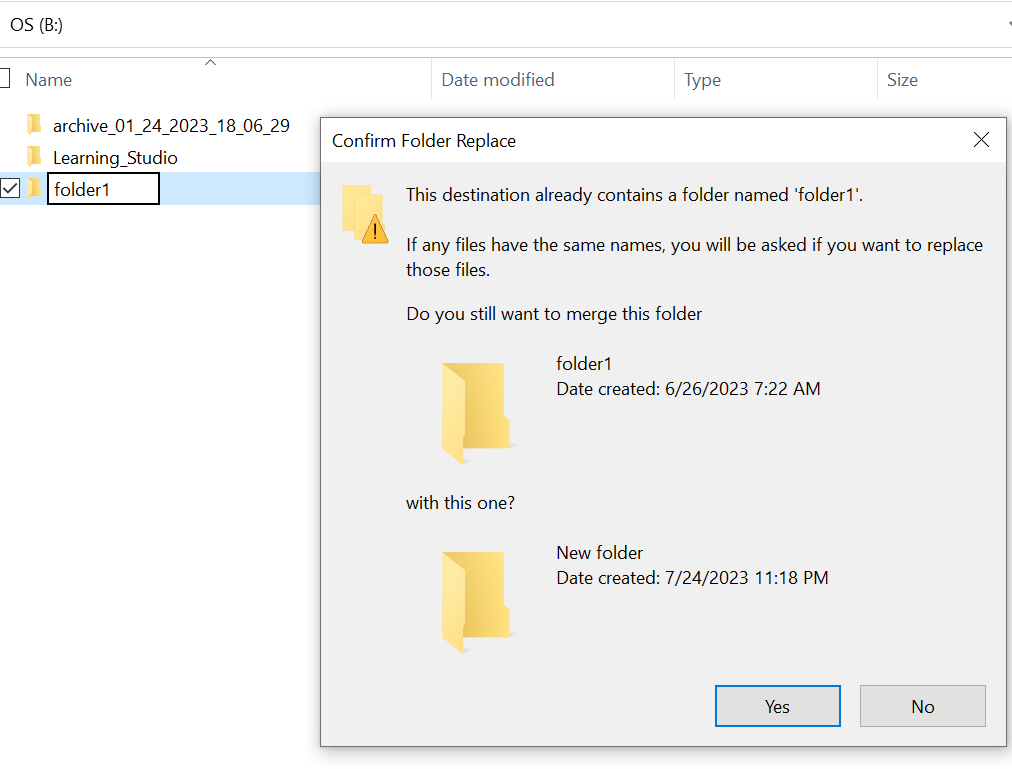
- Pesquise com o caminho da pasta ausente no explorer. Devemos ser capazes de ver o conteúdo.

Orsak
Isso ocorre devido aos atributos HIDDEN e SYSTEM que foram definidos na pasta.
Upplösning
Siga as etapas abaixo.
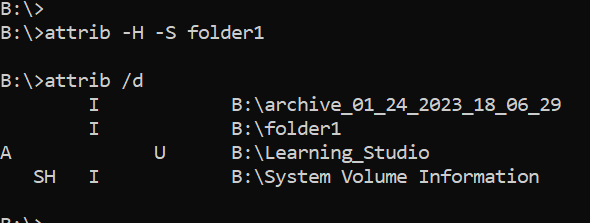
Depois de executar esse comando, verifique a unidade local novamente. A pasta ausente volta ao normal.
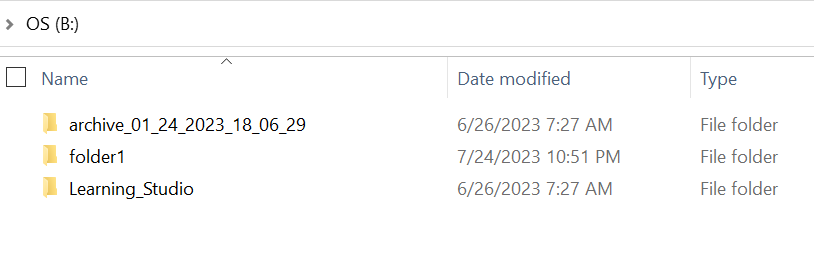
- Vá para o prompt de comando do Windows no sistema host.
- cd para o diretório principal onde a pasta está ausente e execute "attrib /d".
- Você deve ver uma lista de diretórios e a pasta ausente deve estar na lista.
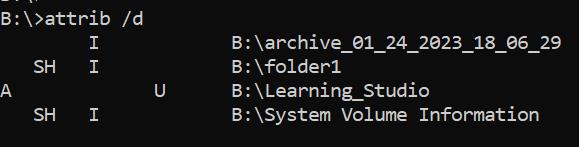
- As letras antes indicam os atributos. Você deve ver o SH antes do arquivo (SYSTEM e HIDDEN).
- Em seguida, execute esse comando para remover os dois atributos acima: attrib -H -S folder_name
Ytterligare information
Há várias outras opções disponíveis para o comando attrib.
B:\>attrib /?
Displays or changes file attributes.

ATTRIB [+R | -R] [+A | -A] [+S | -S] [+H | -H] [+O | -O] [+I | -I] [+X | -X] [+P | -P] [+U | -U]
       [drive:][path][filename] [/S [/D]] [/L]

  +   Sets an attribute.
  -   Clears an attribute.
  R   Read-only file attribute.
  A   Archive file attribute.
  S   System file attribute.
  H   Hidden file attribute.
  O   Offline attribute.
  I   Not content indexed file attribute.
  X   No scrub file attribute.
  V   Integrity attribute.
  P   Pinned attribute.
  U   Unpinned attribute.
  B   SMR Blob attribute.
  [drive:][path][filename]
      Specifies a file or files for attrib to process.
  /S  Processes matching files in the current folder
      and all subfolders.
  /D  Processes folders as well.
  /L  Work on the attributes of the Symbolic Link versus
      the target of the Symbolic Link
Berörda produkter
ECS, Elastic Cloud StorageArtikelegenskaper
Artikelnummer: 000215245
Artikeltyp: Solution
Senast ändrad: 18 maj 2026
Version: 4
Få svar på dina frågor från andra Dell-användare
Supporttjänster
Kontrollera om din enhet omfattas av supporttjänster.