How to Create a VMware Carbon Black Cloud Endpoint Sensor Group
摘要: Learn step-by-step instructions to configure a sensor group for VMware Carbon Black Cloud Endpoint by following these directions.
本文适用于
本文不适用于
本文并非针对某种特定的产品。
本文并非包含所有产品版本。
说明
This article covers how to create a VMware Carbon Black Cloud Endpoint sensor group in the VMware Carbon Black Cloud.
Affected Products:
- VMware Carbon Black Cloud Endpoint
Affected Operating Systems:
- Windows
- Mac
- Linux
VMware Carbon Black Onboarding Part 3: Policies and Groups
Duration: 03:37
Closed captions: Available in multiple languages
- In a web browser, go to [REGION].conferdeploy.net.
Note: [REGION] = Region of tenant
- Americas = https://defense-prod05.conferdeploy.net/
- Europe = https://defense-eu.conferdeploy.net/
- Asia Pacific = https://defense-prodnrt.conferdeploy.net/
- Australia and New Zealand = https://defense-prodsyd.conferdeploy.net
- Americas = https://defense-prod05.conferdeploy.net/
- Sign In to the VMware Carbon Black Cloud.
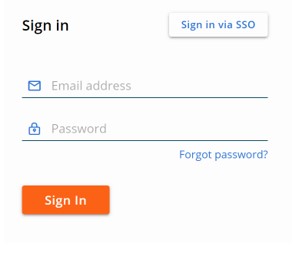
- In the left menu pane, click ENDPOINTS.
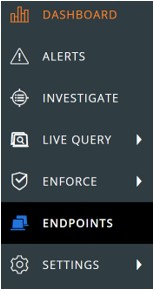 Note: The layout in the example may differ slightly from your environment.
 - In the upper right corner, click Add Group.

- In the Add Group menu:
- Populate group Name.
- Click the appropriate device OS.
- Select criteria for devices.
- Select if all or any of the criteria must be met for devices to be added.
- Click to Apply policy to the sensor group.
- Click Save.
 Note:
Note:- Devices that meet the criteria will be automatically populated after two minutes.
- Devices that modify their criteria to match the sensor group populate after the next check-in.
- Optionally, click Reorder Groups to change the sensor groups' precedence.
 Note:
Note:- The top sensor group holds the highest precedence.
- Devices that meet multiple sensor groups criteria join the group with the highest precedence.
- Devices that no longer meet the criteria are assigned to the Standard Policy.

To contact support, reference Dell Data Security International Support Phone Numbers.
Go to TechDirect to generate a technical support request online.
For additional insights and resources, join the Dell Security Community Forum.
受影响的产品
VMware Carbon Black文章属性
文章编号: 000125907
文章类型: How To
上次修改时间: 06 6月 2025
版本: 13
从其他戴尔用户那里查找问题的答案
支持服务
检查您的设备是否在支持服务涵盖的范围内。