NVP vProxy: Instant VM Restore left behind NFS mounts on Data Domain and VMware
摘要: Instant Access or File Level Restore (FLR) Network File System (NFS) datastore is mounted in VMware from Data Domain despite no ongoing IA/FLR.
本文适用于
本文不适用于
本文并非针对某种特定的产品。
本文并非包含所有产品版本。
症状
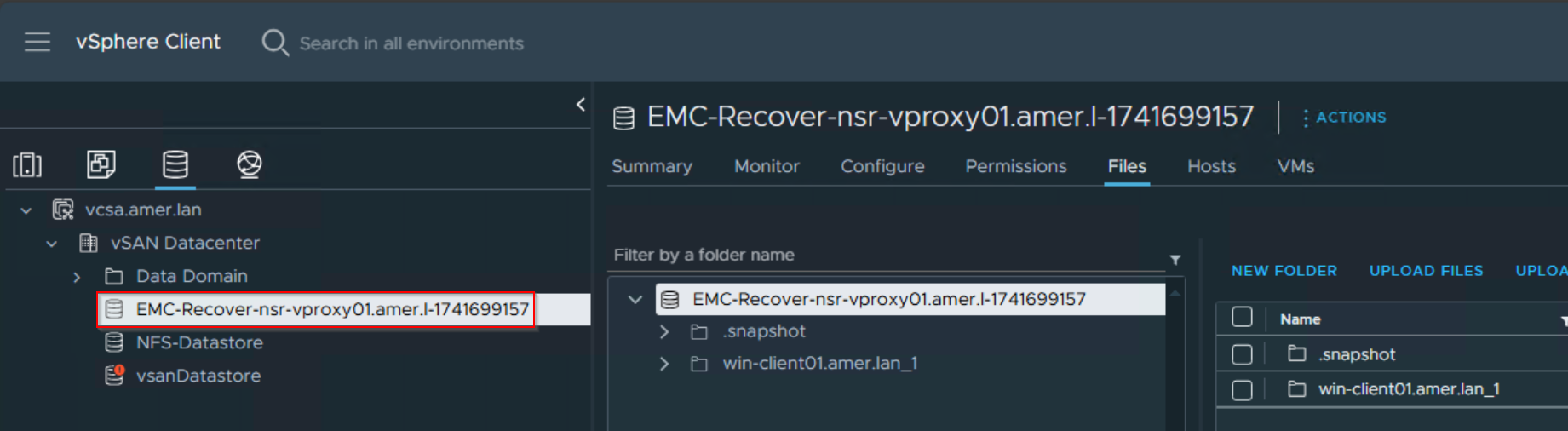
The NetWorker VMware Protection (NVP) integration is configured with the vProxy Appliance. A virtual machine (VM) Instant Recovery was performed to create a Network File System (NFS) datastore from the target Data Domain.
The Instant Recovery session remains in the NetWorker Management Console (NMC) until the Administrator vMotions the VM to another datastore and manually cancels the session. The Instant Recovery session has been removed from the NetWorker data zone, but the NFS datastore is still available in the vSphere environment.
The Data Domain still lists the NFS export under Protocols->NFS.

原因
The VM was never migrated to a VMware datastore, and the Instant Recovery session was never cancelled. Instant Recovery makes the VM available on the Data Domain, then powers it on. The VM should be migrated to a VMware datastore for permanent storage/compute resources. After vMotioning the VM to a VMware datastore, cancel the recovery from the NMC to remove temporary NFS datastores from VMware and the Data Domain. If left too long, the Instant Restore session disappears from the "currently running" window and you cannot cancel it. This leaves the NFS export on the Data Domain, and the datastore is mounted in VMware.
解决方案
Manually remove the VMware NFS datastore and then manually remove the Data Domain NFS export.
- In vSphere, right click the VM and Migrate the VM's compute/storage resources to the VMware environment.
- Right-click the VM again and select Edit Settings. Expand each disk drop-down and confirm that the VM is showing on a VMware datastore and not the Data Domain NFS datastore.
- In vSphere, select the Datastores tab. Select the "EMC Recover" datastore, then select Unmount Datastore from the Actions menu. Select all the ESXi hosts, then click Ok.

- Monitor the vSphere tasks and events and ensure that the Datastore is successfully unmounted.
- Log in to the Data Domain management user interface (web) with sysadmin credentials. Expand the Protocols drop down and select NFS. Check only the "Recover-vProxy_Name" NFS datastore and select delete

产品
Data Domain, NetWorker文章属性
文章编号: 000174180
文章类型: Solution
上次修改时间: 19 3月 2025
版本: 4
从其他戴尔用户那里查找问题的答案
支持服务
检查您的设备是否在支持服务涵盖的范围内。