How to Get Support for McAfee Products Sold at Dell
摘要: This article covers how to obtain support for McAfee products sold directly through Dell.
本文适用于
本文不适用于
本文并非针对某种特定的产品。
本文并非包含所有产品版本。
说明
McAfee software support is available when purchased with a Dell computer. McAfee products that can be purchased with a Dell computer:
- McAfee LiveSafe
- McAfee Safe Connect
- McAfee Small Business Security
- McAfee+ Premium
- McAfee Business Protection
McAfee products that are purchased separately through Dell include only limited software support on accessing the product and activating the product. Products available through the McAfee Dell Store 
- McAfee Antivirus
- McAfee Internet Security
- McAfee LiveSafe
- McAfee Total Protection
Self-Help Options
Most technical information can be found by referencing the:
To obtain support:
Technical Support
- Go to https://www.dell.com/support/home
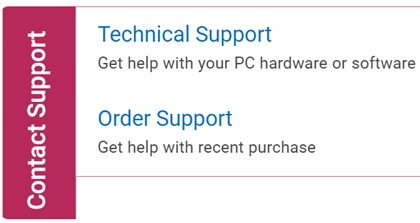
- To the right of the page, select Contact Support and then click either:
- Contact Technical Support: If you have a Dell service tag available
- Contact Order Support: If you do not have a Dell service tag and need assistance gaining access to the software.
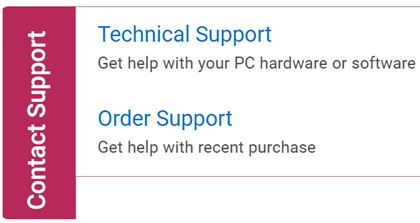 Note:
Note:- Service Tag is only available for McAfee products that are purchased with a Dell computer. For more information, reference Locate your Service Tag or Serial Number.
- If you are unable to locate the appropriate service tag, reach out to your sales agent for assistance.
- Click Enter service tag.
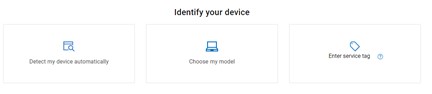
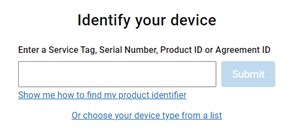
- Type your hardware Service Tag and then click Submit.
- On prompt, select either International Support or Support in [REGION].
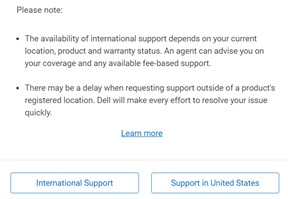 Note:
Note:- [REGION] is based on the country or region that the product was purchased in.
- Your [REGION] may differ from the above screenshot.
- From the drop-down menu, select Software and 3rd party applications and then click Next.
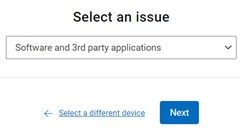
- Select an available contact option.

Order Support
- Go to https://www.dell.com/support/home
- To the right of the page, select Contact Support and then click either:
- Contact Technical Support: If you have a Dell service tag available
- Contact Order Support: If you do not have a Dell service tag, and need assistance gaining access to the software.
 Note:
Note:- Service Tag is only available for McAfee products that are purchased with a Dell computer. For more information, reference Locate your Service Tag or Serial Number.
- If you are unable to locate the appropriate service tag, reach out to your sales agent for assistance.
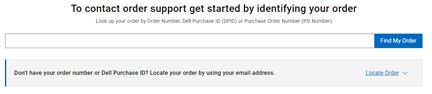
- Type your Order Number and then click Find My Order.
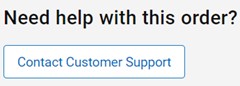
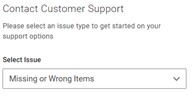
- To the right of the page, click Contact Customer Support.
- From the drop-down, select Missing or Wrong Items.
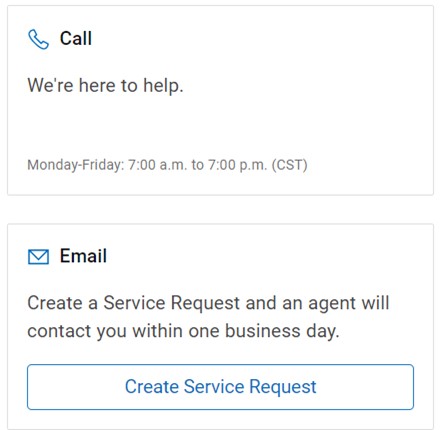
- Select an available contact option.
Note:
- Contact options may differ by your region.
- Reference this article (000192490) when contacting technical support.
文章属性
文章编号: 000192490
文章类型: How To
上次修改时间: 30 10月 2025
版本: 22
从其他戴尔用户那里查找问题的答案
支持服务
检查您的设备是否在支持服务涵盖的范围内。