WinPE Recovery May Not Populate Disks on Systems with Windows 11
摘要: Dell Encryption WinPE recovery image does not automatically mount drives on computers with Windows 11.
本文适用于
本文不适用于
本文并非针对某种特定的产品。
本文并非包含所有产品版本。
症状
Affected Products:
- Dell Encryption Personal
- Dell Encryption Enterprise
- Dell Encryption Enterprise Self-Encrypting Drive Manager
- Dell Full Disk Encryption
Affected Versions:
- v11.2
Affected Operating Systems:
- Windows 11
原因
Not Applicable
解决方案
- Boot to the WinPE recovery image.
- Press X then enter to exit to the command prompt.
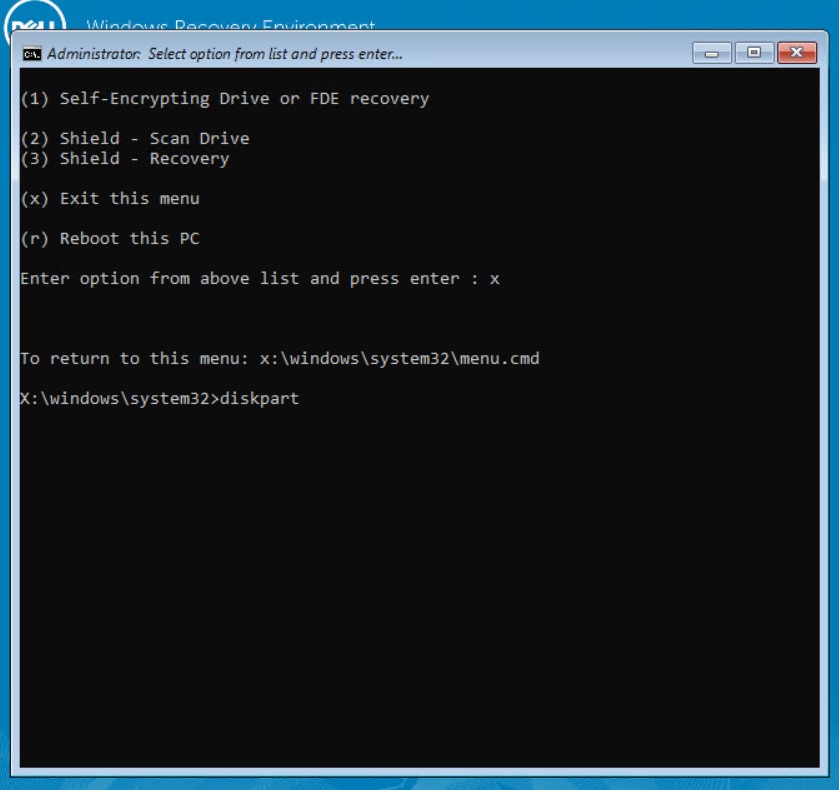
Figure 1: (English Only) Press x to Exit the menu
- At the command prompt, type
diskpartthen press enter. - At the
diskpartprompt, typelist volthen press enter to see available volumes.

Figure 2: (English Only) Type list vol
- Type
select volume x(where x is the volume number) then press enter. - Type
assign letter=x(where x is the drive letter that you want to assign to the volume) then press enter.

Figure 3: (English Only) Type assign letter=x
- Type
exitthen press enter to exit thediskpartutility. - Type
menu.cmdthen press enter to return to the main menu.
The target disk is mounted, and recovery can be performed.
Note: This issue will be resolved in a later version of the Dell Encryption WinPE recovery image.
To contact support, reference Dell Data Security International Support Phone Numbers.
Go to TechDirect to generate a technical support request online.
For additional insights and resources, join the Dell Security Community Forum.
受影响的产品
Dell Encryption文章属性
文章编号: 000193709
文章类型: Solution
上次修改时间: 17 1月 2024
版本: 6
从其他戴尔用户那里查找问题的答案
支持服务
检查您的设备是否在支持服务涵盖的范围内。