CloudLink: Disable AWS console access to CloudLink OS
摘要: AWS has pre-installed SSM agent on all supported Operating Systems, this SSM agent will also let access to CloudLink OS console directly.
本文适用于
本文不适用于
本文并非针对某种特定的产品。
本文并非包含所有产品版本。
症状
Dell recommends the removal of SSM agent from CloudLink instances as it will lead to security vulnerabilities.
原因
In AWS, the SSM agent is pre-installed on all supported Operating Systems to allow access to the Operating System console directly.
Affected Products and Version/s: All versions of CloudLink till 7.1.3 when deployed in AWS.
Affected Products and Version/s: All versions of CloudLink till 7.1.3 when deployed in AWS.
解决方案
In order to disable login via Session Manager to CloudLink OS, Administrator must uninstall the SSM agent from the CloudLink instance.
There are two workarounds:
Remediation workflow 1: When user has access to CloudLink console via Session Manager.
Remediation workflow 2: When user has no access to CloudLink console via Session Manager.
Remediation workflow 1:
1. Instance of CloudLink.
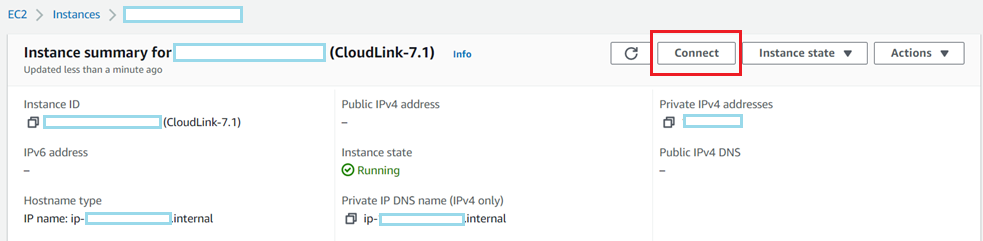
2. On Session Manager tab -> Click on Connect button
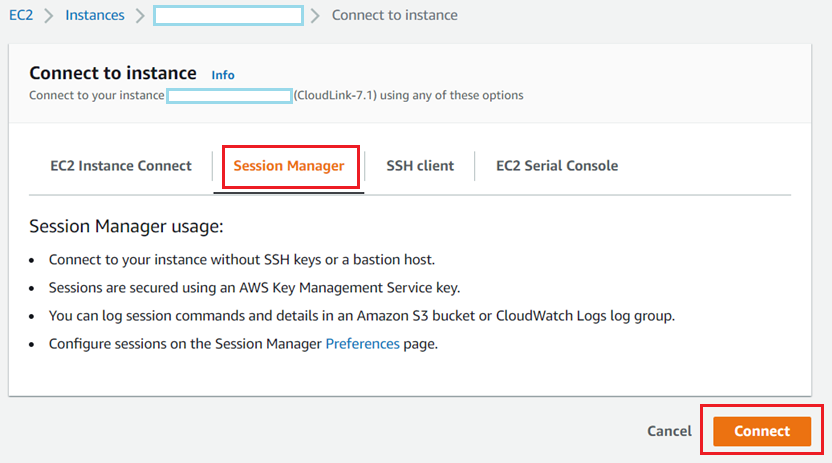
3. Once you are on CloudLink console using Session Manager, enter sudo su

4. To check the Status of SSM Agent running on CloudLink console run the below command
“systemctl status snap.amazon-ssm-agent.amazon-ssm-agent.service”
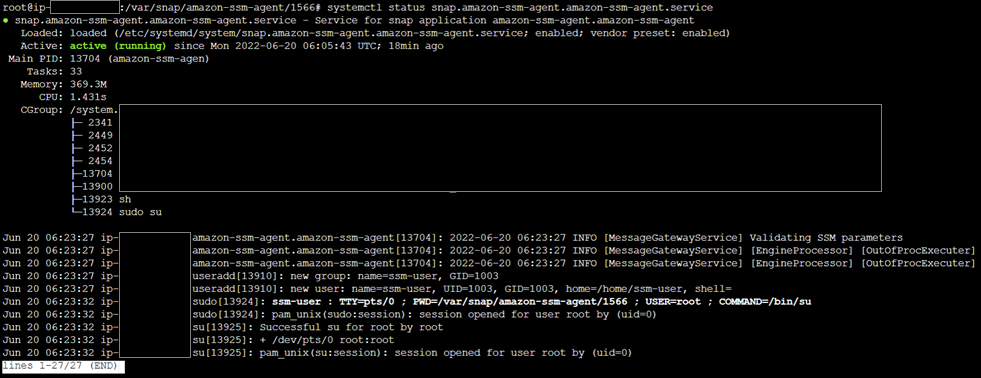
5. To list the running SSM agent on CloudLink console run the below command
“snap list amazon-ssm-agent”

6. To remove the SSM agent from CloudLink console run the below command
“snap remove amazon-ssm-agent”

Validate SSM agent is removed from CloudLink instance.
7. When SSM agent gets uninstalled CloudLink instance, the “connect” button gets disabled
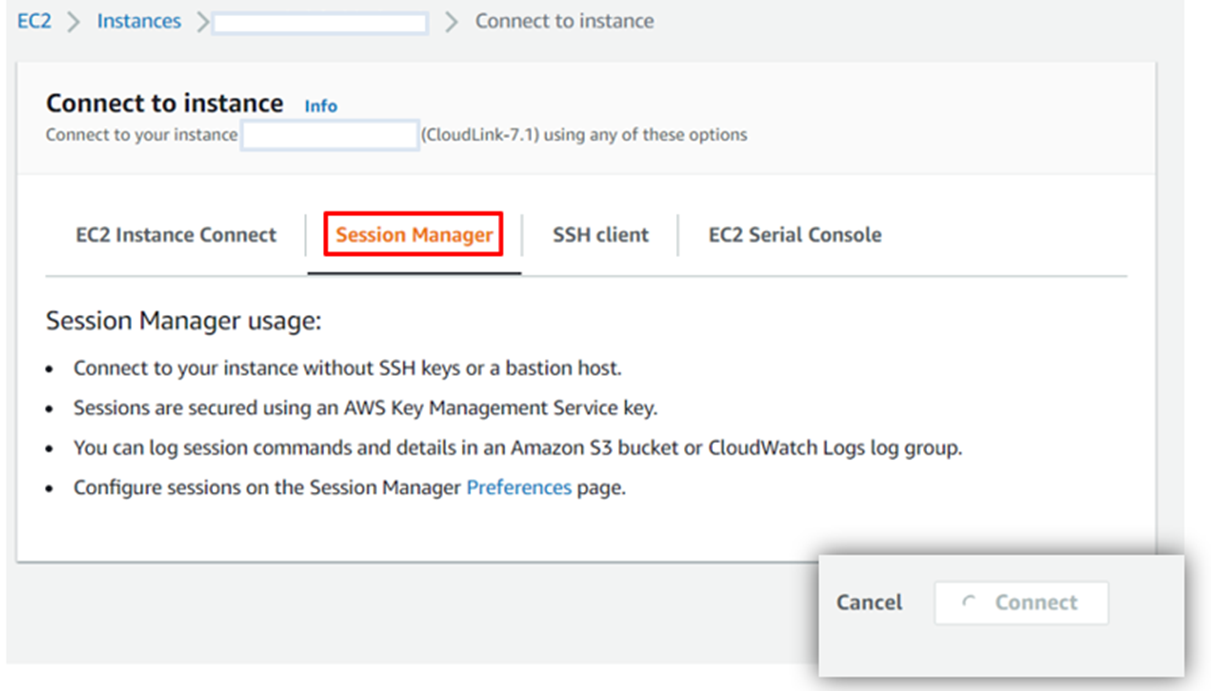
8. When user tries to SSH to CloudLink IP address it takes user to CloudLink login prompt

9. Check for status of SSM agent . Verify Agent is “Stopped”
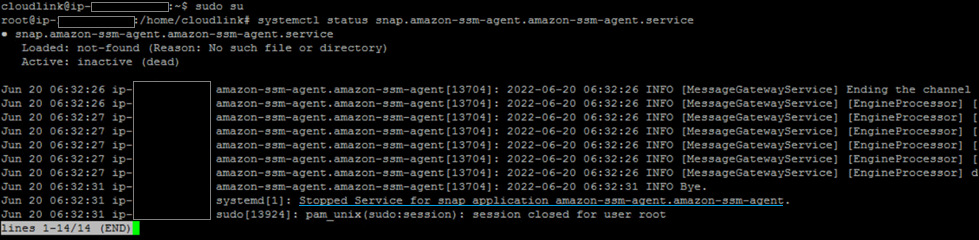
10. Check the list of SSM agents. Status return “No matching snaps installed”.

Remediation workflow 2:
Session Manager is not enabled when an IAM Role is not selected. Thus with no presence of Session manager, the user will not be able to access CloudLink console.
To verify IAM Profile, login to AWS -> Launch EC2 instance -> Advanced details -> IAM Instance profile
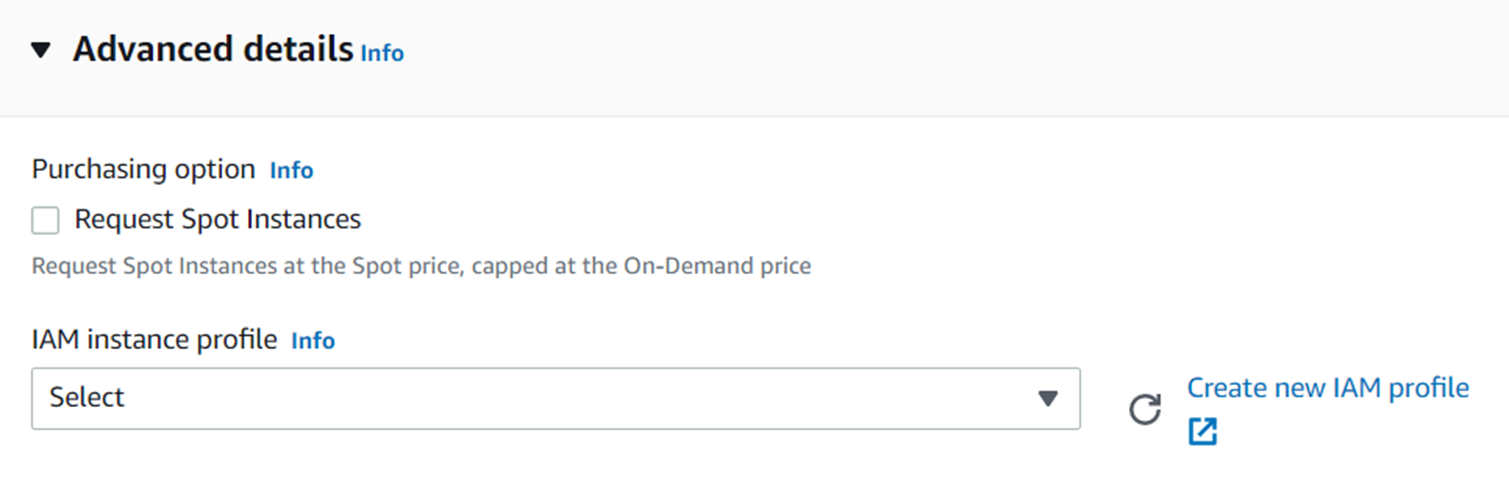
Recommended not to select any profile under "IAM Instance profile", this will lead to Session Manager not being able to establish a connection to CloudLink console.
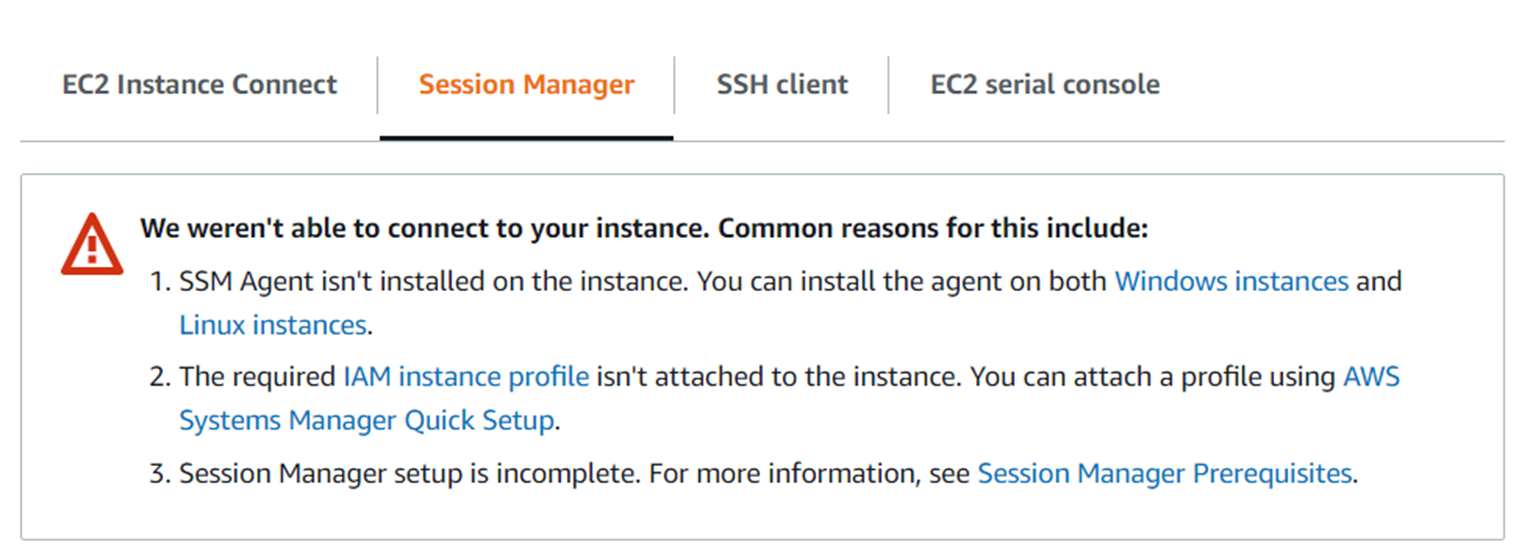
NOTE: At this point when Session Manager cannot establish connection to the CloudLink console, User has to contact Technical Support to assist in uninstalling SSM agent from CloudLink instances.
There are two workarounds:
Remediation workflow 1: When user has access to CloudLink console via Session Manager.
Remediation workflow 2: When user has no access to CloudLink console via Session Manager.
Remediation workflow 1:
1. Instance of CloudLink.
2. On Session Manager tab -> Click on Connect button
3. Once you are on CloudLink console using Session Manager, enter sudo su
4. To check the Status of SSM Agent running on CloudLink console run the below command
“systemctl status snap.amazon-ssm-agent.amazon-ssm-agent.service”
5. To list the running SSM agent on CloudLink console run the below command
“snap list amazon-ssm-agent”
6. To remove the SSM agent from CloudLink console run the below command
“snap remove amazon-ssm-agent”
Validate SSM agent is removed from CloudLink instance.
7. When SSM agent gets uninstalled CloudLink instance, the “connect” button gets disabled
8. When user tries to SSH to CloudLink IP address it takes user to CloudLink login prompt
9. Check for status of SSM agent . Verify Agent is “Stopped”
10. Check the list of SSM agents. Status return “No matching snaps installed”.
Remediation workflow 2:
Session Manager is not enabled when an IAM Role is not selected. Thus with no presence of Session manager, the user will not be able to access CloudLink console.
To verify IAM Profile, login to AWS -> Launch EC2 instance -> Advanced details -> IAM Instance profile
Recommended not to select any profile under "IAM Instance profile", this will lead to Session Manager not being able to establish a connection to CloudLink console.
NOTE: At this point when Session Manager cannot establish connection to the CloudLink console, User has to contact Technical Support to assist in uninstalling SSM agent from CloudLink instances.
受影响的产品
CloudLink SecureVM, CloudLink文章属性
文章编号: 000200819
文章类型: Solution
上次修改时间: 14 5月 2026
版本: 6
从其他戴尔用户那里查找问题的答案
支持服务
检查您的设备是否在支持服务涵盖的范围内。