Connectrix Brocade: Adding Gateway IP of IPv6
摘要: This KB article is to explain on how to add Gateway IP while using IPV6 using CLI and WebTools.
本文适用于
本文不适用于
本文并非针对某种特定的产品。
本文并非包含所有产品版本。
说明
For Brocade Departmental Switches:
For Brocade Director Switches:
To configure IP address using WebTools, select Configuration > IP Address Management on the Settings Tab:
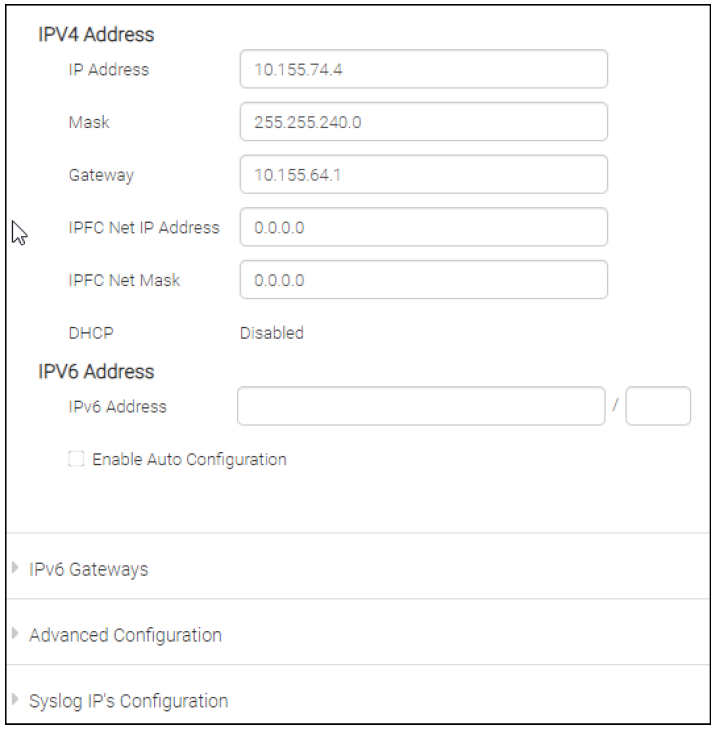
>To add IPv6 IP address:
>To add IPv6 Gateway address:
#ipaddrset -ipv6 --add x:x:x:x:x:x:x/n
>To add IPv6 Gateway address:
#ipaddrset -ipv6 --add x:x:x:x:x:x:x/n
For Brocade Director Switches:
>To add IPv6 IP address:
>To add IPv6 Gateway address:
#ipaddrset -ipv6 --add x:x:x:x:x:x:x/n
>To add IPv6 Gateway address:
#ipaddrset -ipv6 --add -gwyip gateway_ip
To configure IP address using WebTools, select Configuration > IP Address Management on the Settings Tab:
其他信息

受影响的产品
Connectrix B-Series文章属性
文章编号: 000205218
文章类型: How To
上次修改时间: 18 4月 2023
版本: 4
从其他戴尔用户那里查找问题的答案
支持服务
检查您的设备是否在支持服务涵盖的范围内。