Secure Connect Gateway: Connectrix Cisco MDS Switch is unreachable
摘要: This article explains how to solve and error when trying to connect to the switch remotely by Secure Connect Gateway (SCG): Error: Failed to initiate Remote support due to connectivity issues from the gateway. ...
本文章適用於
本文章不適用於
本文無關於任何特定產品。
本文未識別所有產品版本。
說明
When trying to connect to the Switch remotely by Secure Connect Gateway (SCG), this error can appear:
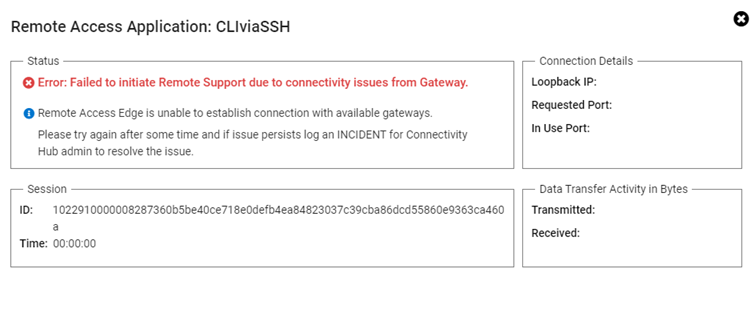
Error: Failed to initiate Remote support due to connectivity issues from the gateway.
Resolution:
Perform the below steps:
- Log in to SCG (Secure Connect Gateway) User Interface Page with admin credentials.
- On the upper right tab, choose connectivity test.
- Then click test the connection.
- If all are green, reboot SCG Virtual Machine (this resolves the issue).
- If the same issue persists and all tests are green tick, contact Dell support.
受影響的產品
Secure Connect Gateway產品
Secure Connect Gateway, EMC Secure Remote Services文章屬性
文章編號: 000212403
文章類型: How To
上次修改時間: 21 11月 2025
版本: 4
向其他 Dell 使用者尋求您問題的答案
支援服務
檢查您的裝置是否在支援服務的涵蓋範圍內。