如何存取 Dell Data Security 伺服器管理主控台
摘要: 您可以依照下列指示來存取 Dell Data Security 或 Dell Data Protection 伺服器管理主控台。
本文章適用於
本文章不適用於
本文無關於任何特定產品。
本文未識別所有產品版本。
症狀
Dell Data Security (先前稱為 Dell Data Protection) 需要管理主控台來管理:
- 原則
- 報告
- 加密金鑰
受影響的產品:
- Dell Security Management Server
- Dell Data Protection | Enterprise Edition Server
- Dell Security Management Server Virtual
- Dell Data Protection | Virtual Edition
受影響的版本:
- v8.0 及更新版本
原因
不適用
解析度
按一下適當的產品版本,瞭解存取管理主控台的特定步驟。如需版本資訊,請參閱如何識別 Dell Data Security/Dell Data Protection 伺服器版本。
- 開啟網頁瀏覽器並前往 https://servername.company.com:8443/webui。

注意:
- FQDN (完整網域名稱) 範例會與環境中的伺服器不同。
- 連接埠 8443 可能與環境中的管理主控台連接埠不同。
- 登入管理主控台。
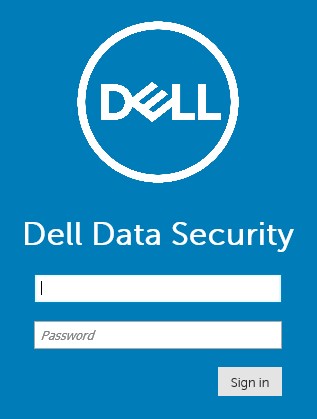
注意:
- 在版本 11.4 及更新版本中,如果已為使用者設定 Google Authenticator 或電子郵件 MFA (多重因素驗證),系統會提示使用者輸入 OTP (一次性密碼)。
- 如需更多有關設定 MFA 的資訊,請參閱如何在 Dell Security Management Server 管理主控台中管理多重因素驗證。
- 在 Windows 檔案總管中,前往:
- Dell 資料保護 |Enterprise Edition 伺服器:
C:\Program Files\Dell\Enterprise Edition - 端點:
C:\Program Files\Dell\Virtual Edition
- Dell 資料保護 |Enterprise Edition 伺服器:
注意:
- 端點存取需要從 Dell Data Protection | Virtual Edition 媒體安裝管理主控台 (先前稱為遠端管理主控台)。
- 如需安裝步驟,請參閱如何安裝 Dell Data Protection 遠端管理主控台。
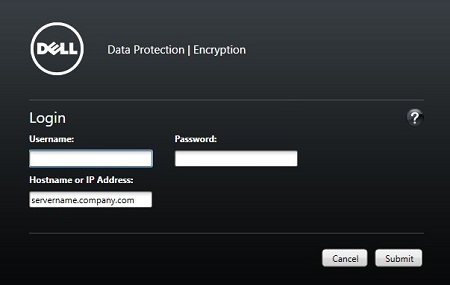
- 連按兩下
Credant.Console。

- 提交登入資料,以登入管理主控台。
如要聯絡支援部門,請參閱 Dell Data Security 國際支援電話號碼。
請前往 TechDirect,以線上產生技術支援要求。
如需更多深入見解與資源,請加入 Dell 安全性社群論壇。
其他資訊
影片
受影響的產品
Dell Encryption文章屬性
文章編號: 000126852
文章類型: Solution
上次修改時間: 16 11月 2023
版本: 15
向其他 Dell 使用者尋求您問題的答案
支援服務
檢查您的裝置是否在支援服務的涵蓋範圍內。