Activating Windows After the Motherboard Has Been Replaced
摘要: This article provides guidance and direction for activating Windows after a motherboard replacement in your Dell computer.
本文章適用於
本文章不適用於
本文無關於任何特定產品。
本文未識別所有產品版本。
症狀
For most computers, once the motherboard in your computer has been replaced, the replacement motherboard has a preinjected key in the motherboard firmware that automatically activates Windows.
In a few cases, for various reasons, this automatic activation process may fail and a replacement Service Product Key for Windows may be required to resolve the issue.
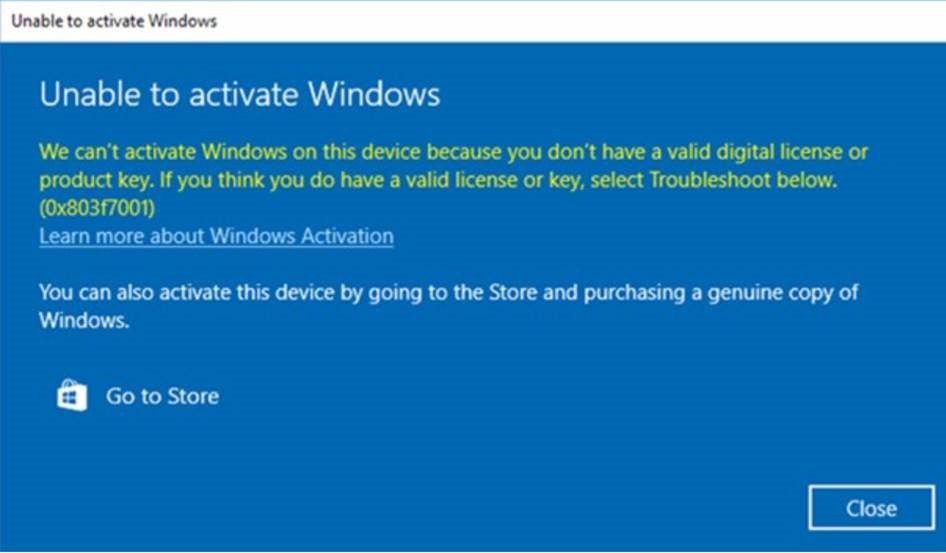
Note: In cases where a replacement motherboard does not have the preinjected key that automatically activates Windows, Dell tech support provides a Service Product Key for Windows.
原因
No cause information is available.
解析度
If Windows fails to activate after a motherboard replacement, Contact Dell Tech Support and allow the agent to troubleshoot the issue.
If Dell tech support advises they provide a Service Product Key for Windows, follow the steps below to access the product key through your My Account secure interface and activate Windows.
- To ensure that you can access My Account, you are asked to log in to the locker before the key request process is initiated. This ensures you can access the key once it is available.
- Log in to My Account following the instructions provided in the order information you received.
- Under Software Licenses and Subscriptions, select Software Licenses.
- Locate the Service Product Key for Windows. Use the Search option to filter items by service tag if you have multiple devices in your My Account
- Copy the Service Product Key for Windows from My Account.
- In Windows, select Start > Settings > Update & Security > Activation.
- Under Change product key, select Change and paste the key in when prompted to complete the activation process.
受影響的產品
Chromebook, Alienware, Inspiron, Latitude, Vostro, XPS, Latitude Tablets, XPS Tablets文章屬性
文章編號: 000177704
文章類型: Solution
上次修改時間: 08 10月 2025
版本: 15
向其他 Dell 使用者尋求您問題的答案
支援服務
檢查您的裝置是否在支援服務的涵蓋範圍內。