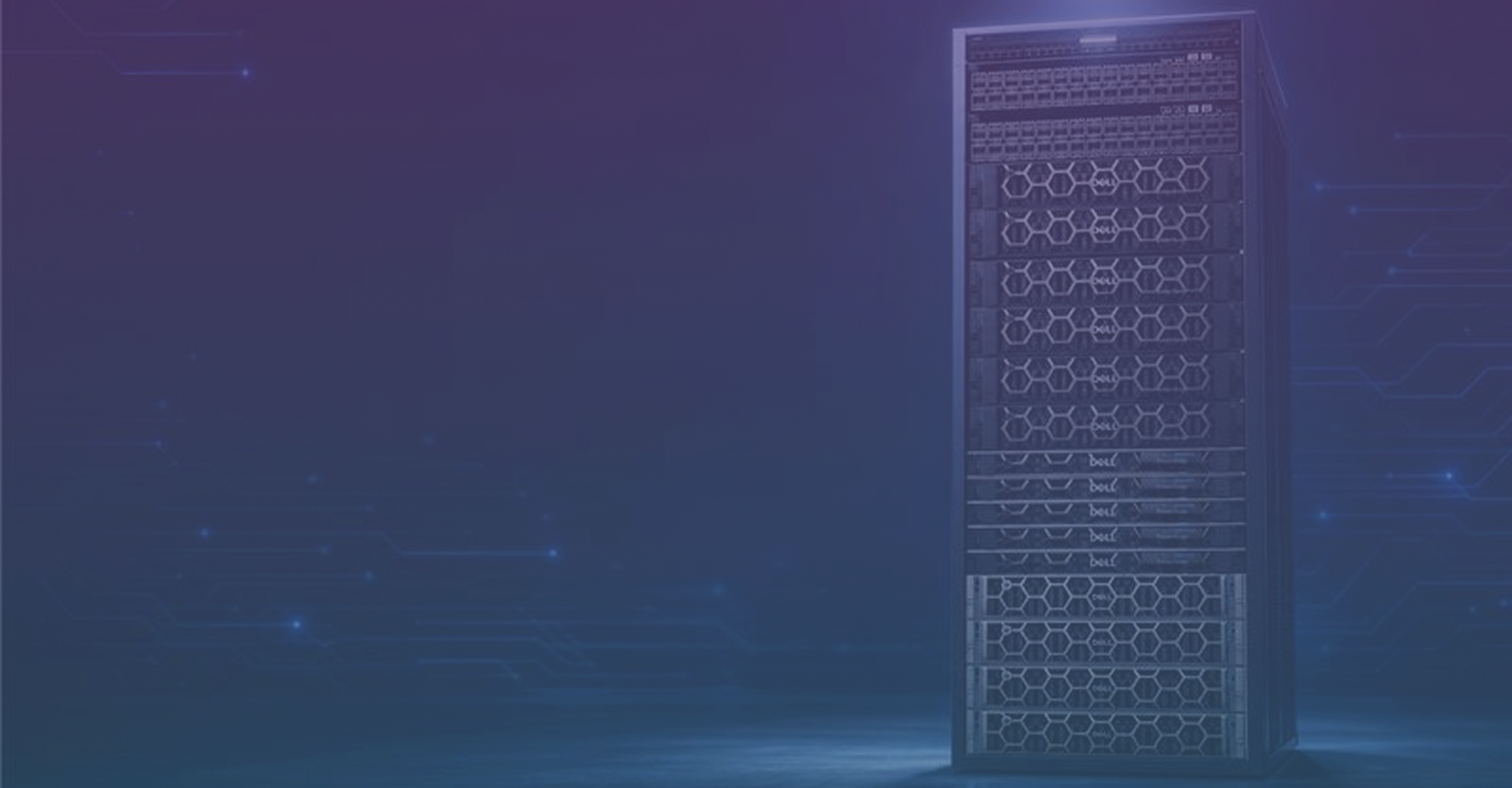
DELL AI STORAGE
The best storage for AI workloads
40% lower three-year cost of operations
Based on an IDC white paper commissioned by Dell Technologies, "Maximize IT Budgets with Dell APEX Pay-Per-use Subscription Solutions," April 2026. Estimates based on survey of organizations using Dell APEX as a Service Solutions, aggregated and combined into a composite organization. Results may vary.
67% faster in delivering new IT resources
Based on an IDC white paper commissioned by Dell Technologies, "Maximize IT Budgets with Dell APEX Pay-Per-use Subscription Solutions," April 2026. Estimates based on survey of organizations using Dell APEX as a Service Solutions, aggregated and combined into a composite organization. Results may vary.
Powering the world’s leading AI deployments









150 GB/s
Based on internal analysis of sequential and random read I/O, February 2026. Results may vary.
4-in-1
Based on internal analysis, May 2026. Comparison refers to distinct file, object, block, and parallel‑file engines on one reusable hardware platform, excluding single‑engine multi‑protocol designs. Block storage is expected to be available in the first half of 2027.
19 times
Based on Dell internal analysis, September 2025.
Whatever your AI workload demands, Dell storage is ready
Built, validated, and delivered end to end—so your team ships AI faster, at lower cost, with zero integration guesswork.


Scale from petabytes to tens of exabytes
Dell delivers a unified storage architecture built to grow from your first petabyte to the world's largest AI deployments - without a major upgrade.
petabytes
exabytes
$
Deploy capacity today—pay as you consume
Dell AI Storage delivers more performance per dollar, per watt and per rack unit than any competing solution at the same NVIDIA-certified scale.
The storage foundation for the Dell AI Data Platform
The faster data reaches the GPU, the faster AI delivers results. Dell optimizes every element of storage to make sure nothing slows that down.
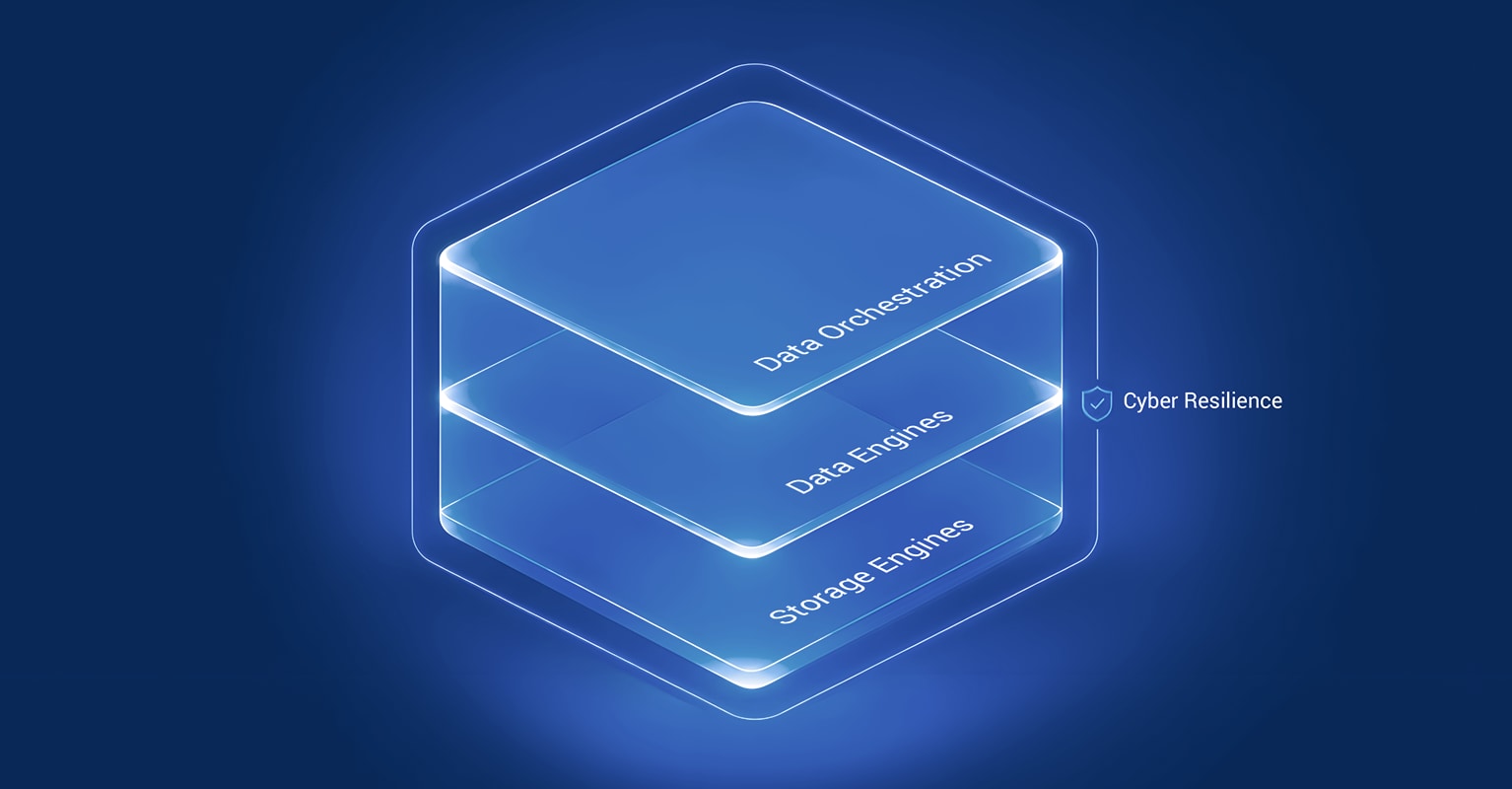
The freedom of choice for every AI workload
As the #1 storage vendor worldwide, Dell brings together purpose-built storage engines under one AI Data Platform — the deepest, most validated AI storage portfolio on the market, spanning ultra-low-latency NVMe to exabyte-scale object storage.
IDC WW Quarterly Enterprise Storage Systems Tracker, 2026 Q1, June 11, 2026.
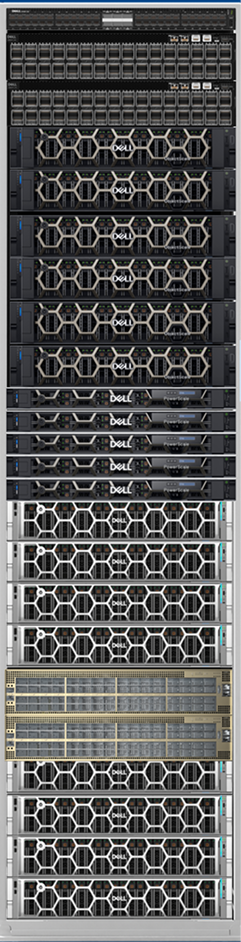
Every capability that matters for AI
Dell AI Storage is built to meet AI where it is — and where it is going. From the first training run to production inference at scale, it delivers the performance, resilience, and trust that modern AI demands
Infrastructure Efficiency
Lower facility and operational costs
At 16,000-GPU scale, Dell PowerScale delivers the same NVIDIA-certified performance as VAST Data and Everpure with a fraction of the physical footprint. Higher density reduces power, cooling, and rack requirements. Cloud service providers increase revenue per rack, while enterprise IT teams scale AI workloads without expanding data center capacity.
At 16,000-GPU scale, Dell PowerScale delivers the same NVIDIA-certified performance as VAST Data and Everpure with a fraction of the physical footprint. Higher density reduces power, cooling, and rack requirements. Cloud service providers increase revenue per rack, while enterprise IT teams scale AI workloads without expanding data center capacity.

AI innovators choose Dell Technologies
From design to production at speed
Dell experts guide every step — so your team stays focused on AI outcomes, not infrastructure complexity.
1. Assess & Size
Workload profiling, capacity planning, and reference architecture selection ensure infrastructure aligns precisely with GPU environment demands.
2. Design & validate
NVIDIA-certified reference designs, validated configurations, and solution blueprints undergo testing against your service-level agreements prior to shipment.
3. Build & Integrate
Factory cabling, firmware installation, and pre-configuration ensure your storage arrives rack-ready and fully integrated with your GPU cluster.
4. Deliver & deploy
On-site installation, NVIDIA validation, and production handoff ensure your storage environment is fully supported from day one with ProSupport for AI.
Resources
Expert Reviews & Awards

Frequently asked questions
How does storage for AI inference versus AI training workloads
Training is sequential and throughput-bound — you need massive sustained bandwidth to keep thousands of GPUs fed with data continuously. Fast checkpoint writes matter enormously: if a job fails, you restart from seconds ago, not hours. Dell PowerScale and Lightning FS are purpose-built for this, with GPUDirect Storage, NFSoRDMA, and pNFS delivering parallel multi-stream throughput at scale.
Inference is latency-bound and concurrent — you're serving many simultaneous requests and time-to-first-token (TTFT) is the critical SLA. The biggest lever is KV Cache offload: as part of the Dell AI Data Platform, NVIDIA CMX enables KV cache offload to shared Dell AI Storage — delivering up to 19× faster TTFT vs. standard vLLM and letting you serve more concurrent sessions on the same GPU hardware. S3 over RDMA adds 230% higher throughput and 80% lower latency on object-heavy inference pipelines.
How do I eliminate GPU idle time caused by slow data pipelines?
GPU idle time is almost always a storage problem. The most common causes: CPU bounce buffers adding latency between storage and GPU memory, network stack overhead slowing data delivery, and manual tiering decisions creating pipeline stalls.
Dell eliminates all three simultaneously. GPUDirect Storage bypasses the CPU entirely — data moves directly from Dell AI Storage to GPU VRAM, eliminating bounce buffers and doubling peak bandwidth. NFS over RDMA removes OS networking stack overhead entirely. And SmartPools auto-tiering ensures hot training data is always on NVMe flash — no manual policy, no ops tickets, no stalls.
What questions should I ask storage vendors to ensure AI readiness?
Five questions that separate real AI storage from marketing claims:
- Are you NVIDIA-certified — and at what scale? NCP certification at 16k+ GPU configurations is the bar. Ask for the reference architecture document, not a slide.
- Does your storage support GPUDirect and NFS over RDMA natively? These eliminate CPU bottlenecks. If they require third-party add-ons or workarounds, that's a red flag.
- How do you handle multi-tenant isolation? In production AI environments — whether CSP or enterprise — hard namespace isolation (not best-effort) is required. Ask about ZRBAC and Access Zones.
- What does your power and rack footprint look like at scale? At 16k+ GPU NCP scale, Dell PowerScale uses 72% less power and 88% fewer switches than alternatives. Ask for the validated comparison.
- What does Day 2 look like? Ask about monitoring, non-disruptive upgrades, Kubernetes CSI driver support, and what ProSupport or managed services are available.
How do I size and architect storage for a GPU AI cluster?
Sizing depends on three variables: GPU count, workload mix (training vs. inference vs. RAG), and data growth rate.
- 100–500 GPUs (enterprise entry): PowerScale all-flash with GPUDirect + NFSoRDMA. Focus on checkpoint throughput and dataset capacity. APEX pay-per-use keeps capex low while you validate workloads.
- 500–4,000 GPUs (mid-scale): PowerScale + ObjectScale in a tiered architecture — NVMe flash for hot training data, S3 object for datasets and model artifacts. OneFS global namespace eliminates silos.
- 4,000 - 16k+ GPUs *(hyperscale/neocloud): Dell PowerScale and ObjectScale are perfectly suited to handle up to 16k+ GPUS. We also offer Dell Exascale Storage, our software-defined 4-in-1 portfolio, for extreme-scale environments.
Dell's architecture team provides free sizing engagements — including TCO modeling — as part of the briefing process.
How do I migrate existing enterprise data into an AI-ready storage platform?
Migration doesn't have to mean downtime or a big-bang cutover. Dell's approach is assess-first, phased execution:
- Assess & size: Dell Professional Services inventories your existing data landscape, identifies AI-ready workloads, and maps them to the right storage tier — before you buy anything.
- Design & validate: A reference architecture is built and validated against your specific GPU environment, data volumes, and latency requirements.
- Build & integrate: PowerScale's OneFS global namespace means you can onboard new data sources — NFS, SMB, S3, HDFS — without rewriting applications. Existing workflows keep running.
- Deliver & deploy: Dell deploys, configures, and hands off a production-ready environment — with ProSupport for ongoing monitoring and non-disruptive upgrades.
APEX flexible consumption means you can start with exactly the capacity you need today and scale non-disruptively as data grows — no forklift upgrades.
How do I secure, protect, and govern data used in enterprise AI pipelines?
AI pipelines introduce new attack surfaces: data poisoning, model inversion, and lateral movement between tenants. Dell's Cyber Resiliency Suite addresses all three layers:
- At rest: SED DARE encryption + WORM-locked immutable snapshots protect training datasets and model checkpoints from ransomware and tampering.
- In flight: NFS-over-TLS encrypts all data in transit across the storage fabric — critical for financial services, healthcare, and federal workloads.
- Access control: ZRBAC enforces per-tenant, per-workload, per-agent policies — no manual approval chain needed for automated AI pipelines.
- Compliance: FIPS 140-3, DISA STIG, DoD APL, SEC 17a-4, HIPAA, and FedRAMP Ready — with full audit trails and Data Masking for sensitive fields.
Threat detection: AI-powered anomaly detection spots unusual access patterns before they reach production pipelines. SmartQuotas contain blast radius at the namespace level.
Why do enterprise AI storage and data-infrastructure projects fail — and how do I avoid it?
Most AI storage projects fail for one of four reasons — and all four are avoidable with the right platform and partner:
- Missing or wrong NVIDIA certification. Teams buy storage that claims "AI-ready" but isn't NCP-validated at the GPU count they're deploying. The result is throttled throughput, failed DGX SuperPOD deployments, and months of remediation. Always ask for the validated reference architecture at your specific scale.
- Undersized namespaces and manual tiering. Static storage configurations can't keep up with AI data growth. When hot training datasets spill to cold tiers manually, GPU idle time spikes. Dell SmartPools auto-tiering and OneFS global namespace eliminate both problems — data is always where it needs to be, automatically.
- Protocol lock-in creating data silos. Teams build separate NFS clusters for training, S3 buckets for datasets, and block storage for databases — then spend months trying to connect them. Dell's unified file + object platform (NFS, SMB, S3, HDFS on one namespace) eliminates silos before they form.
- No Day 2 plan. Deploying AI storage is step one — operating it at scale is harder. Teams that skip monitoring, non-disruptive upgrade planning, and Kubernetes CSI integration end up with fragile infrastructure. Dell ProSupport, APEX managed services, and Dell CSM for Kubernetes provide the operational layer most teams underestimate.
Who are the leaders in the Gartner Magic Quadrant for File and Object Storage Platforms?
Dell Technologies is proud to be recognized as a Leader in the 2026 Gartner® Magic Quadrant™ for Enterprise Storage Platforms. Dell has led the external OEM enterprise storage category for more than two decades¹ and has led vendor revenue in all-flash storage for more than a decade.²
Dell supports the technologies customers run today while helping them adapt as their environments and priorities evolve. Standardize where it makes sense. Specialize where it matters. Bring new technologies and innovations into your strategy at the pace that works for your business, without forcing a reset of what already works. To learn more, please read our Gartner Magic Quadrant blog: https://www.dell.com/en-us/blog/dell-named-a-leader-in-the-2026-gartner-magic-quadrant-x2122-for-enterprise-storage-platforms/