
UNSOLVED
System Info: HWiNFO v4.26 Reviewed
HWiNFO is a a free information utility that analyses the hardware on your PC. It provides such info as component make and model numbers, serial numbers, and many other variables and performance specs.
Download:
http://www.hwinfo.com/download.php
It is a 2.8 MB download for 32 or 64 bit installer, supported by Windows all. Download took less than 1 minute.
Installation less than 1 minute. No bundled software. Nothing added to startup, or to services.
A system scan takes about 30-40 seconds. Information is displayed first as a handy summary page:
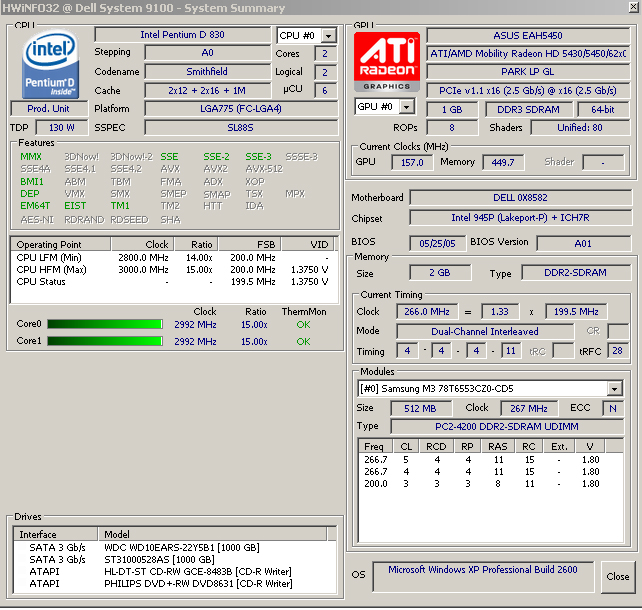
... then, upon closing this page, an expandable tree, yielding tons of useful info. For example:
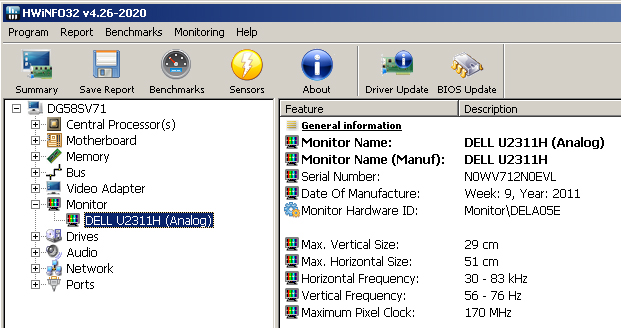
(I had to crop this image - there is lots more info on my monitor when I scroll down).
Real-time monitoring via sensors, if supported by your system (such as core temperatures) is included. Provides several benchmark tests of the CPU, with comparisons to other systems.
Can be uninstalled via control panel in the usual manner.
Comments:
- I have little hardware expertise, but have used several similar utilities to trouble-shoot hardware problems in the past. Most are out-dated or no longer in development:
AIDA32: Development of AIDA32 freeware was stopped on March 24, 2004 (latest version 3.94)
Everest Home Edition: The freeware Everest Home Edition was discontinued on December 1, 2005.
SIW: Free version no longer developed or available from their home website.
Belarc Advisor: Still being developed, but not nearly as much hardware info/specs. Much slower to scan and load info, as it also looks at software.
- HWiNFO is an easily used utility that provides hardware info only. Frankly, it provides more info than I can absorb. But I can see no reason not to include it in your tool chest.
Reference: http://www.techsupportalert.com/best-free-system-information-utility.htm
