
Learn about Intel®
Core™ Processors

MEET OUR LAPTOPS

Exploded-view animation of an Alienware laptop reveals the motherboard and internal fans that draw in cool air while expelling hot air through vents.

NEW CRYO-CHAMBER​

Our new Cryo-Chamber structure* elevates the rear of the laptop off the surface enabling high-volume airflow, all for the purpose of increasing performance and dampening acoustics.​

Close-up of V-rail edges that allow for easy opening. Animation shows comfort rail for your palms.

EFFORTLESS AND COMFORTABLE

The third generation of our Legend design introduces our thoughtfully designed V-rail edges, which allow for a more comfortable palm rest and quick, easy opening.

A laptop shows the perimeter foot which helps cool air to be drawn into the vents.

FUNCTIONAL PERFORMANCE

The all-new perimeter foot elevates the laptop to functionally improve airflow and maintain performance.

View of an Alienware M18 R2 laptop showcasing gameplay from Baldur's Gate animating vividly on screen.

FAST REFRESH RATES

Immerse yourself in every game with blazing refresh rates that range from 240Hz to 480Hz and with a minimal response time of just 3ms.

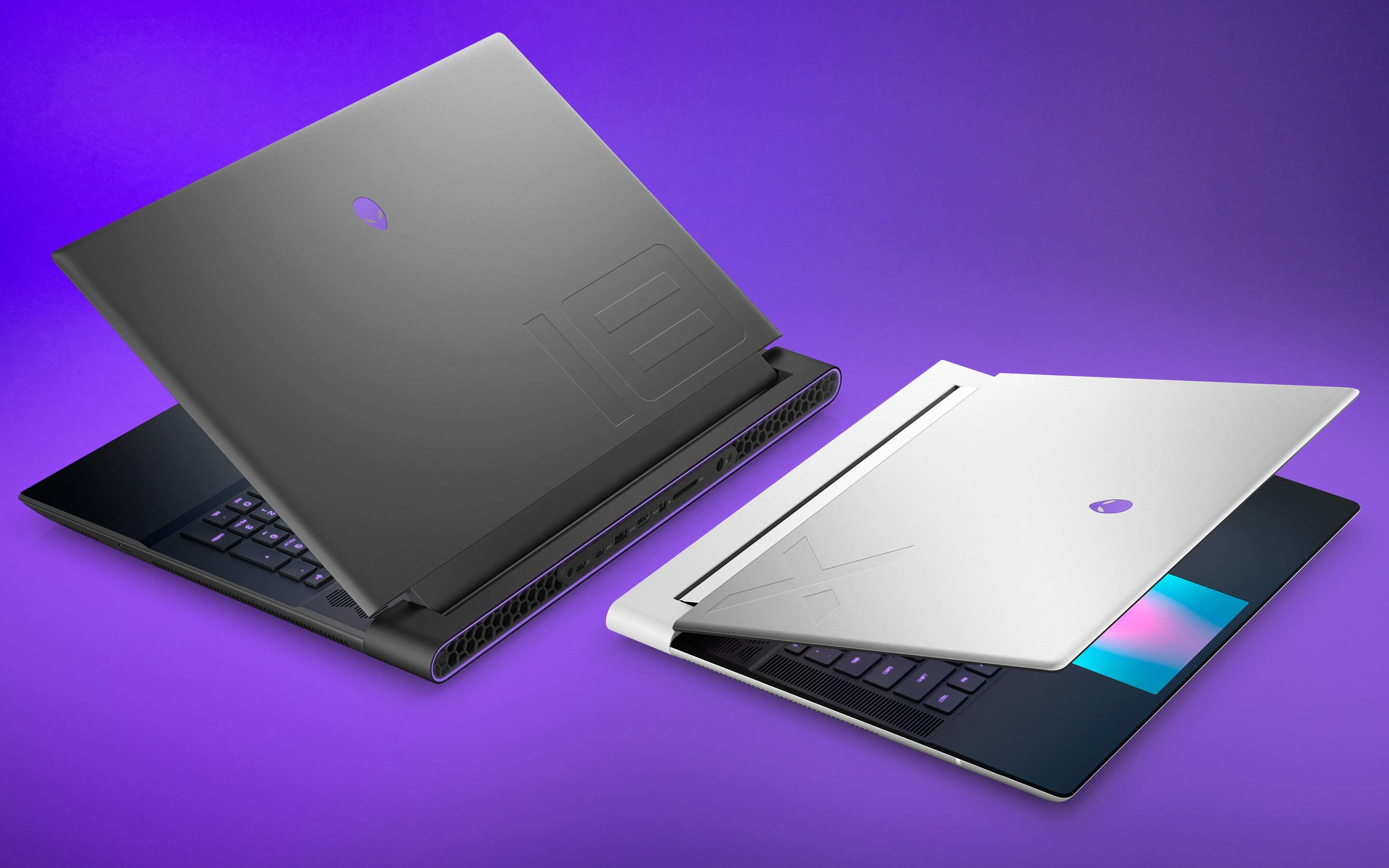
Two Alienware laptops are positioned back-to-back at 3-quarter angles, both slightly opened showcasing premium materials.

PREMIUM MATERIALS

Our latest Alienware laptops are designed with materials like anodized aluminum, magnesium alloy, and stainless steel to provide structural rigidity, thinness, and an optimised design built around performance.

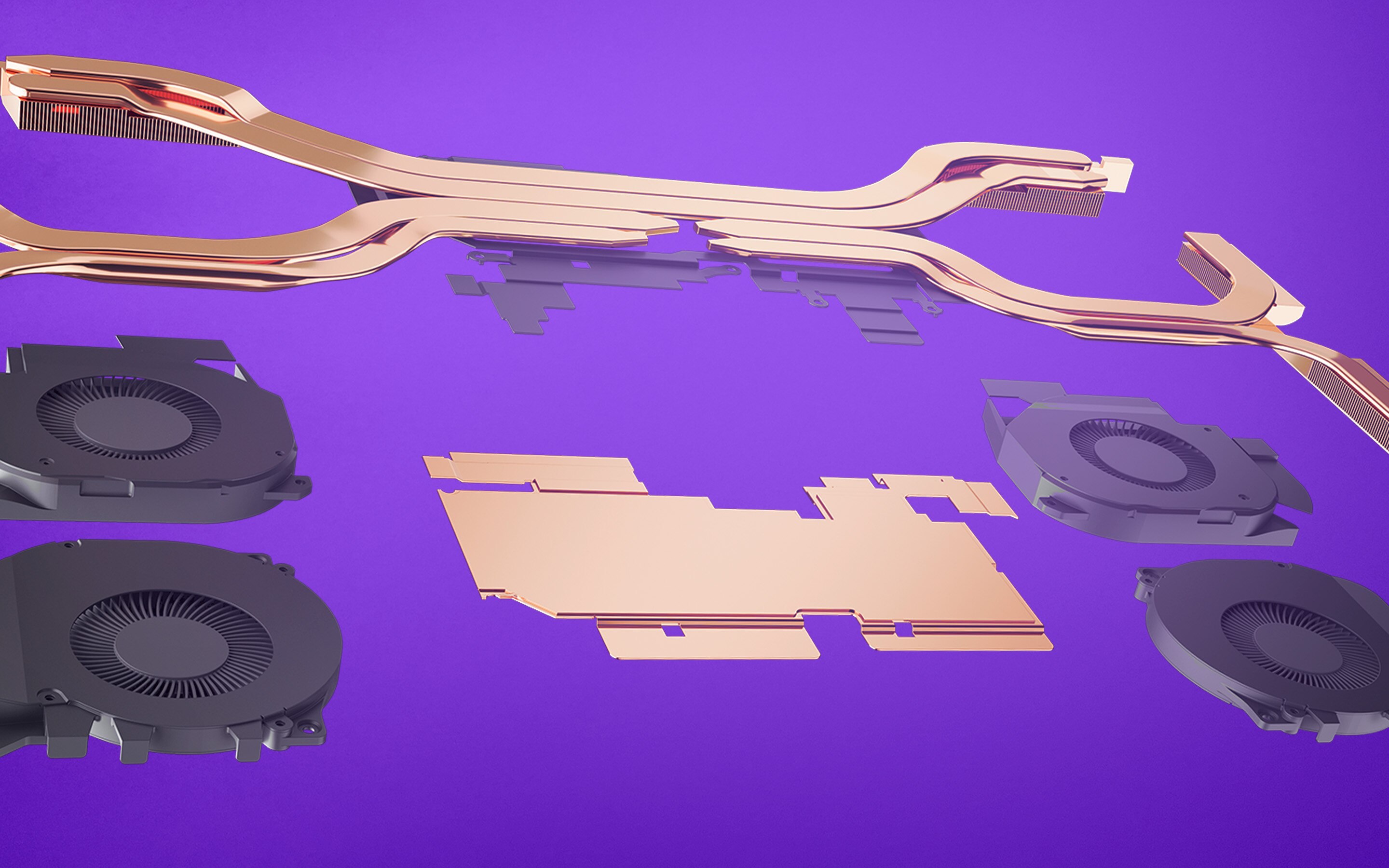
Exploded view of only the cryo-tech components in Alienware laptops.

ALIENWARE CRYO-TECH™

Game uninterrupted for hours with Alienware Cryo-Tech™ that creates efficient thermals using a combination of Element 31, load balancing copper heat pipes, and optional vapor chamber technology.

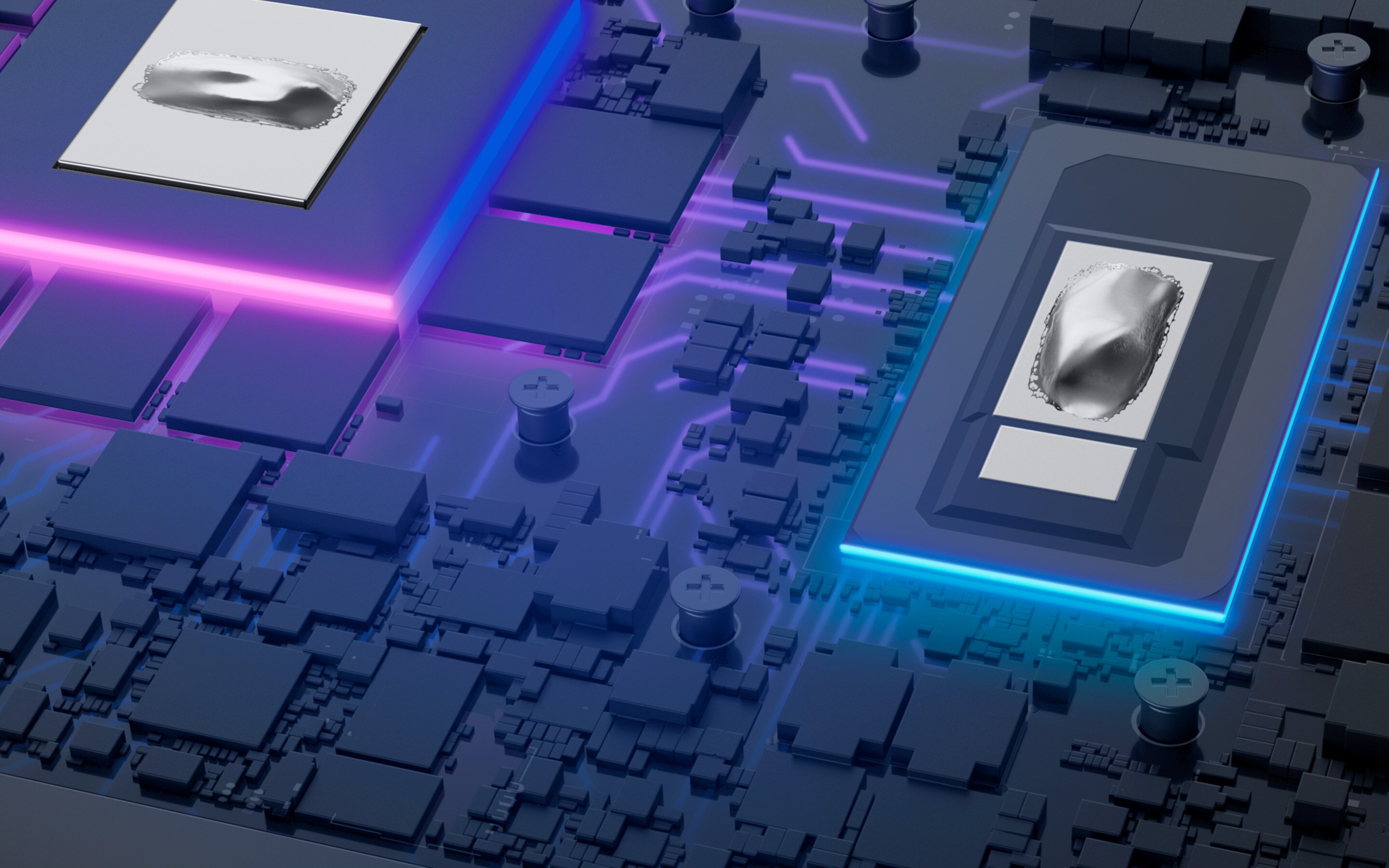
An Alienware motherboard with Element 31 thermal paste on the CPU and GPU.

HEAT-DIMINISHING ELEMENT 31

Alienware's unique Element 31 is a gallium-silicone material on the CPU and GPU that helps dissipate heat to keep your laptop running at optimum speeds.

Close-up of fingers typing on a colorful, backlit keyboard.

HIGHLY TACTILE KEYBOARD

Experience the world’s first ultra-low-profile mechanical keyboard with 1.8mm key-travel and a 15 million keystroke lifecycle courtesy of our latest collaboration with Cherry as an optional upgrade.

Exploded-view animation of an Alienware laptop reveals the motherboard and internal fans that draw in cool air while expelling hot air through vents.

NEW CRYO-CHAMBER​

Our new Cryo-Chamber structure* elevates the rear of the laptop off the surface enabling high-volume airflow, all for the purpose of increasing performance and dampening acoustics.​

Close-up of V-rail edges that allow for easy opening. Animation shows comfort rail for your palms.

EFFORTLESS AND COMFORTABLE

The third generation of our Legend design introduces our thoughtfully designed V-rail edges, which allow for a more comfortable palm rest and quick, easy opening.

A laptop shows the perimeter foot which helps cool air to be drawn into the vents.

FUNCTIONAL PERFORMANCE

The all-new perimeter foot elevates the laptop to functionally improve airflow and maintain performance.

View of an Alienware M18 R2 laptop showcasing gameplay from Baldur's Gate animating vividly on screen.

FAST REFRESH RATES

Immerse yourself in every game with blazing refresh rates that range from 240Hz to 480Hz and with a minimal response time of just 3ms.

Two Alienware laptops are positioned back-to-back at 3-quarter angles, both slightly opened showcasing premium materials.

PREMIUM MATERIALS

Our latest Alienware laptops are designed with materials like anodized aluminum, magnesium alloy, and stainless steel to provide structural rigidity, thinness, and an optimised design built around performance.

Exploded view of only the cryo-tech components in Alienware laptops.

ALIENWARE CRYO-TECH™

Game uninterrupted for hours with Alienware Cryo-Tech™ that creates efficient thermals using a combination of Element 31, load balancing copper heat pipes, and optional vapor chamber technology.

An Alienware motherboard with Element 31 thermal paste on the CPU and GPU.

HEAT-DIMINISHING ELEMENT 31

Alienware's unique Element 31 is a gallium-silicone material on the CPU and GPU that helps dissipate heat to keep your laptop running at optimum speeds.

Close-up of fingers typing on a colorful, backlit keyboard.

HIGHLY TACTILE KEYBOARD

Experience the world’s first ultra-low-profile mechanical keyboard with 1.8mm key-travel and a 15 million keystroke lifecycle courtesy of our latest collaboration with Cherry as an optional upgrade.

Alienware 16 Aurora Gaming Laptop

Key Features
NVIDIA® GeForce RTX™ Laptop Graphics
16” WQXGA 120Hz display with 300 nits
Cryo-Chamber for focused airflow

Alienware 16X Aurora Gaming Laptop

Key Features
NVIDIA® GeForce RTX™ 50 Series Laptop Graphics 
Anodized aluminum lid and bottom cover
16” WQXGA 240Hz display with 500 nits

Alienware 16 Area-51 Gaming Laptop

Key Features
NVIDIA® GeForce RTX™ 50 Series Laptop Graphics
Up to 240W of total gaming power
Includes dual Thunderbolt™ 5 Type-C ports

Alienware 18 Area-51 Gaming Laptop

Key Features
NVIDIA® GeForce RTX™ 50 Series Laptop Graphics
Up to 280W of total gaming power
Includes dual Thunderbolt 5 Type-C ports

Alienware Gaming Laptops FAQs

When considering a gaming laptop, prioritise aspects like a powerful GPU (Graphics Processing Unit), high-refresh-rate display, more RAM that can boost system responsiveness, newer generation CPU, fast SSD storage, effective cooling systems, and a sturdy build for durability.

Good specifications for a gaming laptop include a high-performance GPU (such as NVIDIA GeForce RTX), a powerful CPU (like Intel Core i7), at least 16GB of RAM, a fast SSD (NVMe preferably), and a high-refresh-rate display.

Alienware laptops often use high-performance graphics cards from NVIDIA, such as GeForce RTX series GPUs. Offering users powerful gaming experiences with excellent graphics rendering and performance.

Alienware gaming laptops feature strategically placed vents and fans that facilitate efficient airflow. The design allows cool air to enter and hot air to exit, ensuring proper heat dissipation and maintaining optimal operating temperatures for components.

Alienware Cryo-tech is an advanced cooling technology used in Alienware laptops. It may comprises various cooling components like advanced heat pipes, vapor chambers, and high-quality fans designed to efficiently dissipate heat, ensuring optimal performance during intensive gaming sessions. 

Alienware Command Center is a proprietary software application developed for its Alienware line of gaming computers, displays, and peripherals. This software provides users with a centralised hub for customising and optimising their system's performance, as well as controlling various features of their Alienware hardware, including AlienFX RGB lighting and settings per game.