Dell Enterprise Hub Command Line Interface and Developer SDK Explained
Introduction
As Artificial Intelligence (AI) capabilities grow more complex, evaluating and deploying optimized AI solutions is becoming increasingly challenging, posing questions such as:
- Will your existing infrastructure be able to run the latest Large Language Models?
- How quickly can you evaluate the latest open-source models?
Dell Enterprise Hub
Over the past 18 months, Dell Technologies and Hugging Face have collaborated to develop the Dell Enterprise Hub (DEH), a curated software stack featuring open-source models. DEH is designed to eliminate the guesswork in deploying solutions on Dell PowerEdge AI-powered platforms by simplifying model evaluation, access, and deployment. Discover how to deploy, quantize, and scale a curated set of leading open-source models through the DEH web portal:
- Hugging Face Model Deployments Made Easy by Dell Enterprise Hub
- On the Fly Quantization with Dell Enterprise Hub
- Scale your Model Deployments with the Dell Enterprise Hub
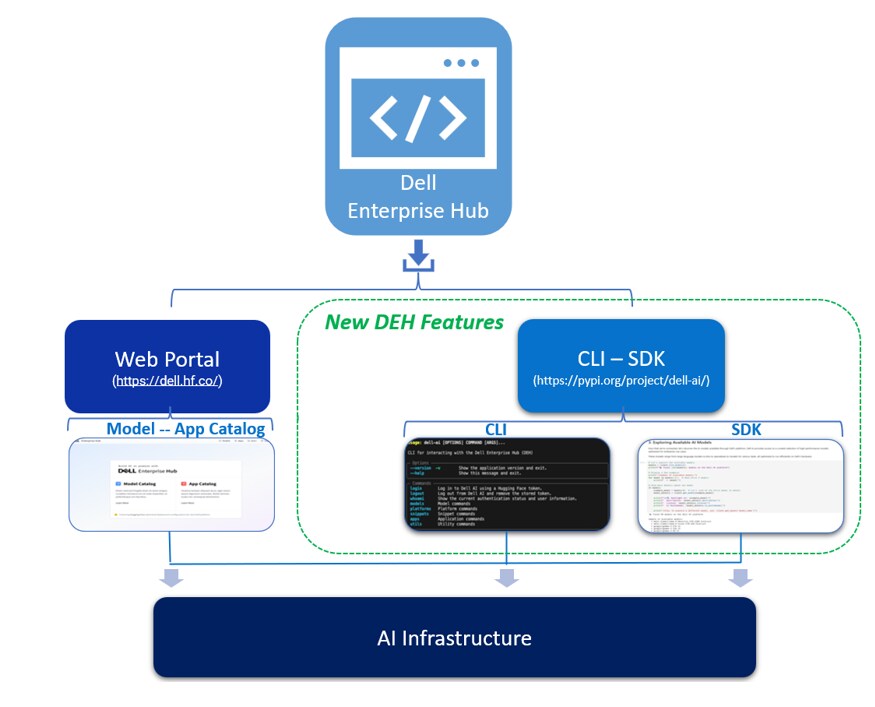 Dell Enterprise Hub CLI-SDK features
Overview
This blog focuses on DEH and two recently added features: The Command Line Interface (CLI) and Software Development Kit (SDK). These features aim to simplify the evaluation and deployment of optimized open-source Large Language Models (LLMs) to run on Dell Technologies Solutions, eliminating the need for complex configurations. The CLI and SDK are intended to be consumed within your existing deployment infrastructure and development environment.
Note: These features are at the nascent phase of development, with capabilities being continually enhanced or added.
DEH CLI-SDK capabilities complement the DEH Web Portal by further simplifying LLM evaluation and deployment options with system administrator and development requirements in mind.
Install
DEH CLI-SDK is available on GitHub or PyPi. Based on the following information, choose the most suitable installation method:
|
Linux |
Windows |
# Install uv if you don't have it curl -LsSf https://astral.sh/uv/install.sh | sh # Create and activate virtual environment uv venv .venv source .venv/bin/activate # Install dell-ai uv pip install dell-ai # Fyi: Update dell-ai uv pip install --upgrade dell-ai |
# Within Windows PowerShell # Create and activate virtual environment python -m venv .venv source .venv/bin/activate # Install dell-ai pip install dell-ai # Fyi: Update dell-ai pip install --upgrade dell-ai |
CLI usage
Prerequisites
- Install dell-ai:
pip install -qU dell-ai
Note: Hugging Face account (required for authentication). To sign up, see the Hugging Face login page.
- Navigate to dell-ai login:
# You'll be prompted to enter your Hugging Face token
# or use --token flag to provide it directly
dell-ai login --token <your_HF token>
Upon successful login, the user can interact with DEH through the command line interface to browse available AI models, view platform configurations, and generate deployment snippets for running AI models on Dell systems.
Here's a view of the current CLI options:
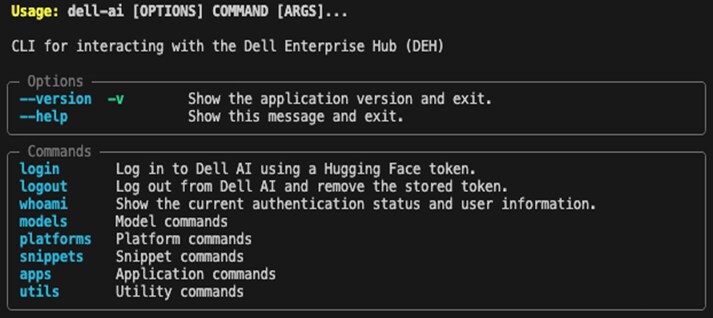 Current CLI options
Note: CLI Options subject to change.
- For DEH examples, see /cli-getting-started.md.
- To contribute to DEH CLI-SDK enhancements, see Issues at huggingface/dell-ai on GitHub.
Here's an example of the DEH CLI command dell-ai models list:
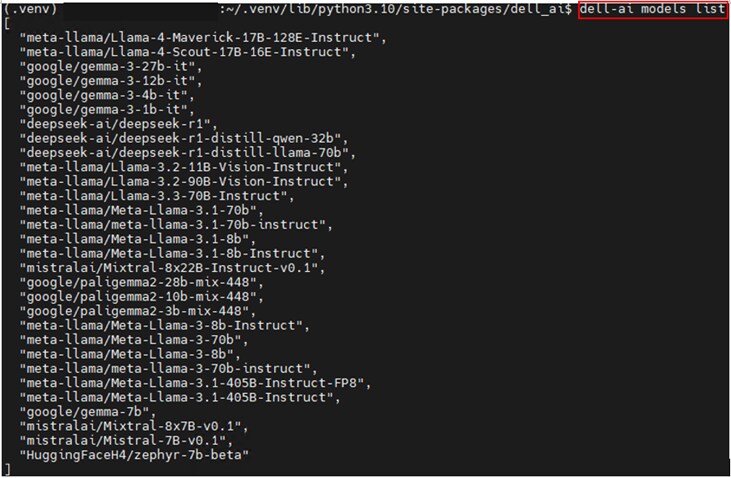 Dell Enterprise Hub CLI (example output listing supported models)Here's an example of the DEH CLI Utils option:
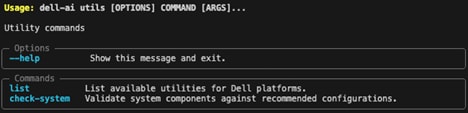 Dell Enterprise Hub CLI
Note: The Utilis option is currently under development.
SDK usage
The Dell AI SDK provides a simple client interface that handles all communication with Dell's AI infrastructure. Python SDK enables users to programmatically browse available AI models, view platform configurations, and generate deployment snippets for running AI models on Dell systems.
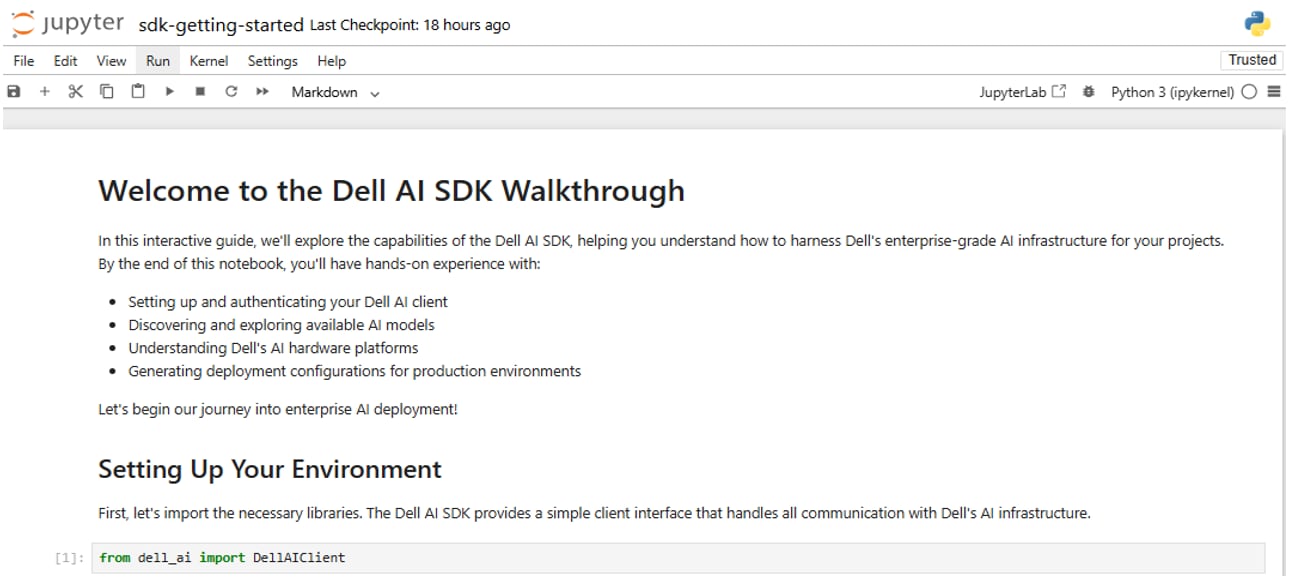 Import the DEH SDK library
- To contribute to DEH CLI-SDK enhancements, see Issues at huggingface/dell-ai on GitHub.
- For more DEH examples, see dell-ai/examples/sdk-getting-started.ipynb at main huggingface/dell-ai on GitHub.
Here's an example of DEH support for NVIDIA, AMD, Intel GPU platforms depicted in the previous image with drill down information available:
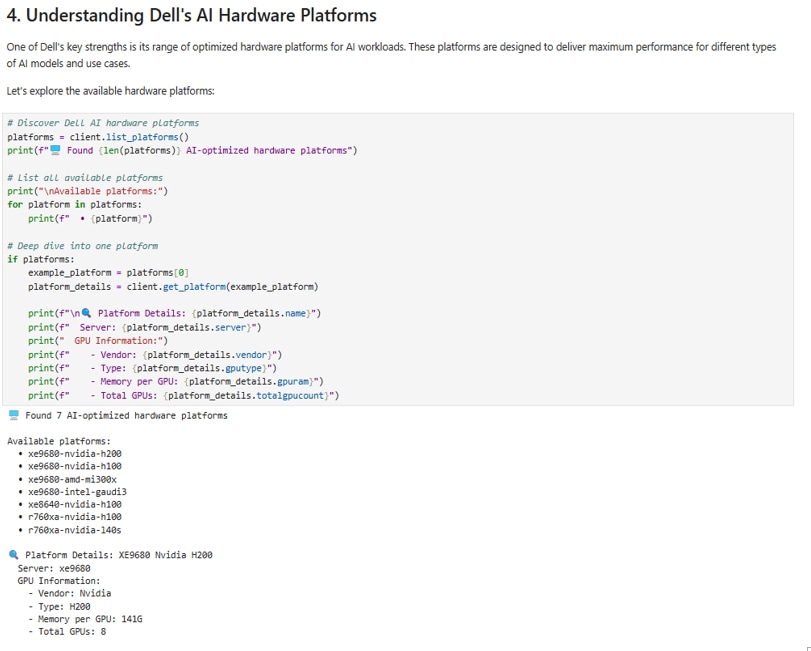 List the DEH AI platforms
Here's an example of DEH SDK function get_model():
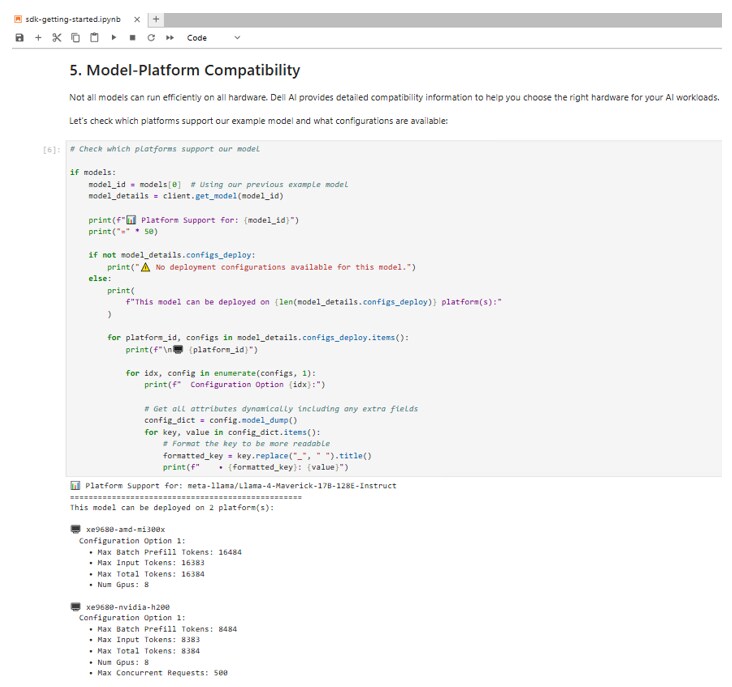 Dell Enterprise Hub SDK (example output listing currently supported platforms for Llama-4-Maverick-17b-128E-Instruct model)
For detailed guided examples of using Dell AI SDK and CLI, see these example documents:
DEH App Catalog
The DEH is a simple and powerful tool for enabling users to build AI on-premises. It continually evolves, with recent innovations such as DEH CLI and DEH SDK library offering greater flexibility for evaluating and deploying AI models. The newly released Application Catalog simplifies the deployment of AI applications similar to the DEH Model Catalog. Curated AI application deployments are available using the DEH online portal or through integrations with DEH CLI and SDK features.
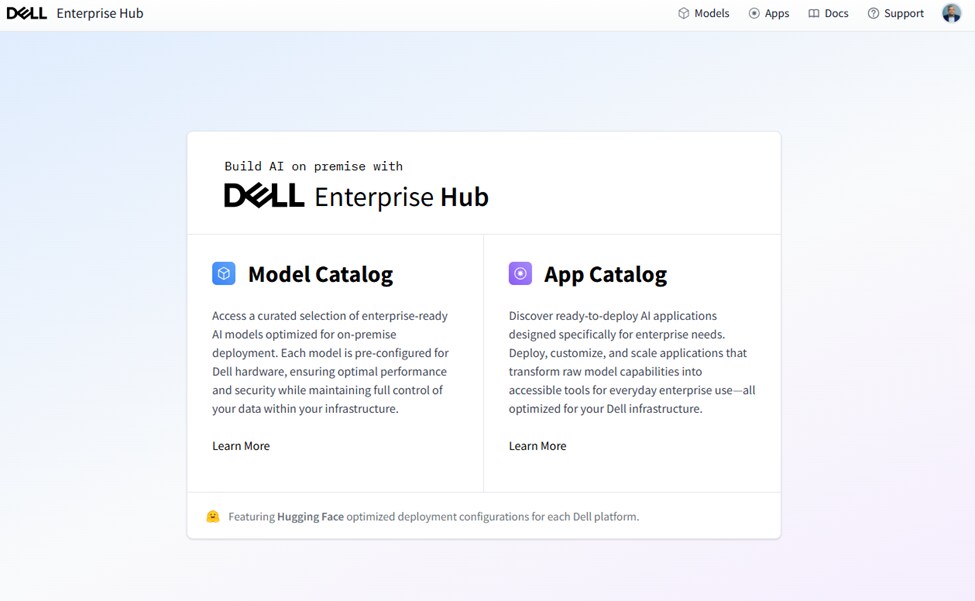 Dell Enterprise Hub App Catalog
Conclusion
The DEH is a collaborative effort between Dell Technologies and Hugging Face designed to address the challenges of deploying and evaluating increasingly complex AI models, particularly LLMs. Recent developments introduce DEH (CLI) and DEH (SDK) capabilities, which complement the existing DEH Web Portal by offering greater flexibility and programmatic control for system administrators and developers.
DEH supports various Dell Technologies AI server solutions with leading GPU vendors such as NVIDIA, AMD, and Intel. As DEH continues to tackle the complexities of on-premises AI, new features like the forthcoming DEH Application Catalog will streamline the deployment of complete AI applications.
- To start utilizing DEH sign up for your account today, see Dell Enterprise Hub by Hugging Face.
- To contribute to continued DEH CLI and SDK improvement, see huggingface/dell-ai.
References
- DEH CLI - SKD Documentation from GitHub or PyPi.
- DEH CLI - SKD Documentation from GitHub or PyPi.
- DEH technical blogs on the Info Hub (see the Dell Info Hub homepage and search “tags: DEH”).