Dell PowerFlex: Introduction to Replication
Executive summary
Overview
Revisions
We value your feedback
Introduction
PowerFlex overview
PowerFlex is a software-defined infrastructure platform designed to reduce operational and infrastructure complexity, empowering organizations to move faster by delivering flexibility, elasticity, and simplicity with predictable performance and resiliency at scale. The PowerFlex family of software-defined infrastructure provides a foundation that combines compute and high-performance storage resources in a managed unified fabric. PowerFlex offers multiple platform deployment options such as rack, appliance, or ready nodes, all of which provide server SAN, HCI, and storage-only architectures.
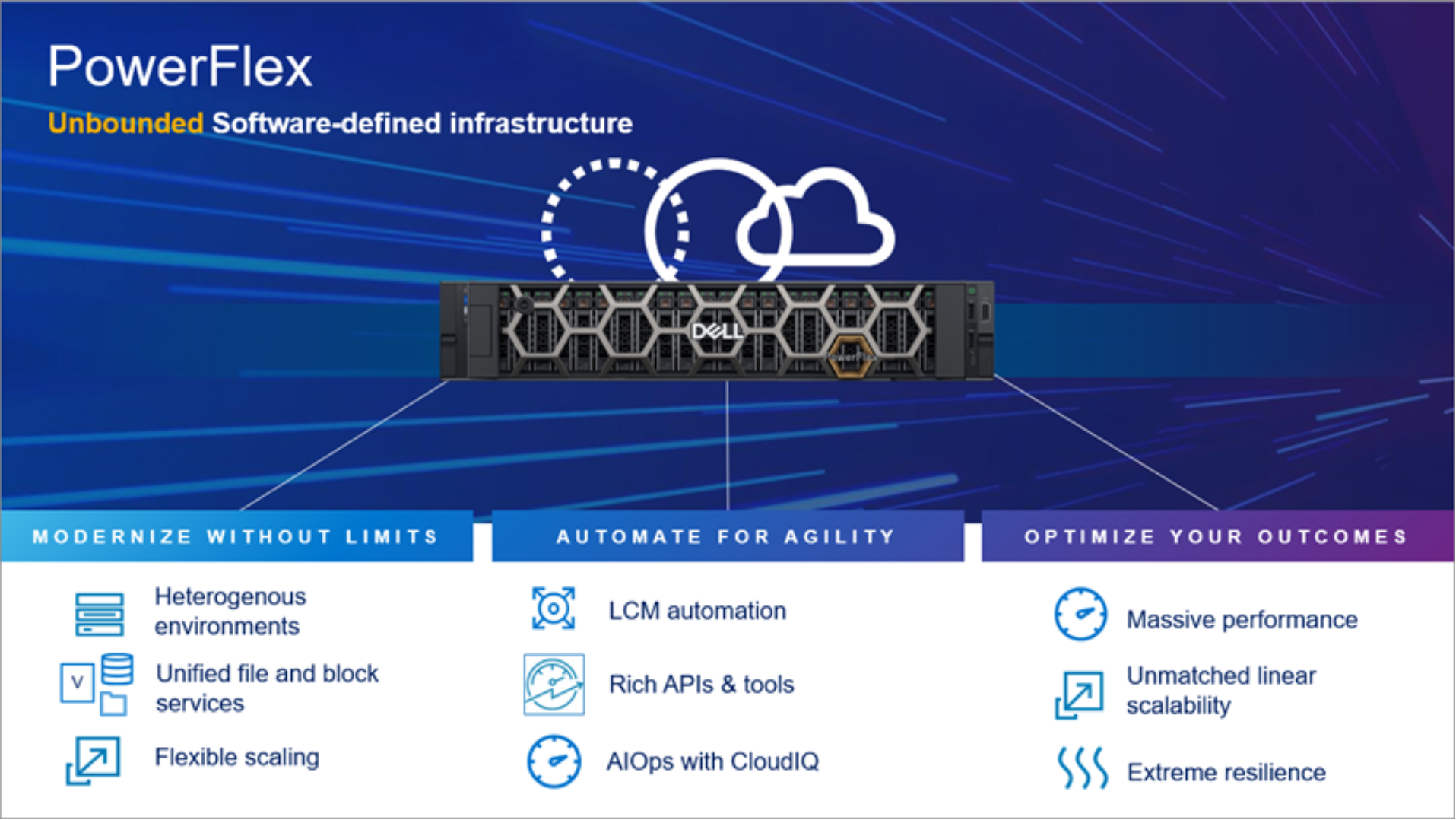
Figure 1. PowerFlex overview
PowerFlex provides the flexibility and scale demanded by a range of application deployments, whether they are virtualized, containerized, or on bare metal.
PowerFlex provides the performance and resiliency required by the most demanding enterprises, demonstrating six 9s or greater of mission-critical availability with stable and predictable latency.[1]
Providing millions of IOPs at submillisecond latency, PowerFlex is ideal for both high-performance applications and for private clouds that want a flexible foundation with synergies into public and hybrid cloud. It is also great for organizations consolidating heterogeneous assets into a single system, with a flexible, scalable architecture that provides the automation to manage both storage and compute infrastructure.
PowerFlex asynchronous replication
Asynchronous replication overview
To understand how replication works, we must first consider the basic PowerFlex architecture.
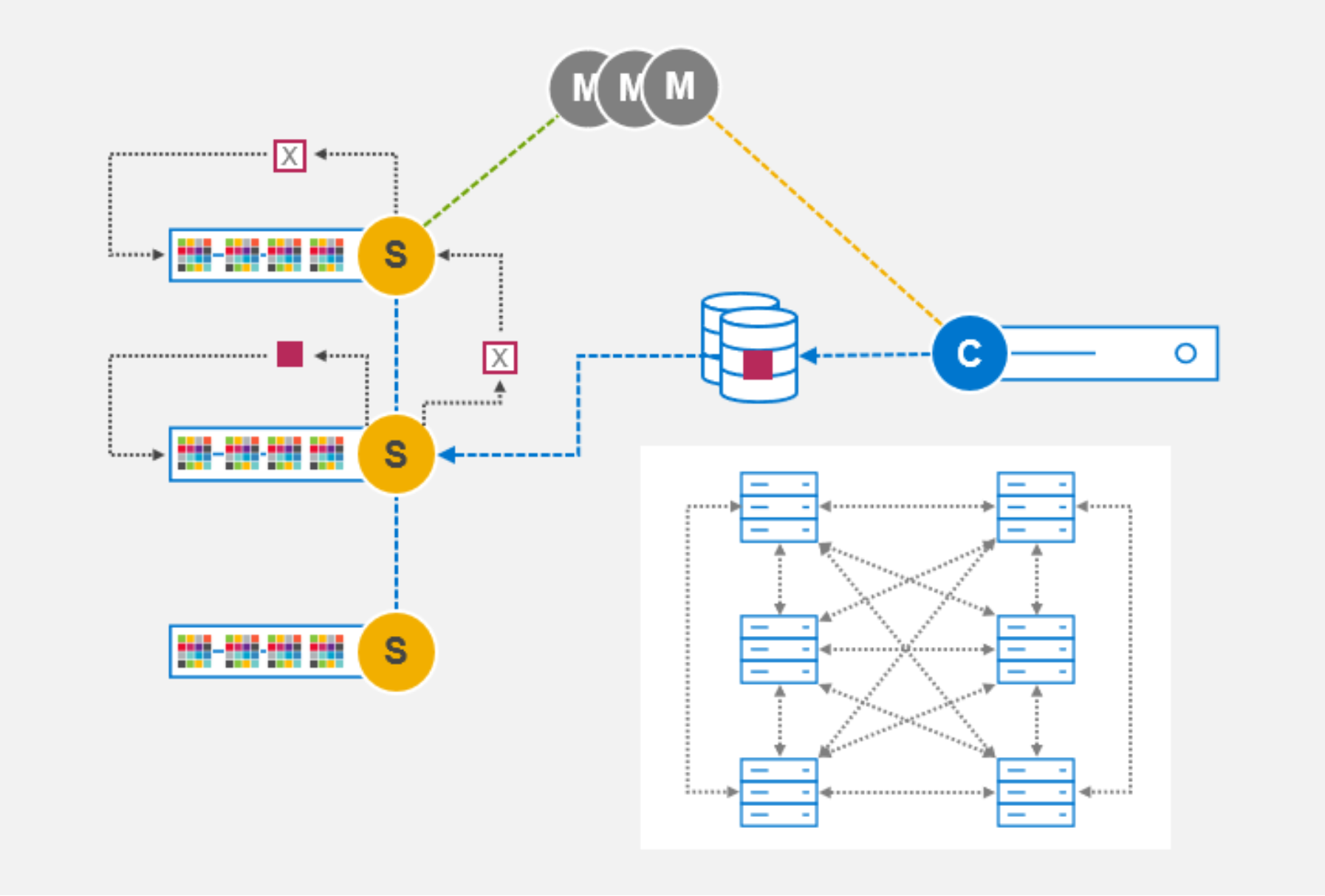
Figure 2. PowerFlex basic components and architecture
The following base elements are the foundation of PowerFlex software-defined storage, a platform that scales linearly to hundreds of SDS nodes:
- Storage Data Server (SDS)—Servers contributing media to a storage cluster run the SDS software. The SDS allows PowerFlex to aggregate the media while sharing these resources as one or more unified pools on which logical volumes are created.
- Storage Data Client (SDC)—Servers consuming storage run the SDC, which provides access to the logical volumes using the host SCSI layer. PowerFlex does not use the iSCSI protocol; instead, it uses a resilient load-managing, load-balancing network service that runs on TCP/IP storage networks.
- Meta Data Manager (MDM)—The MDM controls the flow of data through the system but is not in the data path. The MDM maintains information about volume distribution across the SDS cluster. It distributes the mapping to the SDC, informing it of where to place and retrieve data for each part of the address space.
When considering architectural options for replication, maintaining the scalability and resiliency of PowerFlex is critical. The replication architecture in PowerFlex is a natural extension to the core elements.
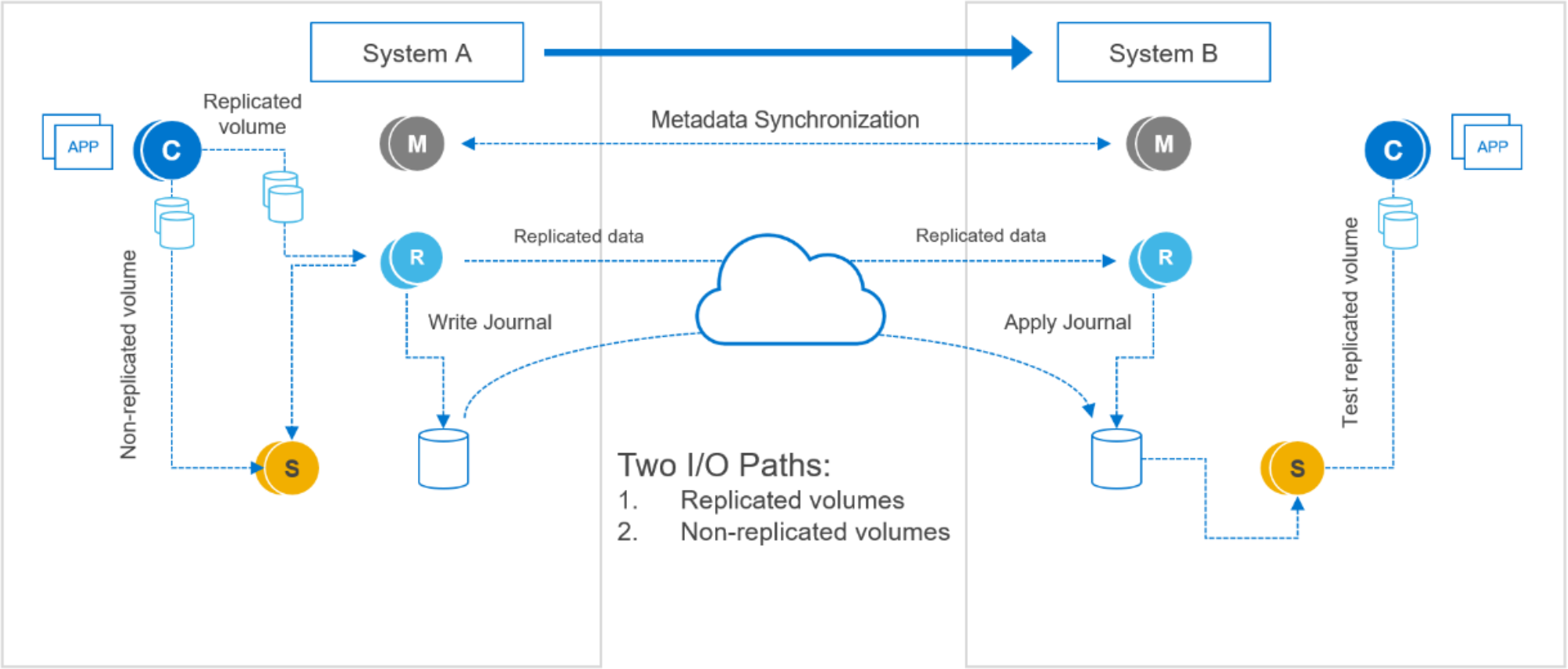
Figure 3. PowerFlex simplified replication architecture
PowerFlex version 3.5 introduced a new storage software component called the Storage Data Replicator (SDR). Figure 3 depicts where the SDR (light blue “R” icon) fits into the overall PowerFlex replication architecture. Its role is to proxy the I/O of replicated volumes between the SDC and the SDSs where data is ultimately stored. Write I/O operations are split, sending one copy on to the destination SDSs and another copy to a replication journal volume.
Sitting between the SDS and SDC, from the SDS point-of-view, the SDR appears as if it were an SDC sending writes. From a networking perspective, however, the SDR-to-SDS traffic is still back-end storage traffic. Conversely, to the SDC, the SDR appears as if it were an SDS to which writes can be sent.
The SDR mediates the flow of traffic for replicated volumes only. Nonreplicated volume I/O operations flow, as usual, directly between SDCs and SDSs. As always, the MDM instructs each SDC where to read and write its data. The volume address space mapping, presented to the SDC by the MDM, determines where the volume’s data is sent. But the SDC is ignorant of the write-destination as an SDS or an SDR. The SDC is not aware of replication.
Journaling versus snapshotting
Journal capacity reservations
Journal intervals and data flow
Each cluster can be both a replication source and a target, allowing customers to split applications between regionally separate clusters while protecting application availability at each location.
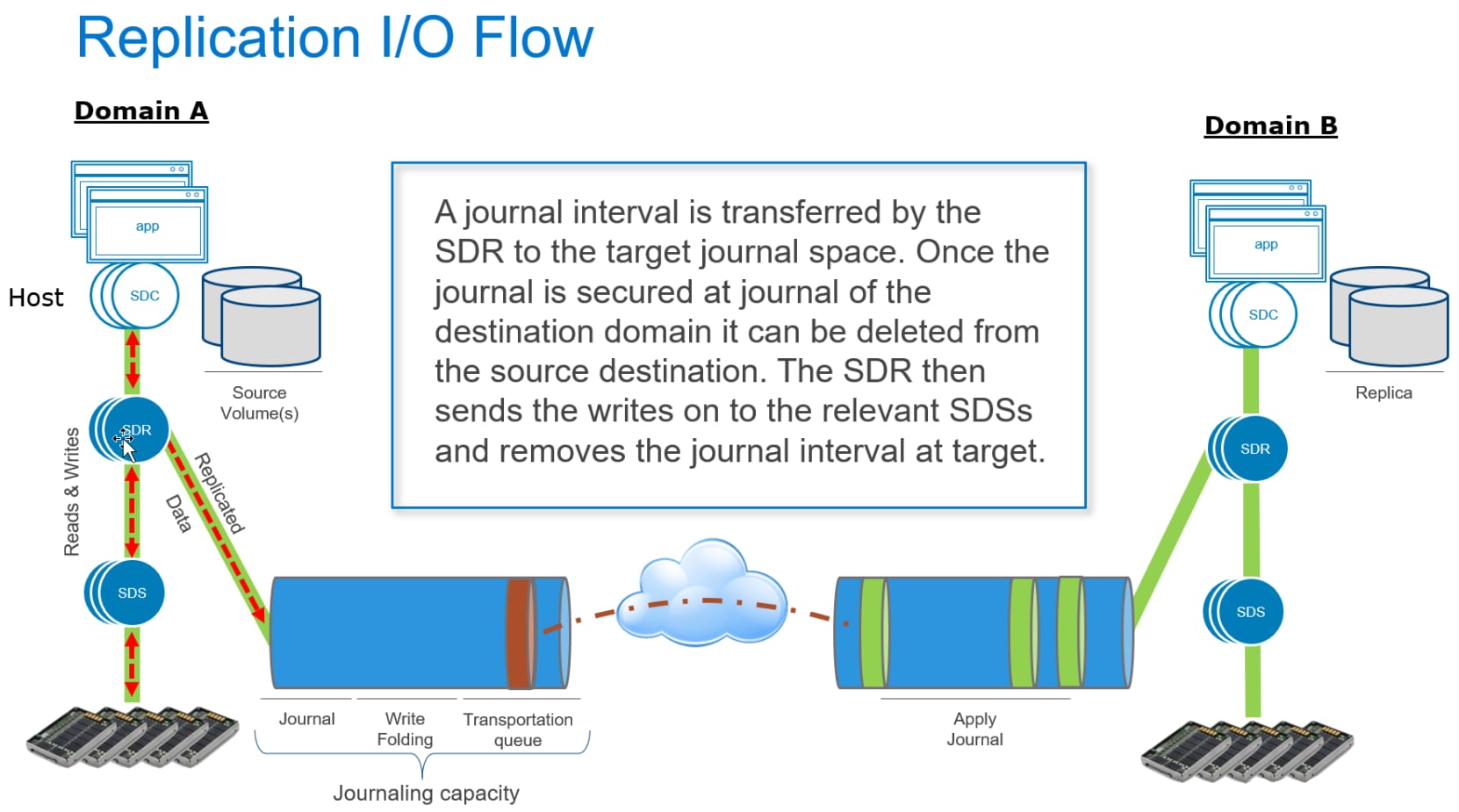
Figure 4. PowerFlex simplified replication I/O flow
The volume mapping on the source SDC sends writes for replicated data to the SDR, which duplicates the write and forwards it. The local SDSs process writes normally, while the SDR assembles the journal files that contain checkpoints to preserve write order.
Journals are batched in the journal buffer on the source system. As they near the head of the queue, they are scanned, and duplicate block writes are consolidated (folded) to minimize the volume of data being sent over the wire.
The journal intervals are sent to the remote target journal buffer by the SDR over dedicated subnets on local networks or external WAN networks assigned to replication. Once the intervals are acknowledged at the target journal, the SDR removes the intervals from the source.
On the target system, the SDR processes the journals and passes the writes on to the relevant SDSs. The SDSs manage the primary and secondary copies as usual. You may be wondering: How is compression affected in replicated volumes? The short answer is that compressed data is not sent over the WAN. The SDR is a mediator between the SDC and the SDS, and it plays no role in compression. The SDS is responsible for compressing writes and storing them to disks local to the host on which it runs.
Once the target-side SDR receives acknowledgment from the target-side SDS, it goes to the next write contained in the journal interval being processed. When the last write in a journal interval is processed and acknowledged, the interval is deleted, and the journal capacity is made available for reuse.
Several other SDR subprocesses work together to protect the integrity of your data, but this description addresses all the fundamentals.
One limitation worthy of mention relates to volume migration. Migrating replicated volumes from one protection domain to another is not possible. This limitation is because the replication journals do not span protection domains.
Replication topologies
Replication topology options are as follows:
- One-directional: One source system replicating to one destination
- Bi-directional: Two systems in which each is a destination
- One to many: One system replicating to multiple systems
- Many to one: Many systems replicating to one system
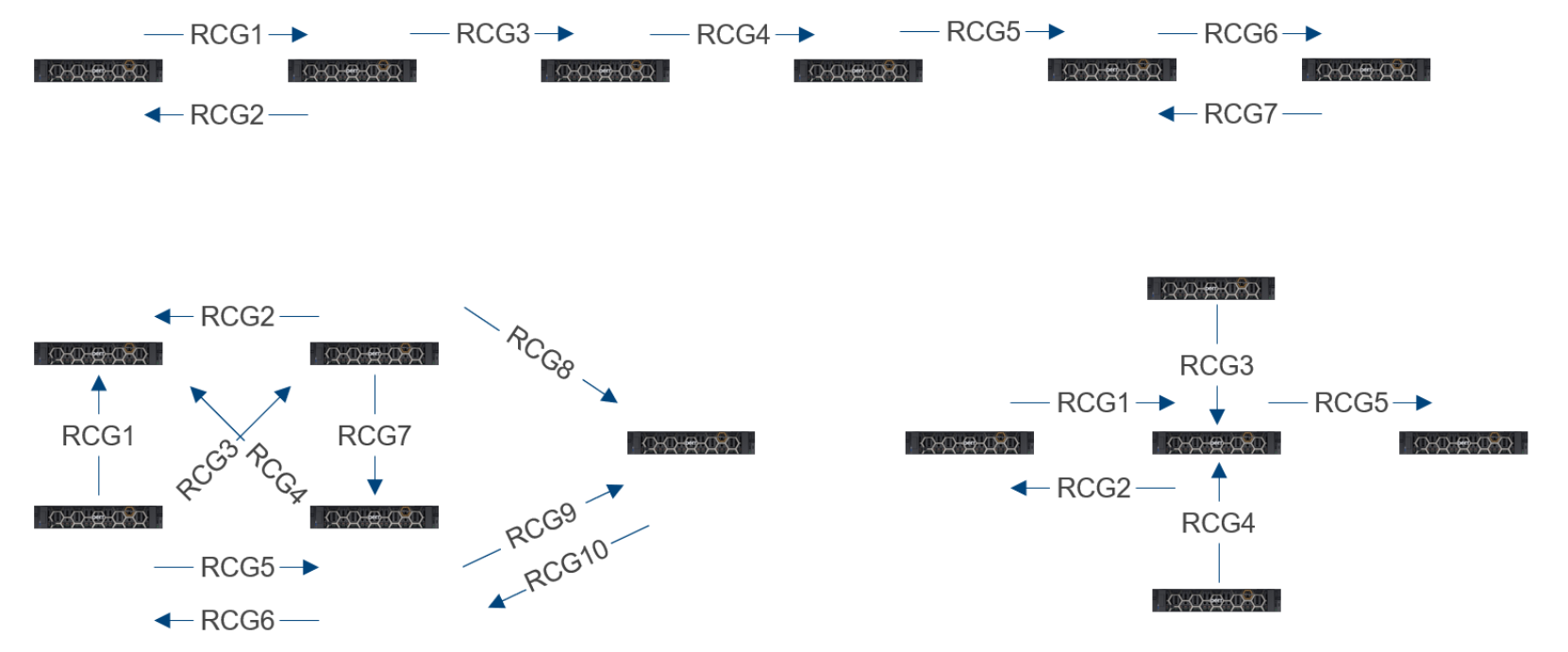
Figure 5. Asynchronous replication topologies
Note: A volume can be a member of at most one replication pair (RCG).
Deploying and configuring PowerFlex clusters for replication
Deployment and configuration
Proper system and storage sizing must be performed before deployment of any new PowerFlex clusters. Replication adds additional sizing concerns. Your Dell Technologies technical sales resources have access to a system sizing utility. The PowerFlex sizing utility takes inputs including workload characterization, replication footprint, and WAN bandwidth and quality, as well as network design and infrastructure.
Additional cluster setup requirements for adding asynchronous replication include:
- A way for the clusters participating in replication to communicate securely
- Grouping of volume pairs into consistency groups
- Testing methods for potential failures or even distributing workload without affecting the primary application
- Configuration of the physical WAN network for external replication when the target cluster is in another data center
- Additional IP addresses for replication activity
This paper addresses all these topics.
Exchange of storage cluster Certificate Authority root certificates
PowerFlex system root CA certificates must be exchanged between replicating clusters to protect from possible security attacks. Because exchanging certificates is a security-sensitive issue, this step is performed using the PowerFlex command-line interface. On each system, a certificate is created and sent to the other host in the replicated pair.
The following command extracts the certificate from the cluster:
scli --extract_root_ca --certificate_file /tmp/sys0.cert
Next, copy the certificate to the partner system. To import the certificate, on the partner system, we use a command of the following form:
scli --add_trusted_ca --certificate_file /tmp/sys0.cert --comment Site-A
Peering storage clusters
Peering is the next required step before configuration of replicated volume pairs. Peering establishes the data paths and communication between two PowerFlex systems. You can use PowerFlex Manager to peer systems, but you first need one piece of critical information—the system IDs. You can use the PowerFlex CLI to capture the system IDs for both storage clusters. The act of logging in to the PowerFlex CLI and authenticating to the cluster reveals the cluster ID. You will need the IDs from both the source and the target systems.

Figure 6. Capturing a PowerFlex system ID
Note: PowerFlex version 4.0 supports up to four peer systems from a single source system. All systems must be at version 4.0. A volume can be a member of at most one replication pair (RCG)..
To begin peering:
- In PowerFlex Manager, go to the Protection menu, and click the down arrow to expand the menu.
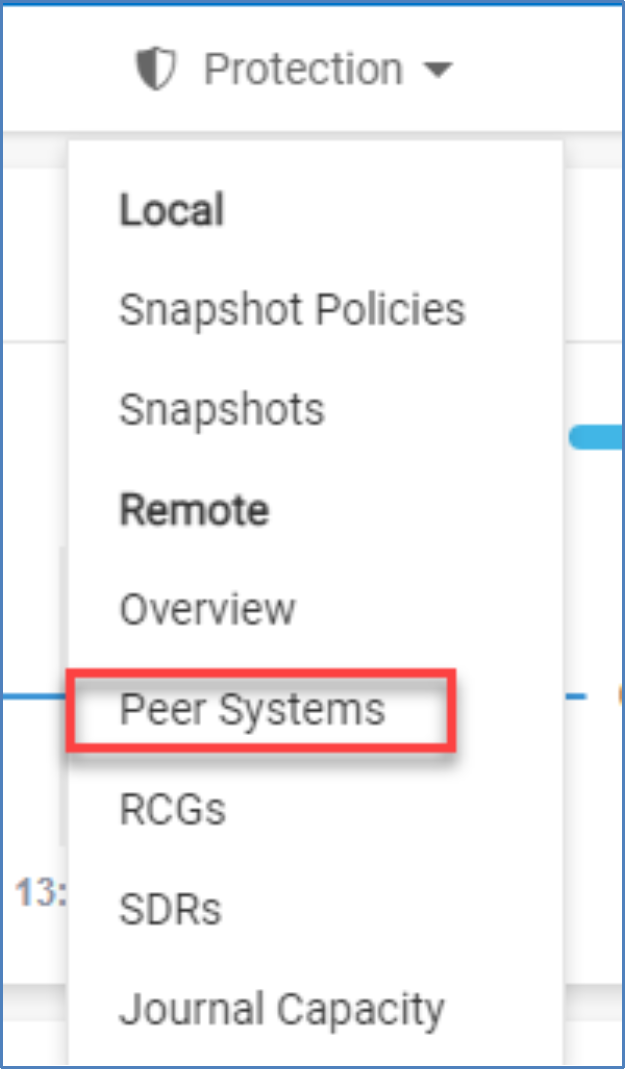
Figure 7. Protection menu
- Select Peer Systems, and then click Add Peer System.
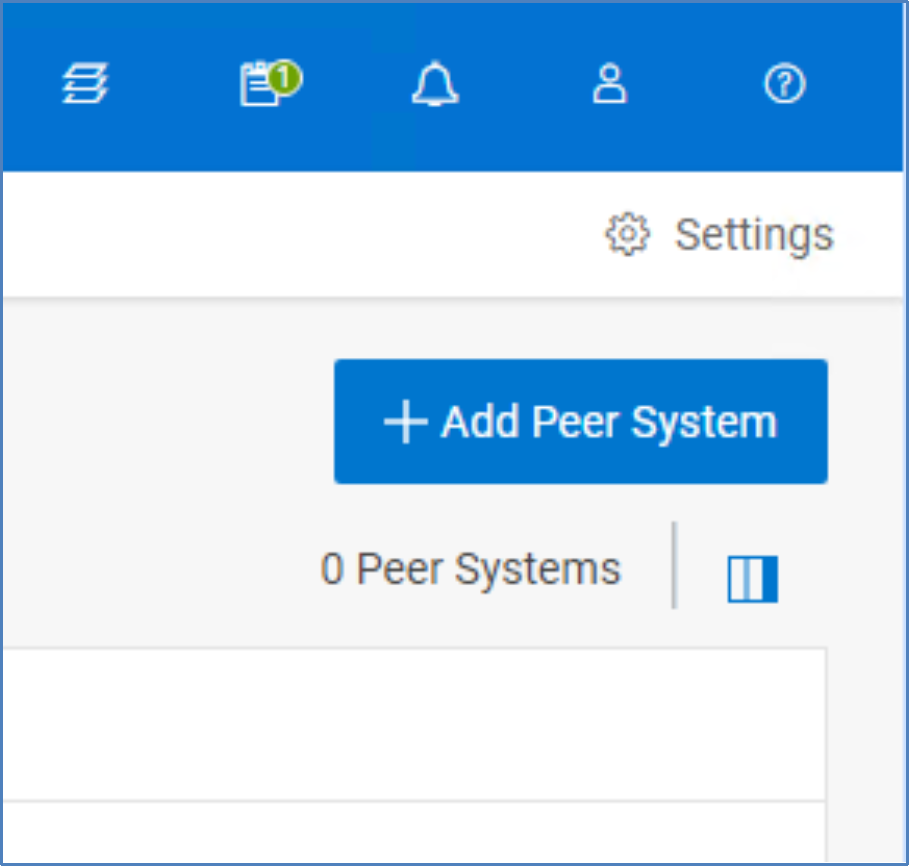
Figure 8. Add Peer System
- Enter the name, remote system ID, and the IP address of the target cluster Primary MDM. Click ADD IP.
- Add additional IPs if appropriate.
- Click Add.
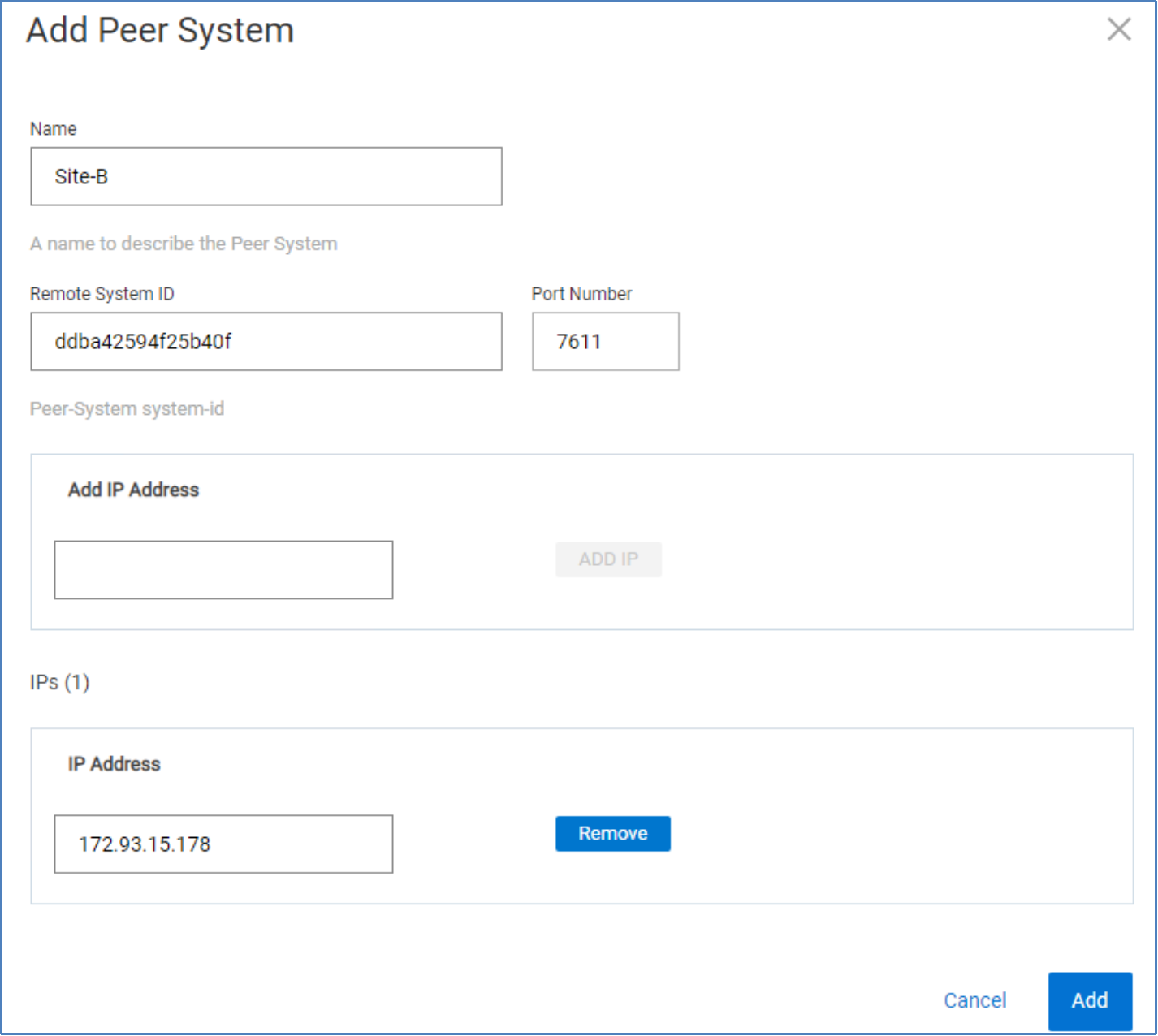
Figure 9. Add Peer System
- Repeat the preceding steps on the target storage cluster, entering the remote system ID of the primary cluster.
Upon completion, the systems are peered in both directions, and you are ready to start pairing your replicated volumes.
Replication Consistency Groups
Replication Consistency Groups (RCGs) establish the attributes and behavior of the replication of one or more volume pairs. One such attribute is the target replication storage cluster. While a given RCG can replicate to only one target cluster, in principle other RCGs may replicate to other clusters, provided they have exchanged certificates and have been peered.
In PowerFlex version 3.6.x and earlier versions, the source and target volumes must exist before you create the RCG. Auto provisioning, introduced in PowerFlex version 4.x, eliminates the requirement when the source and target systems are version 4.x. When auto provisioning is used, the target volume is automatically created in the remote PowerFlex system. The option to manually provision the target volume is still possible in PowerFlex version 4.x.
A volume, whether a source or target, can be a member of one RCG and an RCG can only consist of two paired PowerFlex systems. In other words, a source volume can only be replicated to one target volume on a single remote PowerFlex system. While the volumes must be identical in size, they do not have to reside in a storage pool of the same type (medium granularity or fine granularity). The volumes do not need to have the same properties (thick or thin, compressed or noncompressed). If a volume must be resized, first expand the target volume to prevent any disruptions in replication.
RCGs are flexible. For some use cases, you might assign all volumes associated with an application to a single RCG. For larger applications, you might create multiple RCGs based on data retention, datatype, or related application quiescing procedures to enable read-consistent snapshots when needed. In general, RCGs are crash-consistent. Snapshots can be made read-consistent if application quiescing rules were followed when they were created.
RPOs are specified in the RCG configuration (shown in Figure 10). RPOs can be set between 15 seconds and 60 minutes.
Note: In PowerFlex version 3.5.x, the smallest available RPO is 30 seconds.
To create an RCG:
- Log in to PowerFlex Manager, select Protection > Remote > RCGs, and click Add RCG.
- Enter the following information:
- RCG name
- Target RPO
- Source protection domain
- Target system
- Target protection domain
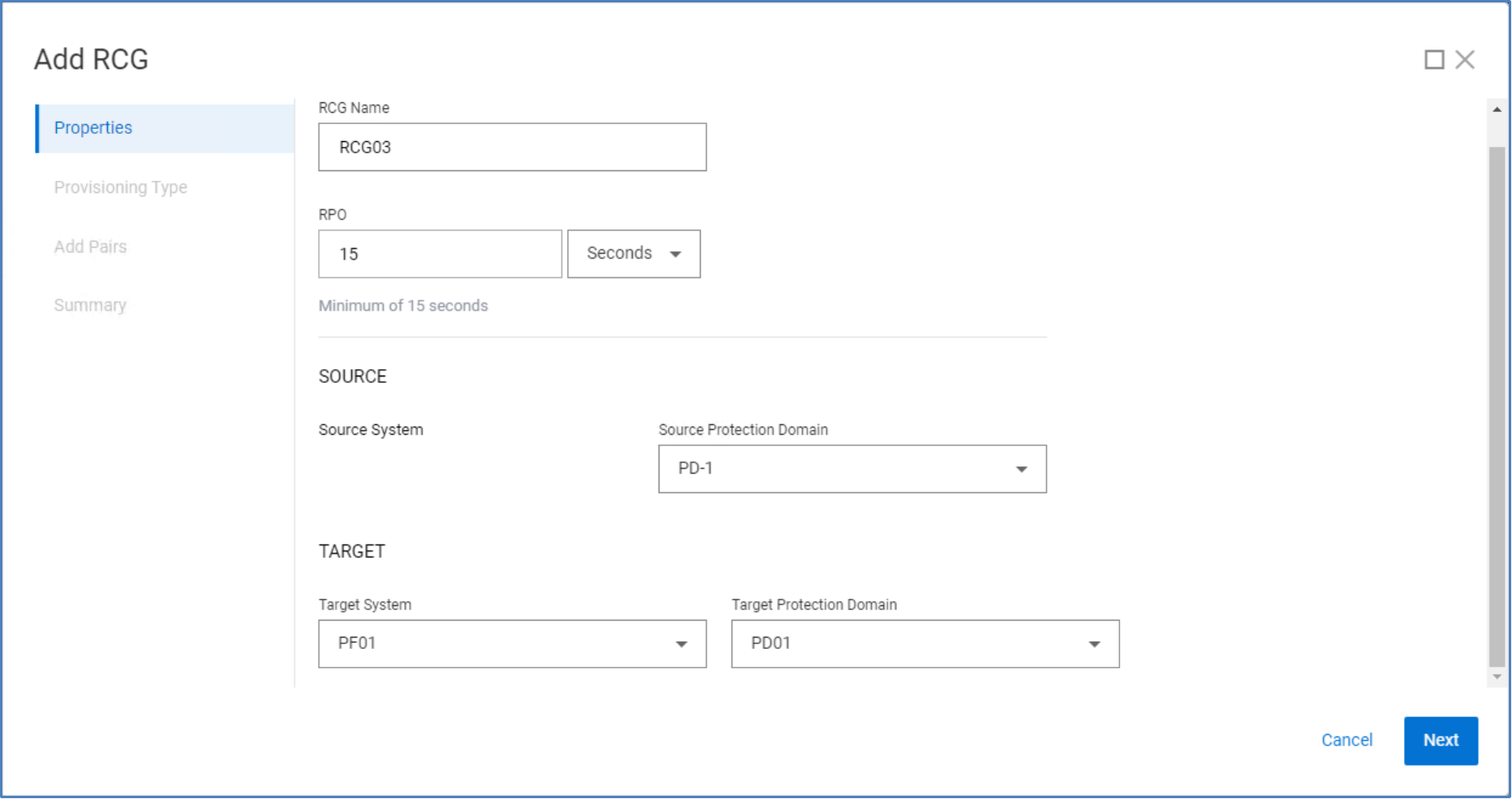
Figure 10. Add RCG and set RPO
- Specify the provisioning type for the target volume.
For auto provisioning, both source and target PowerFlex clusters must be at version 4.x. Manual provisioning requires that the target system has a volume of equal size.
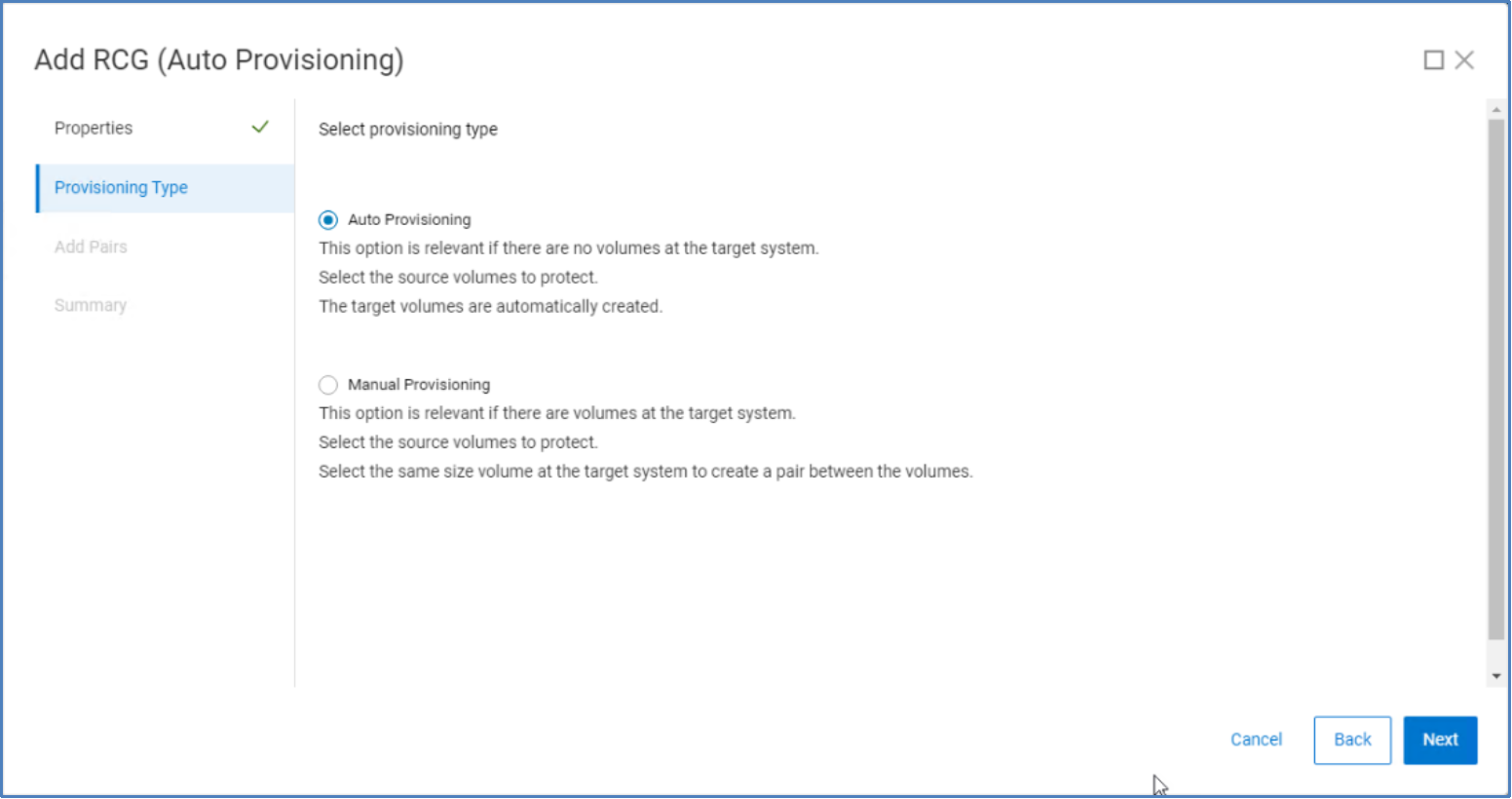
Figure 11. Target volume provisioning type
Auto provisioning
With auto provisioning, you can create the target volume on the remote PowerFlex system at the time the replication pair is added to the RCG. In addition to creating the target volume, you have the option of mapping the target volume, read-only, to an SDC on the remote site.
The following command adds a replication pair to RCG01 by adding source volume vol001, creating the target volume tgtvol001, and mapping tgtvol001 to SDC sdc01 as read-only:
scli --add_replication_pair --replication_consistency_group_name RCG01 --source_volume_name vol001 --destination_storage_pool_name sp1 –destination_volume_name tgtvol001 --destination_sdc_name sdc01 --access_mode read_only --replication_pair_name pair01
Manual provisioning
If you select manual provisioning, you must select the source and target volumes. After a source volume is selected, the target selection panel displays unused volumes of the same size as the source. Click Add Pair after selecting the target volume.
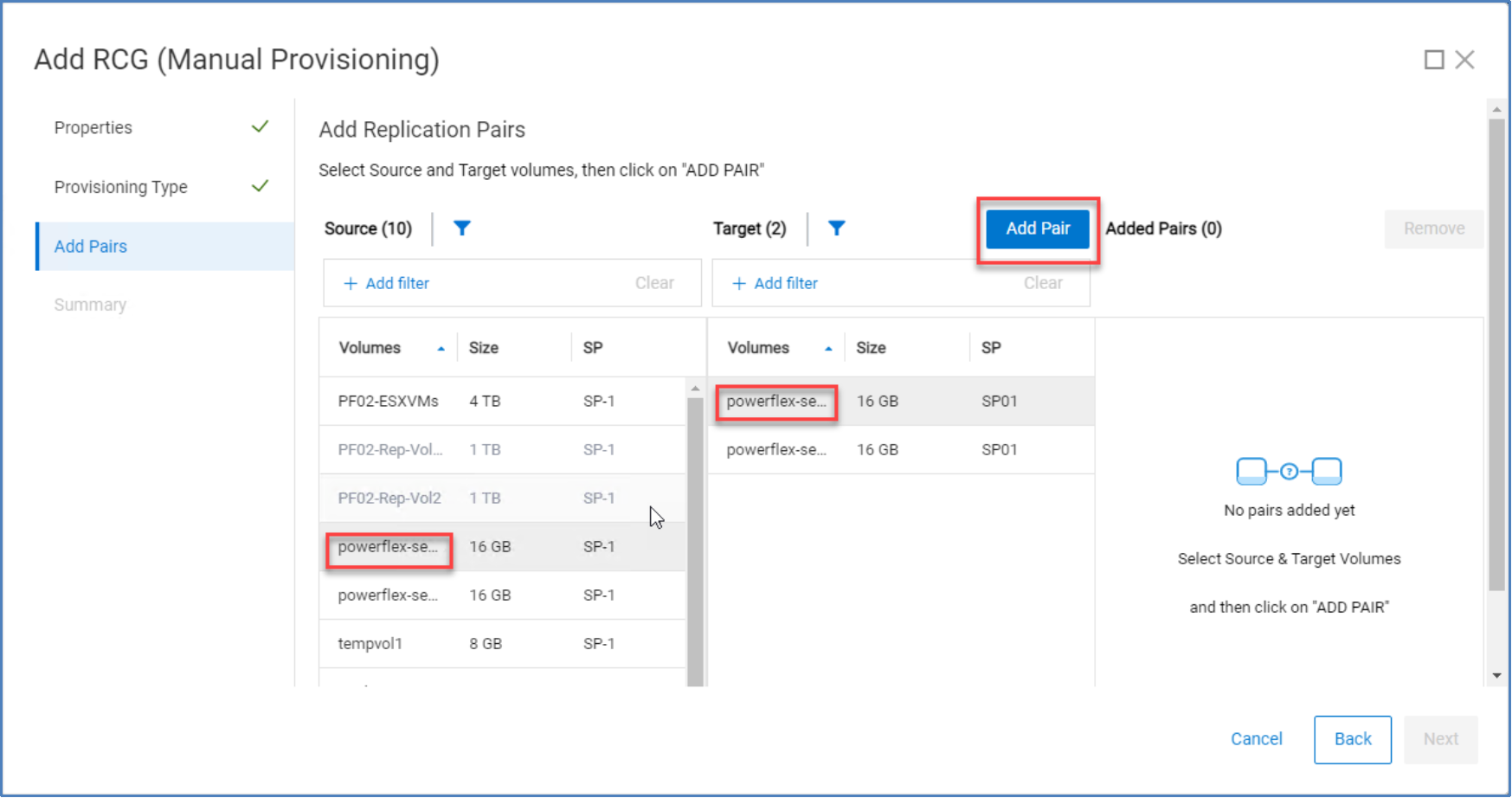
Figure 12. Add replication pair
The Summary page displays the selected volume pairs. As shown in the following figure, you can add the pair, without activating synchronization, or you can add the pair and activate synchronization immediately. Activation of an RCG is discussed later in this document.
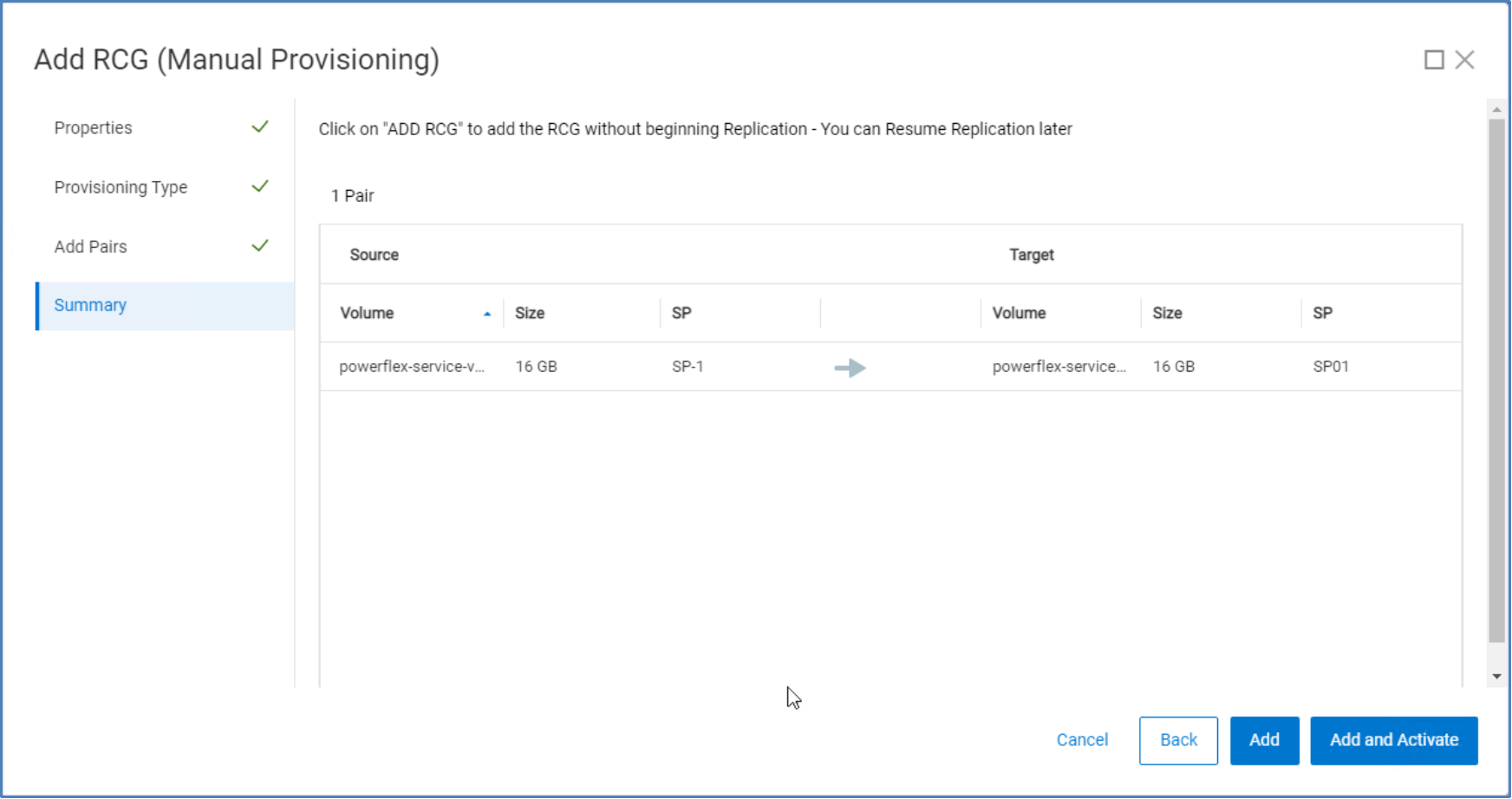
Figure 13. Add RCG Summary page
Replication monitoring
Monitoring and configuration
You can monitor and configure replication through PowerFlex Manager, the REST API, or the CLI.
Replication dashboard
PowerFlex Manager provides a replication overview dashboard that is useful for monitoring the overall health and status of replication in the system. To access the overview dashboard, select Overview under the Protection menu in PowerFlex Manager.
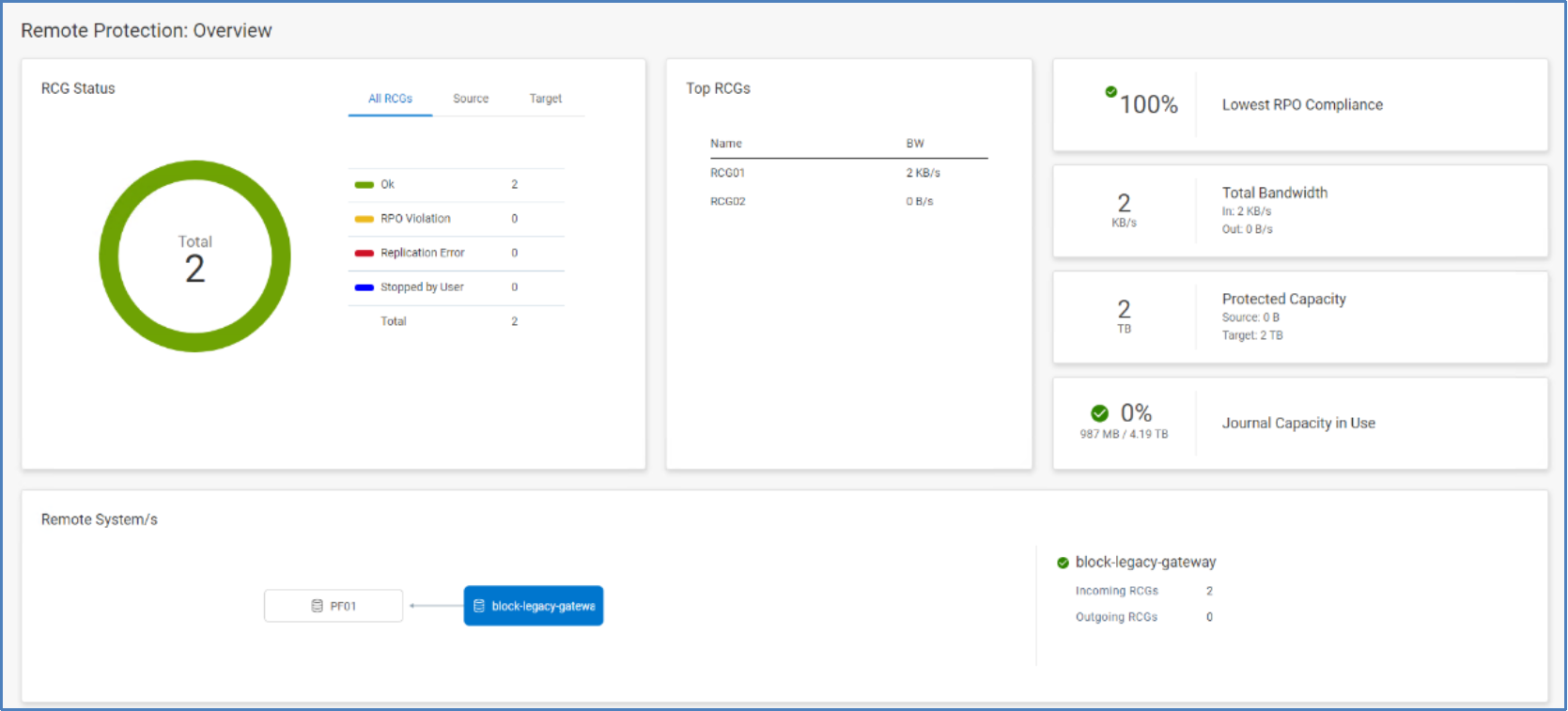
Figure 14. Remote Protection: Overview
Replication Consistency Group view
The RCGs view, accessible under the Protection menu, lets you monitor the health and status of the individual RCGs or add new ones.
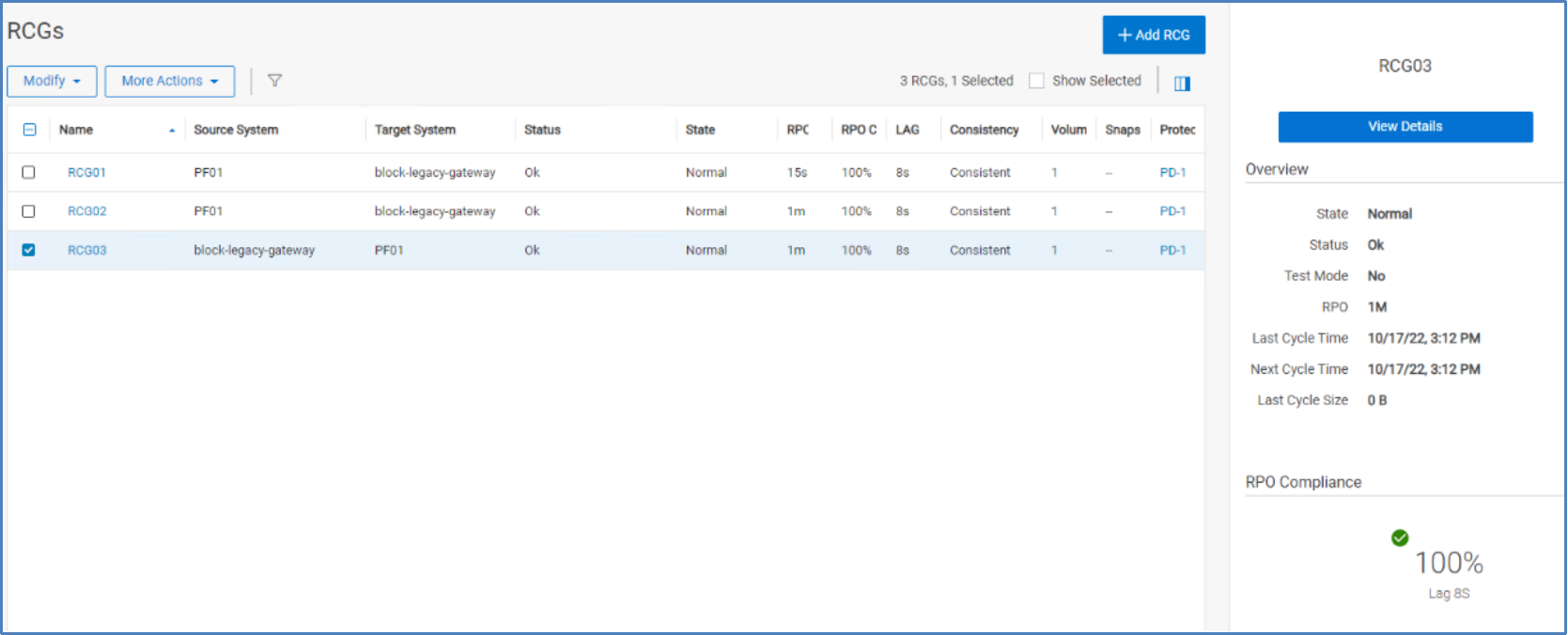
Figure 15. RCGs
You can view the details of an RCG by selecting the row and then clicking View Details. Selecting an RCG checkbox enables the Modify and More Actions menus:
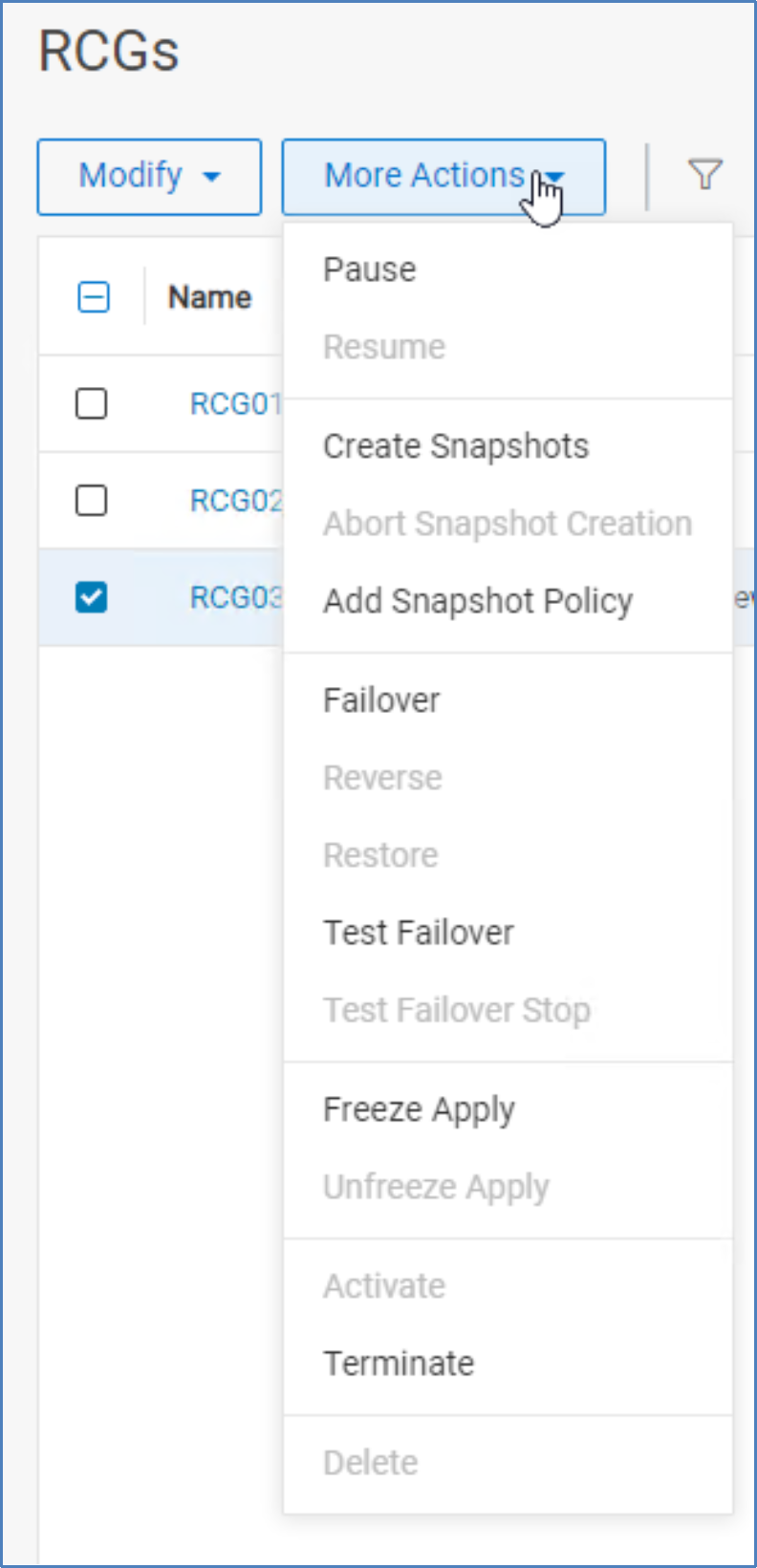
Figure 16. RCG actions
Actions include:
- Pause: Pauses replication between source and target. Pausing prevents journals from being shipped to the target cluster until replication is resumed. Writes to the replicated volumes are still collected in the source journal volumes.
- Create Snapshots: Generates snapshots of each volume in the RCG on the target system. The snapshots can be useful for remotely testing an application or DR activity. There is no RCG menu option to manage or delete the snapshots, so they must be managed on the target system.
- Add Snapshot Policy: Creates a snapshot policy and adds the volumes from the selected RCG to the snapshot policy. The snapshot policy can be managed from the Protection > Snapshot Policy menu.
- Failover: Forces a failover event, passing primary ownership of the volumes within the RCG to the target system. The Host Access profile on the source-side volumes is set to read-only and on the target to read/write. Once the failover process is complete, for planned failovers, you can also select the Reverse command to resume protection of the RCG volumes, only now in the opposite direction. To stop the failover operation, select the Restore option to return to the original replication state and direction.
- Test Failover: Automatically creates a snapshot on the target system and replaces the original target volume mapping with a mapping to the snapshot. Using this command, you can perform write testing to the volume without affecting the source volume.
- Freeze Apply: Freezes the application of writes in the target journal to the target volumes. This operation does not pause replication between the sites, and the journal intervals will accumulate in the target system’s apply journal volumes. When finished, select Unfreeze Apply to resume application to the target volumes.
- Activate: Activates an RCG that was created but not activated or that was placed in an inactive state. Activation initiates all the replication-related processes and begins the flow of I/O through the SDR on the source system.
- Terminate: Stops the flow of replication data between sites and releases the SDR from proxying the I/O and writing to the journal. A terminated or inactive RCG consumes no additional system resources and is merely a configuration placeholder.
Target volume access mode
The default access mode for target volumes in an RCG is no access. If the target volume needs to be mapped to an SDC, change the access mode to read-only:
scli --modify_replication_consistency_group_target_volume_access_mode --replication_consistency_group_name RCG03 --target_volume_access_mode read_only
You can then map the volume to an SDC as read-only:
scli --map_volume_to_sdc --sdc_name sdc1 --volume_name vol01 --access_mode read_only
Changing the access mode can be useful for examining the data on the target volume without taking a snapshot. However, unless the Freeze Apply option is also selected, the volume will continue to receive updated writes from the source.
When configuring replicated systems to also participate in VMware Site Recovery Manager protection groups, the target volumes must be mapped Read Only to the Recovery Site ESXi hosts. For additional information about using VMware SRM to protect VMs in datastores backed by replicated PowerFlex volumes, see the Disaster Recovery for Dell PowerFlex Using VMware Site Recovery Manager White Paper.
Test Failover behavior
PowerFlex includes a useful tool for testing disaster recovery without stopping the source-side application and failing over to a secondary site. The act of issuing the Test Failover command:
- Creates a snapshot on the target system for all volumes attached to the RCG
- Replaces the pointer used by the volume mapping for each volume with a pointer to its snapshot
- Sets the access mode of the snapshot/volume mapping of each volume in the target system RCG to read_write
These steps all happen in milliseconds, making the volumes immediately write-accessible to the SDC, if they were previously mapped Read Only. Otherwise, you can map the target volumes to any SDC for testing. Because the volumes are snapshots, you can freely test your application. If the storage pool is of the same type and composition as the source system, your application will perform equally well.
During the Test Failover, replication is paused between the source and target. However, the RCG is still active, so writes are still flowing through the SDRs and accumulating in the source-side journal volumes. While the Test Failover feature can be used to run analytics or perform other test operations, such actions are better done with the Create Snapshots feature (see Create Snapshots behavior).
Test Failovers allow administrators to safely run DR scenarios without downtime and a maintenance window. When the Test Failover Stop command is run, the target-side pointers are returned to their original state, pointing once again to the replicated volume itself. The snapshots are deleted, and any writes made to them are discarded. Finally, replication of data between the source and target is resumed, and the journal intervals resume shipping.
Failover behavior
When the RCG Failover command is run, the access mode of the original source volumes switches to read_only. If the failover event has been planned, you must shut down your applications. The access mode of the target volumes switches to read_write. Further action is not required, and the behavior is the same if the failover is issued from the CLI or REST API.
If the failover is planned but the original storage cluster continues functioning, you have the option of initiating the RCG command to reverse replication. Reversing the replication keeps the volume pairs synchronized, only now in the reverse direction. If the primary system is going to be offline for a prolonged period, you should terminate the RCG to put it into an inactive state. The RCG volumes will have to undergo an initial synchronization when later reactivated.
Note: Each PowerFlex storage system creates unique volume and SCSI IDs, so the IDs are different for the source and target systems.
Create Snapshots behavior
The RCG Create Snapshots command creates snapshots for all volumes attached to the RCG on the target side, but it does not manage the snapshots any further. Consuming the snapshots is done separately and manually. From there, to test your applications or use the data contained in them, you must:
- Map the volumes to a target SDC compute system.
- Use the volumes as needed.
- Unmap the volumes when they are no longer needed.
- Delete the snapshots.
As previously noted, the Test Failover feature is not best suited to long-running or intensive testing of data in the target side volumes. Writable snapshots are an acceptable alternative when you want to:
- Perform resource-intensive operations on secondary storage without affecting production
- Test application upgrades on the target system without production impact
- Attach different and higher-performing compute systems or media in the target environment
- Attach systems with different hardware attributes, such as GPUs, in the target domain
- Run analytics on the data without impeding your operational systems
- Perform “what-if” actions on the data because that data will not be written back to production
Monitoring journal capacity and health
The journal capacity can be monitored from PowerFlex Manager at Protection > Journal Capacity. You can track utilization of the journal space reservations.
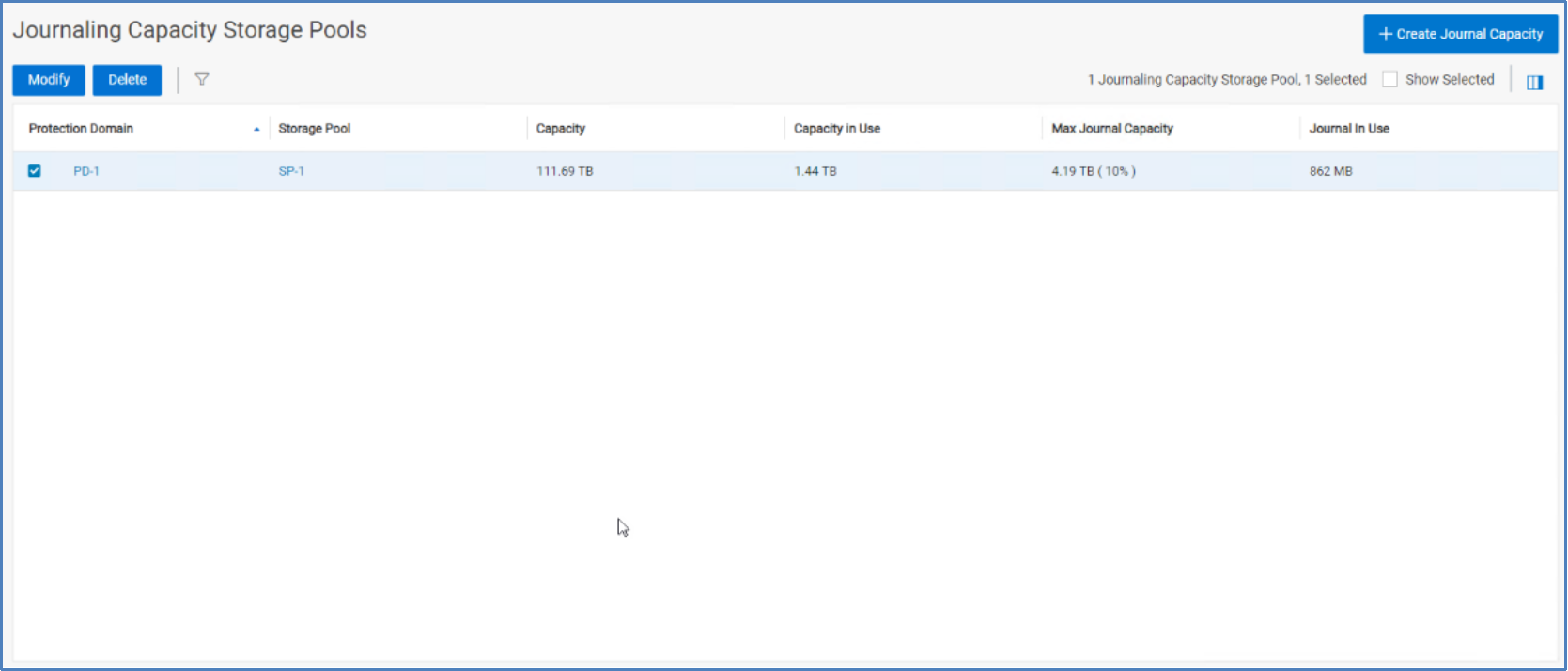
Figure 17. Journal capacity by storage pool
The preceding figure shows that we have reserved 10 percent or 4.19 TB from storage pool SP1 for journaling, and we have 862 MB of journal capacity in use. If there is concern that the space reservation is too small or too large, you can change it at any time. Select the storage pool checkbox and click Modify. Make any needed edits to the reservations. As previously noted, changes to the overall storage pool capacity might be one reason to increase or decrease the journal reservation percentage. Another reason might be an increase in volumes or applications that will use replication.
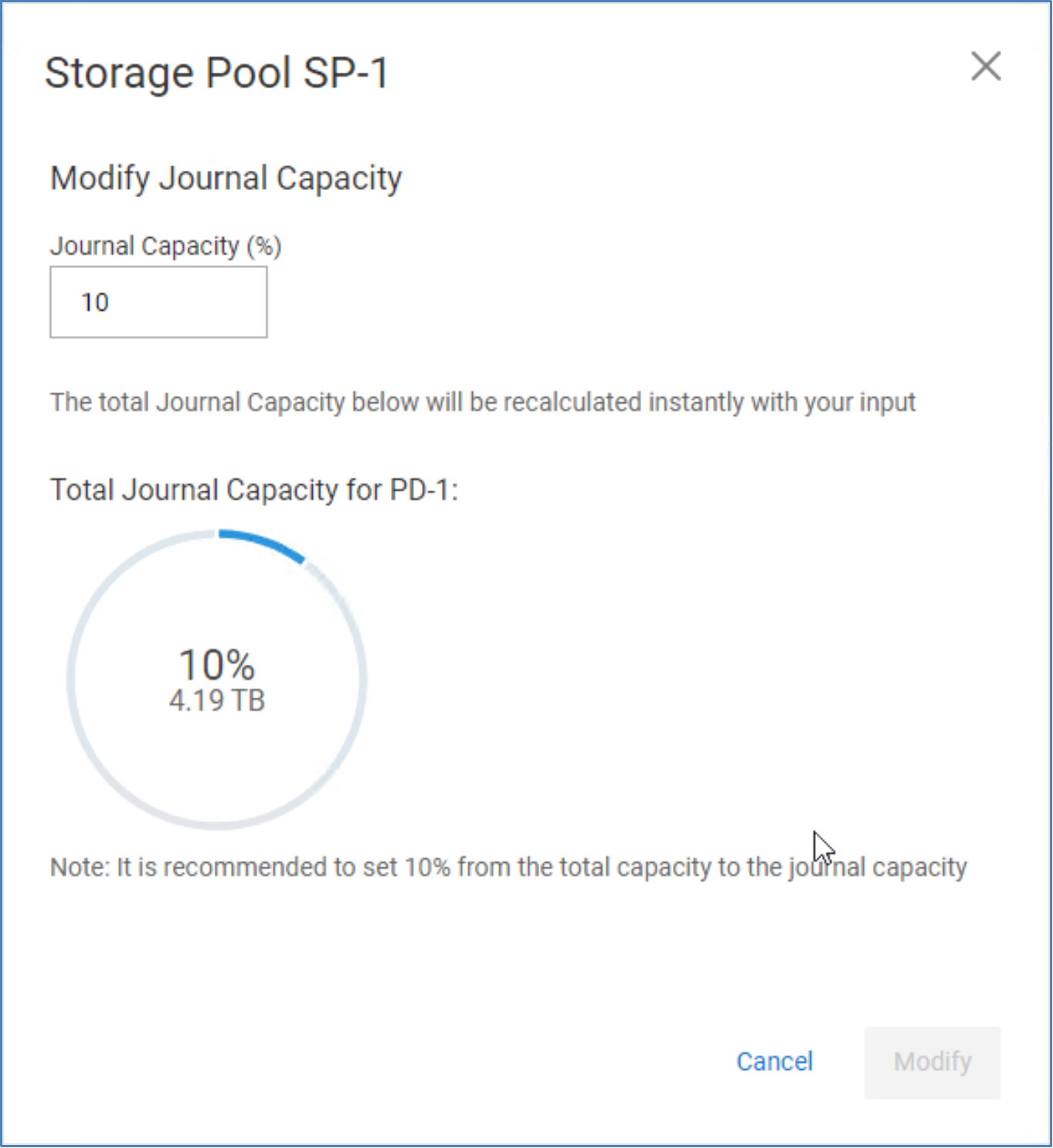
Figure 18. Modify journal capacity
PowerFlex replication network considerations
Introduction
TCP/IP port considerations
The following figure shows all the logical software components of PowerFlex as well as the TCP/IP ports used by those components. It includes the ports that must be associated with firewall rules on the PowerFlex server hosts, and it shows the ports related to remote replication which include:
- Port 11088, which links the SDC and MDM to the SDR and also links the SDR to the remote SDR
- Port 7611, which allows MDM communications between two replicating clusters
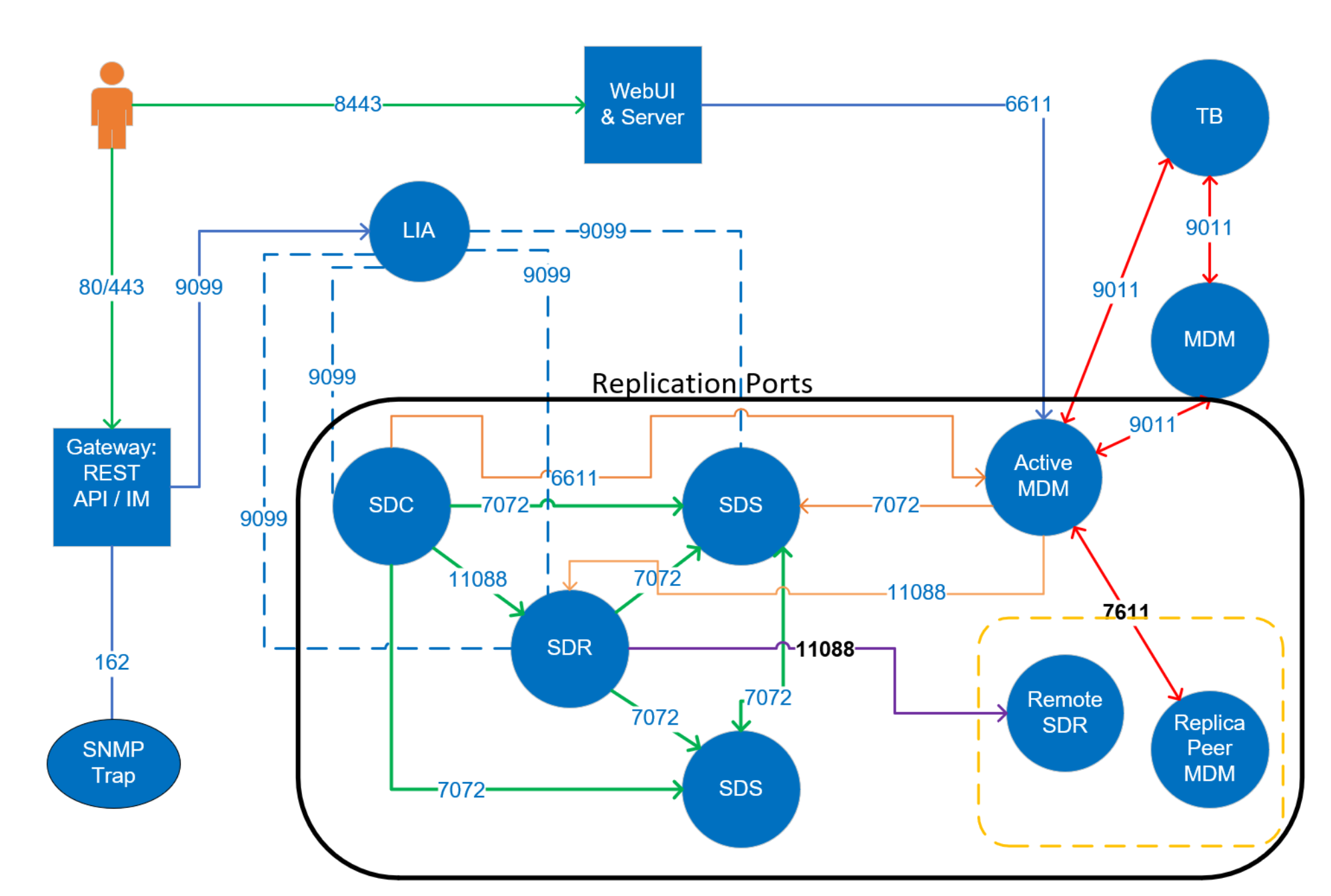
Figure 19. PowerFlex port and traffic overview
Additional IP addresses
Network bandwidth considerations
Remote replication networking
Network latency should not exceed 200 ms between peered PowerFlex systems. The potential of exceeding this limit is greater over a WAN vs a LAN. Write-folding may reduce the amount of data shipped to the target journal, but the savings cannot easily be predicted. If the available bandwidth is exceeded, journal intervals will back up, resulting in an increase in the journal volume size as well as in increase in RPO. Thoroughly test the latency and throughput limits of network links and keep the replication bandwidth under your known thresholds.
Journal data is shipped between source and target SDRs, first, at the replication pair initialization phase and, second, during the replication steady state phase. Take care to ensure that adequate bandwidth exists between the source and target SDRs, whether over LAN or WAN. The potential for exceeding available bandwidth is greatest over WAN connections. While write-folding might reduce the amount of data to be shipped to the target journal, it cannot always be easily predicted. If the available bandwidth is exceeded, the journal intervals will back up, increasing both the journal volume size and the RPO.
We recommend that the sustained write bandwidth of all volumes being replicated does not exceed 80 percent of the total available WAN bandwidth. If the peer systems are mutually replicating volumes to one another, the peer SDR<->SDR bandwidth must account for the requirements of both directions simultaneously. For additional help calculating the required WAN bandwidth for specific workloads, see the PowerFlex Sizer.
Note: The sizer tool is an internal tool available for Dell employees and partners. External users should consult with their technical sales specialist if WAN bandwidth sizing assistance is needed.
Leaving a 20 percent margin for replication traffic over a WAN allows for application I/O bursts and for the initial syncing of new volumes added to or reactivated in RCGs.
In certain cases, when latency is high, you need to increase the RPO of your RCGs. You can change the RPO using PowerFlex Manager, scli, or REST API.
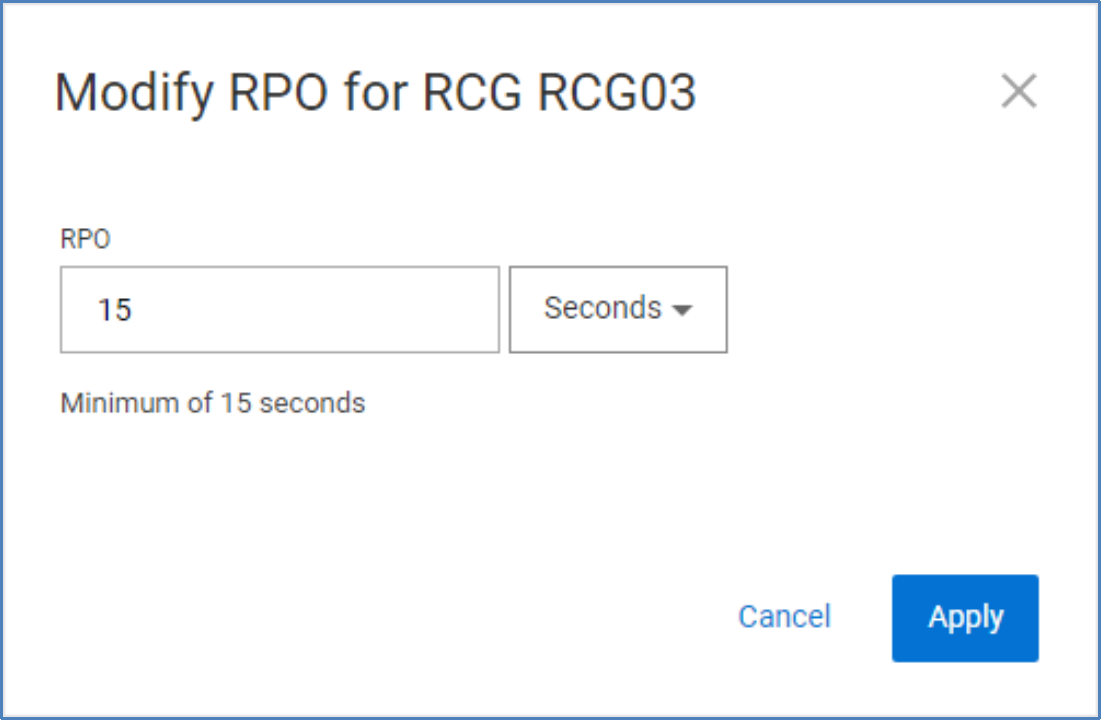
Figure 20. Modify RCG RPO
Networking implications for replication health
It is possible to have write peaks that exceed the recommended “0.8 * WAN bandwidth,” but they should be short. The journal size must be large enough to absorb these write peaks.
Similarly, the journal volume capacity should be sized to accommodate link outages between peer systems. A 1-hour outage might be reasonably expected, but we encourage users to plan for 3 hours. Obviously, the RPO will increase while the link is down, and sufficient journal space is required to account for the writes during the outage. Using the PowerFlex sizer for such planning is best, but, in general, calculate the journal capacity as WAN bandwidth x link downtime. For example, if the WAN link is 2 x 10 Gb (about 2 GB/sec) and the planned downtime is 1 hour, the journal size would be 2 x 3,600, or 7 TB.
When a WAN link is restored, the 20 percent bandwidth headroom allows the system to catch up to its original RPO target.
Note: The volume data shipped in the journal intervals is not compressed. In PowerFlex, compression is for data at rest. In fine-granularity storage pools, data compression takes place in the SDS service after the data has been received from an SDC (for nonreplicated volumes) or an SDR (for replicated volumes). The SDR is unaware of and agnostic to the data layout on either side of a replica pair. If the destination, or target, volume is configured as compressed, the compression takes place in the target system SDSs as the journal intervals are being applied.
Routing and firewall considerations for remote replication
TCP/IP port considerations described the use of TCP/IP ports for MDM communications (7611) between replicating clusters and SDR communications (11088) used in transporting replication journal logs.
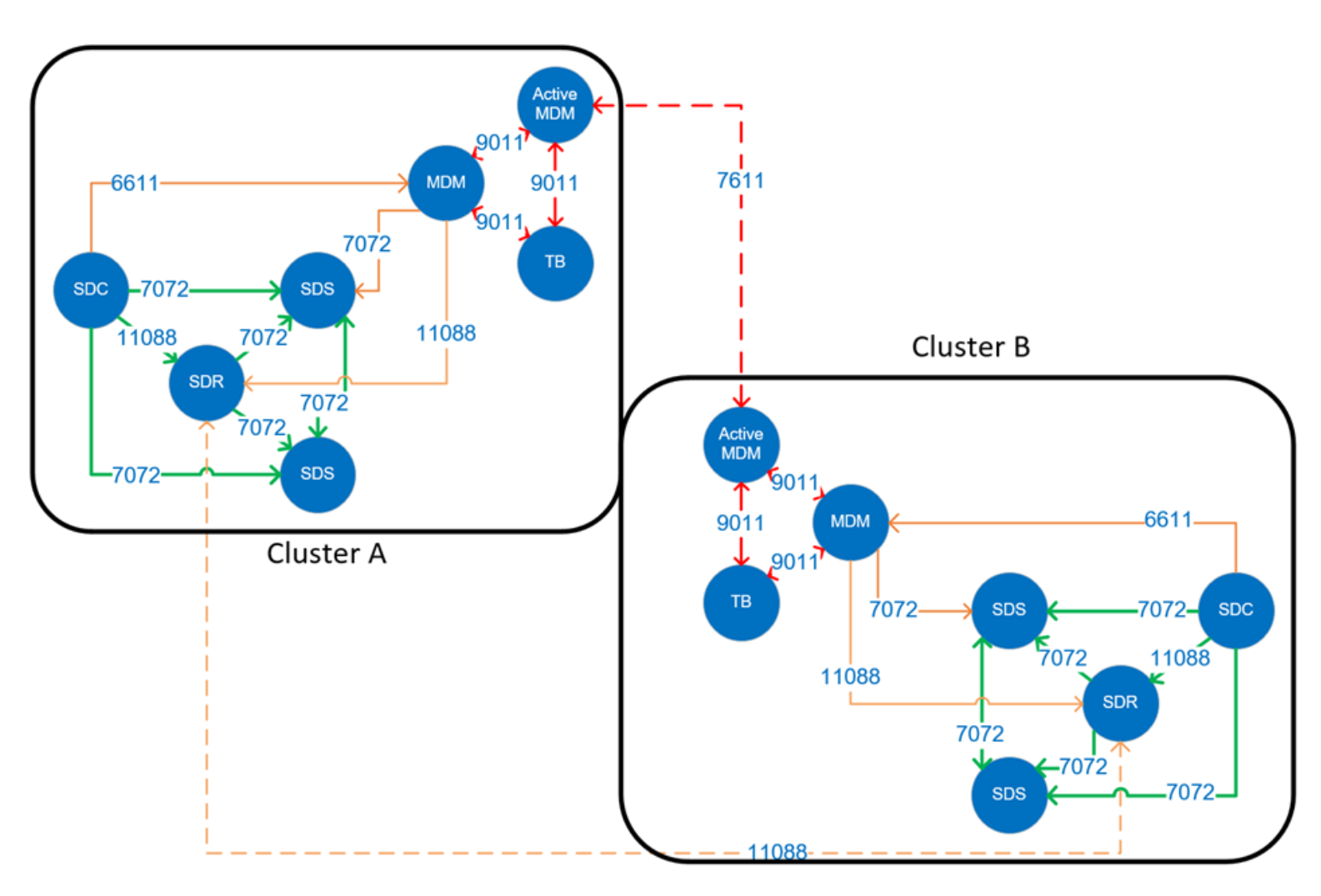
Figure 21. MDM port and firewall considerations
For replication use cases involving distant clusters, we need interconnectivity for these IP ports provided over routed networks. The best practice for networking in this situation is to reserve two networks for intracluster SDR and MDM communications.
PowerFlex asynchronous replication usually happens over a WAN between physically remote clusters that do not share the same address segments. If the default route is not suitable to properly direct packets to the remote SDR IP addresses, configure static routes. The static routes should indicate either the next hop address or the egress interface, or both, for reaching the remote subnet.
For example: X.X.X.X/X via X.X.X.X dev interface
Consider a small system with a few nodes on each side. Each node has four network adapters, two of which are configured with IP addresses for communication internal to the PowerFlex cluster. The second set of network adapters is configured with IP addresses for site-to-site, external communication.
In this example, we tell the nodes to access the WAN subnets for the other side through a specified gateway. From source Site A, the network interfaces enp130s0f0 and enp130s0f1 are configured with addresses in the 30.30.214.0/24 and the 32.32.214.0/24 ranges, respectively. We can configure a route-interface file for each to direct packets for the remote networks over the specified gateway and interface.
route-enp130s0f0 contents 31.31.0.0/16 via 30.30.214.252 dev enp130s0f0
route-enp130s0f1 contents 33.33.0.0/16 via 32.32.214.252 dev enp130s0f1
Packets intended for the remote network 31.31.214.0/24 are directed through the next hop address at gateway IP 30.30.214.252, and similarly for packets destined for 33.33.214.0/24.
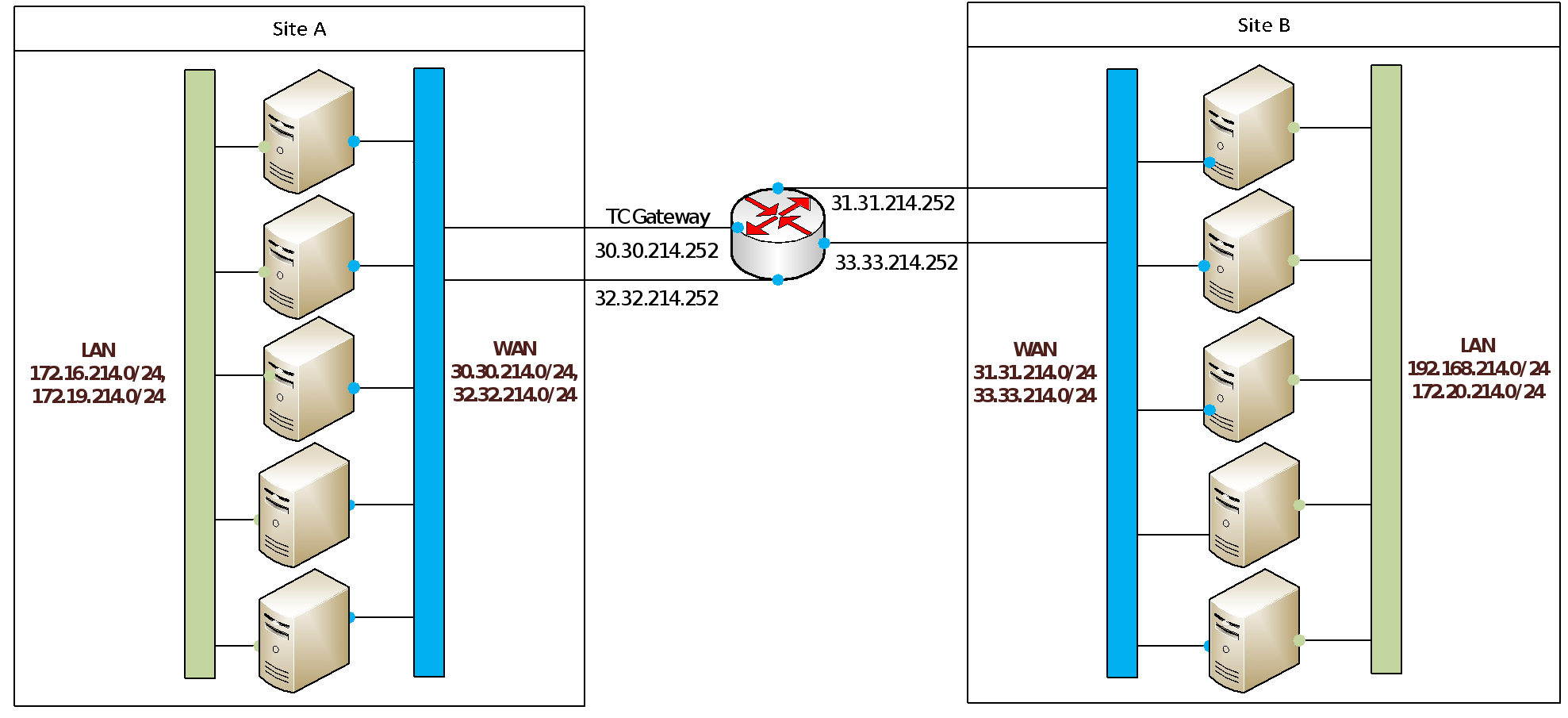
Figure 22. WAN topology example for PowerFlex replication
The details of static route configuration will vary with your operating system or hypervisor and overall network architecture, but the general principle is the same.
System component, network, and process failure
Failure considerations
Servers, processes, and network links periodically fail, so we performed tests related to these types of failures. In our tests, we used a PowerFlex R740xd 6-node cluster with three SSDs per storage pool. Replication was active on both storage pools at the time of the failures.
SDR failure scenarios
We started with a baseline workload, as shown in the following figure:
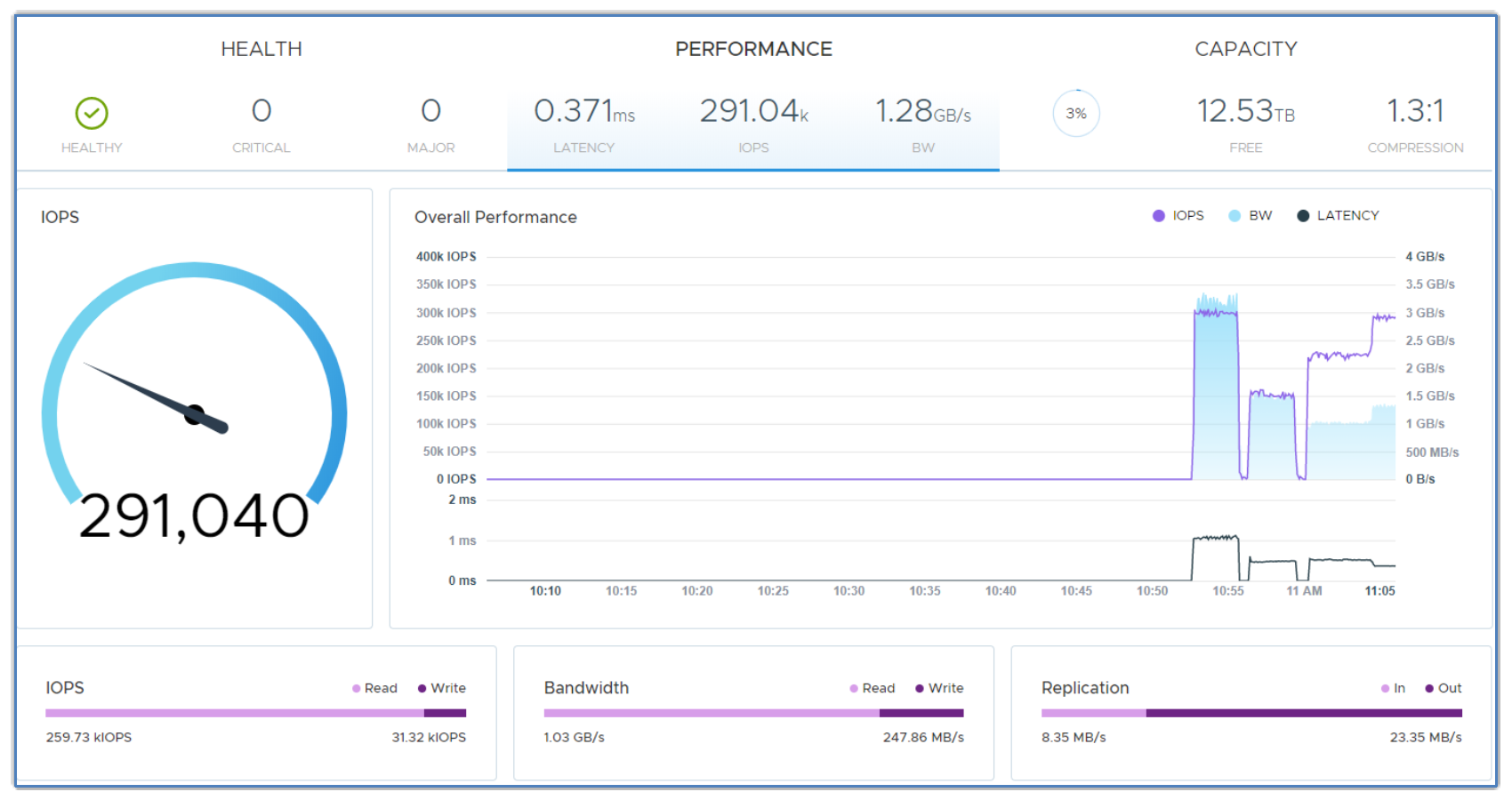
Figure 23. Workload baseline
We went on to fail an SDR, observe the impact, and observe the later impact of restarting it. The following figure shows the results:
|
|
|
|
|
Immediately after failing the SDR, we see a drop in I/O processing. |
The I/O resumes slightly lower. |
After restarting, the I/O is slightly affected, but eventually ramps back up to the baseline. |
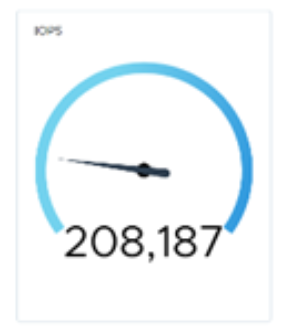
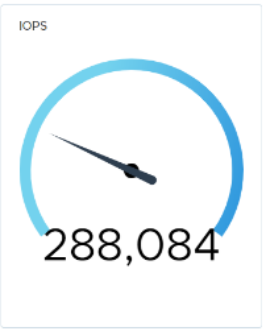
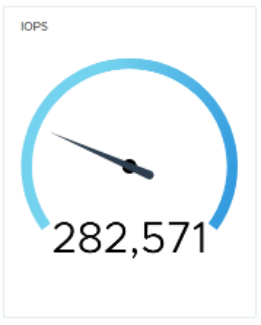
Figure 24. Performance with SDR failure
SDS failure scenarios
We performed the same test for SDS failure. The results show that the system was more than capable of handling the workload with five active SDS systems:
|
|
|
|
|
Baseline workload. |
IOPS just after failing the SDS. |
5 seconds later, I/O starts ramping up, and within 10 seconds the baseline workload resumes. |
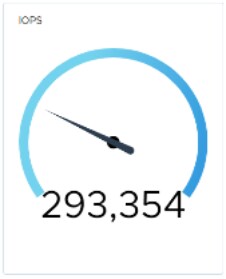
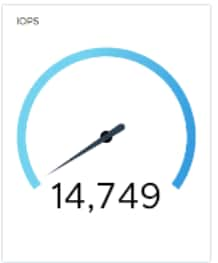
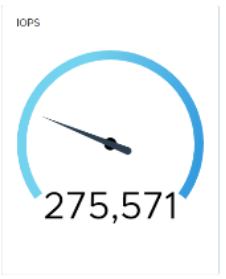
Figure 25. Performance with SDS failure
Also, as expected, we saw rebalance activity:

Figure 26. Rebalance activity
The following figure shows performance after SDS recovery:
|
|
|
|
When we restart the failed SDS, we see an immediate, but insubstantial, drop. |
As the rebalance continues, the I/O ramps back up to the baseline. |
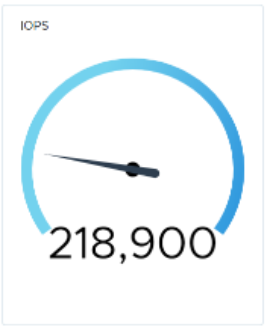
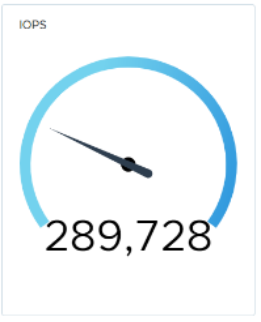
Figure 27. Performance after SDS recovery
Network link failure scenario
Next, we failed a network link to demonstrate how the updated native load balancing affects the I/O rate, as shown in the following figure. The system has a network configuration consisting of four data links between systems.
|
|
|
|
|
Again, we establish a baseline. |
We fail a link and notice a 3-second drop in I/O. |
5 seconds later, the baseline returns. |
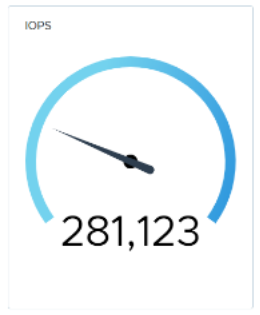
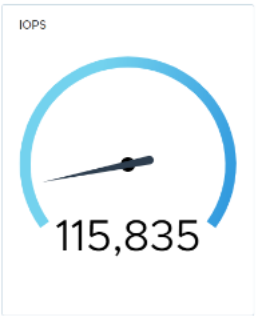
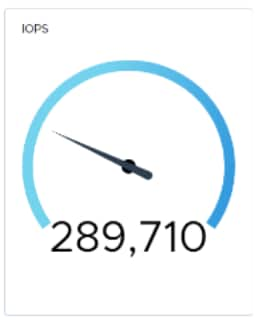
Figure 28. Performance during network link failure
After we reconnected the failed port, the baseline I/O level resumed within a few seconds with no noticeable dip:
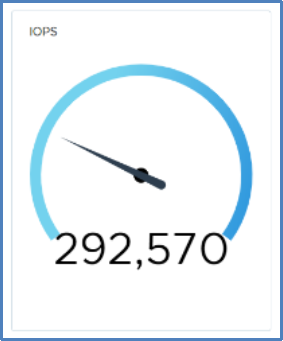
Figure 29. Performance after reconnection of failed port
All these failure scenarios demonstrate the resilience of PowerFlex. They also show that the system is well tuned and that rebuild activity does not have a severe impact on our workload.