Dell PowerScale OneFS and ELEMENTS
Executive summary
Overview
Revisions
We value your feedback
PowerScale storage for media
PowerScale storage for media
Dell PowerScale is the perfect fit for media workflows due to its unmatched scalability, high-performance capabilities, and flexibility, key elements for today’s data-driven media environments. As the media industry moves toward more data-intensive formats like 4K, 8K, and immersive experiences, the need for robust storage becomes critical. PowerScale provides seamless scalability, allowing media organizations to expand from terabytes to petabytes of storage without sacrificing performance. This means that whether you are handling massive video files, complex VFX projects, or extensive animation workflows, PowerScale can effortlessly adapt to your growing storage needs, ensuring smooth media production.
Beyond scalability, PowerScale delivers the high-speed data access essential for fast-paced media workflows. With its unified file and object storage system, teams can easily collaborate, access, and manage large datasets across various stages of production, whether on-premises or through the cloud. PowerScale’s automated data tiering further enhances efficiency by moving less frequently accessed data to lower cost storage, while keeping high performance tiers available for active projects. This smart data management reduces overall costs while optimizing performance during demanding processes like rendering and editing, ensuring media professionals have the speed and reliability they need.
Security is another key feature that sets Dell PowerScale apart for media companies. In an industry where intellectual property and digital content are high-value assets, protecting data is paramount. PowerScale integrates enterprise-grade security features, including end to end encryption, role-based access controls, and immutable snapshots that safeguard against unauthorized access, data breaches, and ransomware attacks. These advanced security measures ensure that sensitive media files remain protected, even as they move between different stages of production or across global teams. Media companies can have confidence that their content is secure from start to finish.
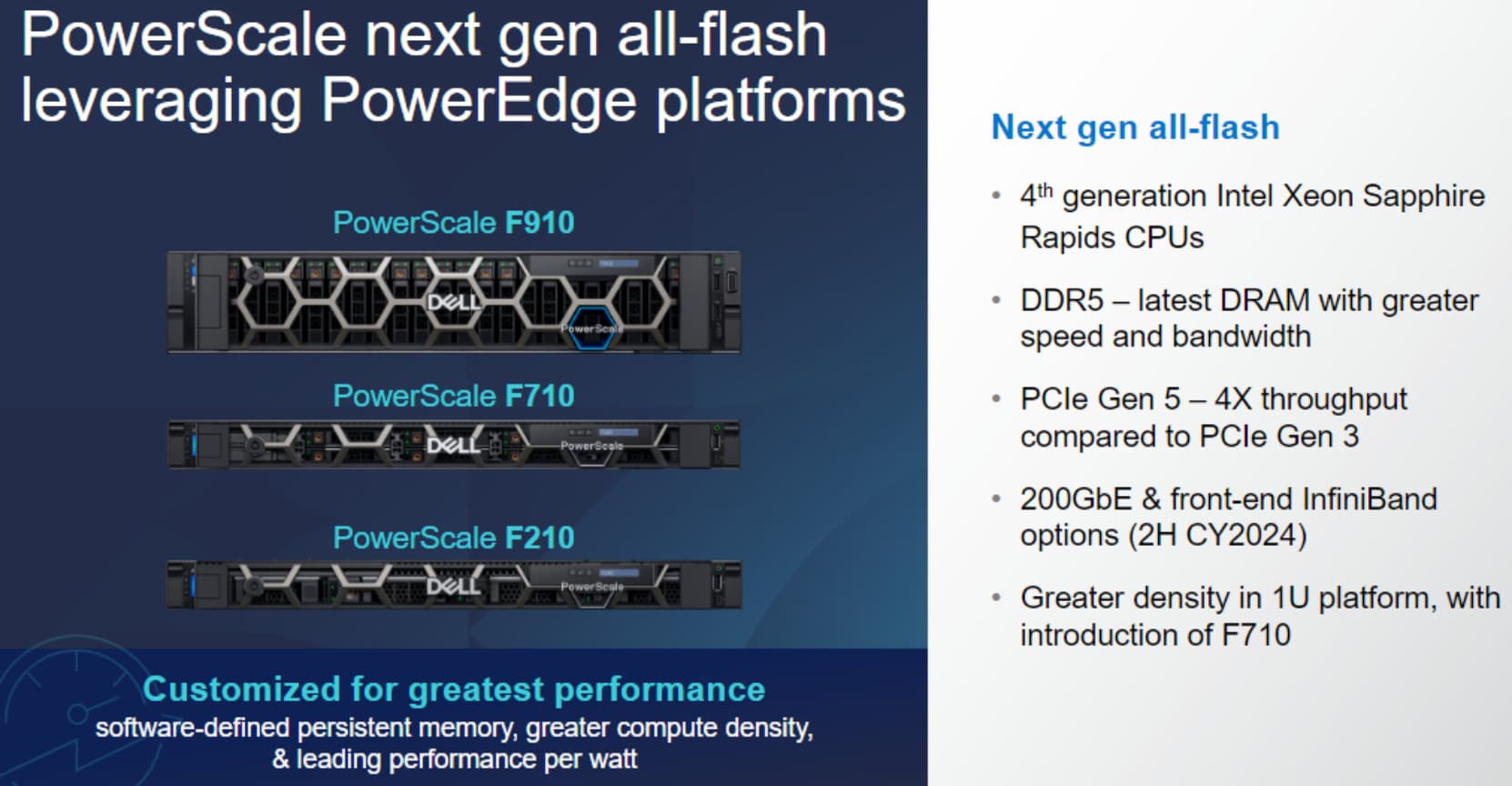
Figure 1. PowerScale all-flash products
ELEMENTS Media Workflow Ecosystem
ELEMENTS Media Workflow Ecosystem
ELEMENTS provides intuitive workflow solutions to enhance the capabilities and efficiencies of media orientated organizations. ELEMENTS customers are often using multiple technologies to review and approve, transcode, archive, and share content with all the complexities that management of these processes requires. With ELEMENTS, all this functionality is available under one ecosystem. Now available as a fully integrated workflow within Dell OneFS environments, users continue to use the familiar network mounts.
Elements workflows are configurable and nonprescriptive. Workflow can be tailored to existing operations and user needs, whether for production management, the team of editors, or client review and approve.
ELEMENTS is particularly strong on permissions management for accessing and sharing media intuitively. Support for Microsoft Active Directory and SSO further secures enterprise deployments.
The ELEMENTS Media Library allows for all assets to be viewed using a browser as thumbnails and playable proxies. Full collaboration is available at the proxy level so that raw assets do not need to be touched unless required to do so. This benefits disparate teams and remote workers and reduces the amount of content movement and churn.
High user adoption is achieved with a clean, highly intuitive interface, while a comprehensive automation engine provides a complete suite of operations for custom workflow creations. Chosen users can run these workflows from within the Media Library or in the macOS Finder and Windows Explorer. For further advanced automations and integrations, the automaton engine accommodates full scripting and programming with an associated documented API for use as required.
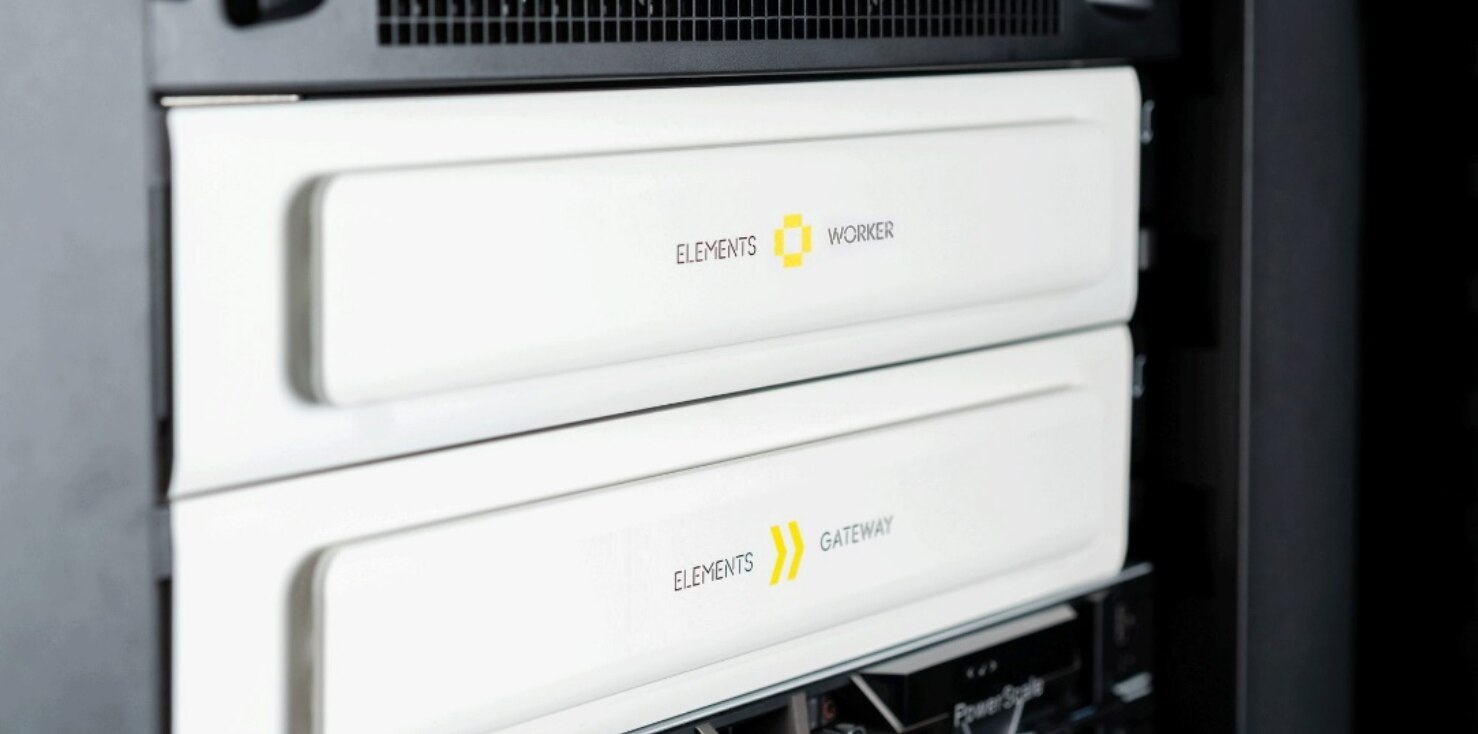 ELEMENTS with OneFS integration is an example of where the API is used to control all aspects of the operation and provide OneFS users with the complete ELEMENTS environment.
Figure 2. ELEMENTS worker nodes in a rack with PowerScale storage
OneFS and ELEMENTS Integration
How the integration works
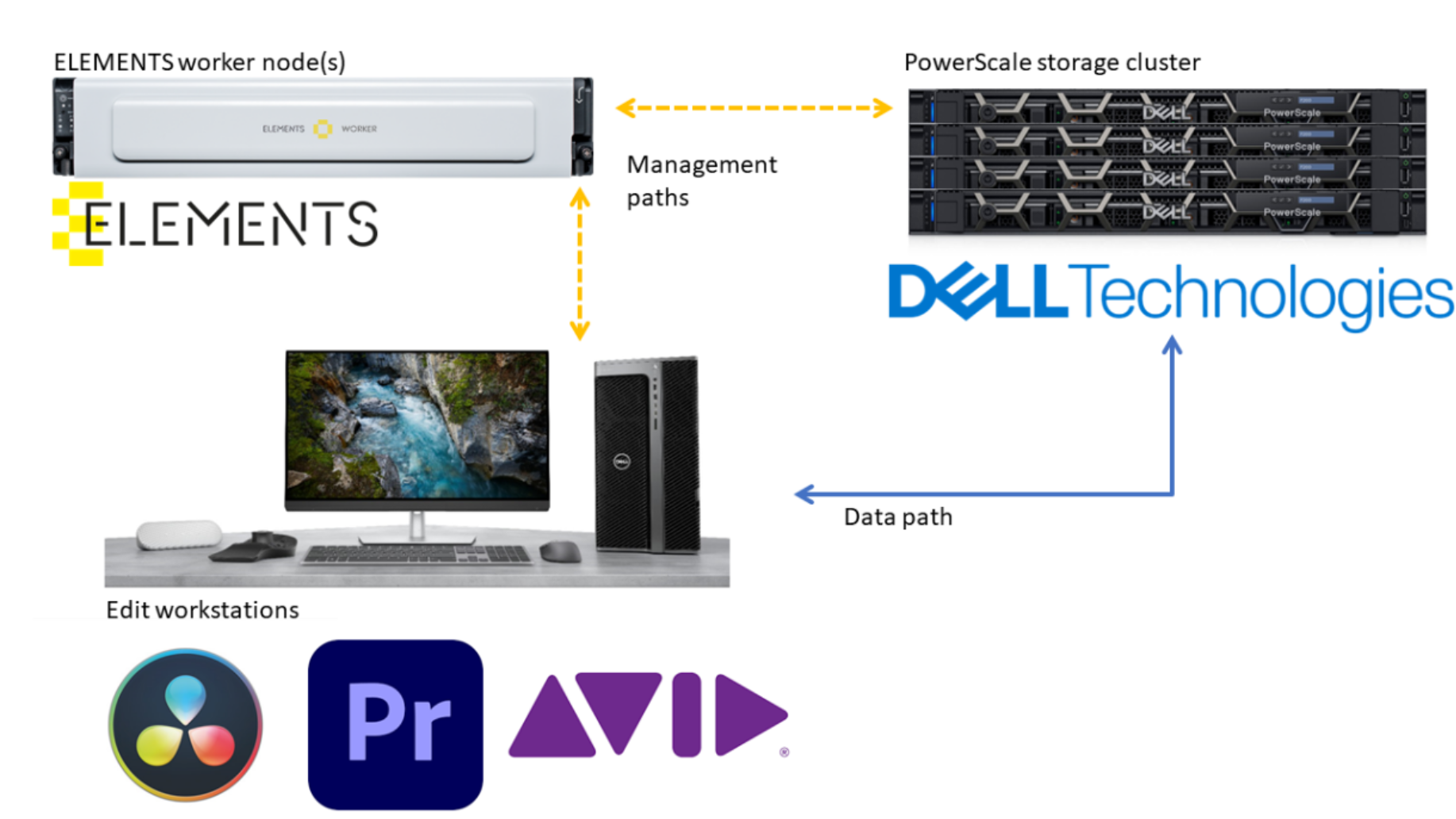
ELEMENTS creates user workspaces on PowerScale storage and manages access to those workspace storage locations. Using the ELEMENTS Client desktop application, users mount and interact with these managed locations. ELEMENTS manages OneFS shares while remaining out of the data path by way of the PowerScale OneFS API. This way, users can access the full performance and redundancy of PowerScale storage while gaining the benefits of the ELEMENTS workflow ecosystem.
Using the ELEMENTS Client application, creative users only see workspaces on PowerScale to which they have access. This method simplifies file system access for creative users and helps ensure media and project files are stored correctly.
The PowerScale storage cluster must be registered in the ELEMENTS application stack with credentials and DNS.
Creating a workspace in ELEMENTS causes several actions to take place:
- ELEMENTS creates a directory on PowerScale with the name of the workspace.
- An API call from ELEMENTS creates an SMB share on PowerScale and assigns it to this new directory.
- ELEMENTS sets the POSIX permissions on this share with group read-write-execute. This group is unique per workspace and is created using the API on the PowerScale integrated directory services and ELEMENTS directory services. Users (and groups) added to this special group can come from network LDAP or AD or local ELEMENTS users
- PowerScale translates these POSIX permissions into equivalent ACLs for SMB connected client systems.
When a user attempts to access this workspace from the ELEMENTS Client, the user credentials are checked and if allowed, the workspace is mounted. The client system communicates directly to the PowerScale storage using native file sharing protocols (SMB for Windows/macOS).
When an ELEMENTS administrator revokes access to a workspace, ELEMENTS does the reverse. Users are removed from the group permission using the API on the PowerScale storage on the ELEMENTS worker node.
ELEMENTS administrators can also delete the workspace entirely. At the time of deletion, the administrator can choose to delete only the workspace and associated permissions or to delete the contents of the directory from PowerScale completely. In either case, ELEMENTS sends API calls to PowerScale to remove the SMB share and users from the associated permission group.
The simplified diagram below emphasizes that edit clients have direct access to the PowerScale storage. The ELEMENTS worker nodes also mount the storage for proxy generation and video indexing, and do not impact edit operations.
Figure 3. Diagram showing ELEMENTS worker nodes, Dell PowerScale storage, and a video edit workstation