REST API and Dell Technologies Storage - PowerMax
In this post, we will discuss how you can use the REST API to manage Dell PowerMax storage arrays. We will use the Postman tool during the entire blog series. Feel free to download and install in your system to follow along. The first post in this series provides more details about Postman and the collections we will use in this article. So let’s get started with automating the Dell PowerMax storage system.
The PowerMax REST API
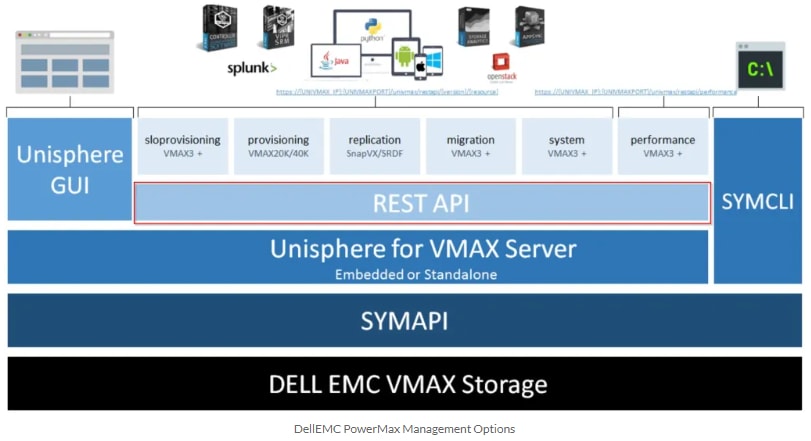
There are many different ways to manage the PowerMax storage system. Traditionally many customers using the VMAX/PowerMax family systems are using the Solutions Enabler Tool . This is a comprehensive tool that allows storage administrators to automate many different storage tasks using scripting ( Bash , Perl , Shell scripts , etc.).
PowerMax Unisphere GUI is HTML5 based management interface, it’s beautiful and functional and provides a web-based interactive experience for users. Unisphere has a lot of automation baked in, and its intuitive wizards eliminate complexity and can often provide the right amount of automation for organizations where there isn’t a lot of change. With the latest Unisphere version, everything you can do in the GUI is supported using REST API.
Assessing Dell PowerMax REST API
Dell PowerMax’s REST API is available via Unisphere (installed or embedded) running on the array via the following Base URL.
https://{{unisphere_management_address}}:{{8443}}/univmax/restapi/{{version}}
-
{ {unisphere_management_address}}
-
{ {8443}}
-
{ {version}}
It is important to note that most PowerMax systems are running multiple versions of the REST API which is a great way of ensuring your automation scripts keep working after an Enginuity upgrade
Supported REST API Operations
Unisphere for PowerMax’s REST API supports the following types of REST calls.
-
GET
-
POST
-
PUT
-
DELETE
A REST client (like Postman) can be used to help figure out what REST calls you want to run during your automation project
Building your REST API calls
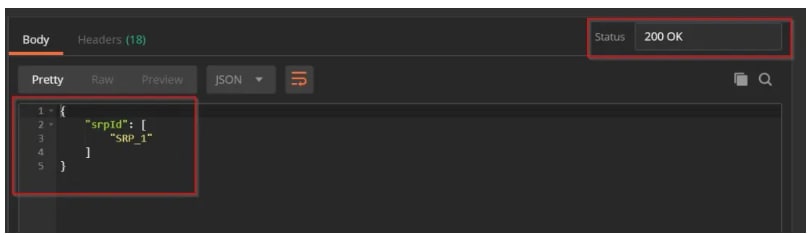
Now let’s get started with creating REST API calls. In this example, we will create a sample REST API call to list all the available SRPs (Storage Resource Pools)
Before we get started make sure you have Postman installed and Unisphere is reachable.
-
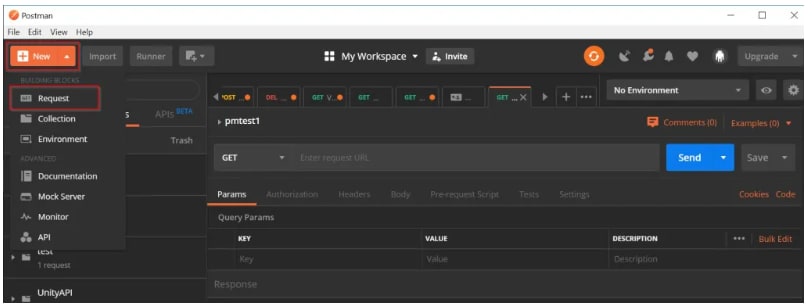
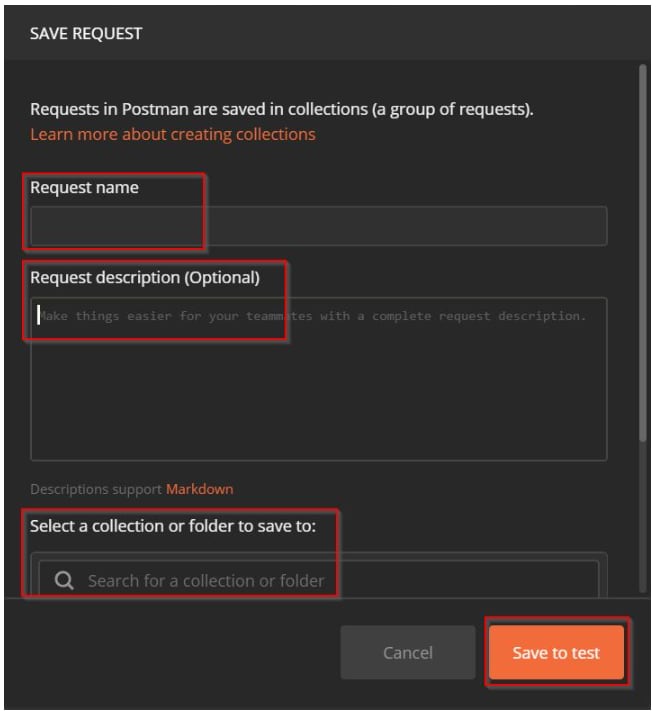
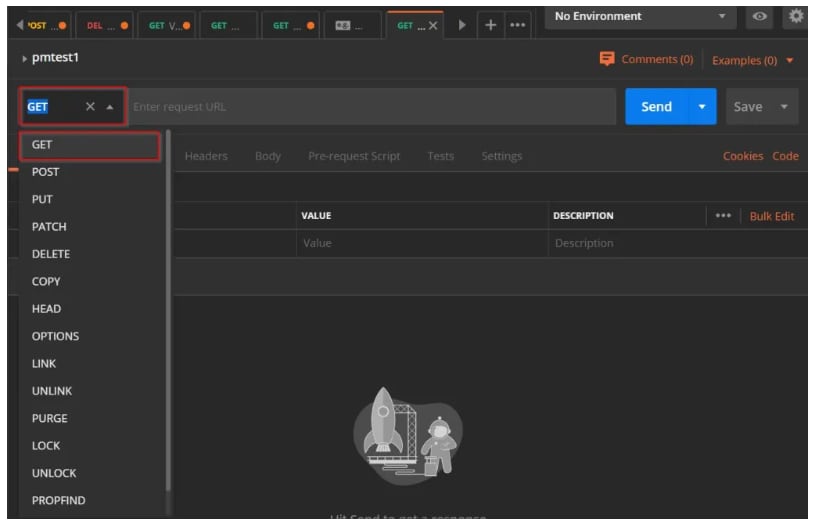
NewRequest
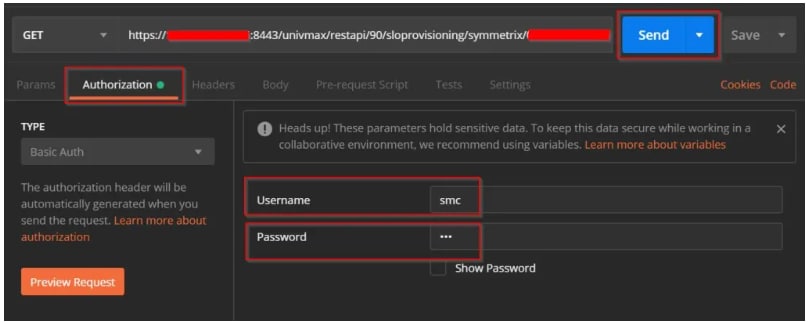
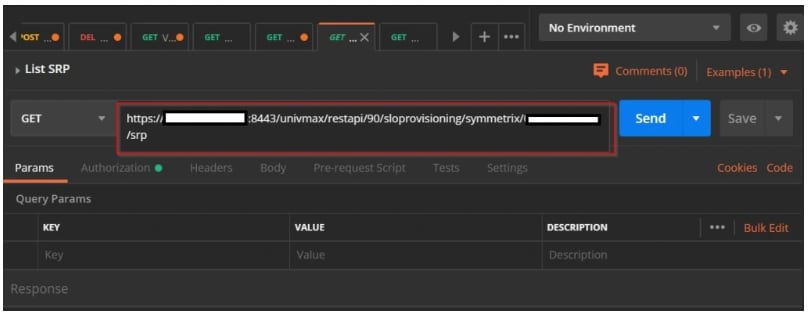
https://1.1.1.1:8443/univmax/restapi/90/sloprovisioning/symmetrix/000123456789/srp
Notice how the URL includes the serial number of the system. This is necessary because a single Unisphere can be used to manage multiple arrays
-
UsernamePasswordSend