uCPE Hypervisor Network Functions Virtualization Sizing Guideline
This document describes how to make proper NFV sizing estimate and choose a right VEP model.
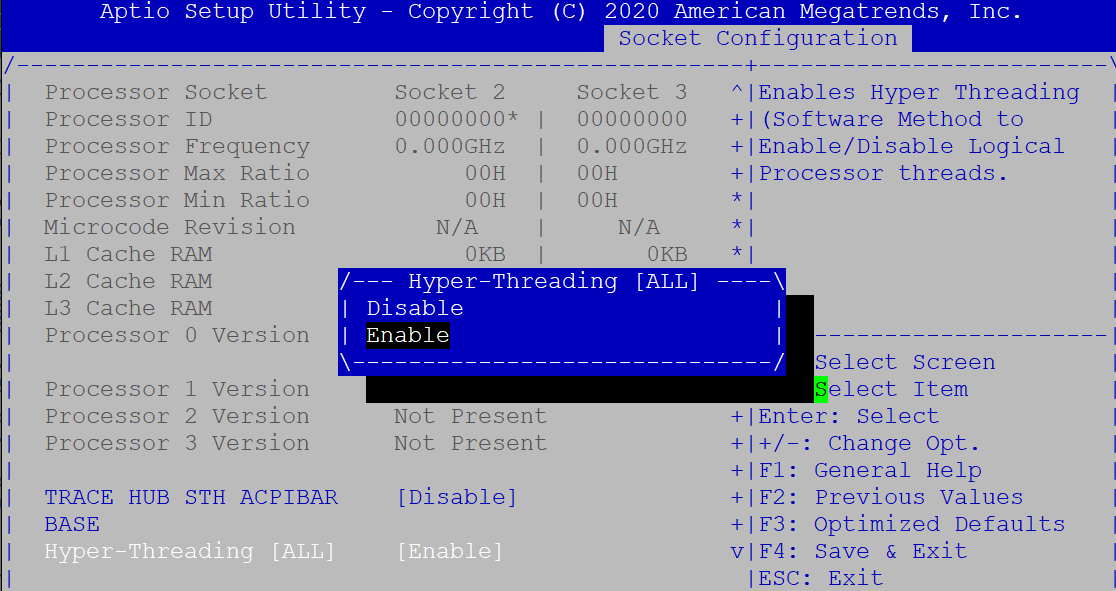
VEP4600 powered by Intel Xeon D CPU, hyperthreading function can be enabled or disabled in BIOS settings. The following screenshot shows the BIOS hyperthreading enable configuration.
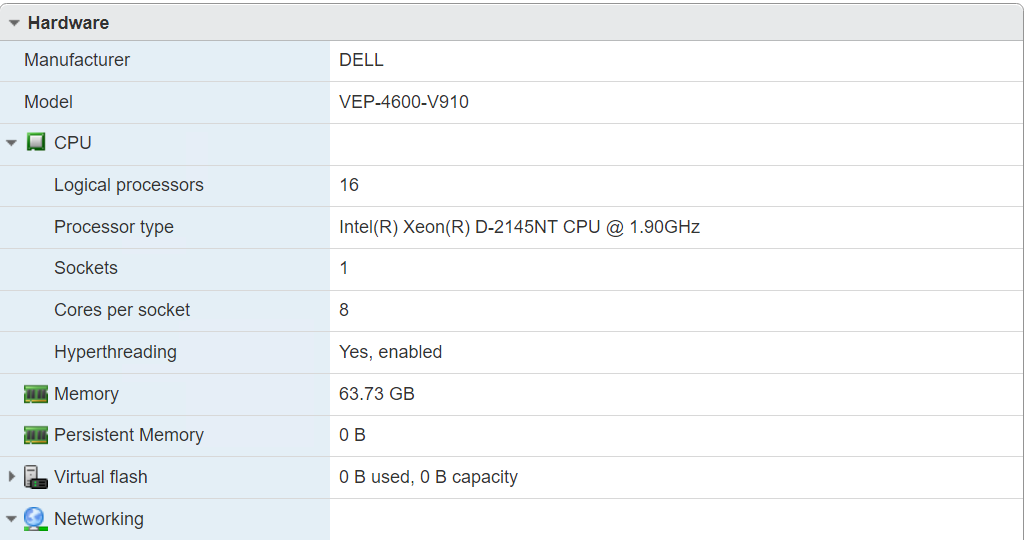
If hyperthreading is enabled in VEP4600 BIOS settings, ESXi web UI displays that the logical processor count is 16, which is the double of physical CPU core count.
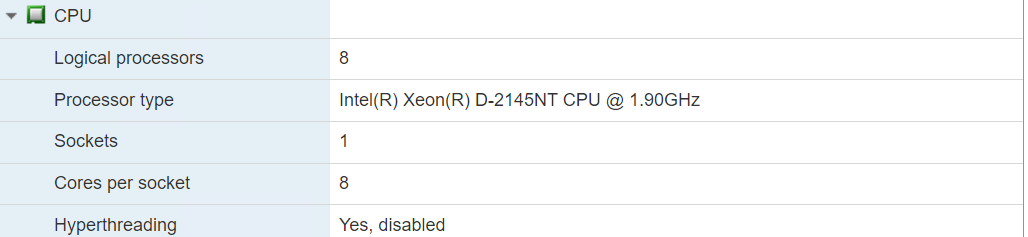
 If hyperthreading is disabled, ESXi displays that the logical core count is the same as CPU core count.
Hypervisor undersubscription and oversubscription
Size of VM/NFV
Here is a sample profile of VMware SD-WAN Edge running as a VM in ESXi.
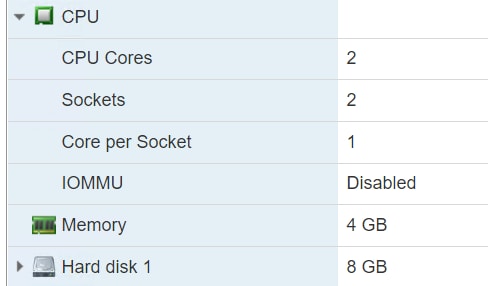
It takes two CPU cores from the total logical core/processor count in ESXi. If the total core count is larger than the ESXi core count, for example, in our previous VEP4600 eight core ESXi model, with hyperthreading enabled, the total core count is 16. If total VM/NFV core count is bigger than 16, then the ESXi hypervisor is running in oversubscription mode, meaning the hypervisor has to multiplexer among these NFVs, suspend one of them from time to time. If the total core count is less than 16, ESXi is running in undersubscription mode, no multiplexer is required, all NFVs can run simultaneously in ESXi hypervisor.
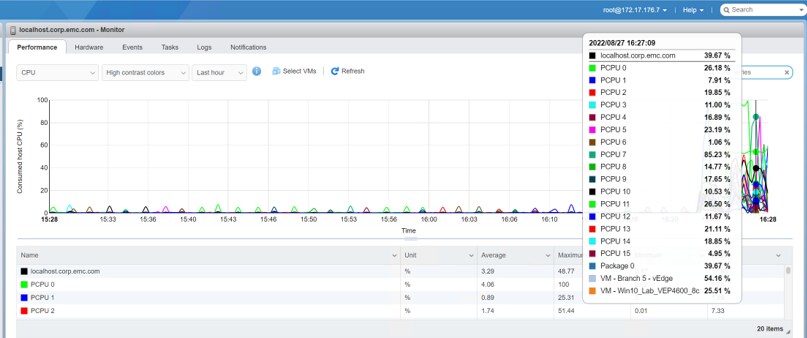
Use ESXi monitor feature to display graphical view of CPU/core performance.
VEP1405 Atom/Denverton CPU
In VEP1405 platform, Intel Deverton CPU does not support hyperthreading, the logical core count is always the same as physical CPU core count.
Summary
In VEP4600 platform, make sure to enable hyperthreading in BIOS to double the core count. Check every NFV/VM profile running in ESXi to make sure the total core count is not larger than the ESXi core count, so that it can run ESXi in undersubscription mode. It is still possible to run ESXi in over subscription mode if some of the VMs are not required to constantly hug CPU resource, for example if a VM is a DNS server, then most likely it is not constantly processing DNS client queries.