Gaming Laptop Buying Guide 2026​

Happy student wearing headphones using an Alienware laptop at a desk with notebooks and a coffee cup, listening a video tutorial.

Find the Best Gaming Laptop

Dell's Alienware lineup covers every gaming priority. Compare specs and use cases below to find your match.
Last updated: September 2026

What to Look for in a Gaming Laptop

Key things you should evaluate before buying a gaming laptop:

  • Graphics (GPU): The graphics processing unit (GPU) has the biggest impact on gaming performance. It determines which games you can play, the graphics settings you can use, and how smoothly games run. A more powerful GPU with more dedicated video memory (VRAM) is better equipped for higher resolutions, ray tracing, and the latest AAA games.

  • Display: When evaluating a display, consider both refresh rate and panel type. Higher refresh rate, such as 144Hz or 240Hz,  can make gameplay appear smoother and improve responsiveness, especially in competitive games. OLED panels generally offer better contrast, deeper blacks, and more accurate colors than traditional LCD panels, ideal for more cinematic games.

  • Cooling: Effective cooling helps a laptop maintain performance during extended gaming sessions by preventing thermal throttling, which reduces CPU and GPU performance when temperatures run too high. Larger gaming laptops generally have more room for cooling hardware and airflow, helping them sustain performance under heavy workloads for longer.

  • Memory (RAM): Memory affects game performance, multitasking, and overall system responsiveness. For modern gaming, 16GB of RAM is generally sufficient, while 32GB may be beneficial for streaming, content creation or running multiple applications alongside games. More memory allows the system to handle demanding workloads more efficiently.

  • Storage: Storage determines how many games and applications you can install and affects load times. Many modern games require more than 100GB of storage space, making capacity an important consideration. An NVMe SSD provides faster boot times and game loading than older storage technologies. If you expect to install a large game library, consider a laptop with additional or expandable storage.

  • Use Case: The right gaming laptop depends on how you plan to use it. If gaming is your primary priority, focus on a powerful GPU, a high-refresh-rate display, and effective cooling. If you also use your laptop for school, work or content creation, consider factors such as portability, battery life, display quality, and overall system performance in addition to gaming capabilities. 

Best Alienware Gaming Laptop for Your Needs

The right Alienware depends on how and where you game. Here are our top picks:

Best For Dell Recommends Why this product
Overall Gaming Performance Alienware 18 Area-51 Delivers the highest level of gaming performance in the Alienware lineup. With up to an NVIDIA® GeForce RTX™ 5090 Laptop GPU, 64GB of memory and Alienware Cryo-Tech™ cooling, it's built to power today's most demanding AAA games—and the next generation of PC gaming.
First-Time PC Gamers​ Alienware 15 Step into PC gaming with iconic Alienware design, advanced Cryo-Tech™ cooling, up to an NVIDIA® GeForce RTX™ 5060 Laptop GPU, and a fast 165Hz display engineered for smooth AAA gameplay.
High-End Gaming​ Alienware 18 Area-51 Built for gamers who want desktop-class performance without compromise. Support for up to an RTX™ 5090 Laptop GPU and up to 12TB of storage makes it an exceptional choice for gaming, streaming and content creation.
Premium Value (Under $2,500)​ Alienware 16X Aurora Balances premium gaming performance with exceptional value. With up to a NVIDIA GeForce RTX 5070 Ti laptop GPU and an optional 240Hz OLED display, it delivers fast, immersive gameplay without flagship pricing.
Budget Gaming (Under $1,500)​ Alienware 15 The Alienware experience, now more attainable. With up to an RTX™ 5060 Laptop GPU, a fast 165Hz display, and iconic Alienware design, it brings the performance and craftsmanship of Alienware to more gamers.
School & Gaming​ Alienware 15 One laptop for class, work and gaming. Its lightweight design, USB-C charging and strong gaming performance make it easy to carry every day while still delivering the power you need after class.
Gaming & Productivity Alienware 16X Aurora Equally capable for work and play. Up to 64GB of memory and an optional OLED display make it a great choice for gaming, streaming, multitasking and creative projects.
Understated Design​ Alienware 16X Aurora Powerful gaming performance in a more understated design. The clean Interstellar Indigo finish and subtle styling fit naturally in the office, classroom or coffee shop without sacrificing the performance Alienware is known for.
OLED Display​ Alienware 16 Area-51 Designed for gamers who want exceptional visual quality. The optional 240Hz OLED display delivers outstanding color, contrast and responsiveness, making games more immersive while also supporting color-critical creative work.
Sustained Performance & Cooling​ Alienware 18 Area-51 Built to sustain peak performance during long gaming sessions. Its advanced Alienware Cryo-Tech™ thermal design and larger chassis provide the thermal headroom needed to keep demanding games running smoothly over time.

Meet Alienware Gaming Laptops Lineup


Every Alienware laptop is built for gaming, but each lineup is designed for a different type of player. Here’s how to choose the one that’s right for you.
The Alienware 18 Area 51 Gaming Laptop keyboard featuring gradient AlienFX lighting and the Portal Aurora Borealis screenfill. 

Alienware Area-51

Maximum performance for serious gamers

Area-51 is our flagship gaming lineup, built for players who want the highest level of performance Alienware offers. With top-tier RTX™ graphics, advanced Alienware Cryo-Tech™ cooling and premium display options, it's the best choice for demanding AAA games, competitive gaming, streaming and content creation.
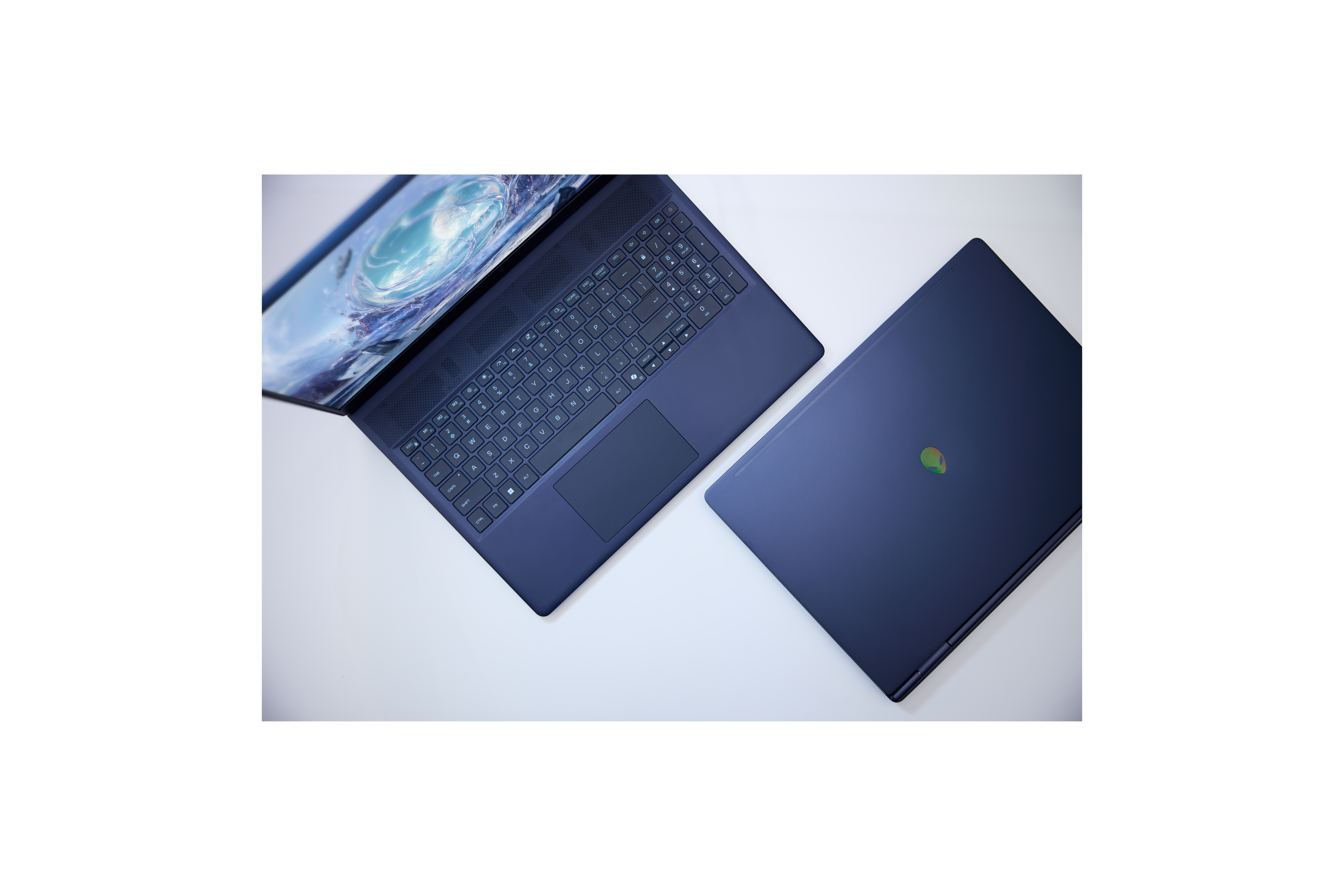
The Alienware 16 Aurora H and HX Gaming Laptops on a coffee table with keys and a backpack. 

Alienware Aurora

Premium gaming that fits work, school and everyday life

Aurora delivers powerful gaming performance in a more versatile, understated design. It's ideal if you want a laptop that can handle modern games, creative projects and everyday productivity while feeling just as comfortable in the office or classroom as it does at your gaming setup.
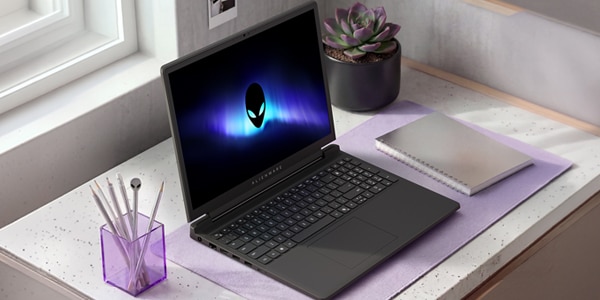
Open Alienware laptop on a white desk with a notebook, succulent, and pen holder beside window. 

Alienware 15

An accessible way to get into PC gaming

Alienware 15 delivers the core Alienware gaming experience in a lighter, more approachable package. It's a great choice for students, first-time gaming laptop buyers and anyone looking for strong gaming performance at a more accessible price point.

Complete your Gaming Setup


Choosing the right laptop is just the first step. Explore our expert buying guides to build your complete gaming set up.
Gamer Playing Online Video Game on Desktop Computer
Choose the Right Gaming Monitor
Gamers Office Space
Choose the right Gaming Desktop
Alienware Desk Setup Ultimate Immersion Front
Explore next level Gaming Accessories

Frequently Asked Questions

What to look for: the jump matters most at higher resolutions and with ray tracing enabled — at 1080p the difference narrows considerably, but at 1440p and 4K it widens.
Dell recommends: choose the RTX 5090 (Alienware 18 Area-51) if you're gaming at 4K or doing GPU-accelerated content creation; the RTX 5070 Ti (Alienware 16X Aurora) holds up well at 1440p and below for meaningfully less cost.

What to look for: refresh rate above 165Hz mainly benefits fast-paced competitive titles where reaction time matters; OLED's contrast and color benefit every genre, competitive or not.
Dell recommends: if budget is a factor, prioritize the OLED panel over the highest refresh rate — a 165Hz OLED will look and feel better for single-player and story-driven games than a higher-refresh non-OLED display.

What to look for: larger chassis means more room for cooling hardware, so an 18-inch laptop can sustain peak GPU performance longer under load; a 16-inch chassis is easier to carry daily but may throttle sooner in extended sessions.
Dell recommends: the Alienware 18 Area-51 for marathon gaming or streaming sessions; the Alienware 16 Area-51 or 16X Aurora if the laptop needs to travel with you regularly.

What to look for: 16GB is sufficient for gaming alone; 32GB+ becomes valuable once you're streaming, running Discord/browser/game simultaneously, or doing content creation alongside gaming.
Dell recommends: start at 16GB if gaming is your only use case; go to 32GB or the available 64GB configurations (16X Aurora) if you multitask heavily or create content.

What to look for: modern AAA titles can exceed 100GB each, and NVMe SSD speed affects load times, not just boot time; if you build a large game library, expandable storage avoids having to uninstall games to make room.
Dell recommends: 1TB as a comfortable starting point for a handful of large titles; look at configurations with expandable storage (up to 12TB on Alienware 18 Area-51) if you plan to keep a large permanent library.

What to look for: new GPU generations typically launch on a roughly 18–24 month cycle; buying at the top of a current generation (rather than right after a new one launches) usually gets you the best price-to-performance ratio.
Dell recommends: if your current laptop can't run the games you want today, buy now — waiting for hypothetical future hardware costs you months of use for an uncertain gain.

Yes. Modern gaming laptops can handle productivity applications, multitasking, content creation, coding, and other demanding workloads in addition to gaming. When choosing a gaming laptop for both work and play, consider portability, battery life, display size, and performance requirements.

Yes. Many gaming laptops have the CPU, GPU, memory, and storage needed for video editing, streaming, content creation, coding, and other demanding workloads in addition to gaming.

When shopping for a gaming laptop, focus on the graphics card (GPU), processor (CPU), display quality, memory (RAM), storage, and cooling. The right combination depends on the types of games you play, your budget, and whether you also plan to use the laptop for work, school, or content creation.

Start by thinking about how you'll use your laptop. Competitive gamers may prioritize high refresh rates and fast response times, while players of AAA games may prefer more powerful graphics and larger displays. If portability is important, consider a lighter design with a balance of performance and battery life.