
Intel® Core™ Ultra Processors
Learn More about Intel

Shop the GoEngineer Dell Expert Network

The Dell Technologies Difference
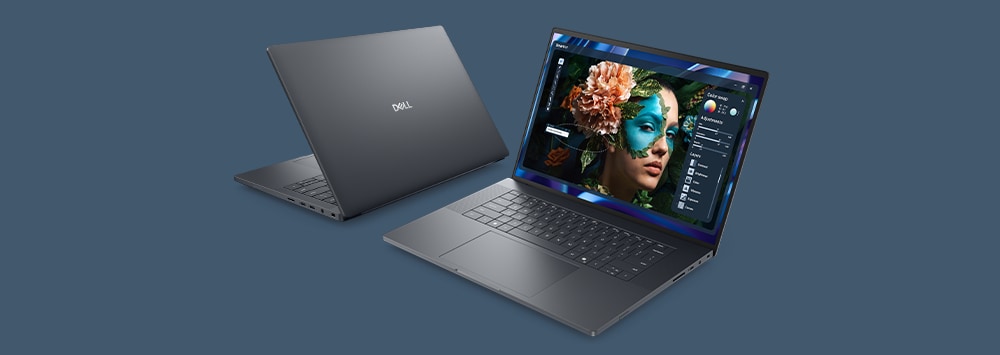
As a GoEngineer customer, you have access to exclusive Dell resources designed to help you choose the best Dell Pro Max Workstation for your specific software and workflow needs. Use the Dell Workstation Advisor tool to quickly identify your ideal configuration. For personalized support or help customizing your system, contact the dedicated Dell team at den.isv@dell.com and mention you're a GoEngineer customer.

Benefits for GoEngineer – Dell Expert Network Members

Dell

Technology Consultation for Engineers

 Shortcut in Services and Support

Rewards for Members

Dell Financial services

Startup IT Advisors

Dedicated Technology Advisors

  • Access a team of Dell Technologies Advisors trained in SOLIDWORKS solutions who will provide recommendations to meet your technology needs​
  • Our Tech Advisors will make sure you access to exclusive savings to help grow your business
Dell

Promotions, Updates, News​

  • Get notified on the latest product releases and solutions for Dell Technologies​
  • Get notified on upcoming webinars and events between GoEngineer and Dell Technologies
Access-to-Capital-for-Technology

Dell Financial Services​

Grow your business with the help of Dell Financial Services’ small business payment solutions. Fast, affordable options like business credit, leasing, and PC as a Service allow you to manage cash flow while you purchase technology.

Learn More

Webinars

Viewing of 5
GoEngineer Dell NVIDIA Webinar - Visualize and Hardware Configurations

May 2023

Product Review - the New Lineup of Dell Workstations for SOLIDWORKS

GoEngineer + Dell & Nvidia = SOLIDWORKS Hardware

March 2023

SOLIDWORKS Visualize Hardware Utilization

NVIDIA for SOLIDWORKS

November 2022

What’s New with Dell and NVIDIA for SOLIDWORKS

SOLIDWORKS Visualize Appearances and Hardware Utilization

July 2022

SOLIDWORKS Visualize Appearances and Hardware Utilization

host-server-blue-64px-319x319.png

November 2021

Choosing the best PC and Graphics with GoEngineer and Dell

Learning Resources

Viewing of 12
Optimizing Your Workstation Budget for Design & Engineering Applications: Flow Simulation
GoE_Blog_Photo_1
Optimizing Your Workstation Budget For Design and Engineer Applications
Image resized
Optimizing Your Workstation Budget For Design and Engineer Applications: Rendering and Visualization
GoE_Blog_Photo-3.
GoEngineer Blog
Image resized
Optimizing your CAD Worstation budget: Find the best PC for SOLIDWORKS
Image resized
Keep up with all the latest innovations with SOLIDWORKS Blog.
Solidworks Simulation
Real world simulations for your products with the SOLIDWORKS Simulation.
Solidworks Dell Gpu Hardware Certificate
SOLIDWORKS Dell Technologies GPU hardware certification.
Dell Solidworks Configuration Guide
Find the best Dell Technologies and SOLIDWORKS configuration guide.
Image resized
Learn from our SOLIDWORKS leadership in a video interview.
PAN Dell Bulk Lifestyle Shoot in Transit
Optimizing Your Workstation Budget for Design and Engineering Applications Simulation.
Designer Working on Precision 3000 Workstation in Sunny Office
Exploring the Latest Engineering Innovations: Insights from Dell, NVIDIA, and SOLIDWORKS
Intel® Core™ Ultra Processors
Learn More about Intel