Avamar: Sti til løsning af Data Domain-kapacitet
Oversigt: Sti til løsning af Data Domain-kapacitet.
Denne artikel gælder for
Denne artikel gælder ikke for
Denne artikel er ikke knyttet til et bestemt produkt.
Det er ikke alle produktversioner, der er identificeret i denne artikel.
Symptomer
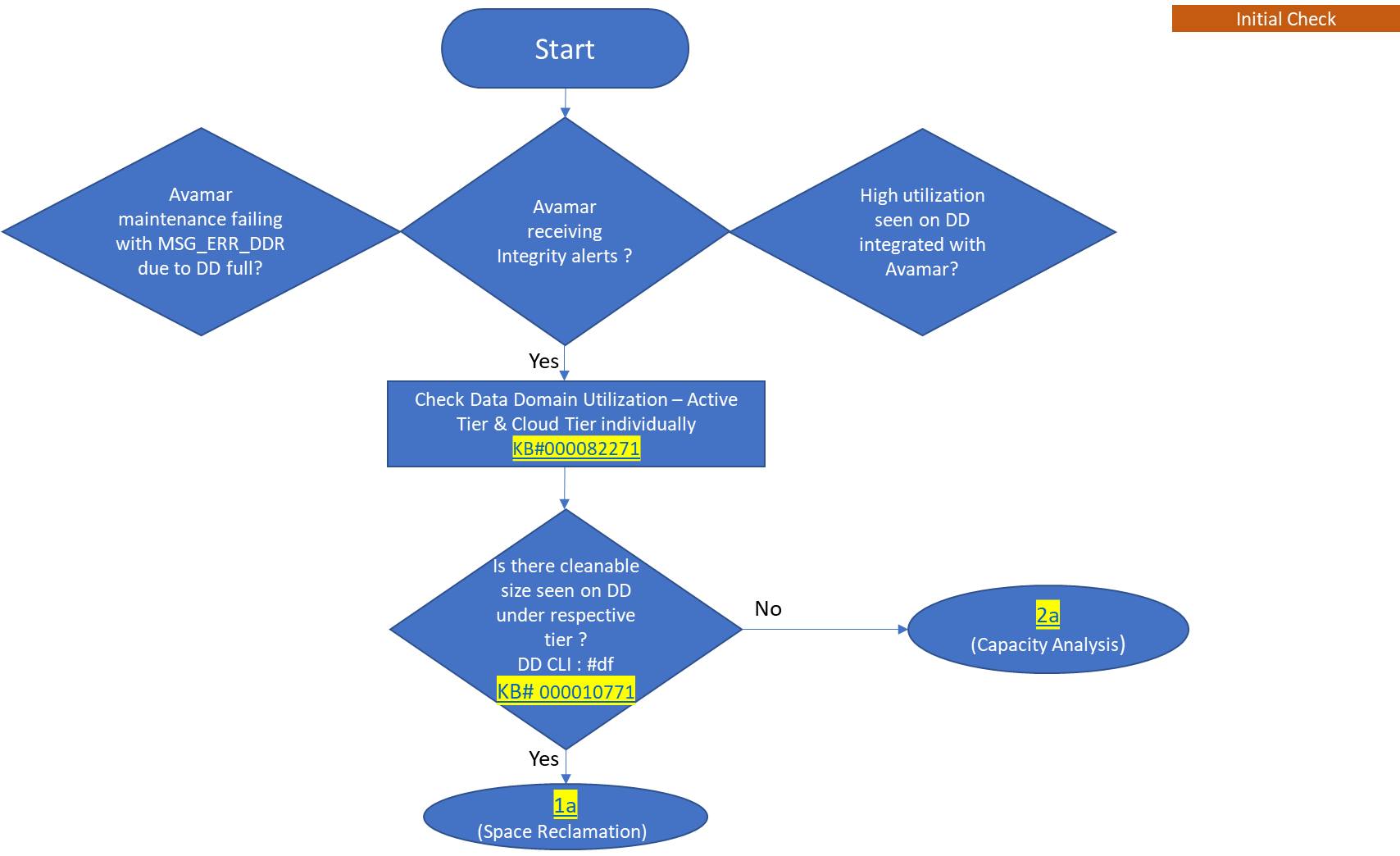
- Avamar-vedligeholdelse mislykkes med MSG_ERR_DDR, fordi Data Domain er fuld.
- Avamar modtager integritetsadvarsler.
- Høj udnyttelse ses på Data Domain, der er integreret med Avamar.
Årsag
Denne løsningssti forklarer, hvordan du udfører kapacitetsstyring, når Data Domain har Avamar som kilde til dataindtagelse. Med andre ord, når Avamar-sikkerhedskopier placeres på Data Domain.
Løsning
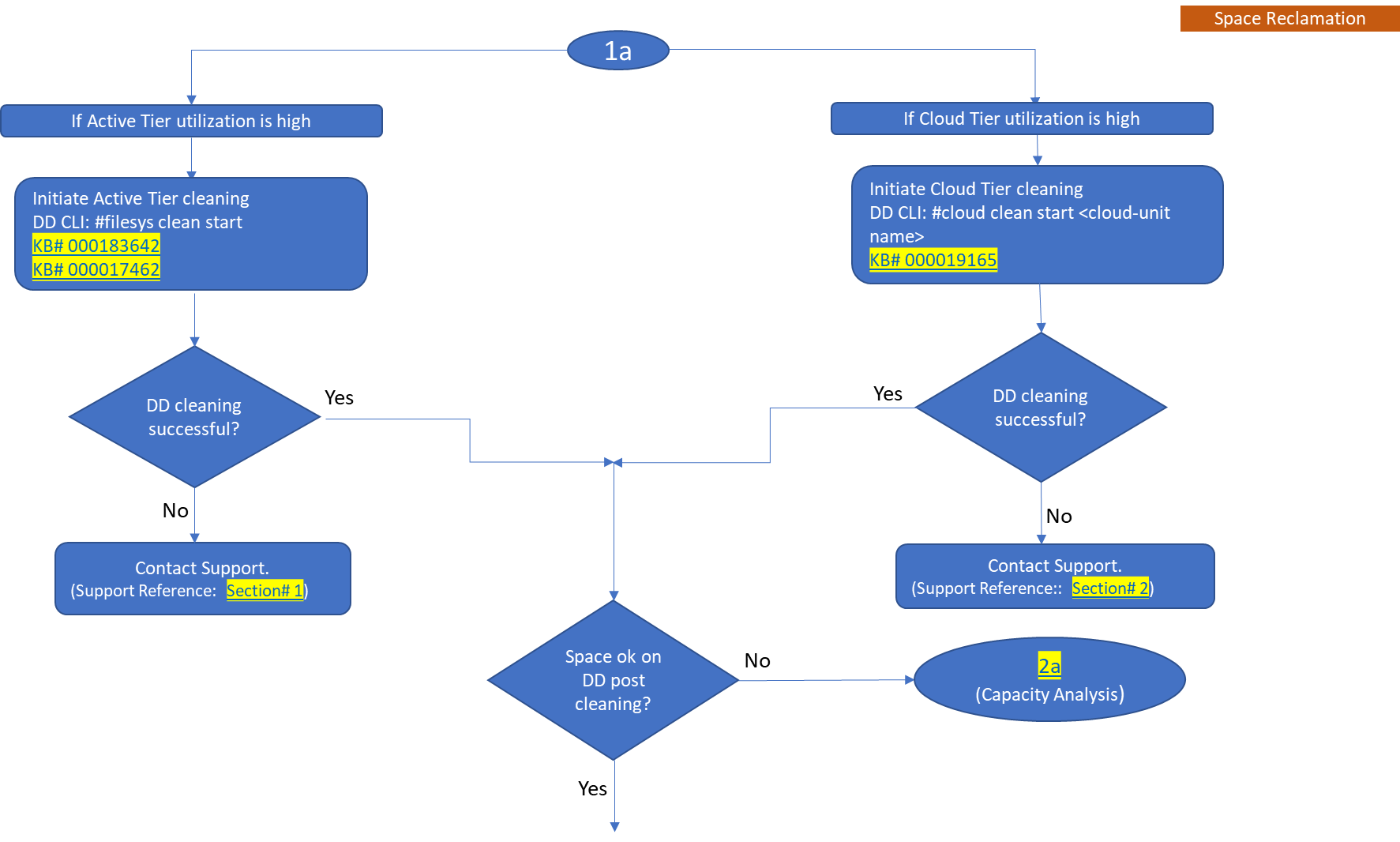
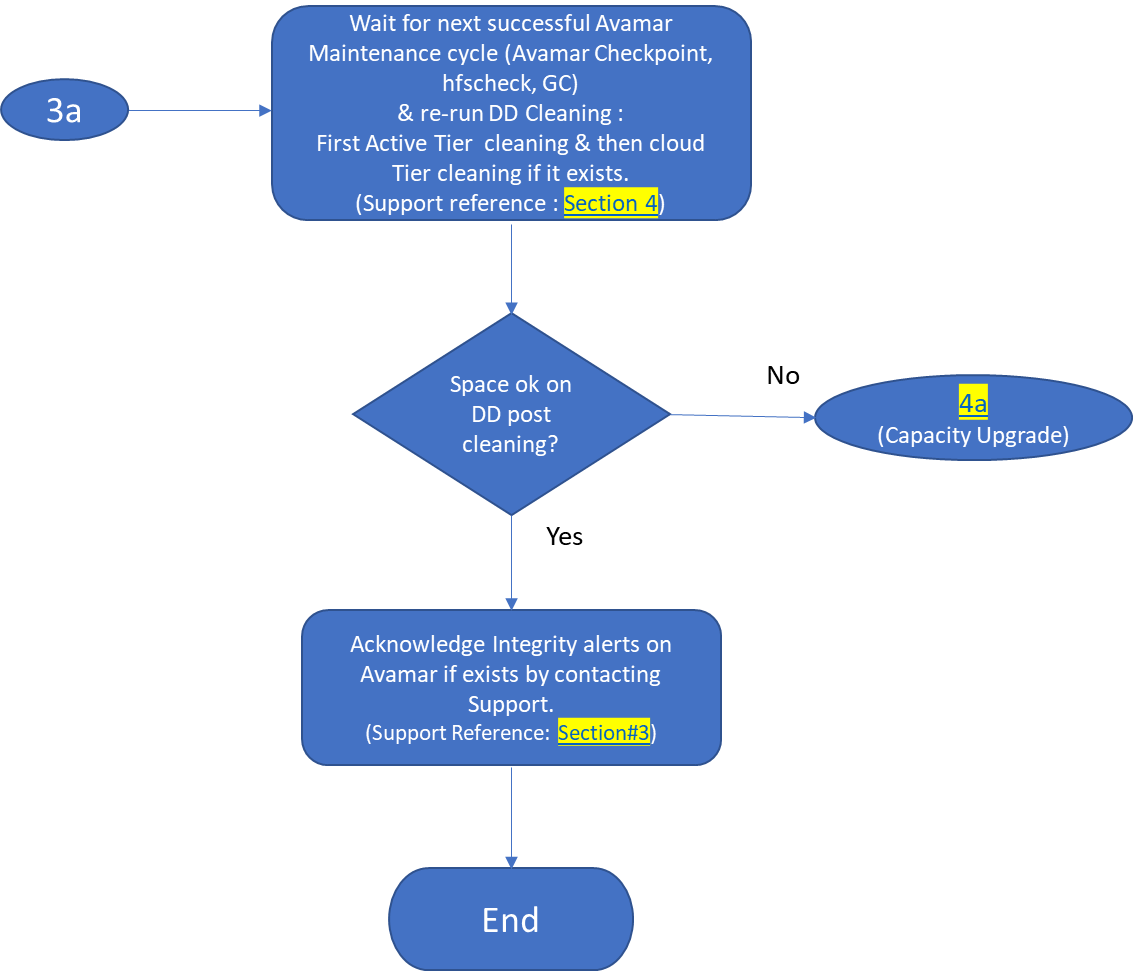
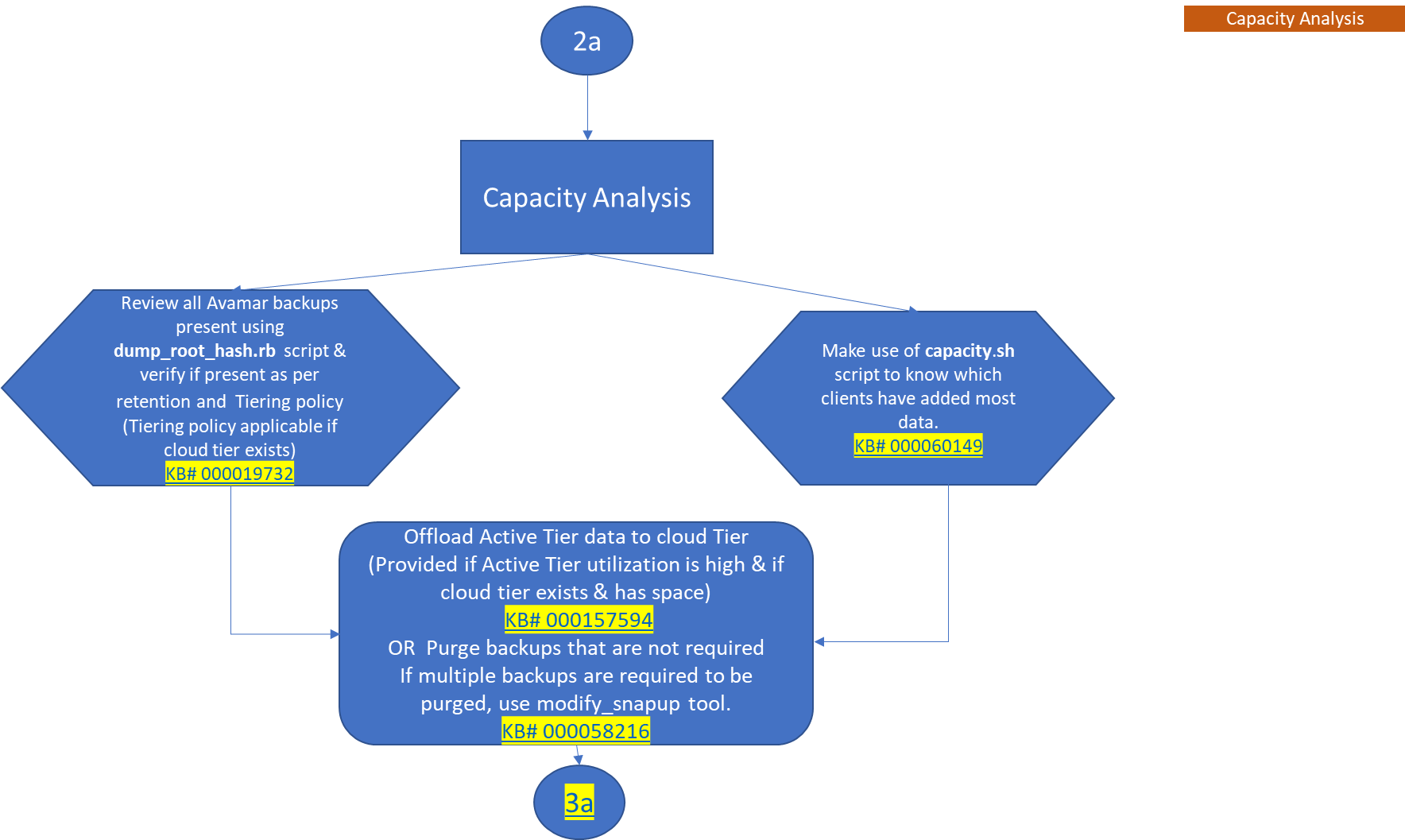
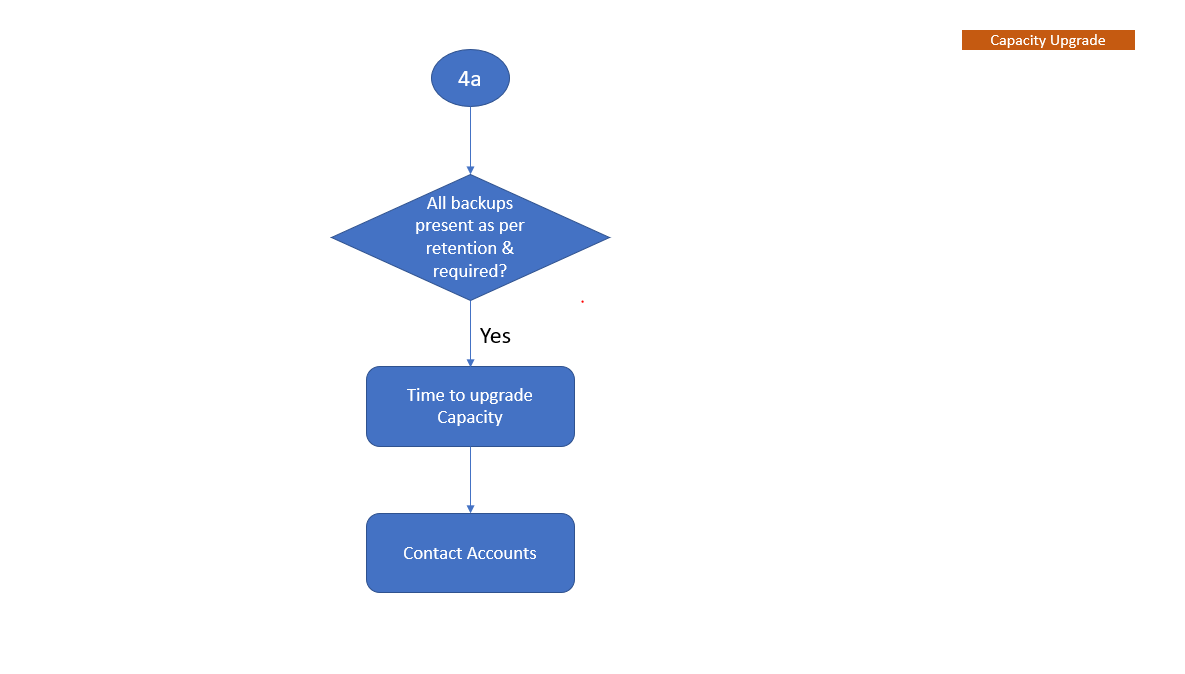
Rutediagrammet viser arbejdsprocessen for kapacitetsstyring for at hjælpe med at forstå, hvornår Data Domain er integreret med Avamar.
Bemærk: Log på for at downloade den vedhæftede PDF-fil for KB'er, der henvises til.
-
Første kontrol
Se på YouTube
-
Genvinding af plads
Se på YouTube
BEMÆRK: Du bør også kende til Automatisk rensning, som er den nye funktion på Data Domain.
Se Dell KB-artikel 199927: PowerProtect DP-serien: Beskyttelseslager: Data Domain: Automatisk rensning.
Klik på nedenstående video for at vide "Sådan konfigureres automatisk rengøring på Data Domain"
Se på YouTube
-
Kapacitetsanalyse
Se på YouTube
-
Kapacitetsopgradering
Berørte produkter
Avamar, Data DomainArtikelegenskaber
Artikelnummer: 000192662
Artikeltype: Solution
Senest ændret: 14 jul. 2026
Version: 13
Find svar på dine spørgsmål fra andre Dell-brugere
Supportservices
Kontrollér, om din enhed er dækket af supportservices.