PSQN: iDRAC9 Set up Menu Error While Saving Simple User Password
Oversigt: PowerEdge server end users may encounter a critical error within the Dell iDRAC9 Human Input Interface (HII) menu when saving a simple user password.
Denne artikel gælder for
Denne artikel gælder ikke for
Denne artikel er ikke knyttet til et bestemt produkt.
Det er ikke alle produktversioner, der er identificeret i denne artikel.
Symptomer
PowerEdge server end users may encounter a critical error within the Dell iDRAC9 Human Input Interface (HII) menu when saving a simple user password. The server F2 System Setup menu allows end users to perform at the box iDRAC9 configuration. Within the iDRAC Settings >> User Configuration menu, the UserID2 (root) account password can be modified. When attempting to input a simple password (for example: calvin), a critical error banner may be displayed while saving configuration changes.
System Setup Critical Error Example:
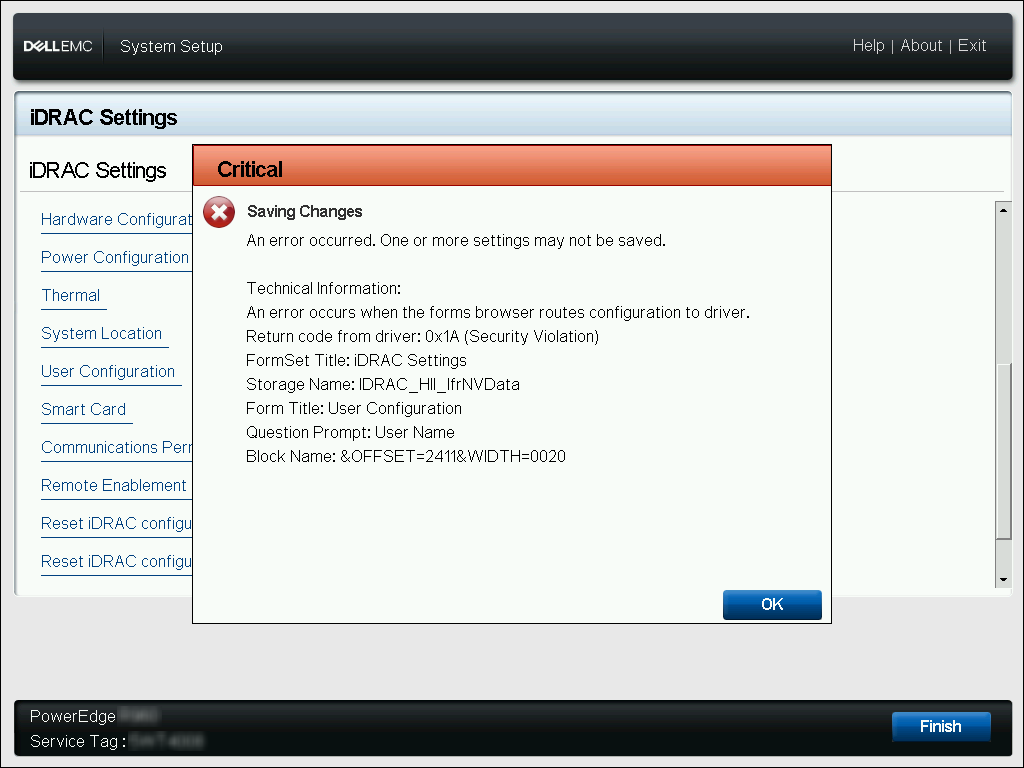
Critical | Saving Changes
An error occurred. One or more settings may not be saved.

Technical Information:
An error occurs when the forms browser routes configuration to driver.
Return code from driver: 0x1A (Security Violation)
FormSet Title: iDRAC Settings
Storage Name: iDRAC_HII_IfrNVData
Form Title: User Configuration
Question Prompt: User Name
Block Name: &OFFSET=2411&WIDTH=0020
Årsag
By default, the iDRAC9 enforces a password policy blocking simple passwords. When the iDRAC9 password strength policy is defined for any option other than 'No Protection', a simple password phrase cannot be saved through any iDRAC interface. The System Setup HII menu does not contain a clear message error banner to define this error occurrence.
Løsning
The iDRAC9 System Setup menu does not provide an option to redefine the password protection policy to 'No Protection'. The user-defined password must meet the defined password policy for the iDRAC9. Inputting a password that meets the minimum password policy score does not lead to this critical error.
Local RACADM commands can be leveraged from within the HOST Operating System of the server to determine the minimum password policy score requirements.
racadm>>racadm get idrac.security.minimumpasswordscore
[Key=idrac.Embedded.1#Security.1]
MinimumPasswordScore=Weak Protection
Also, local RACADM commands can be leveraged to modify the iDRAC9 minimum password policy score requirement, or modify the UserID2 password to meet current policy requirements.
- # Modify Minimum Password Score
racadm>>racadm set idrac.security.minimumpasswordscore 0
[Key=idrac.Embedded.1#Security.1]
Object value modified successfully

0 - No Protection
1 - Weak Protection
2 - Moderate Protection
3 - Strong Protection
- # Modify UserID2 Password
racadm>>racadm set idrac.users.2.password C@lv1n
[Key=idrac.Embedded.1#Users.2]
Object value modified successfully
Berørte produkter
iDRAC9, iDRAC9 - 4.xx Series, iDRAC9 - 5.xx SeriesArtikelegenskaber
Artikelnummer: 000198025
Artikeltype: Solution
Senest ændret: 13 maj 2026
Version: 5
Find svar på dine spørgsmål fra andre Dell-brugere
Supportservices
Kontrollér, om din enhed er dækket af supportservices.