Dell Automation Platform: NativeEdge Windows Virtual Machine Stuck on POST
Résumé: This article describes an issue that may occur during the boot process of a NativeEdge Virtual Machine (VM) running Windows after it was shut down. Sometimes, the VM may stop responding during POST due to a specific Windows configuration setting. ...
Cet article concerne
Cet article ne concerne pas
Cet article n’est associé à aucun produit spécifique.
Toutes les versions du produit ne sont pas identifiées dans cet article.
Symptômes
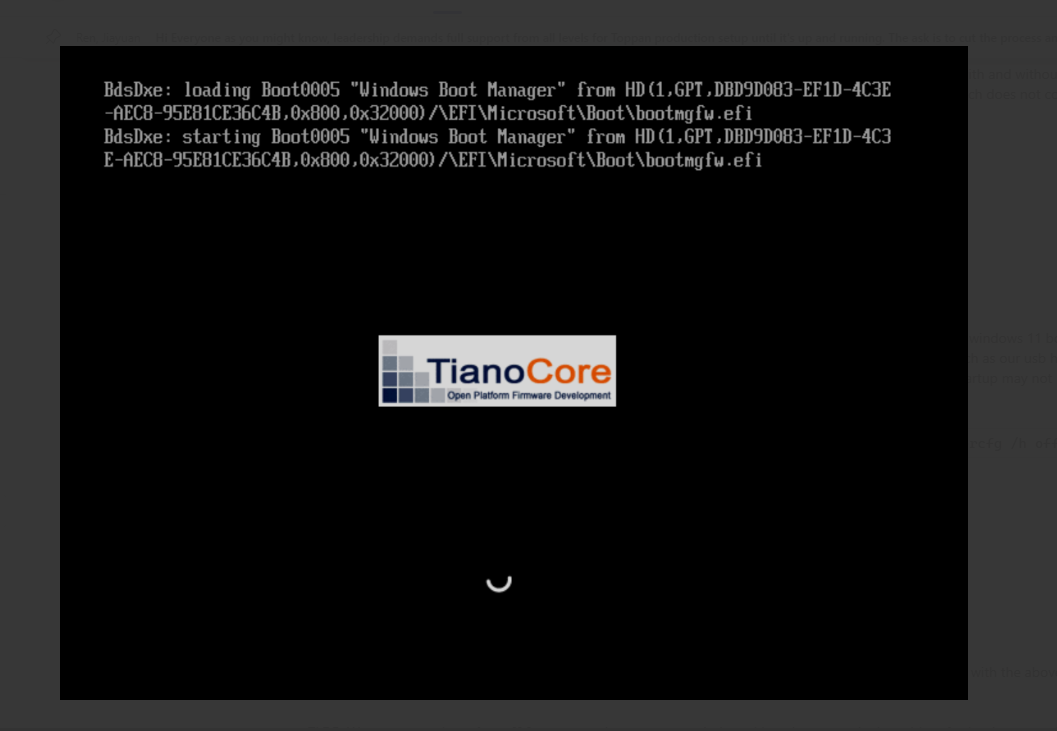
After powering off or shutting down a NativeEdge VM, it may fail to progress past POST and stop at the Windows Boot Manager screen.
Cause
This condition is observed when the Fast Startup option is enabled in Windows Power Options. The issue has occurred, though is not limited to, systems that include an external USB controller which may not properly respond to PCI reset events.
Résolution
Workaround
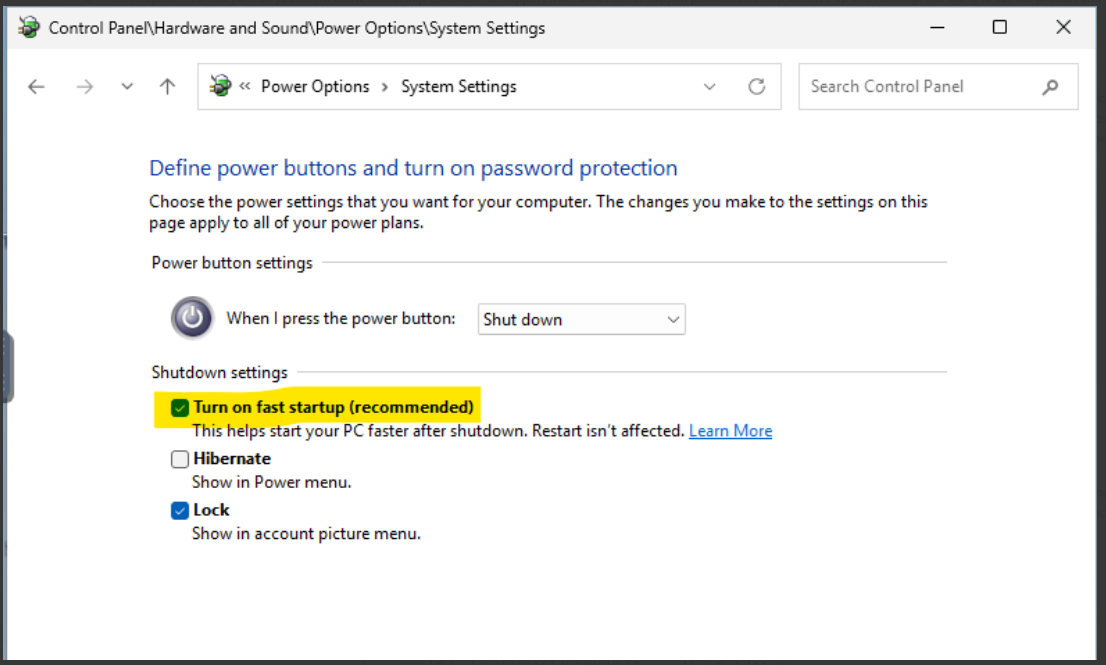
An initial reboot of the NativeEdge Endpoint may be required to clear the VM state. The recommended action is to disable the Turn on fast startup option. This is done through: Control Panel → Hardware and Sound → Power Options → System Settings.
Produits concernés
Dell Automation Platform, NativeEdge Solutions, Dell Automation Platform Components, NativeEdgePropriétés de l’article
Numéro d’article: 000433637
Type d’article: Solution
Dernière modification: 13 mars 2026
Version: 2
Trouvez des réponses à vos questions auprès d’autres utilisateurs Dell
Services de support
Vérifiez si votre appareil est couvert par les services de support.