Cómo descargar el desinstalador de Dell Data Security
Oversigt: Obtenga información sobre cómo descargar el desinstalador de Dell Data Security siguiendo estas instrucciones.
Denne artikel gælder for
Denne artikel gælder ikke for
Denne artikel er ikke knyttet til et bestemt produkt.
Det er ikke alle produktversioner, der er identificeret i denne artikel.
Instruktioner
Nota:
- Es posible que los productos enumerados en los productos afectados no se encuentren en un estado activo. Para obtener información actualizada sobre el soporte para un producto, consulte Política de ciclo de vida del producto (final del ciclo de vida y fin del soporte) para Dell Data Security. Si tiene preguntas sobre artículos alternativos, comuníquese con el equipo de ventas o al correo endpointsecurity@dell.com.
- Consulte Endpoint Security para obtener información adicional acerca de los productos actuales.
El desinstalador de Dell Data Security proporciona un método de eliminación optimizado para los productos afectados de Dell Data Security de Windows (anteriormente Dell Data Protection). En este artículo, se proporcionan los pasos para obtener el desinstalador de Dell Data Security de estos productos.
Productos afectados:
- Dell Encryption Enterprise
- Dell Data Protection | Enterprise Edition
- Dell Encryption Personal
- Dell Data Protection | Personal Edition
- Dell Encryption External Media
- Dell Data Protection | External Media Edition
- Dell Data Guardian
- Dell Encryption Enterprise Self-Encrypting Drive Manager
- Dell BitLocker Manager
- Dell Full Disk Encryption
- Dell Data Protection | Secure Lifecycle
- Dell Data Protection | Cloud Edition
- Dell Endpoint Security Suite Enterprise
- Dell Endpoint Security Suite Pro
- Dell Threat Defense
- Dell Data Protection | Server Encryption
- Dell Data Protection | Security Tools
Versiones afectadas:
- v8.0.X y versiones posteriores
Sistemas operativos afectados:
- Windows
- En un navegador web, vaya a https://www.dell.com/support/home/.
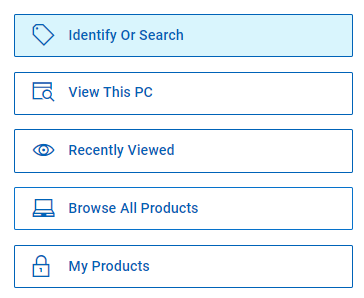
- Haga clic en Browse All Products.
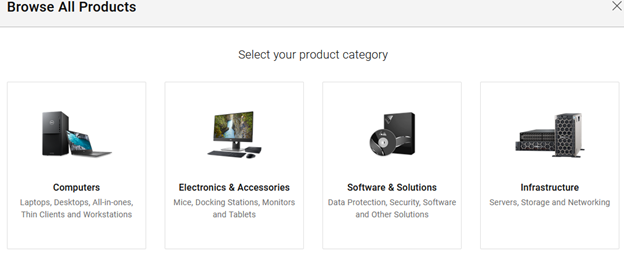
- Haga clic en Software & Solutions.
- Haga clic en Security.

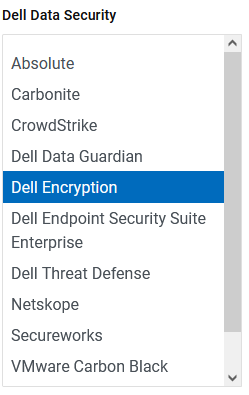
- Haga clic en Dell Data Security.

- Haga clic en Dell Encryption.
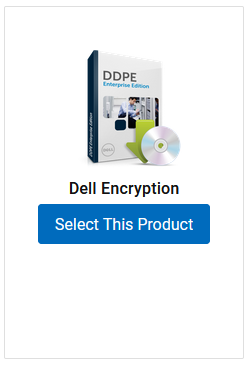
- Haga clic en Select This Product.
- Haga clic en Drivers & Downloads.

- En el menú desplegable Sistema operativo, seleccione Windows 7 [X-bit],Windows 8 [X-bit],Windows 8.1 [X-bit],Windows 10 [X-bit] o Windows 11.

- A la derecha del desinstalador de Dell Data Guardian, haga clic en Download.
 Nota: La fecha de lanzamiento puede ser distinta de la captura de pantalla anterior.
Para comunicarse con el equipo de soporte, consulte los números de teléfono de soporte internacionales de Dell Data Security.
Vaya a TechDirect para generar una solicitud de soporte técnico en línea.
Para obtener información y recursos adicionales, únase al foro de la comunidad de seguridad de Dell.
Berørte produkter
Dell Data Guardian, Dell Encryption, Dell Threat Defense, Dell Endpoint Security Suite Pro, Dell Endpoint Security Suite EnterpriseArtikelegenskaber
Artikelnummer: 000130754
Artikeltype: How To
Senest ændret: 05 aug. 2026
Version: 14
Find svar på dine spørgsmål fra andre Dell-brugere
Supportservices
Kontrollér, om din enhed er dækket af supportservices.