Dell Optimizer Dual Battery Issue
Oversigt: Information about Dell Optimizer having multiple issues when using dual batteries on the Rugged Latitude 5430, 7230, and 7330.
Denne artikel gælder for
Denne artikel gælder ikke for
Denne artikel er ikke knyttet til et bestemt produkt.
Det er ikke alle produktversioner, der er identificeret i denne artikel.
Symptomer
The following three issues can be seen when using Dell Optimizer version 4.0.111.0 and dual batteries: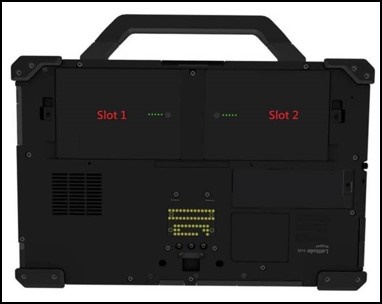
Dual Battery Example
- "About My Battery" will be missing:
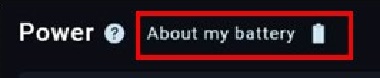
Dell Optimizer, About My Battery
Battery Placement "About My Battery" Present Slot 1 + Slot 2 Yes - For the Slot 2 Battery Slot 1 Only No - Feature Missing Slot 2 Only Yes - For the slot 2 Battery - Power features "Advance Charge" and "Charging Mode - Adaptive, Primarily AC, and Custom" are missing (Only affects Latitude 7230 Rugged Extreme Tablet):
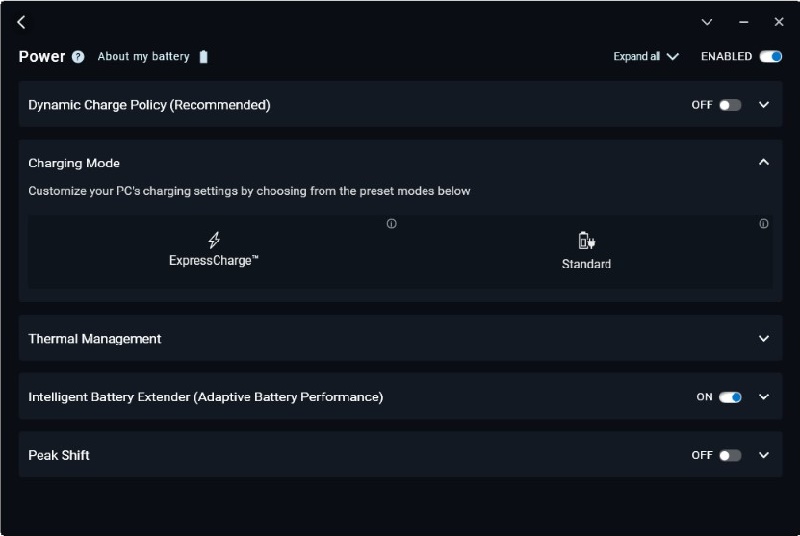
Dell Optimizer Charging Modes Missing
Battery and Slot Advanced Charge Present Charging Mode Present Battery 1 in Slot 1 Yes All Modes Present Battery 2 in Slot 1 Yes All Modes Present Battery 1 in Slot 2 No Only Standard and Express Charge Battery 2 in Slot 2 No Only Standard and Express Charge Both Batteries No Only Standard and Express Charge - "Dynamic Charge Policy" and "Charging Mode" options are unavailable. There are two scenarios for this behavior.
- Scenario 1 - Set the charging mode to "Custom" in the BIOS for Battery 1.
Then "Dynamic Charge Policy" is disabled and unavailable without tooltip "Dynamic charge policy is not supported when a custom charge mode is enabled" but "Charging Mode" is shown as set to "Standard" (the selected charging mode for Battery 2).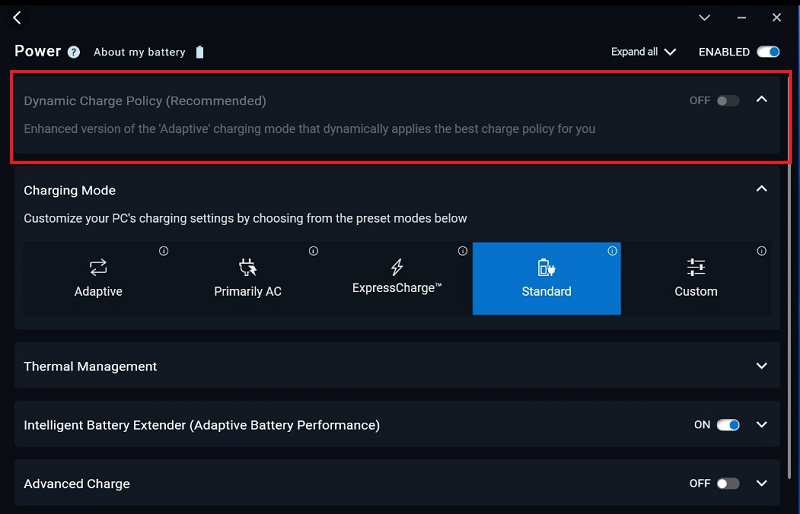
Dell Optimizer, Dynamic Policy Grayed Out without Tooltip - Scenario 2 - Set Charging Mode to "Custom" in BIOS for Battery 2.
Then "Dynamic Charge Policy" is ON and unavailable but still shows tooltip "Dynamic charge policy is not supported when a custom charge is enabled" and "Charging Mode" is unavailable and shows tooltip "Charging Mode is being managed by Dynamic Charge Policy."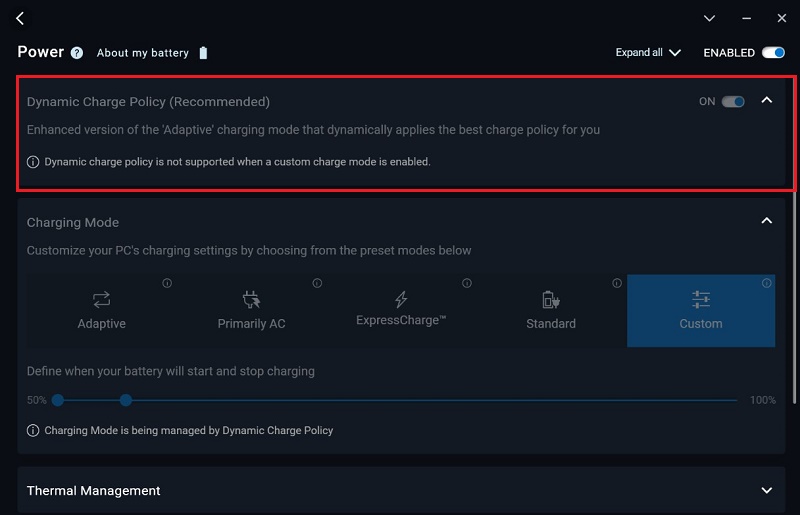
Dell Optimizer, Dynamic Policy Grayed Out with Tooltip
- Scenario 1 - Set the charging mode to "Custom" in the BIOS for Battery 1.
Årsag
- Missing "About My Battery" Issue - Dell Optimizer detects the first battery listed by enumerating the battery and slot 2 is the first one listed in Windows.
- Missing "Advanced Charge" and "Charging Mode - Adaptive, Primarily AC, and Custom" Issue - BIOS returning incorrect values.
- Grayed Out "Dynamic Charge Policy" and "Charging Mode" Issue - Dynamic Charge Policy checks the first battery on the SMBIOS, but charging modes check the first battery from the Windows API. The order from these two sources is different. From a Dell Optimizer aspect, we do not define the battery order for multiple batteries yet.
Løsning
Dell Optimizer Update
Update to the newest version of Dell Optimizer to resolve this issue.
Berørte produkter
Latitude 7230 Rugged Extreme Tablet, Latitude 7330 Rugged Extreme, Latitude 5430 RuggedArtikelegenskaber
Artikelnummer: 000210226
Artikeltype: Solution
Senest ændret: 12 dec. 2025
Version: 3
Find svar på dine spørgsmål fra andre Dell-brugere
Supportservices
Kontrollér, om din enhed er dækket af supportservices.