A pasta ECS GeoDrive está ausente
Oversigt: A pasta ECS GeoDrive está ausente na unidade local.
Denne artikel gælder for
Denne artikel gælder ikke for
Denne artikel er ikke knyttet til et bestemt produkt.
Det er ikke alle produktversioner, der er identificeret i denne artikel.
Symptomer
O usuário verá a pasta Do GeoDrive ou uma subpasta ausente em sua unidade local no host.
A pasta terá os dados, mas eles serão invisíveis/ocultos.
- Por exemplo, uma pasta "folder1" está ausente no GeoDrive.

- Tente criar uma nova pasta com o mesmo nome e, em seguida, você receberá o prompt de que a pasta realmente existe.
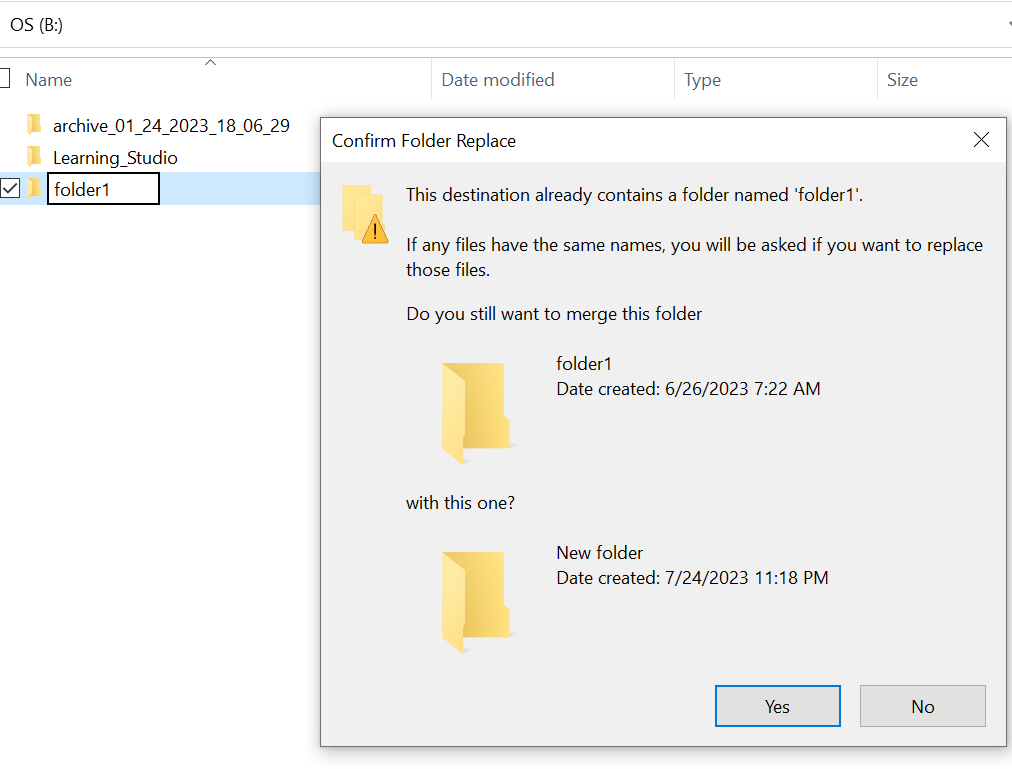
- Pesquise com o caminho da pasta ausente no explorer. Devemos ser capazes de ver o conteúdo.

Årsag
Isso ocorre devido aos atributos HIDDEN e SYSTEM que foram definidos na pasta.
Løsning
Siga as etapas abaixo.
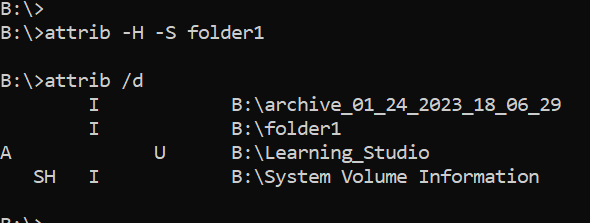
Depois de executar esse comando, verifique a unidade local novamente. A pasta ausente volta ao normal.
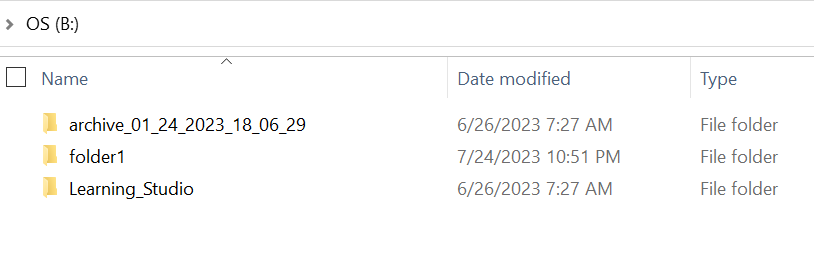
- Vá para o prompt de comando do Windows no sistema host.
- cd para o diretório principal onde a pasta está ausente e execute "attrib /d".
- Você deve ver uma lista de diretórios e a pasta ausente deve estar na lista.
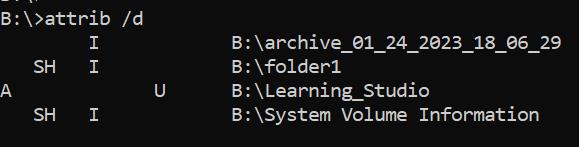
- As letras antes indicam os atributos. Você deve ver o SH antes do arquivo (SYSTEM e HIDDEN).
- Em seguida, execute esse comando para remover os dois atributos acima: attrib -H -S folder_name
Flere oplysninger
Há várias outras opções disponíveis para o comando attrib.
B:\>attrib /?
Displays or changes file attributes.

ATTRIB [+R | -R] [+A | -A] [+S | -S] [+H | -H] [+O | -O] [+I | -I] [+X | -X] [+P | -P] [+U | -U]
       [drive:][path][filename] [/S [/D]] [/L]

  +   Sets an attribute.
  -   Clears an attribute.
  R   Read-only file attribute.
  A   Archive file attribute.
  S   System file attribute.
  H   Hidden file attribute.
  O   Offline attribute.
  I   Not content indexed file attribute.
  X   No scrub file attribute.
  V   Integrity attribute.
  P   Pinned attribute.
  U   Unpinned attribute.
  B   SMR Blob attribute.
  [drive:][path][filename]
      Specifies a file or files for attrib to process.
  /S  Processes matching files in the current folder
      and all subfolders.
  /D  Processes folders as well.
  /L  Work on the attributes of the Symbolic Link versus
      the target of the Symbolic Link
Berørte produkter
ECS, Elastic Cloud StorageArtikelegenskaber
Artikelnummer: 000215245
Artikeltype: Solution
Senest ændret: 18 maj 2026
Version: 4
Find svar på dine spørgsmål fra andre Dell-brugere
Supportservices
Kontrollér, om din enhed er dækket af supportservices.