PowerFlex : Failed to Add Acceleration Device DAX after NVDIMM Replacement
Oversigt: After sanitizing or replacing an NVDIMM, adding the acceleration/dax devices back into PowerFlex Manager will generate an IO error if the namespace or region is in an error state. This will hinder the ability to add the devices back into PowerFlex as expected. ...
Denne artikel gælder for
Denne artikel gælder ikke for
Denne artikel er ikke knyttet til et bestemt produkt.
Det er ikke alle produktversioner, der er identificeret i denne artikel.
Symptomer
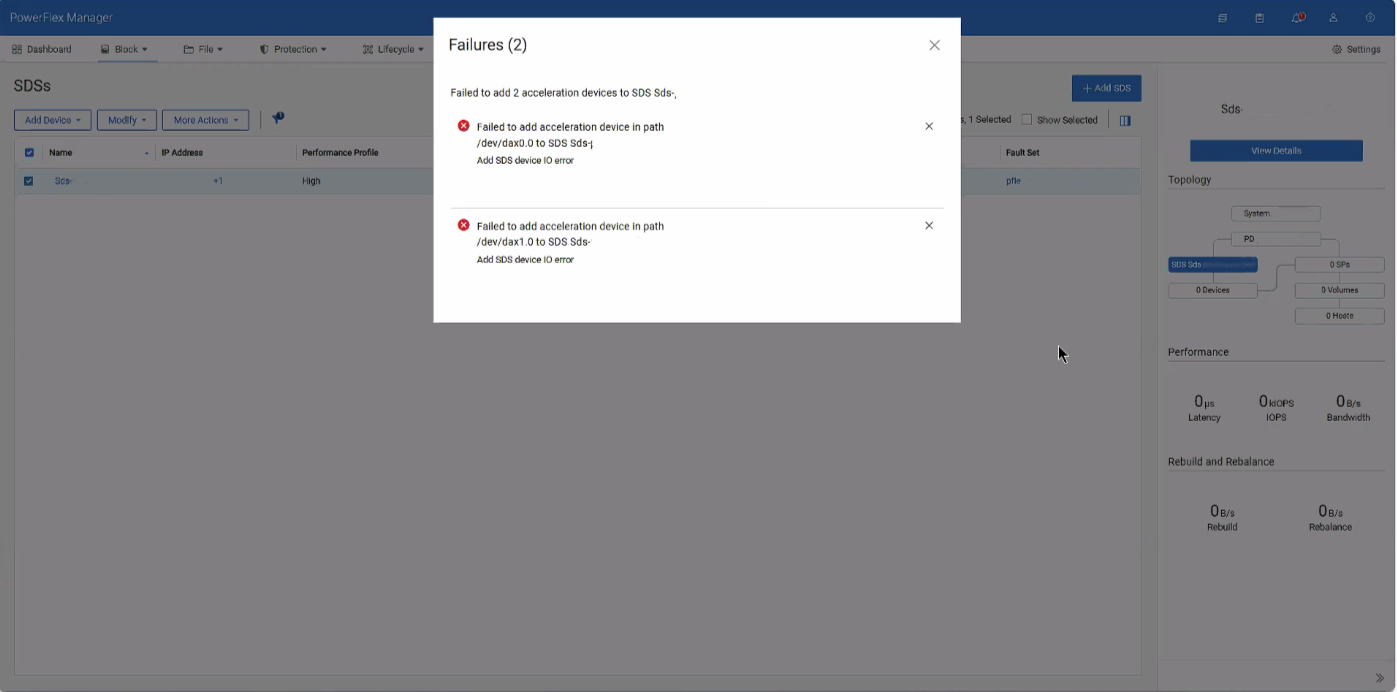
When attempting to add the dax device back after sanitizing or replacing an NVDIMM, an error is given for IO errors on the dax device, despite being healthy.
Årsag
These errors occur due to conflicting namespace and regions within the SDS after removing the dax devices.
Løsning
1- SSH into the impacted SDS and destroy both namespaces of the dax devices
ndctl destroy-namespace namespace0.0

ndctl destroy-namespace namespace1.0
2- Disable the corresponding region of the dax devices
ndctl disable-region region0

ndctl disable-region region1
3- Re-enable the regions for the dax devices
ndctl enable-region region0

ndctl enable-region region1
4- Create the namespace for each dax device based on the namespace you destroyed from above
ndctl create-namespace --mode=devdax --region +region0 --align +4k

ndctl create-namespace --mode=devdax --region +region1 --align +4k
5- Afterwards, go to PowerFlex Manager and add the dax devices as needed.
Related article: PowerFlex: How to Replace NVDIMM in 15G and later PowerEdge Node
Berørte produkter
ScaleIOArtikelegenskaber
Artikelnummer: 000496145
Artikeltype: Solution
Senest ændret: 07 aug. 2026
Version: 1
Find svar på dine spørgsmål fra andre Dell-brugere
Supportservices
Kontrollér, om din enhed er dækket af supportservices.