Dell Unity: How To Activate CAVA On A NAS Server
Summary: This article goes over the activation procedures of the CAVA on a Dell Unity array.
Αυτό το άρθρο ισχύει για
Αυτό το άρθρο δεν ισχύει για
Αυτό το άρθρο δεν συνδέεται με κάποιο συγκεκριμένο προϊόν.
Δεν προσδιορίζονται όλες οι εκδόσεις προϊόντων σε αυτό το άρθρο.
Instructions
- Log in to Unisphere (UI)
- Go to: STORAGE > File > NAS Servers
- Select the relevant NAS Server
- Edit (pencil icon)
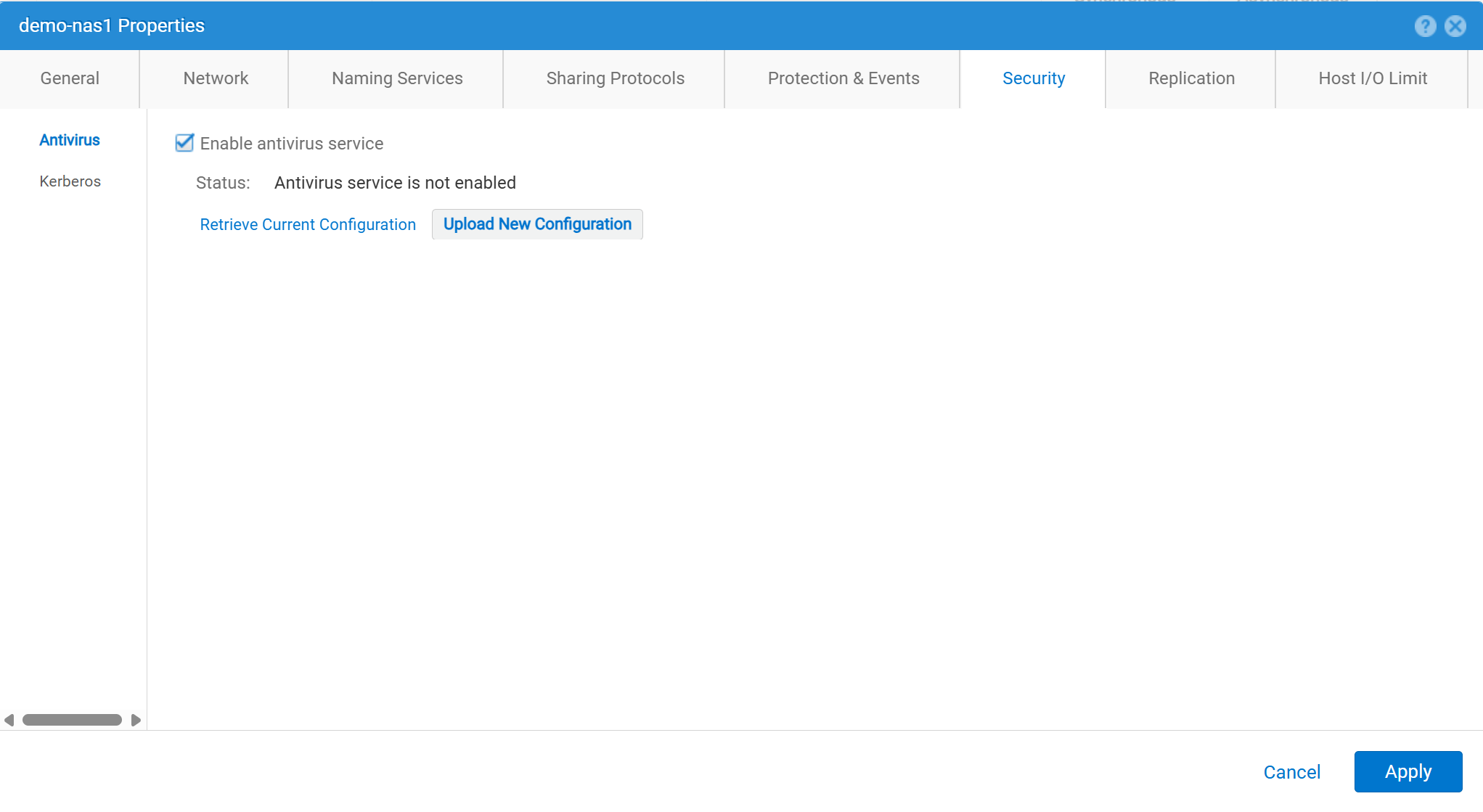
- Security > Antivirus
- Check "Enable antivirus service"
- Retrieve Current Configuration: Used to retrieve the current antivirus configuration file from the NAS Server. Then save it locally as
viruschecker.conf. If this file has never been edited, the first time the file is generated and retrieved, it is a generic template. If this file has ever been edited, the current configuration parameters are shown. - Edit the
viruschecker.conffile as appropriate. The first time the file is edited, remove the comments and specify the CAVA parameters. - Upload New Configuration: Upload the
viruschecker.conffile to the NAS server.
Επηρεαζόμενα προϊόντα
Dell EMC Unity, Dell EMC Unity Family |Dell EMC Unity All Flash, Dell EMC Unity HybridΙδιότητες άρθρου
Article Number: 000006038
Article Type: How To
Τελευταία τροποποίηση: 30 Οκτ 2025
Version: 4
Βρείτε απαντήσεις στις ερωτήσεις σας από άλλους χρήστες της Dell
Υπηρεσίες υποστήριξης
Ελέγξτε αν η συσκευή σας καλύπτεται από τις Υπηρεσίες υποστήριξης.