Dell Unity: Nonspecific error in UI while uploading Unity OE code for upgrade (Dell Correctable)
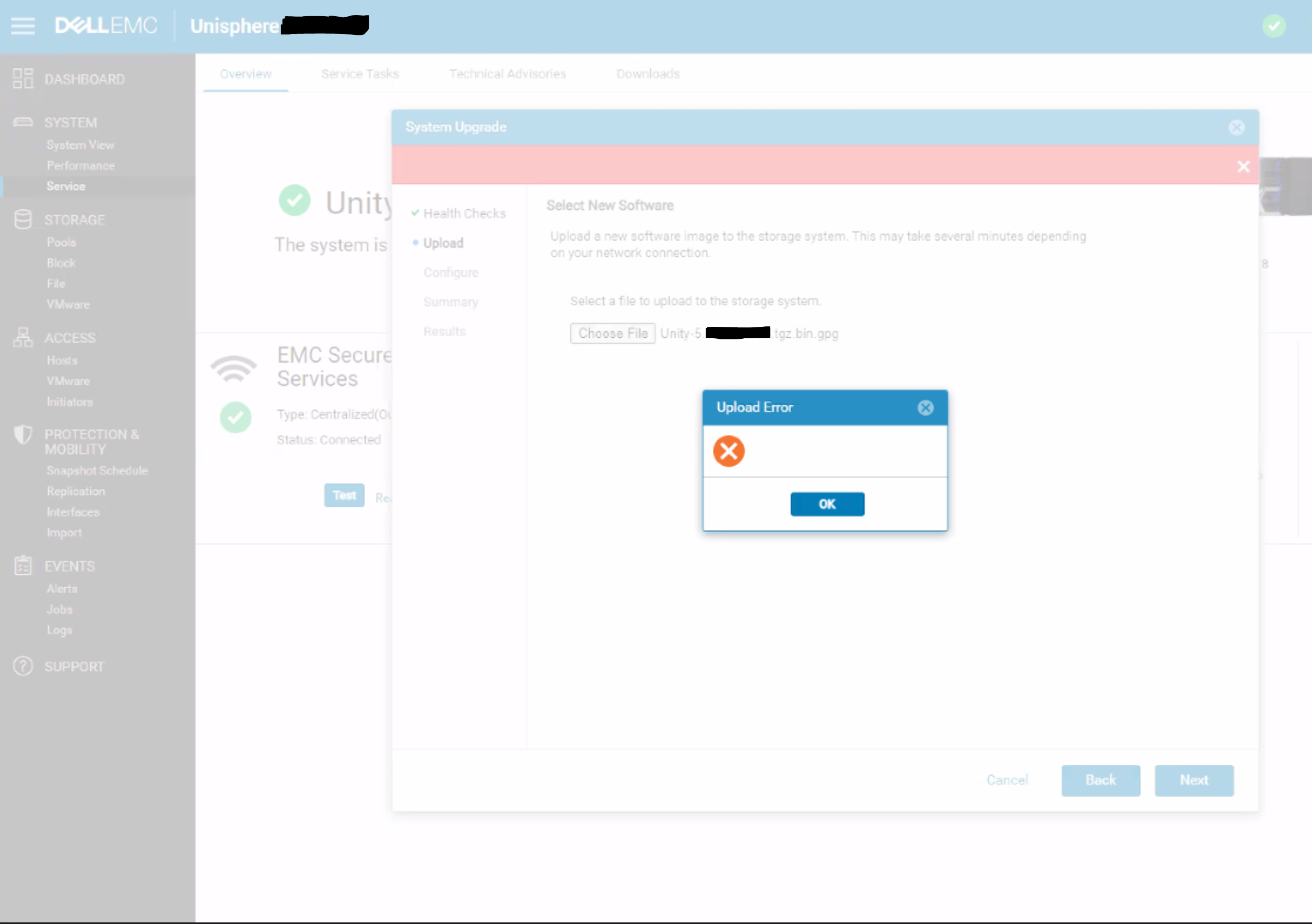
Summary: A blank upload error appears in the Unisphere dialog with no specific error message or error code.
Αυτό το άρθρο ισχύει για
Αυτό το άρθρο δεν ισχύει για
Αυτό το άρθρο δεν συνδέεται με κάποιο συγκεκριμένο προϊόν.
Δεν προσδιορίζονται όλες οι εκδόσεις προϊόντων σε αυτό το άρθρο.
Symptoms
Below error is seen on Unity Unisphere while uploading OE code for upgrade:
Cause
This is a UI issue where the UI does not correctly handle HTTP 500 or HTTP 409 errors for the REST request.
409 Conflict:
This response is sent when a request conflicts with the current state of the server.
500 Internal Server Error:
The server has encountered a situation it doesn't know how to handle.
Resolution
Workaround:
- Upload the upgrade image using uemcli command rather than from UI:
uemcli -upload -f Unity-xxx.tgz.bin.gpg upgrade
Or
- Upload the upgrade image from a system that is on the same subnet as the Unity array.
Resolution:
The fix for this issue is expected to be in the 5.2 release.
Επηρεαζόμενα προϊόντα
Dell EMC UnityΙδιότητες άρθρου
Article Number: 000190184
Article Type: Solution
Τελευταία τροποποίηση: 11 Μαΐ 2026
Version: 5
Βρείτε απαντήσεις στις ερωτήσεις σας από άλλους χρήστες της Dell
Υπηρεσίες υποστήριξης
Ελέγξτε αν η συσκευή σας καλύπτεται από τις Υπηρεσίες υποστήριξης.