Dell Pro Keyboard and Mouse KM5221W Does Not Work
Summary: The following article provides information about a problem with the Dell Pro Keyboard and Mouse (KM5221W). The keyboard and mouse do not work and reports a dongle mismatch.
Symptoms
Dell Pro Keyboard and Mouse (KM5221W) report a dongle mismatch
The following symptoms may be seen using the Dell Pro Keyboard and Mouse (KM5221W):
- The keyboard and mouse do not work
- The dongle reports a mismatch error
Cause
This is due to a synchronization error.
Resolution
The following instructions are steps to resynch or drop and pair the wireless keyboard and mouse. (Using the Dell Peripheral Manager utility):
-
Is Dell Peripheral Manager installed on the computer?
-
Install the latest Dell Peripheral Manager utility on the computer if it is not already installed. To download and install the utility, refer to: How to Download and Install Dell Drivers and Firmware
-
Go to the next step, if the utility is already installed on your computer.
-
-
Open the Utility.
-
Reseat the wireless dongle into the computer.
-
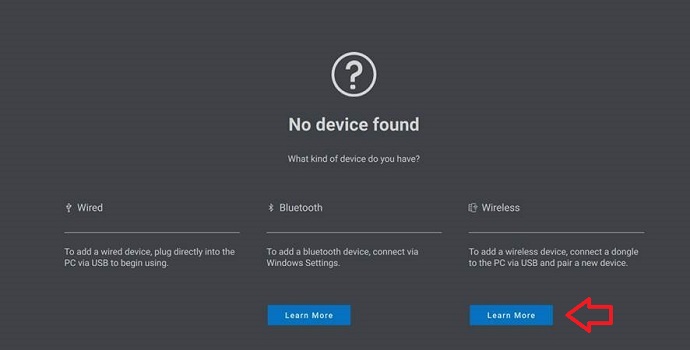
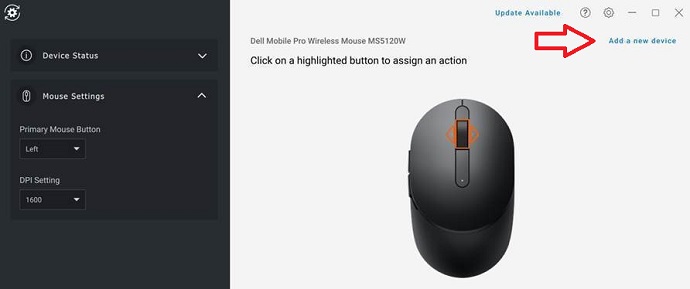
Follow these instructions if a No device found or a Device page is displayed:
-
For no device found, click Learn More under the Wireless heading:
-
For Device, click Add a new device:
-
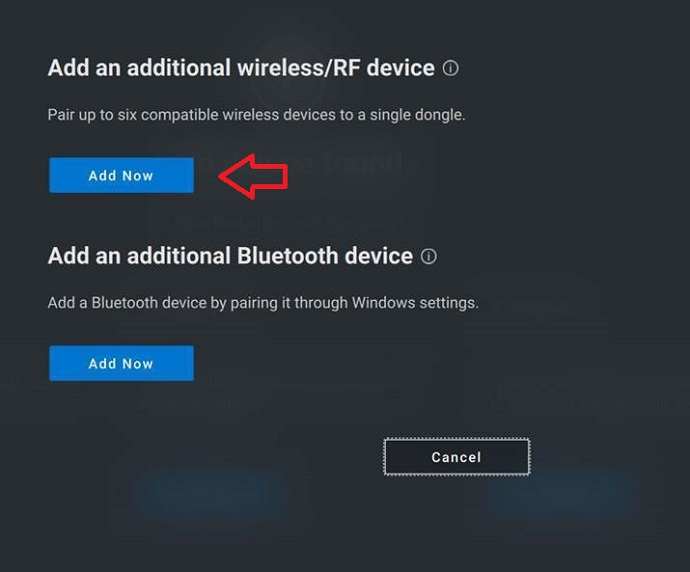
Click Add Now to Add an additional wireless and/or Radio Frequency (RF) device:
-
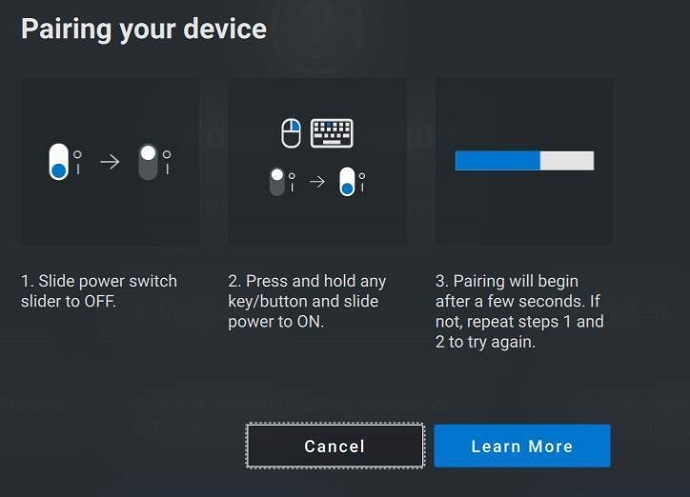
Follow the on-screen instructions to Pair your device:
-
More information about the Dell Peripheral Manager utility can be found in the following article: