PowerProtect: Server DR replication configuration job failed
Summary: PowerProtect Data Manager Server DR replication configuration job failed with 'Unable to establish connection to Data Domain'. The fix is to enable replication for the Server DR.
Αυτό το άρθρο ισχύει για
Αυτό το άρθρο δεν ισχύει για
Αυτό το άρθρο δεν συνδέεται με κάποιο συγκεκριμένο προϊόν.
Δεν προσδιορίζονται όλες οι εκδόσεις προϊόντων σε αυτό το άρθρο.
Symptoms
After clicking the 'Enable Replication' for PowerProtect Data Manager Disaster Recovery (DR) backup, the configuration job failed with error 'Unable to establish connection to Data Domain'. 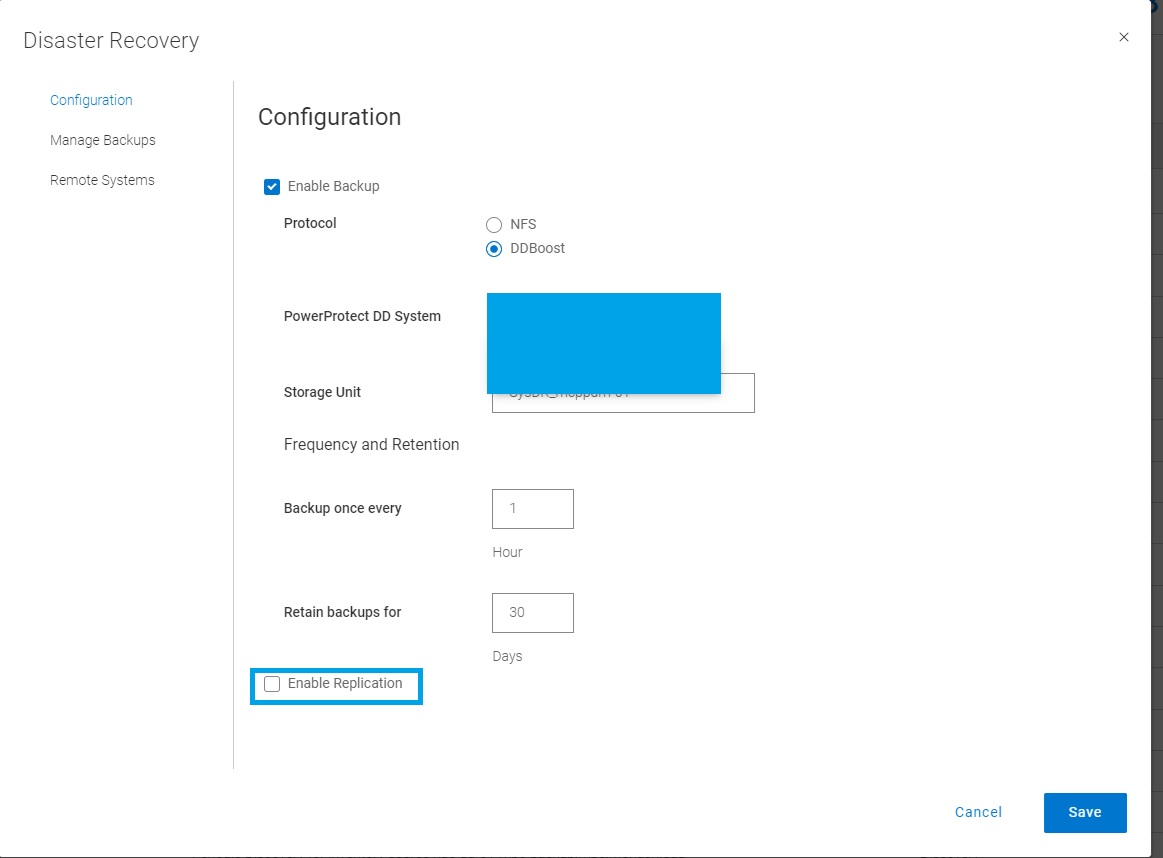
serverdr.log has below messages, or errors logged.
2022-08-29T05:56:37.455Z INFO [] [SimpleAsyncTaskExecutor-4] [][][][][] [c.e.b.s.common.SshManager.connect(121)] - *******timeout: socket is not established*******
2022-08-29T05:56:37.455Z INFO [] [SimpleAsyncTaskExecutor-4] [][][][][] [c.e.b.s.common.SshManager.sendCommand(143)] - Could not connect to the host <DD_hostname> with username: <DD_username> password: *****
...
2022-08-29T05:58:07.483Z INFO [] [SimpleAsyncTaskExecutor-4] [][][][][] [c.e.d.e.c.s.c.s.i.AutoConfigServiceImpl.configureStorageUnitForReplicationTarget(5748)] - configureStorageUnitForReplicationTarget exception: com.emc.dpsg.ecdm.cs.serverdr.core.exception.SdrException: SDR_REPL_SSH_NULL_ERROR code=500 reason="Unable to establish connection to Data Domain <DD_hostname>, received null response" remediation="none"
Cause
PowerProtect Data Manager cannot establish an SSH connection with either or both source and or replication Data Domain.
Resolution
To enable replication for the Server DR, PowerProtect uses SSH (port 22) to connect to replication source and target DD storage systems.
Port 22 for both source and target DD systems must be opened to the PowerProtect server.
Επηρεαζόμενα προϊόντα
PowerProtect Data ManagerΙδιότητες άρθρου
Article Number: 000202899
Article Type: Solution
Τελευταία τροποποίηση: 11 Δεκ 2025
Version: 5
Βρείτε απαντήσεις στις ερωτήσεις σας από άλλους χρήστες της Dell
Υπηρεσίες υποστήριξης
Ελέγξτε αν η συσκευή σας καλύπτεται από τις Υπηρεσίες υποστήριξης.