XMP Memory Speed Does Not Match the Specifications That was Ordered
Summary: This article discusses an issue where Alienware Desktops do not report the correct memory speed.
Αυτό το άρθρο ισχύει για
Αυτό το άρθρο δεν ισχύει για
Αυτό το άρθρο δεν συνδέεται με κάποιο συγκεκριμένο προϊόν.
Δεν προσδιορίζονται όλες οι εκδόσεις προϊόντων σε αυτό το άρθρο.
Symptoms
Affected Platforms:
- Alienware Aurora R15
- Alienware Aurora R15 AMD
The computer may report that the XMP memory only works at 4800 Mhz but should be working at 5200 Mhz or 5600 Mhz.
Cause
This is working as designed.
Resolution
The XMP memory speed is 4800 Mhz as shipping setting on Alienware Aurora R15 and Alienware Aurora R15 AMD. Users must enable XMP function in BIOS setup or Alienware Command Center (AWCC) to enable maximum speed, 5200 Mhz, or 5600 Mhz, depending on what memory user ordered.
How to enable XMP memory speed through BIOS:
- Press the F12 key as the computer boots, to enter the BIOS
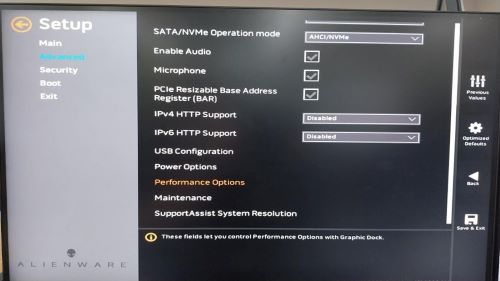
- Select Advanced > Performance Options
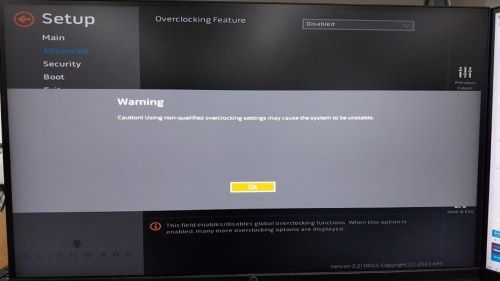
- Overclocking Feature Disable change to Enable. Click OK when a warning message is displayed.
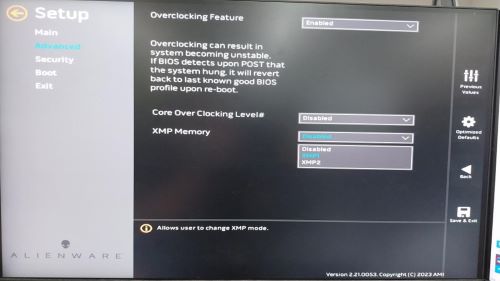
- Change XMP memory from Disable to XMP1
How to enable max XMP memory speed through AWCC:
Optional 1
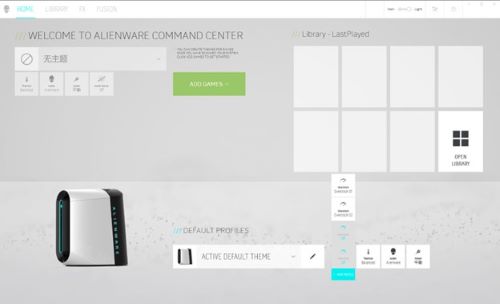
- Open AWCC in the operating system, enter OK when a warning message is displayed
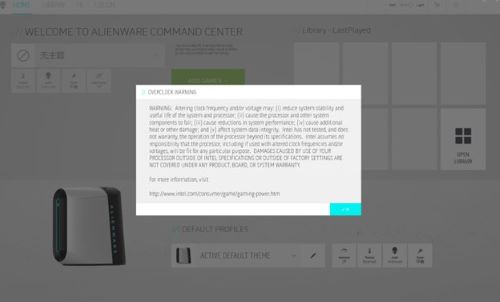
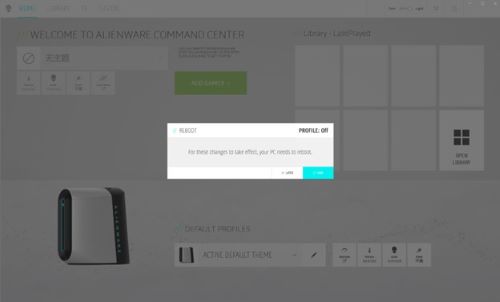
- Enter Overclock and change Off to Overclock 02
- A warning message is displayed alerting you to reboot to make the change effective, enter OK to reboot the computer
Optional 2:
Set XMP speed without CPU overclocking through AWCC
- Open AWCC in the operating system, enter OK when a warning message is displayed
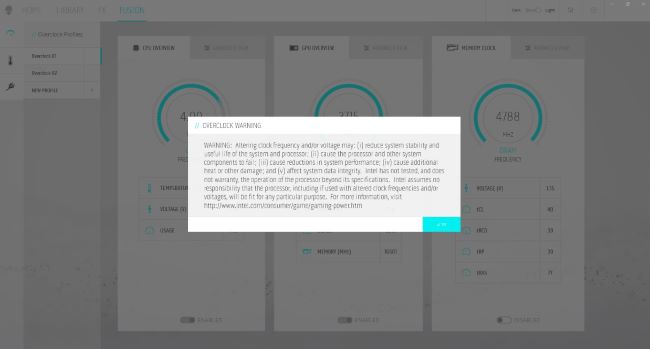
- Enter FUSION > ADVANCED VIEW
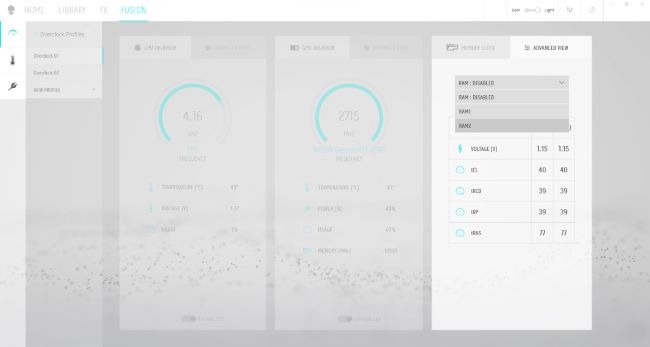
- Select RAM1, then save profile as a new name
- A warning message is displayed that you must reboot to make the change effective, enter OK to reboot computer
Επηρεαζόμενα προϊόντα
Alienware Aurora R15 AMD, Alienware Aurora R15Ιδιότητες άρθρου
Article Number: 000216336
Article Type: Solution
Τελευταία τροποποίηση: 16 Απρ 2025
Version: 4
Βρείτε απαντήσεις στις ερωτήσεις σας από άλλους χρήστες της Dell
Υπηρεσίες υποστήριξης
Ελέγξτε αν η συσκευή σας καλύπτεται από τις Υπηρεσίες υποστήριξης.