Dell NativeEdge: PowerProtect Data Manager cannot onboard IP-based orchestrator
Summary: PowerProtect Data Manager cannot onboard IP-based Dell Automation Platform Orchestrator.
Αυτό το άρθρο ισχύει για
Αυτό το άρθρο δεν ισχύει για
Αυτό το άρθρο δεν συνδέεται με κάποιο συγκεκριμένο προϊόν.
Δεν προσδιορίζονται όλες οι εκδόσεις προϊόντων σε αυτό το άρθρο.
Symptoms
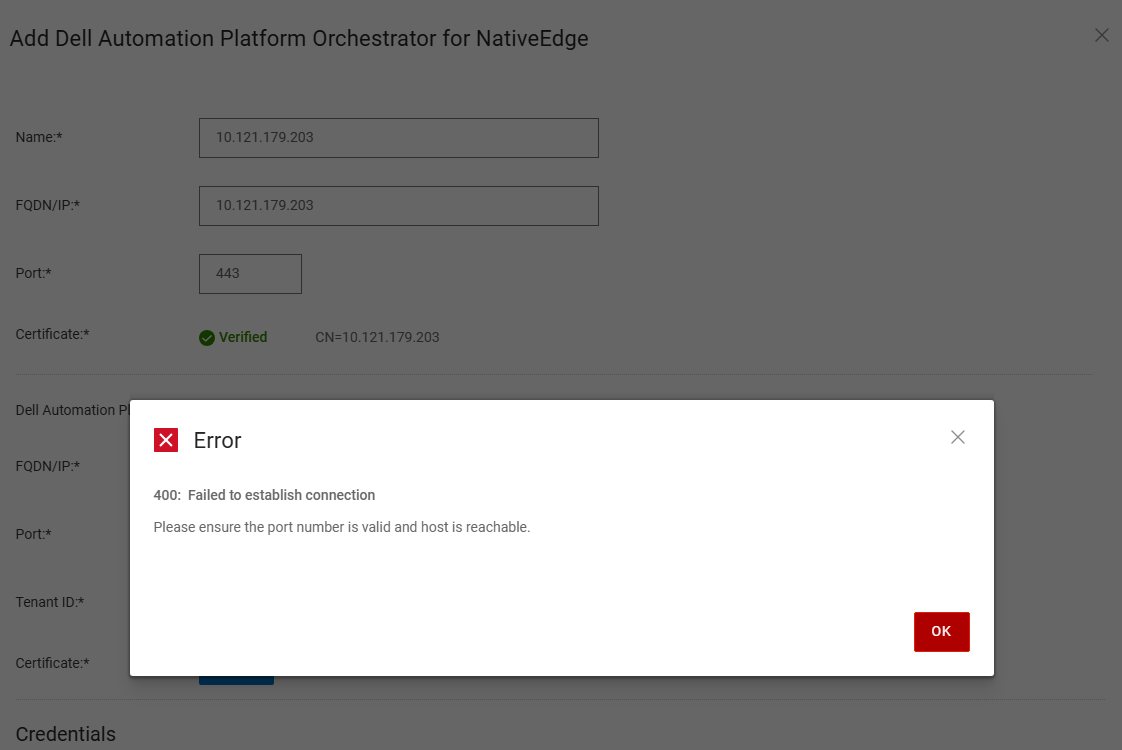
PowerProtect Data Manager refers to the Dell PowerProtect Data manager. When a user tries to onboard an IP-based Dell Automation Platform Orchestrator to PowerProtect Data Manager, the user receives error 400: fail to establish a connection.
Cause
As of NativeEdge v4.0.0.0 release, PowerProtect Data Manager does not support onboard IP-based Dell Automation Platform Orchestrator.
Resolution
The workaround is to deploy an orchestrator using a Fully Qualify Domain Name, Refer to the PowerProtect Data Manager deployment guide for further information.
Επηρεαζόμενα προϊόντα
Dell Automation Platform, NativeEdge Solutions, Dell Automation Platform Components, PowerProtect Data Domain Management Center, NativeEdgeΙδιότητες άρθρου
Article Number: 000382839
Article Type: Solution
Τελευταία τροποποίηση: 28 Νοε 2025
Version: 1
Βρείτε απαντήσεις στις ερωτήσεις σας από άλλους χρήστες της Dell
Υπηρεσίες υποστήριξης
Ελέγξτε αν η συσκευή σας καλύπτεται από τις Υπηρεσίες υποστήριξης.