Dell Automation Platform: External vCenter Connection Objects Inconsistent with vSphere UI
Summary: This article clarifies potential inconsistent Virtual Machine (VM) count under vCenter Environment of External Connections in Automation Platform UI.
Αυτό το άρθρο ισχύει για
Αυτό το άρθρο δεν ισχύει για
Αυτό το άρθρο δεν συνδέεται με κάποιο συγκεκριμένο προϊόν.
Δεν προσδιορίζονται όλες οι εκδόσεις προϊόντων σε αυτό το άρθρο.
Symptoms
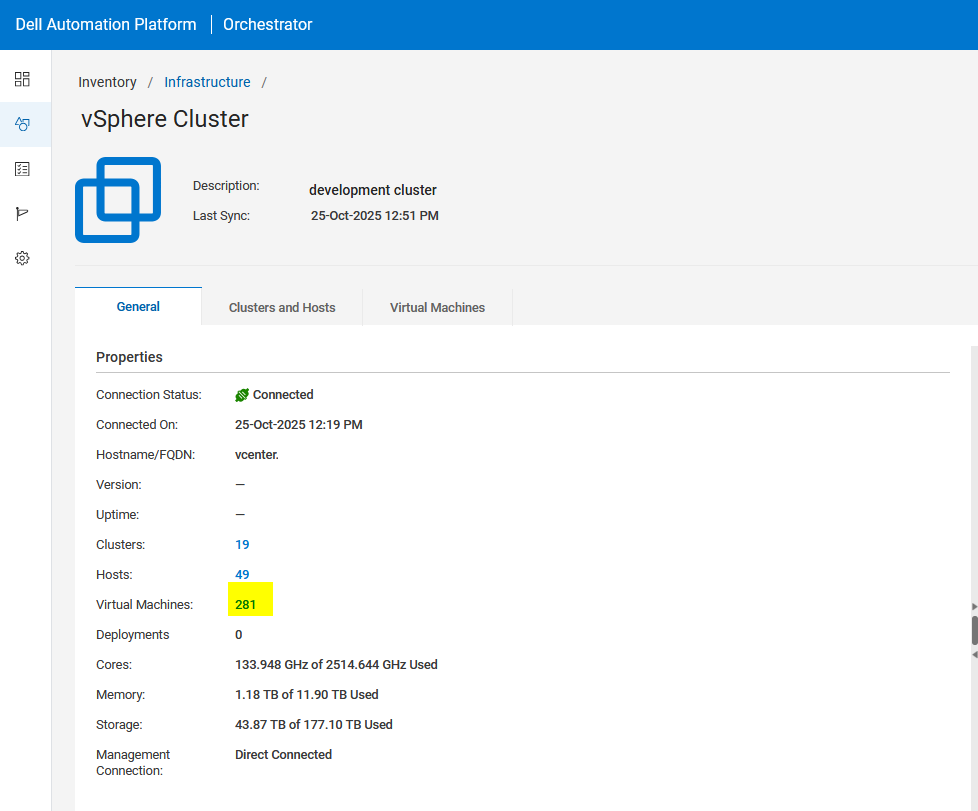
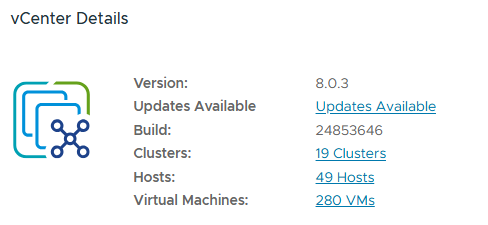
When observing the Virtual Machine count from Orchestrator UI > Infrastructure >External Connection > vCenter Environment, the VM count may differ from the vSphere UI.
In the example below, the Virtual Machine count is 281 in Automation Platform UI.
From vSphere UI, the Virtual Machine count reports 280.
Cause
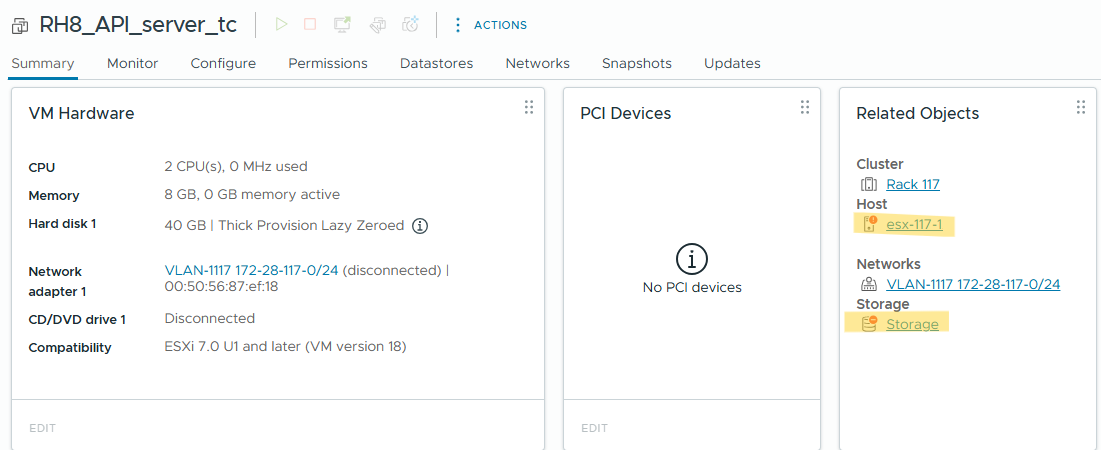
It has been observed that when a VM is disconnected, the host is Not responding, or a datastore is inaccessible, the vSphere and Automation Platform UI VM count may differ.
The VM object, RH8_API_server_tc, is present in the UI in a faulted state.
Resolution
The number of VMs seen in Automation Platform UI is on parity with vCenter VMs from the vCenter REST API data. Minor discrepancies may exist due to UI-level filtering in vSphere/vCenter.
Επηρεαζόμενα προϊόντα
Dell Automation Platform, NativeEdge Solutions, Dell Automation Platform Components, NativeEdgeΙδιότητες άρθρου
Article Number: 000385253
Article Type: Solution
Τελευταία τροποποίηση: 08 Ιαν 2026
Version: 2
Βρείτε απαντήσεις στις ερωτήσεις σας από άλλους χρήστες της Dell
Υπηρεσίες υποστήριξης
Ελέγξτε αν η συσκευή σας καλύπτεται από τις Υπηρεσίες υποστήριξης.