Secure Connect Gateway: Connectrix Cisco MDS Switch is unreachable
Summary: This article explains how to solve and error when trying to connect to the switch remotely by Secure Connect Gateway (SCG): Error: Failed to initiate Remote support due to connectivity issues from the gateway. ...
This article applies to
This article does not apply to
This article is not tied to any specific product.
Not all product versions are identified in this article.
Instructions
When trying to connect to the Switch remotely by Secure Connect Gateway (SCG), this error can appear:
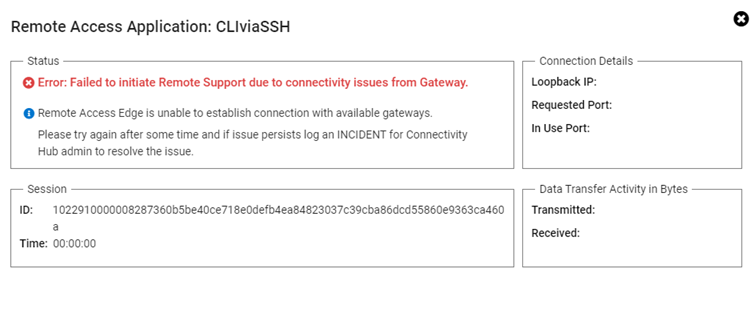
Error: Failed to initiate Remote support due to connectivity issues from the gateway.
Resolution:
Perform the below steps:
- Log in to SCG (Secure Connect Gateway) User Interface Page with admin credentials.
- On the upper right tab, choose connectivity test.
- Then click test the connection.
- If all are green, reboot SCG Virtual Machine (this resolves the issue).
- If the same issue persists and all tests are green tick, contact Dell support.
Affected Products
Secure Connect GatewayProducts
Secure Connect Gateway, EMC Secure Remote ServicesArticle Properties
Article Number: 000212403
Article Type: How To
Last Modified: 21 Nov 2025
Version: 4
Find answers to your questions from other Dell users
Support Services
Check if your device is covered by Support Services.