PowerEdge: NVIDIA Bluefield Software Subscription Activation Guide
Summary: This guide provides detailed instructions on how to activate a NVIDIA BlueField Software Subscription for Dell PowerEdge servers. It covers the steps required to register the NVIDIA BlueField serial numbers. How to activate a software subscription and set up a NVIDIA Enterprise Account to access Enterprise Support. ...
This article applies to
This article does not apply to
This article is not tied to any specific product.
Not all product versions are identified in this article.
Instructions
Step 1: Register NVIDIA BlueField Adapters on NVIDIA GPU Cloud (NGC).
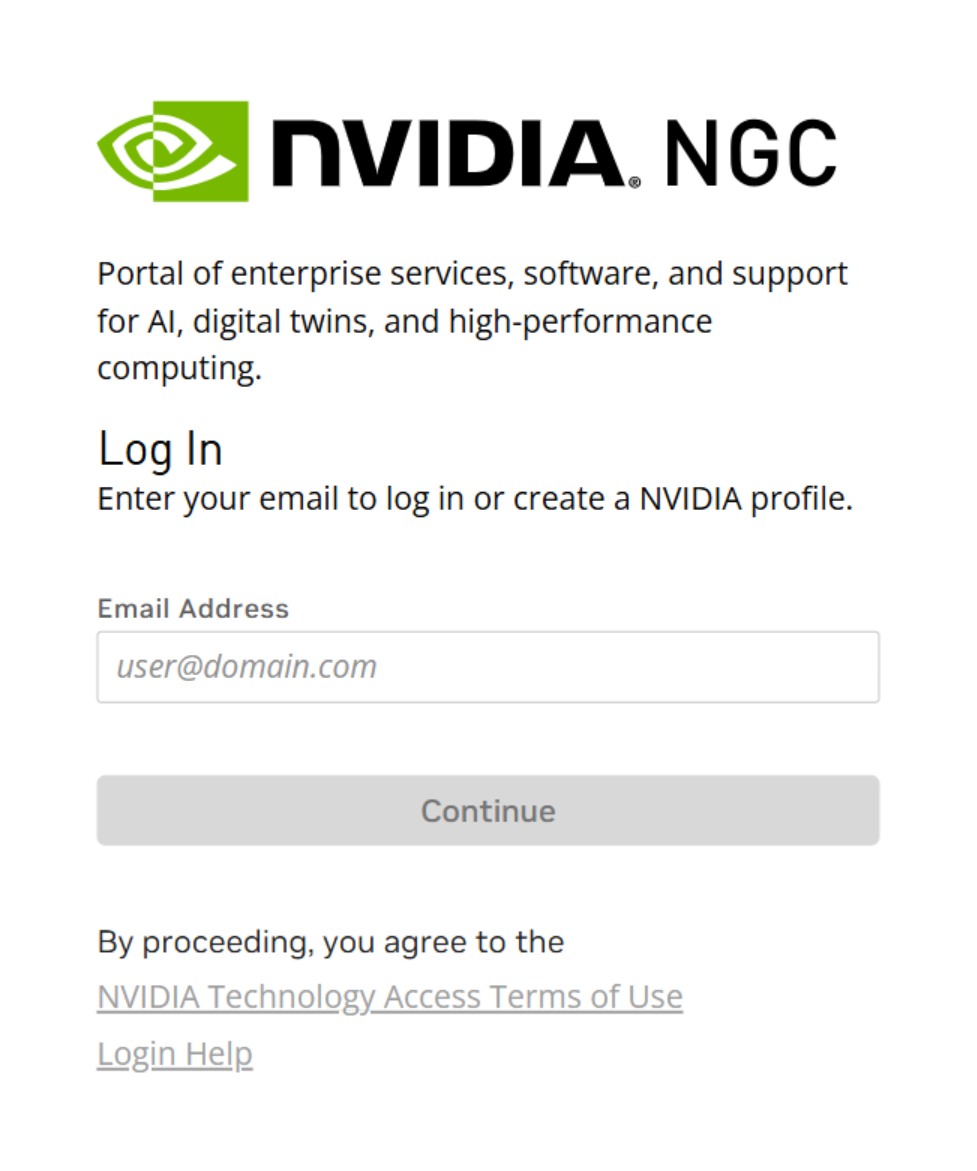
Log in to your NVIDIA NGC account:
-
- Go to NVIDIA NGC.
- Use NGC account credentials. If there is not an active NGC account, a prompt to create one using a business email displays.
- Go to NVIDIA NGC.

Activate Subscription:
-
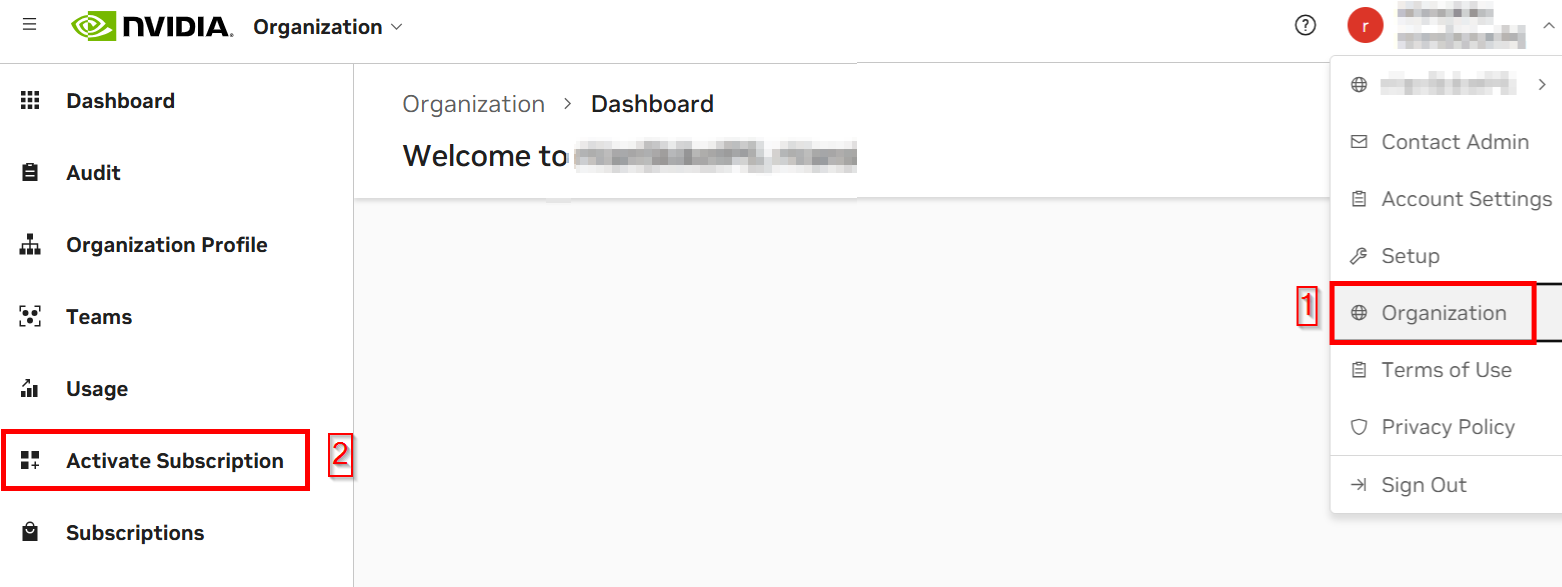
- Once logged in, click "Activate Subscription" under "Organization" in the far-left navigation column.
-
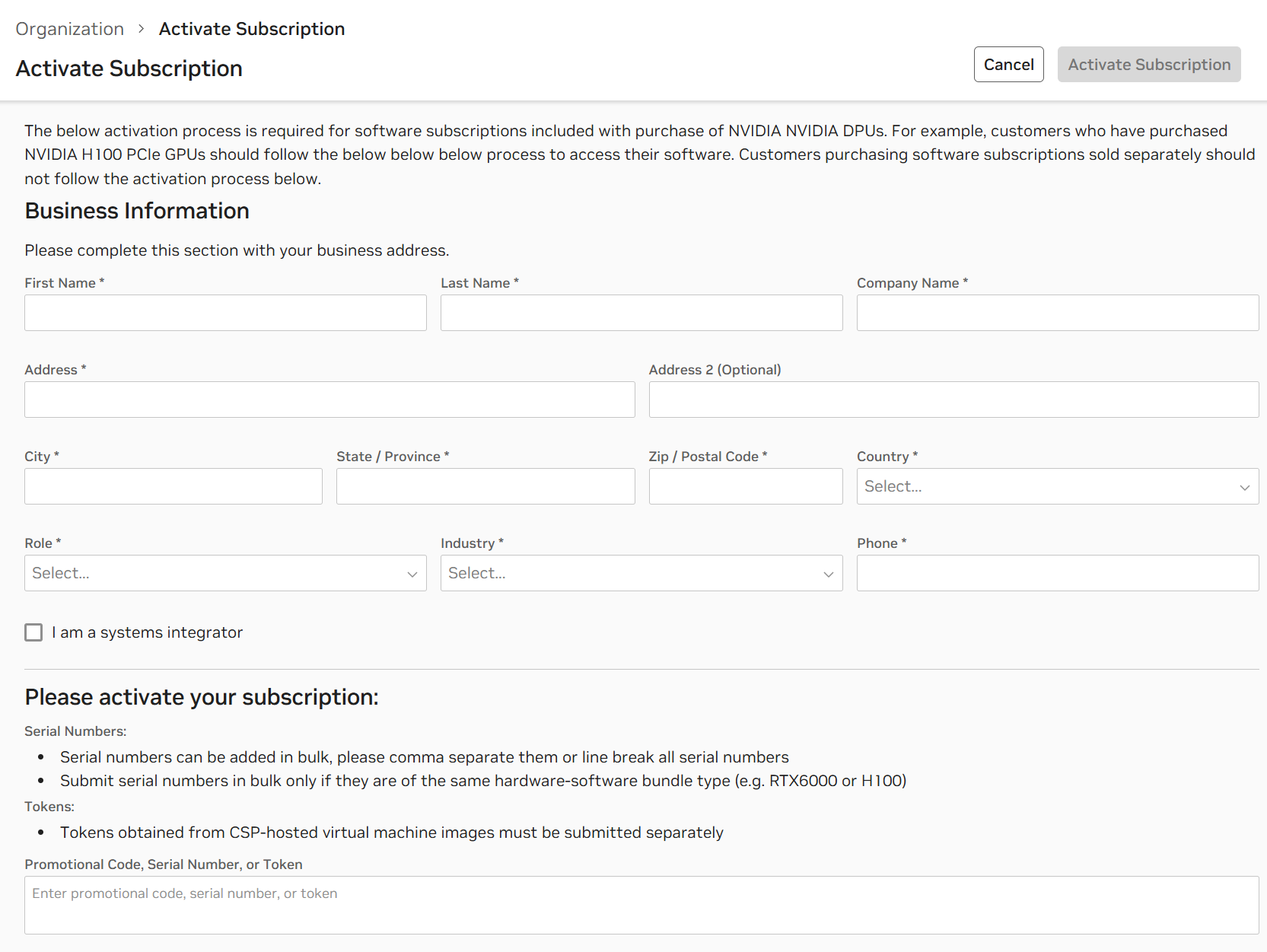
- Complete the fields for the "Activate Subscription" form with the company information.
- In the "Serial Number" field, enter one or more BlueField serial numbers, separated by commas or new lines.
Dell BlueField Cards:
-
- Use the table below to identify which Serial Number format to enter during registration:
| Product Name | Product SKU | PSID | Description | Serial Number Formats |
|---|---|---|---|---|
| 0NDP41 | 900-9D3B6-01CN-PA0 | MT_0000001188 | NVIDIA Bluefield-3 Dual Port 400 GbE QSFP112 Crypto DPU | NVIDIA Serial Number Format |
| 0HFWRM | 900-9D3B6-01CV-AA0 | MT_0000000884 | NVIDIA Bluefield-3 Dual Port 200 GbE QSFP Crypto DPU | Dell Serial Number Format |
| 0WJ9T5 | 900-9D3B6-01CV-AA1 | MT_0000000884 | NVIDIA Bluefield-3 Dual Port 200 GbE QSFP Crypto DPU | NVIDIA Serial Number Format |
| 0XNWR4 | 900-9D3B6-01CC-AA0 | MT_0000001115 | NVIDIA Bluefield-3 Dual Port 100 GbE QSFP Crypto DPU | Dell Serial Number Format |
| 0KK4NR | 900-9D3D4-01EN-HA0 | MT_0000001069 | NVIDIA Bluefield-3 Single Port 400 GbE QSFP Crypto DPU | Dell Serial Number Format |
| 06CMW1 | 900-9D3D4-01EN-HA1 | MT_0000001069 | NVIDIA Bluefield-3 Single Port 400 GbE QSFP Crypto DPU | NVIDIA Serial Number Format |
Step 2: Activate NVIDIA BlueField Software Subscription.
Activate Subscription:
-
- Click "Activate Subscription" in the upper-right corner once all fields are entered.
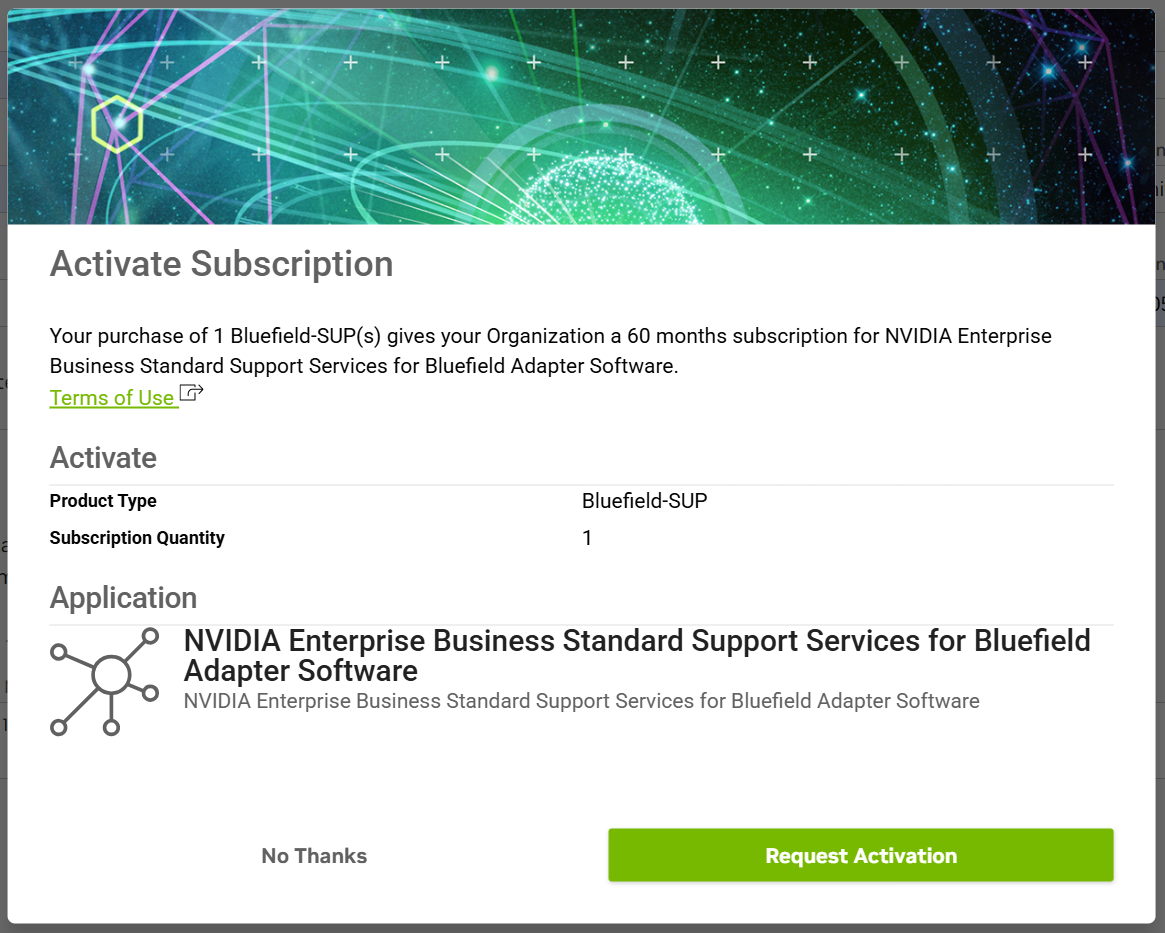
- Review and confirm activation in the display window.
- Click "Request Subscription" to complete the process.
Subscription Status:
-
- The subscription status shows as "Active" or "Pending" while approvals are processed (up to 48 hours).
Step 3: Set Up NVIDIA Enterprise Account
Email Confirmation:
-
- An email should be received from NVIDIA within 24 hours to initiate an Enterprise Account.
- Check the junk or spam filter if the email is not seen.
Create Enterprise Support Account:
-
- Follow the instructions in the email to create an Enterprise Support account on the Enterprise Support Portal.
By following these steps, it ensures the BlueField data processing unit remains secure and compliant with the latest updates and patches of NVIDIA BlueField software, and it provides access to technical support resources to keep projects on track.
- For the most up-to-date instructions on how to register a NVIDIA BlueField Software Subscription, go to the official NVIDIA NGC registration page.
Affected Products
Mellanox Family of AdaptersArticle Properties
Article Number: 000339688
Article Type: How To
Last Modified: 25 Sep 2025
Version: 2
Find answers to your questions from other Dell users
Support Services
Check if your device is covered by Support Services.