如何确保戴尔计算机或显示器的物理安全
Summary: 您可以使用安全插槽,通过线缆固定您的戴尔台式机、笔记本电脑、坞站或显示器。
This article applies to
This article does not apply to
This article is not tied to any specific product.
Not all product versions are identified in this article.
Instructions
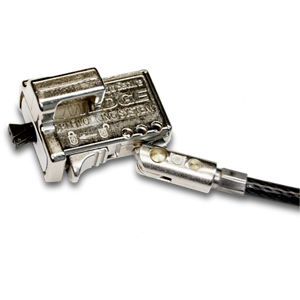
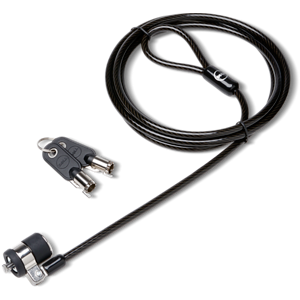
什么是 Kensington 或 Noble 安全插槽?
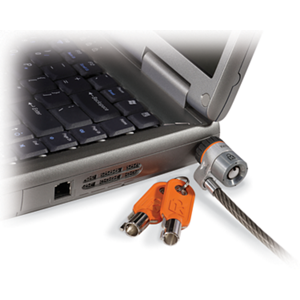
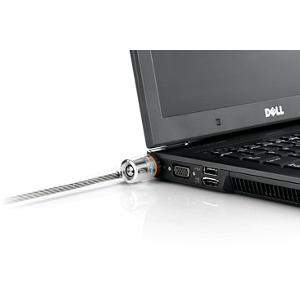
台式机、笔记本电脑、坞站和显示器等戴尔设备都配有安全插槽,可使用电缆保护您的财产。
插槽位置依据产品不同而不同,以下为插槽位置的简要说明:
| 设备 | 位置 |
|---|---|
| 笔记本电脑 | 机箱左侧或右侧 |
| 坞站 | 机箱右侧,出坞按钮旁边。 |
| Monitor | 显示器背面,通常为面向显示器时的右侧 |
什么是挂锁环?
戴尔台式机在机箱背面配有挂锁环,以防止他人未经授权进入机箱内部。较新的戴尔台式计算机还配备了安全插槽。例如,OptiPlex 9010 的功能可以在 OptiPlex 9010 在线手册页面上的 OptiPlex 9010 设置和功能信息手册中找到。


其他资源
- 要确定您的戴尔设备上存在哪些安全插槽,请查找您的戴尔产品的手册和说明文件,查找快速入门指南或服务手册。
- 购买安全电缆。
- 有关 Kensington 安全插槽的 Wikipedia 文章。
- Noble 锁定网站。
Article Properties
Article Number: 000179489
Article Type: How To
Last Modified: 25 Jul 2025
Version: 8
Find answers to your questions from other Dell users
Support Services
Check if your device is covered by Support Services.