How to Download and Install Foxit eSign
Summary: This article discusses how to setup the Foxit eSign subscription.
This article applies to
This article does not apply to
This article is not tied to any specific product.
Not all product versions are identified in this article.
Instructions
Affected Products:
- Foxit eSign
Affected Operating Systems:
- Windows
Foxit eSign is a cloud-based subscription service that prepares and gathers important signed documents. A Foxit eSign subscription can be purchased when ordering select Dell Windows commercial and consumer computers.
Note: After the Foxit eSign subscription expires, customers will purchase or renew directly through https://www.foxit.com/account/subscription.html.
Click either New Setup or Reinstall for the appropriate directions.
To setup the subscription:
- In the Windows start menu, locate and then click Dell Digital Delivery.
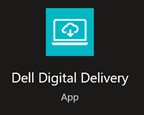
Figure 1: (English Only) Dell Digital Delivery
Note: If Dell Digital Delivery is missing, reference How to Download and Install Dell Digital Delivery.
- Locate Foxit eSign and then click Redeem.

Figure 2: (English Only) Redeem license key for Foxit eSign
Note:
- If Foxit Sign is not listed, that could indicate connectivity issues, or the software is not associated to your Dell Digital Delivery account. In those situations, contact support.
- For more information, How to Get Support for Foxit Products Sold at Dell.
- The License Key has been omitted from the above screenshots.
- Dell Digital Delivery will automatically redirect to https://account.foxit.com/
. Either Create a new account or Login with your Foxit credentials.
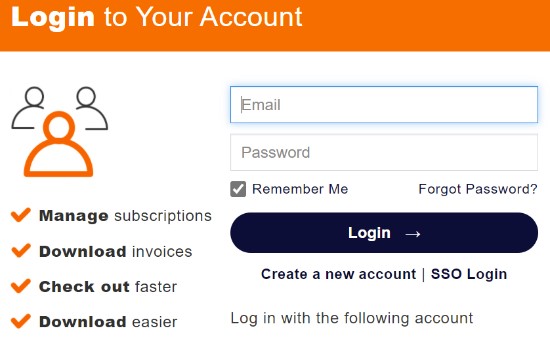
Figure 3: (English Only) Foxit login
Note:
- For issues accessing your Foxit account:
- Validate the email that is used is tied to a Foxit subscription.
- Dell technical support is unable to validate the email that is used to setup the Foxit subscription, to protect your privacy. Contact the vendor directly for assistance at https://kb.foxitsoftware.com
- Populate the Redemption Code (license key) from step 2 and then click Redeem Now.

Figure 4: (English Only) Foxit Sign subscription redemption code
- Click Yes to bind the redemption code (step 2) to the associated email.

Figure 5: (English Only) Foxit eSign subscription verification
Warning: The redemption code can only be used once.
- Click OK to automatically download an installer.
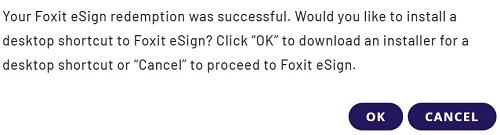
Figure 6: (English Only) Foxit eSign download
- On launch, confirm the License number and then click Activate.
Note: Optionally, go to https://foxitsign.foxit.com/
instead of installing the desktop shortcut.
instead of installing the desktop shortcut.
- On the Windows desktop, double-click foxitsign to be redirected to the web service.

Figure 7: (English Only) Foxitsign icon
- Login with your Foxit credentials (step 3)
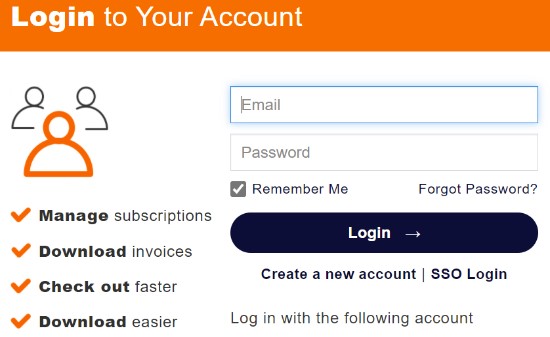
Figure 8: (English Only) Foxit login
Note: Foxit eSign is supported on Google Chrome, Microsoft Edge, or Mozilla Firefox.
Note: An active Foxit eSign subscription is required to access the service.
Foxit eSign is a cloud-based service and can be accessed using the Google Chrome, Microsoft Edge, or Mozilla Firefox web browser.
To access the product:
Note: You may optionally create a desktop shortcut to the Foxit eSign service by installing: https://cdn09.foxitsoftware.com/pub/foxit/foxit-sign/bin/foxitsign.exe [cdn09.foxitsoftware.com]
- Login with your Foxit credentials
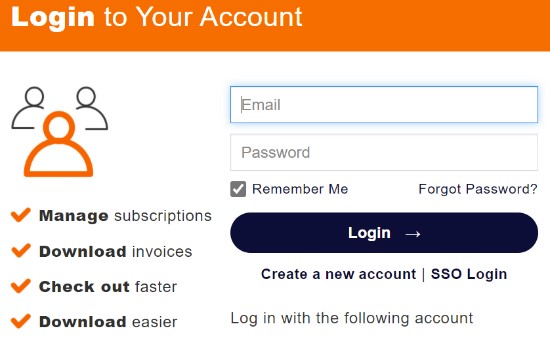
Figure 9: (English Only) Foxit login
Note:
- A Foxit account is generated during the initial setup of a Foxit subscription.
- For issues accessing your Foxit account:
- Validate the email that is used is tied to a Foxit subscription.
- Dell technical support is unable to validate the email that is used to setup the Foxit subscription, to protect your privacy. Contact the vendor directly for assistance at https://kb.foxitsoftware.com
Article Properties
Article Number: 000195973
Article Type: How To
Last Modified: 13 Feb 2024
Version: 8
Find answers to your questions from other Dell users
Support Services
Check if your device is covered by Support Services.