VxRail: How to Create a Mounted Image and Upgrade Firmware from the Lifecycle Controller
Summary: In certain cases, we must upgrade the firmware through the Lifecycle controller. The use of USB drives or network sharing is limited. We can create an image disk from a virtual console then mount it to the iDRAC. ...
This article applies to
This article does not apply to
This article is not tied to any specific product.
Not all product versions are identified in this article.
Instructions
Table of Contents:
-
How to create an image with iDRAC 2.
-
How to mount an image with iDRAC 4.
-
How to upgrade Firmware from Lifecycle.
Starting in iDrac 6.00.00 Java is no longer an option. The process is the same in HTML client. If you encounter the following error when creating an image using chrome: "To use this feature. A secure HTTPS connection is required. Ensure you have a secure HTTPS connection." Switch to Firefox or disable some security features of Chrome.
How to create an image with iDRAC.
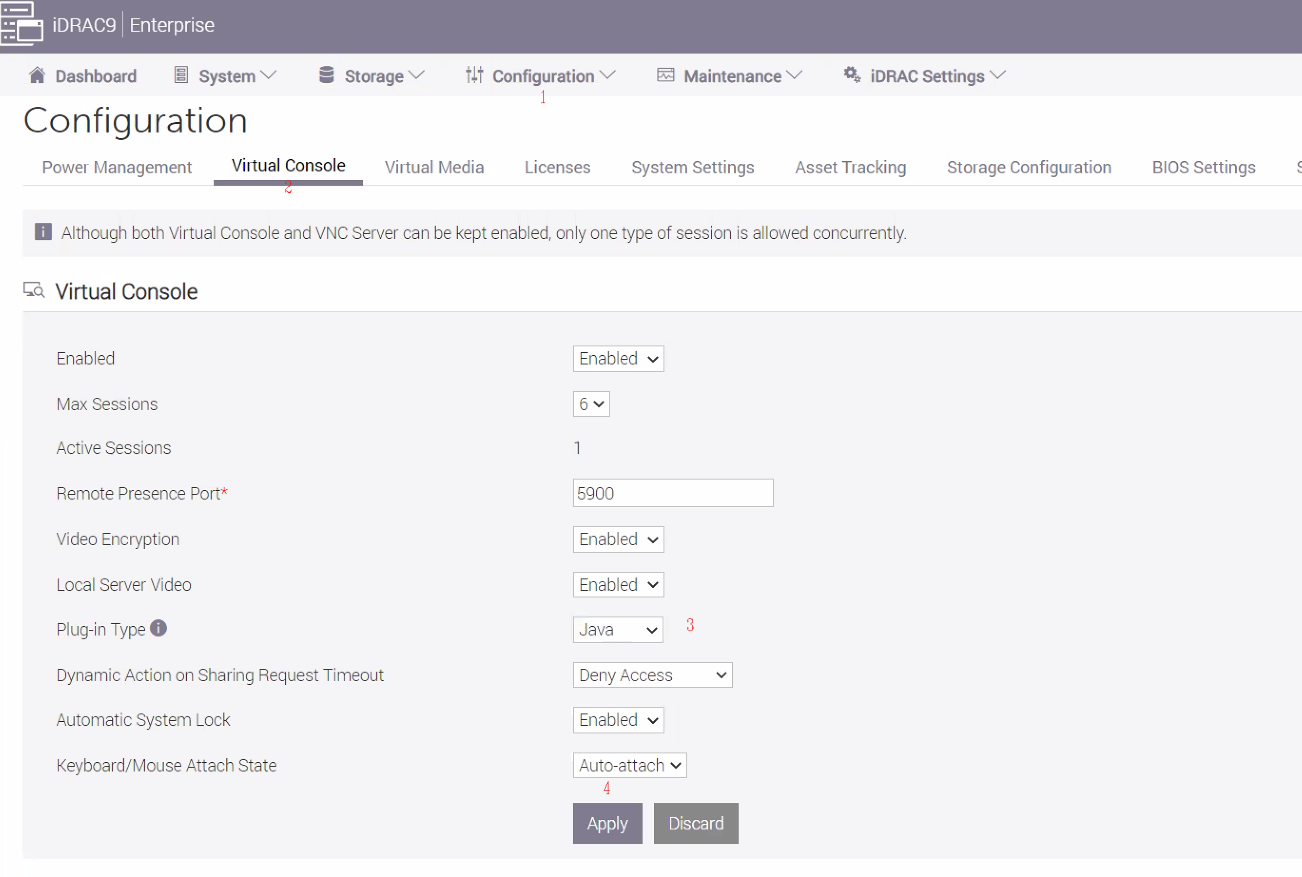
- Change the Plug-in-Type to Java save it, then start the Virtual Console.
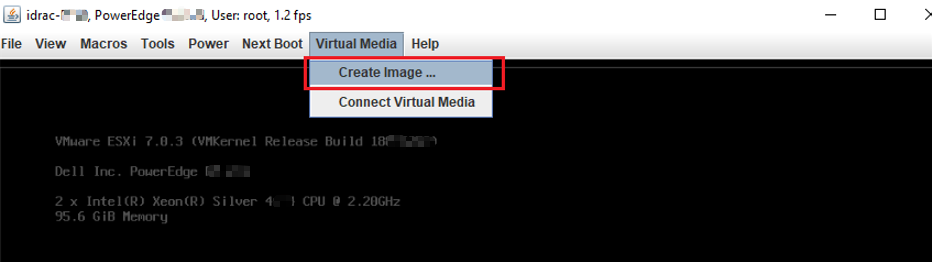
- Choose Virtual Media then click Create Image.
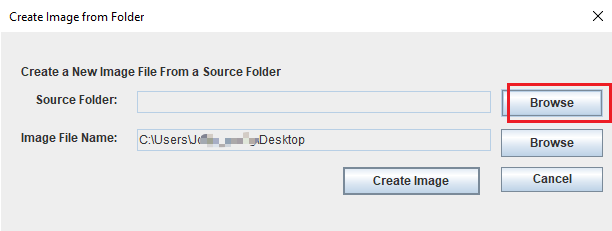
- Browse the Source Folder (The folder that includes the firmware [DUP exe files]) and Open it.
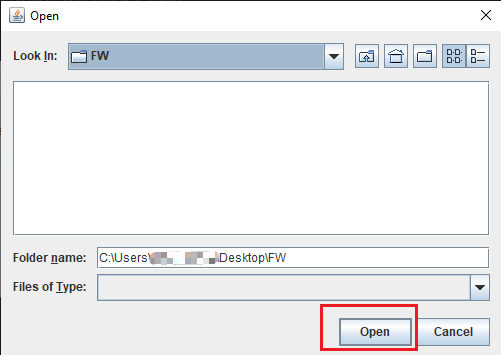
- Create Image. The image will be downloaded locally.
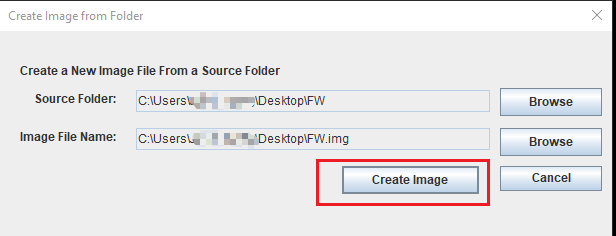
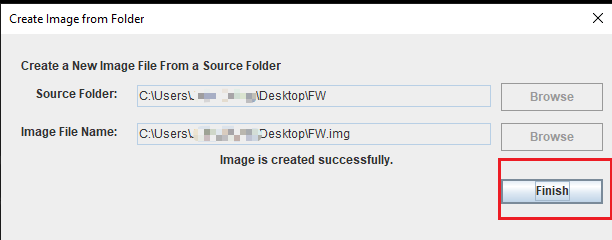
How to mount an image with iDRAC.
- Click Virtual Media then Connect to Virtual Media.
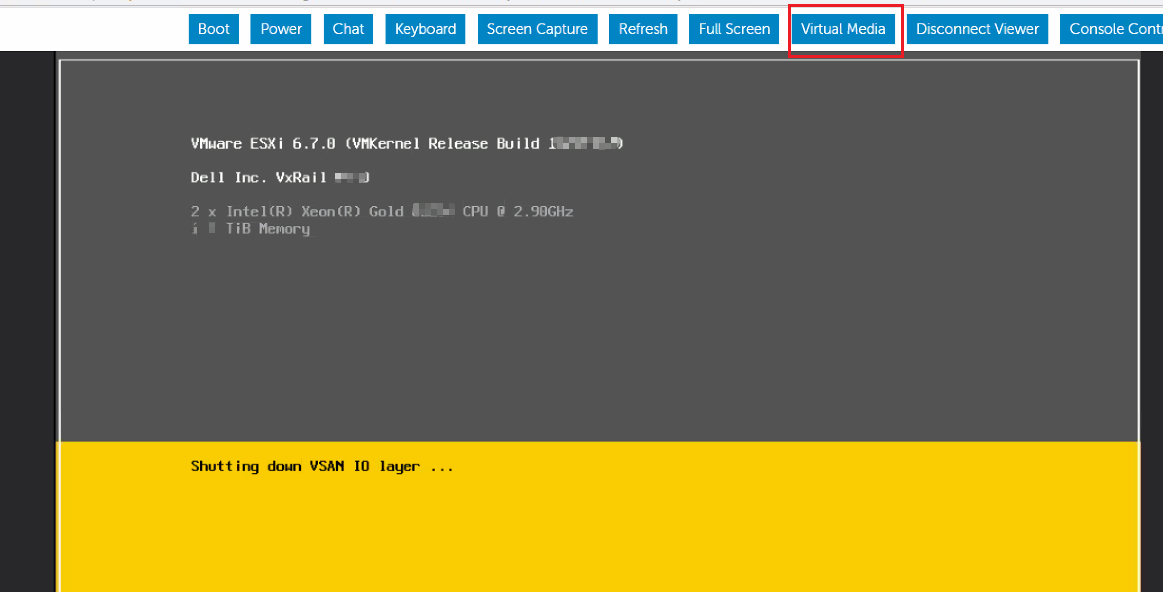

- Map Removable Disk then Close the tab.
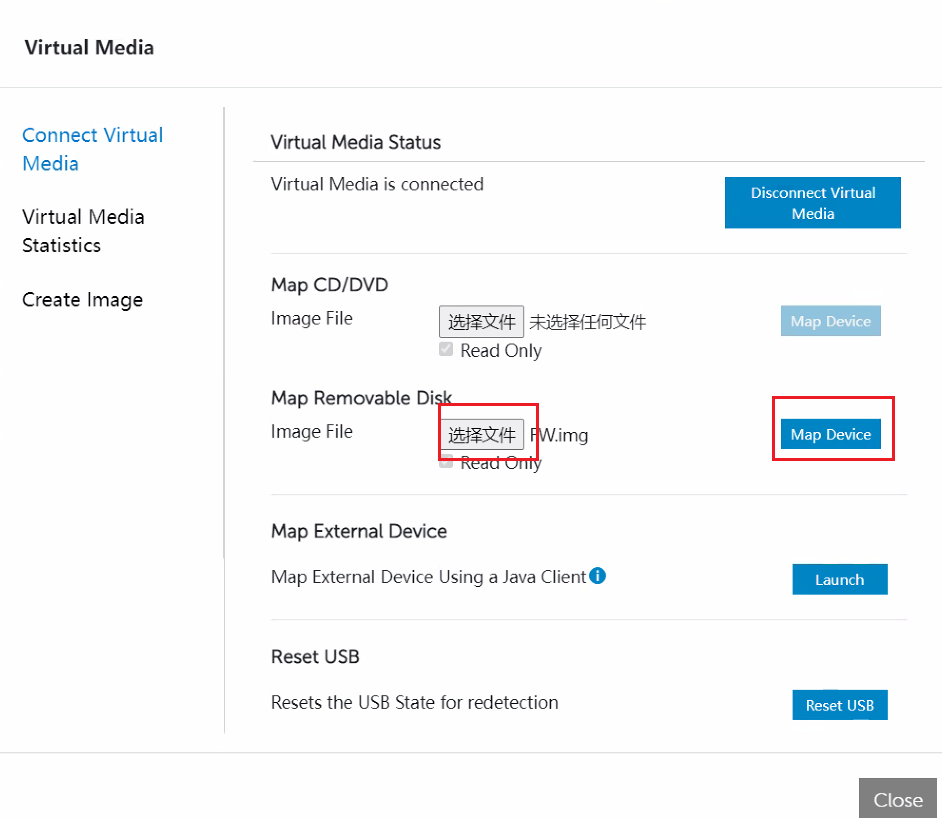
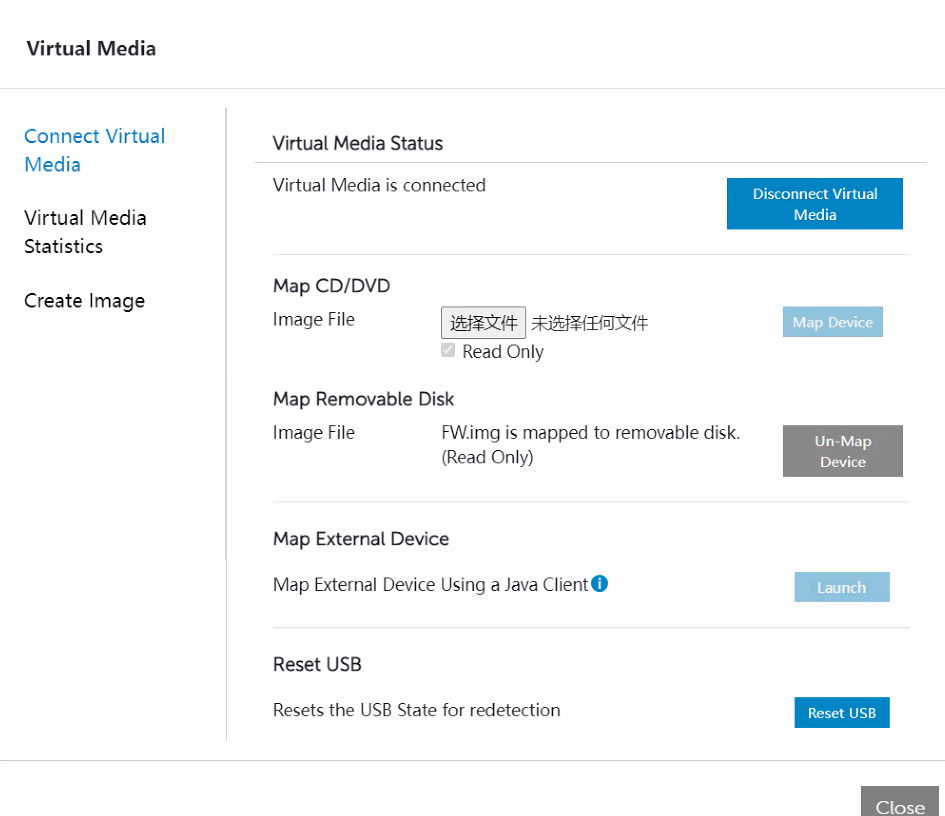
How to upgrade Firmware from Lifecycle.
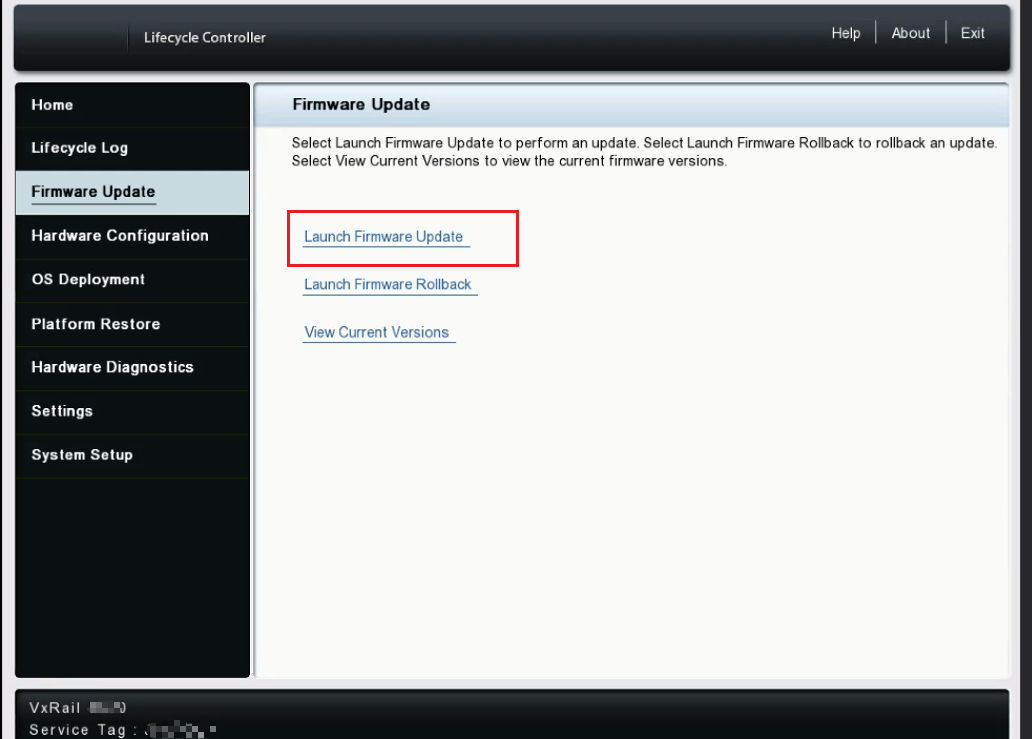
- Press F10 to enter Lifecycle.
- Choose Firmware Update then click Launch Firmware Update.
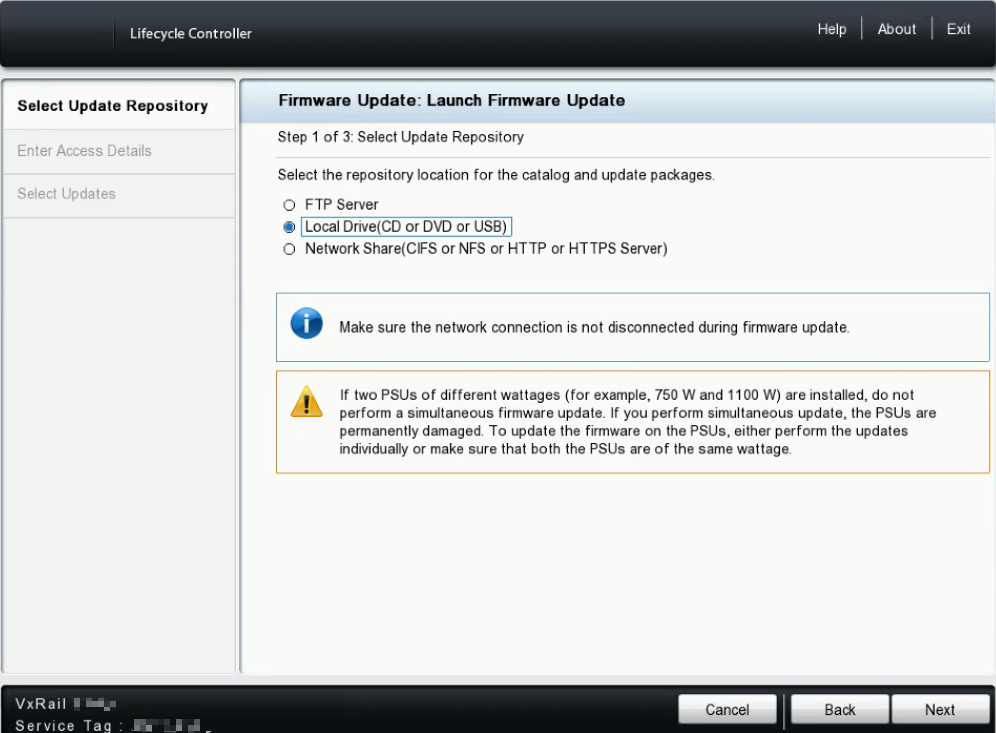
- Choose Local Drive (CD or DVD or USB).
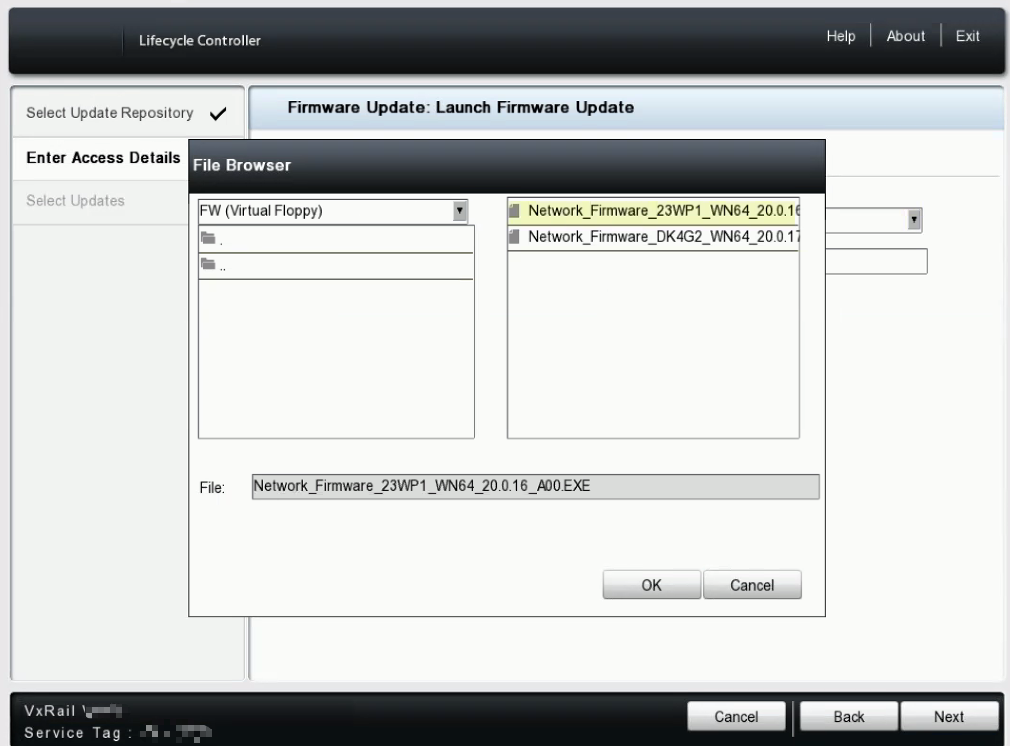
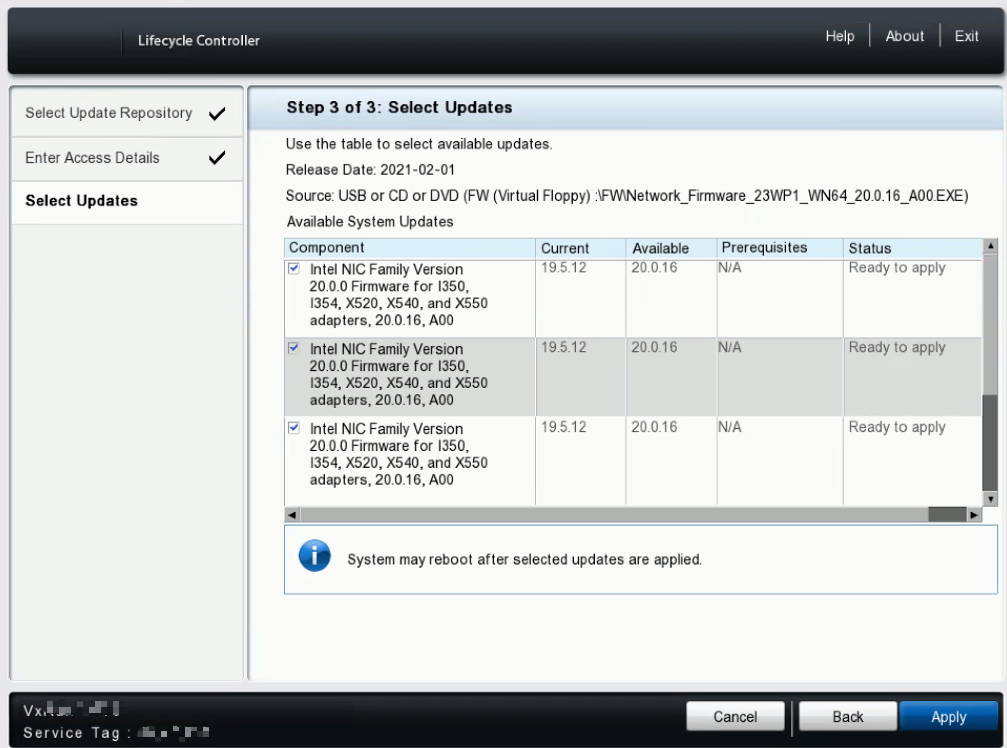
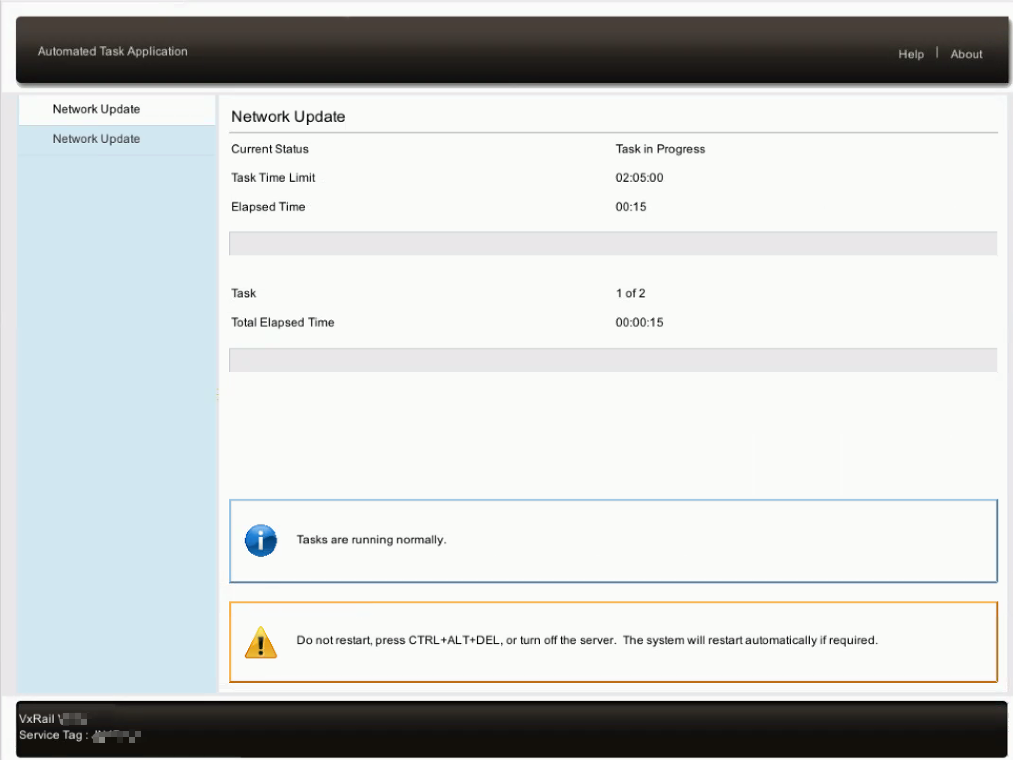
- Browse the device and choose the firmware then click OK. Click Next and Apply to upgrade firmware.
Affected Products
VxRail, VxRail Appliance Series, VxRail G Series Nodes, VxRail D Series Nodes, VxRail D560, VxRail D560F, VxRail E Series Nodes, VxRail E460, VxRail E560, VxRail E560F, VxRail E560N, VxRail E660, VxRail E660F, VxRail E660N, VxRail E665, VxRail E665F
, VxRail E665N, VxRail G560, VxRail G560F, VxRail P Series Nodes, VxRail P470, VxRail P570, VxRail P570F, VxRail P580N, VxRail P670F, VxRail P670N, VxRail P675F, VxRail P675N, VxRail S Series Nodes, VxRail S470, VxRail S570, VxRail S670, VxRail Software, VxRail V Series Nodes, VxRail V470, VxRail V570, VxRail V570F, VXRAIL V670F, VxRail VD-4510C, VxRail VD-4520C, VxRail VD Series Nodes, VxRail VE-660, VxRail VE-6615, VxRail VP-760, VxRail VP-7625, VxRail VS-760
...
Article Properties
Article Number: 000196898
Article Type: How To
Last Modified: 14 Oct 2025
Version: 6
Find answers to your questions from other Dell users
Support Services
Check if your device is covered by Support Services.