PowerStore: File import fails when SMB2 is disabled on Unity
Summary: Starting from Unity operating environment (OE) version 5.4, SMB2 can be disabled using service scripts. Should SMB2 be disabled on the Unity NAS server, the IMT import of these NAS servers may fail. ...
This article applies to
This article does not apply to
This article is not tied to any specific product.
Not all product versions are identified in this article.
Symptoms
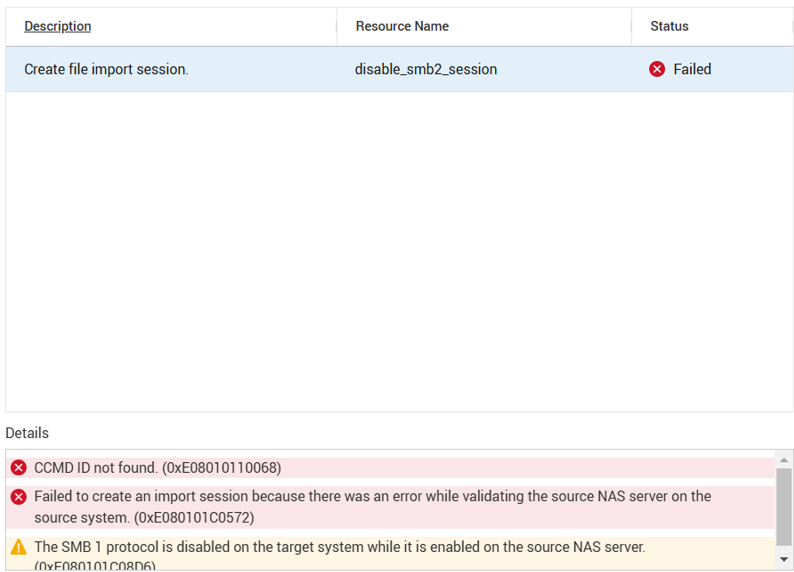
Failure to create IMT file import session.
Cause
Until PowerStore 4.x, SMB file imports worked with an SMB2 dialect.
Disabling of SMB2 on the source, would result in handshake failures and the NAS servers import to PowerStore may fail.
Resolution
Enable SMB2 on the Unity NAS server. Once completed, import the NAS Servers to the PowerStore systems.
Affected Products
PowerStoreProducts
Dell EMC UnityArticle Properties
Article Number: 000242076
Article Type: Solution
Last Modified: 17 Nov 2024
Version: 1
Find answers to your questions from other Dell users
Support Services
Check if your device is covered by Support Services.