Data Domain:如何从 DD GUI 收集核心文件
Summary: 本文介绍如何从 Data Domain System Manager (GUI) 收集核心文件。核心文件可能很大,也可以拆分为较小的区块并进行收集。
This article applies to
This article does not apply to
This article is not tied to any specific product.
Not all product versions are identified in this article.
Instructions
核心文件或核心转储捕获 Data Domain 系统工作内存在特定时间的状态,通常在程序或服务(如文件系统)崩溃时。根据具体情况,可能并不总是创建核心文件。
提醒:核心文件可能很大,在发生崩溃后,系统可能需要一些时间来创建文件。
在最新版本的 DDOS 版本 6.2.1.30 及更高版本中,可以直接从 Data Domain 系统管理器拆分和收集核心转储。
拆分和收集核心文件的步骤:
- 使用管理员凭据登录到 Data Domain System Manager
- 导航到“Maintenance”,单击“Support”,然后单击“Cores”
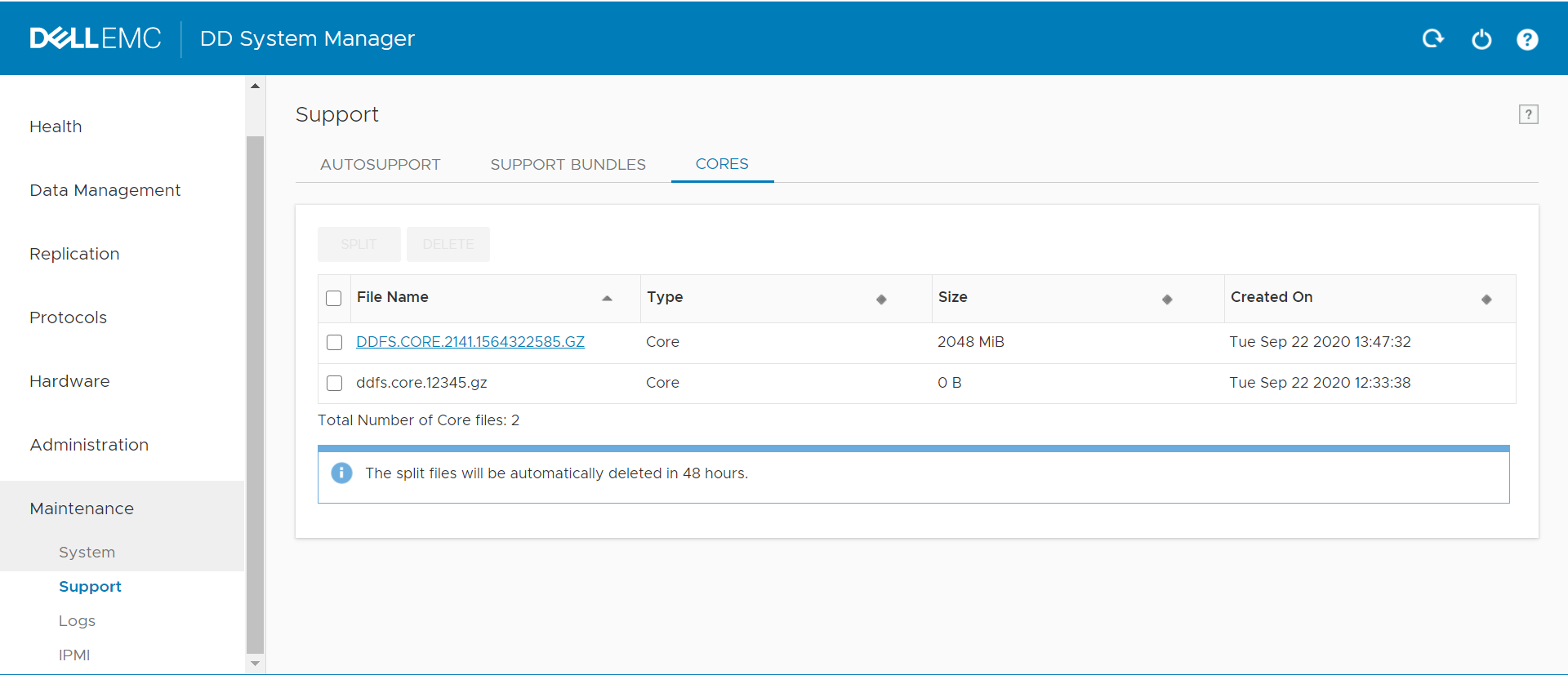
- 如果核心文件很大,则可以将其拆分为较小的块,选择核心文件,单击 Split,选择大小和单位 (MiB/GiB)

- 核心转储拆分为提到的区块

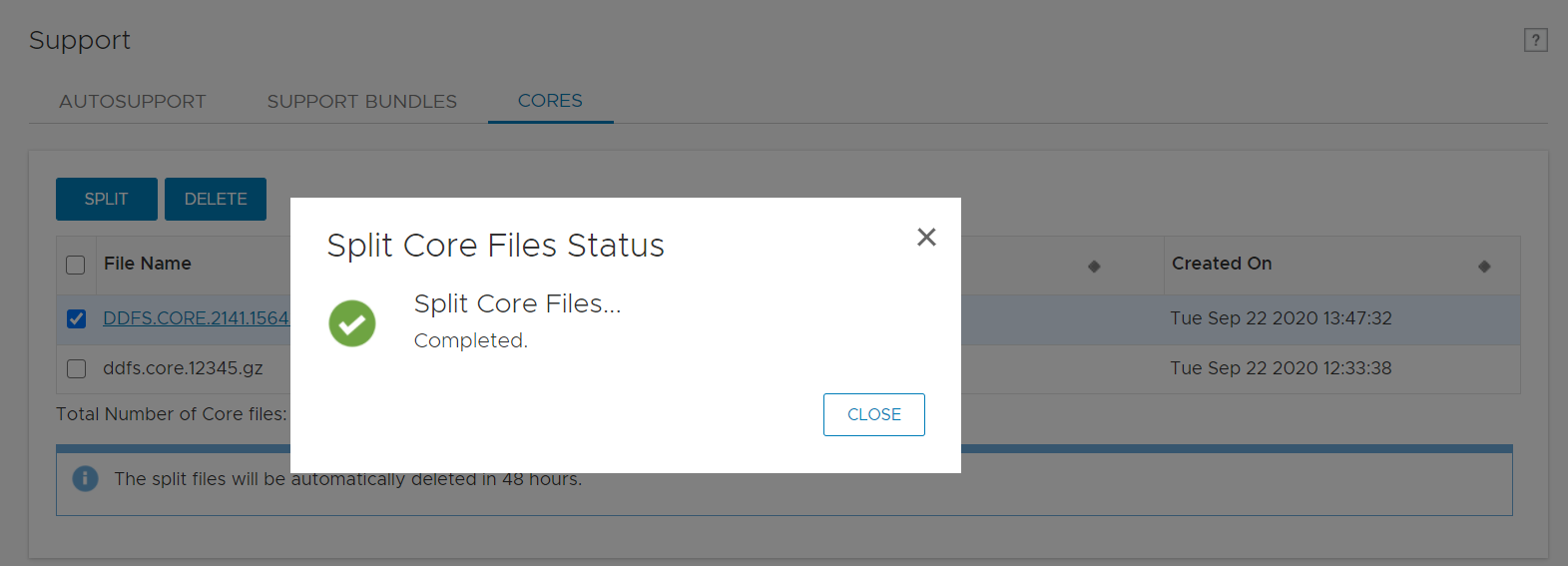
- 已成功生成核心

- 单击该文件并将其下载到本地系统

Affected Products
Data DomainProducts
Data Domain Boost – File SystemArticle Properties
Article Number: 000180231
Article Type: How To
Last Modified: 17 May 2021
Version: 1
Find answers to your questions from other Dell users
Support Services
Check if your device is covered by Support Services.