自動化掃描驅動程式期間,SupportAssist 要求進行重新安裝
Summary: 瞭解在自動掃描驅動程式期間,系統要求您重新安裝 SupportAssist 時該怎麼做。
This article applies to
This article does not apply to
This article is not tied to any specific product.
Not all product versions are identified in this article.
Symptoms
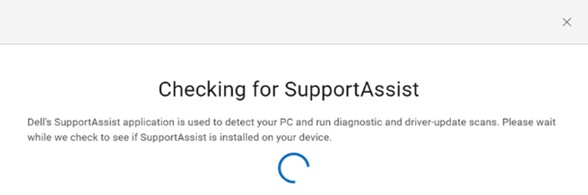
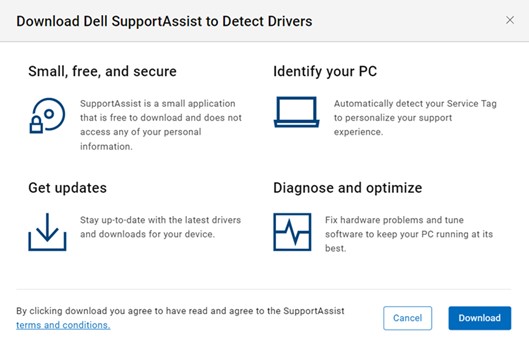
若要從 Dell 驅動程式與下載網站安裝最新的驅動程式。識別您的電腦後,按一下檢查更新。它會檢查您的電腦是否已安裝 SupportAssist 。您必須同意使用者授權合約 (EULA),才能下載家用電腦專用的 SupportAssist。
SupportAssist 會自動尋找驅動程式更新,以嘗試重新安裝。
Cause
在電腦重新開機或重新啟動後,SupportAssist 服務尚未初始化。這是因為 SupportAssist 服務是預設的延遲啟動。
Resolution
在重新開機/重新啟動後,請等待電腦 5 分鐘,再檢查驅動程式更新。如果是機齡超過 5 年的電腦,請等待 7 分鐘。
Affected Products
SupportAssist for Home PCsArticle Properties
Article Number: 000200054
Article Type: Solution
Last Modified: 22 Apr 2025
Version: 3
Find answers to your questions from other Dell users
Support Services
Check if your device is covered by Support Services.