OpenManage Enterprise: Export of template fails with 'An unknown error has occurred'
Summary: Exporting a device template from OpenManage Enterprise fails with the message: "An unknown error has occurred. Please try again."
This article applies to
This article does not apply to
This article is not tied to any specific product.
Not all product versions are identified in this article.
Symptoms
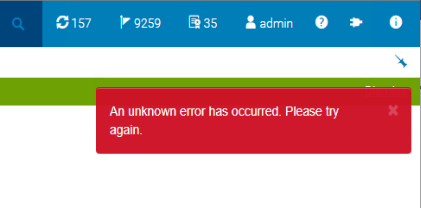
Exporting a device template from OpenManage Enterprise fails with an error:
Tomcat Application logs indicate the following error at the time of the export:
'An unknown error has occurred. Please try again'
Tomcat Application logs indicate the following error at the time of the export:
[ERROR] 2022-11-14 14:13:20.284 [ajp-nio-0:0:0:0:0:0:0:1-8009-exec-29] StoreProcedureAdapter - getXML: SQL call failed org.postgresql.util.PSQLException: ERROR: invalid XML comment
Cause
The failure occurs due to invalid characters within the configuration file when the server contains Intel E810 based network cards running firmware version 20.5.13. The issue is not observed for network cards running 20.0.18 (older) or 21.5.0 (newer).
Exporting the system configuration profile directly from the iDRAC the following invalid characters are seen under the network components:
- Intel(R) Ethernet 100G 2P E810-C Adapter
- Intel(R) Ethernet 100G 2P E810-C-stg Adapter
- Intel(R) Ethernet 25G 2P E810-XXV Adapter
- Intel(R) Ethernet 25G 2P E810-XXV OCP
- Intel(R) Ethernet 25G 2P E810-XXV-k Mezz
- Intel(R) Ethernet 25G 4P E810-XXV Adapter
- Intel(R) Ethernet 25G 4P E810-XXV OCP
- Intel(R) Ethernet 25G 4P E810-XXV-st Adapter
- Intel(R) Ethernet 25G 4P E810-XXV-stg Adapter
Exporting the system configuration profile directly from the iDRAC the following invalid characters are seen under the network components:
--Example network card attributes with invalid characters.
<!-- ReadOnly <Attribute Name="INTEL_PortOption0_Quad0_Lane2">--</Attribute> --> <!-- ReadOnly <Attribute Name="INTEL_PortOption0_Quad0_Lane3">--</Attribute> --> <!-- ReadOnly <Attribute Name="INTEL_PortOption0_Quad1_Lane0">--</Attribute> --> <!-- ReadOnly <Attribute Name="INTEL_PortOption0_Quad1_Lane1">--</Attribute> --> <!-- ReadOnly <Attribute Name="INTEL_PortOption0_Quad1_Lane2">--</Attribute> --> <!-- ReadOnly <Attribute Name="INTEL_PortOption0_Quad1_Lane3">--</Attribute> -->
Resolution
Update the Intel E810-based network card firmware to at least version 21.5.0 or newer. After the network card has been updated, capture a new template from the target device. This allows the template to be exported without error.
Affected Products
Dell EMC OpenManage Enterprise, Intel PRO Family of AdaptersArticle Properties
Article Number: 000205983
Article Type: Solution
Last Modified: 09 Jul 2025
Version: 3
Find answers to your questions from other Dell users
Support Services
Check if your device is covered by Support Services.